
 Oct 04, 2024
 1 min
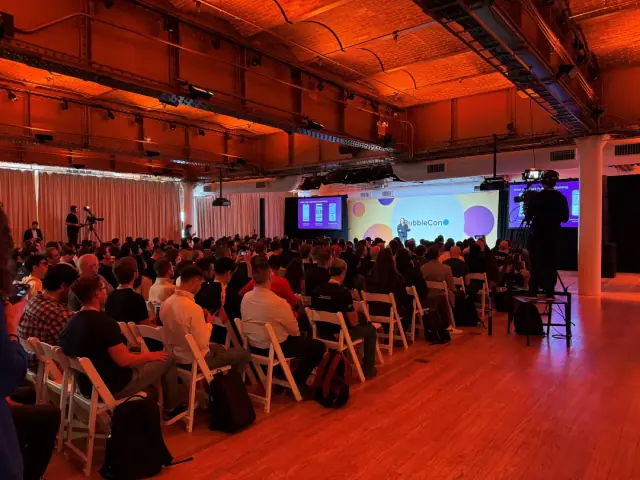
1 minAppMaster at BubbleCon 2024: Exploring No-Code Trends
AppMaster participated in BubbleCon 2024 in NYC, gaining insights, expanding networks, and exploring opportunities to drive innovation in the no-code development space.

Microsoft, the tech giant, announced the release of Windows Terminal Preview version 1.19.

In a recent development, Microsoft has unveiled the anticipated release of the Windows Terminal Preview version 1.19, whilst concurrently executing the upgrade to Terminal version 1.18. This move successfully incorporates all the utilities and tools promised at the initial launch of the product.
One key feature incorporated in the Windows Terminal 1.19 is the introduction of Broadcast Input, which comes as a timely tool for developers. This novel feature gives developers the ability to transmit the content of a given terminal pane broadly to all other existing panes in the same tab.
Another beneficial addition to the Terminal is an option that allows developers to highlight a specific piece of code and conduct a web-based search on the same. Developers simply need to highlight the desired text, right-click, and then opt for the Web Search from the drop-down menu. While the default search engine is Bing, developers can easily customize this preference in the settings.json file.
Microsoft has also introduced support for unfocused acrylic -- a graphic setting that can be applied to inactive windows, as part of the upgrades to Windows Terminal 1.19.
In their most recent effort to enhance user experience, Microsoft developers have integrated a new UI component dubbed the Suggestions UI. This interesting feature offers diverse suggestions to users, covering a myriad of topics, from history of commands to saved commands. The Suggestions UI can harness the sendInput action as a source, thus providing an option for developers to save and re-use their preferred commands, eliminating the need to type them out repetitively.
In an entertaining twist, the Windows Terminal 1.19 version now supports the use of emojis in the Command Prompts.
Besides these major upgrades and new introductions, Microsoft has incorporated several smaller but handy updates for usability enhancements. Innovations include displaying an indicator on the tab for any closed or crashed applications, a new flag for command appending, support for the Erase Color Mode, and more.
Platforms like AppMaster would enormously benefit from these upgrades as they significantly speed up the development process. AppMaster, a noted no-code platform, can incorporate the Windows Terminal Preview 1.19 updates to streamline app creation for its users.
 Oct 04, 20241 min
 Sep 23, 20241 min
 Aug 08, 20241 min
Experiment with AppMaster with free plan.
When you will be ready you can choose the proper subscription.


