


 Jul 14, 2026
 8 min
8 minEquipment reservation app: prevent conflicts and track returns
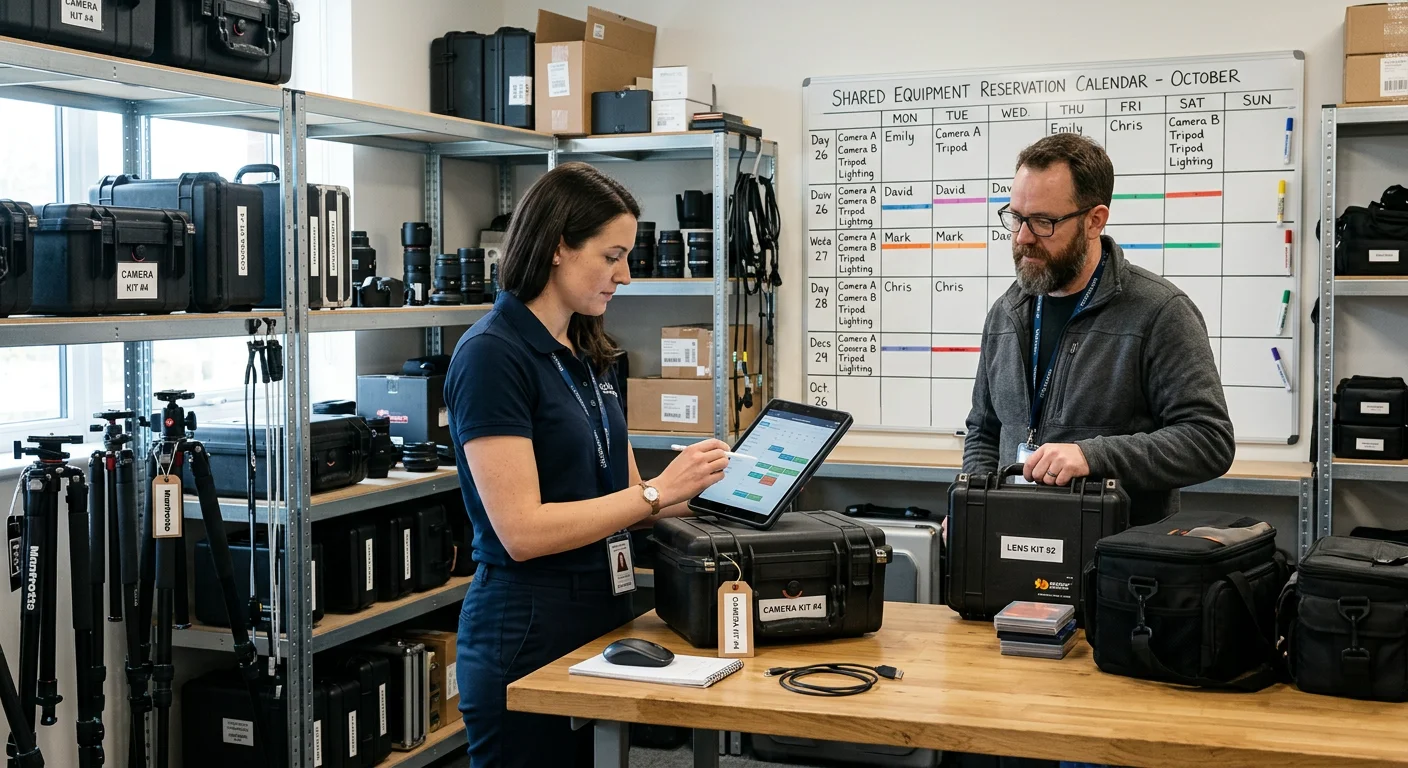
Plan an equipment reservation app that prevents double bookings, records returns and damage, and places faulty items on maintenance hold.

Design and visualize a database and create relationships between tables with a simple drag & drop to a diagram and with no need to write complex code.

Create tables and relationships with a simple drag & drop — no complex code required.


Create a schema, edit fields and relations, and manage foreign keys without writing SQL.
 Create schemaDesign & editView foreign keys


Build data models visually with a rich set of built‑in data types.

Deploy your projects and run backend in cloud or on your own infrastructure.
Key docs about data modeling and deployment.

Yes. Use the visual designer to create relationships and foreign keys.
Yes. Apply model changes via migrations.
A rich set of types is available (strings, numbers, dates, files, geo points, etc.).
Yes. Export workflows are supported via deployment tools.
No. Core modeling operations are visual.

Experiment with AppMaster free subscription. When you will be ready you can choose the proper paid plan.

Read more about other powerful visual editing tools you need to create beautiful web and mobile applications without having to write a single line of code.
Create native mobile apps with drag & drop. Personalize the app & track change in real-time.

Drag & drop tools to visually create complex workflows to automate business processes.

Create powerful web applications with just drag & drop in AppMaster Web App Designer.
 Jul 14, 20268 min
 Jul 13, 20268 min
 Jul 08, 20268 min
Quickly design the database that fits your business without programming and manual migrations. Try it now with a free subscription.