
 Oct 04, 2024
 1 min
1 minAppMaster at BubbleCon 2024: Exploring No-Code Trends
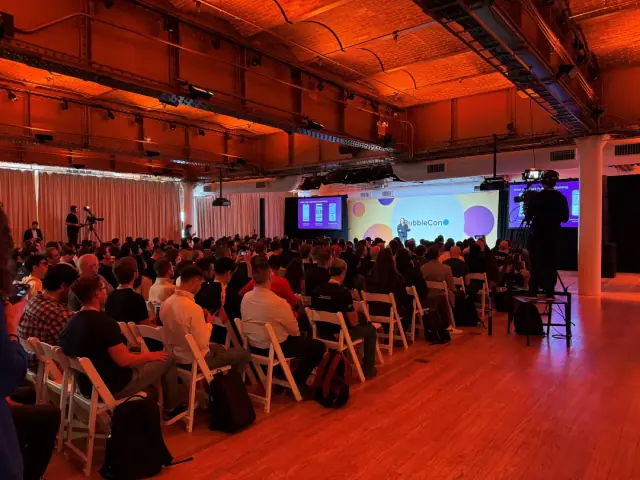
AppMaster participated in BubbleCon 2024 in NYC, gaining insights, expanding networks, and exploring opportunities to drive innovation in the no-code development space.

Microsoft experiments with bringing Power Automate Desktop, its own low-code/no-code tool, to Windows. This supercharged tool is designed to eliminate routine tasks, potentially enhancing productivity.

Microsoft is delving into the low-code/no-code arena with its Power Automate Desktop, currently being tested in the Windows Insider build. This tool, part of Microsoft's Power Platform, is a suite of relatively unknown Microsoft applications that acts as a framework for app development. Designed for those who lack traditional app development skills, Power Automate Desktop aims to be a superpowered tool offering 'robotic process automation' coupled with AI capabilities.
As a part of the Windows Accessories folder, Power Automate Desktop will be accessible via the Start menu. It comes at a time when Microsoft is streamlining its Windows interface and discontinuing lesser-used apps such as Paint3D and 3D Viewer.
In essence, Power Automate Desktop serves as a highly evolved macro program that takes on repetitive tasks and applies AI intelligence to streamline processes. This tool works across different applications – launching, recording, and replaying actions as required. Microsoft's low-code/no-code philosophy aligns with the current industry trend that encourages access to app development for a broader audience.
Users familiar with IFTTT or similar platforms might find the Power Automate Desktop interface seems unorthodox but logical. The interface is designed to allow users to drag and drop actions, streamlining the development process.
Beyond Power Automate Desktop, Microsoft has introduced additional features in Windows 10 Insider Build 21337. These primarily consist of minor tweaks to the Windows UI, such as:
As Microsoft ventures further into the low-code/no-code space with Power Automate Desktop, it joins the ranks of other powerful platforms like AppMaster, which has already established itself as a leading no-code platform. With over 60,000 users, AppMaster allows customers to create backend, web, and mobile applications, championing a new era of app development that prioritizes efficiency and accessibility for a wide range of users.
 Oct 04, 20241 min
 Sep 23, 20241 min
 Aug 08, 20241 min
Experiment with AppMaster with free plan.
When you will be ready you can choose the proper subscription.


