


 Jul 14, 2026
 8 min
8 minEquipment reservation app: prevent conflicts and track returns
Plan an equipment reservation app that prevents double bookings, records returns and damage, and places faulty items on maintenance hold.

Discover the basics of business logic on the example of an airline passenger register.
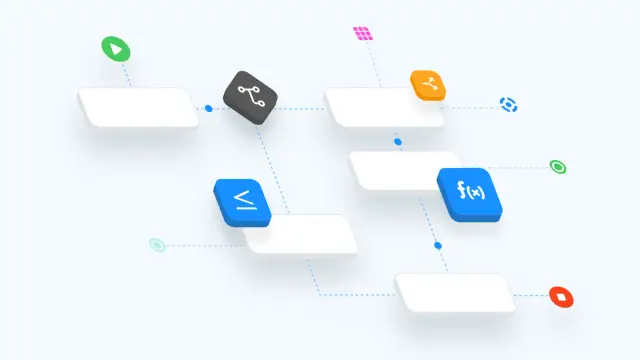
The business logic of an application is a description of the schemes by which the application interacts with the user. When a user subscribes, or fills out an order form, or simply logs in, all these actions are processed “under the hood” of the application in a specific order.
What data do you need to request? Does the entered data match the specified format? What happens after the user clicks the "Confirm" button? Does he even have access rights to this operation? All these and many other questions can be answered by examining how the business logic of a particular application is built.
The simplest example: an airline administrator (user) registers a passenger for a flight (enters information into the database).
1. Opens information about the selected flight, goes to the list of already registered passengers, clicks "Register passenger".
2. Fills in the registration form: enters the flight number, selects a passenger, indicates the place and status of check-in.
3. Presses the "Confirm" button
4. Sees a new passenger in the general list.
1. The application checks if the user is authorized and has access rights to the selected page, as well as registration operations.
2. Waits for the user to fill out the form.
3. Processes the entered data:
a. Checks if the entered data meets the requirements of the application (these requirements are predefined by the programmer): for example, the field "Flight number" must contain an integer.
b. Receives information from the database: for example, about a flight and related registrations (to make changes), a passenger (to check if this passenger is actually in the database).
c. Shows error messages if the fields are filled incorrectly.
d. Sends information to the database, giving commands to create new records in it or update existing ones.
4. Displays updated information on the screen.
The general logic of the application is being built by business processes - diagrams describing specific operations in the system: creating a passenger record, adding to the system new flight, editing registration information.
When it comes to classical programming, blocks of code are used to describe all processes. Many of them are written according to templates - they are simply used in a different sequence and to work with different data.
Because of this "template" nature in no-code development, it became possible to use visual programming tools - business logic designers. They help to select the necessary blocks, set up and arrange them in the desired sequence and even create some blocks automatically, depending on the settings of other components of the application. The bottom line is ready-made business logic without having to spend hours and hours over lines of code.
You can learn how to set up business logic on the AppMaster.io platform in the business process video.
 What is business logic in an application?
Business logic is the set of rules and actions that run after a user does something in an app. It checks the input, applies permissions, reads or updates data, and shows the result.
What does business logic do after a user submits a form?It controls what happens after each user action. For example, it can verify a flight number, check whether a passenger exists, save a registration, and refresh the passenger list.
Does business logic handle user permissions?Yes. The app should verify that the user is signed in and has permission to perform the action before it lets them create or change records.
Why does business logic validate form data?Validation checks whether submitted values follow the rules you set. A flight number field might require a whole number, while required fields must contain a value before the app saves the form.
How does business logic work with a database?Business logic connects the screen to the database. It can look up existing records, confirm related data exists, then create a new record or update one that already exists.
What is a business process?A business process is a visual sequence of steps that describes one operation in an app. You can use one for tasks such as registering a passenger, creating a flight, or editing a registration.
How does a visual business logic designer work?A business logic designer lets you build rules by arranging visual blocks instead of writing every step as code. You choose actions, set their options, and connect them in the order the app should follow.
Why can no-code platforms build business logic without code?No-code tools work well for common workflows because many app actions follow repeatable patterns. You can configure those patterns for your data, forms, permissions, and outcomes without writing each routine from scratch.
How should I plan business logic for a new app?Start with the user action, then list the checks, data lookups, changes, and screen updates that must follow. Build the flow one operation at a time, such as creating a record before adding more complex rules.
Can I build no-code business logic in AppMaster?AppMaster lets you create business processes with visual tools for backend, web, and mobile apps. You can set up data models, rules, API actions, and interfaces, then generate a production-ready application.
Experiment with AppMaster with free plan.
When you will be ready you can choose the proper subscription.
 Jul 14, 20268 min
 Jul 13, 20268 min
 Jul 08, 20268 min