
 Oct 04, 2024
 1 min
1 minAppMaster at BubbleCon 2024: Exploring No-Code Trends
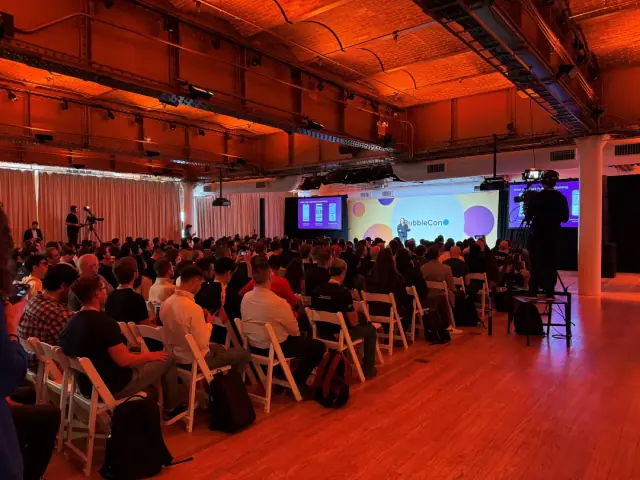
AppMaster participated in BubbleCon 2024 in NYC, gaining insights, expanding networks, and exploring opportunities to drive innovation in the no-code development space.

Microsoft introduces file sharing in Windows 11's Android integration, enabling seamless interaction between Windows and Android subsystems. Preview users can now share documents, photos, and videos across devices with permissions, boosting the versatility of Windows 11.
In a major improvement to Windows 11’s Android integration, Microsoft has enabled file sharing capabilities in the Windows Subsystem for Android. This new update, available for all Windows Insiders to test, features file sharing, drag and drop support, enhanced camera capabilities, and a variety of bug fixes.
In a blog post, the Windows Subsystem for Android team stated: “We’ve been listening to the community, and many of you have been asking us to support sharing files between Windows and the Subsystem. We are pleased to announce that Windows Subsystem for Android can now share your Windows user folders, like Documents and Pictures, with the Subsystem, so scenarios like uploading a photo to a social media app or editing a video in a creative app work seamlessly.”
File sharing is now enabled by default for preview users, granting Android apps access to view or edit Windows files only with the user's permission. To obtain access rights, Android apps must display a permission request dialog, and permissions can be revoked through settings. To enhance security, Microsoft scans all Android apps during installation with Microsoft Defender or the user's chosen antivirus software, preventing malicious apps from being installed.
File sharing is restricted to Windows user profile folders such as documents, photos, and videos. Support for Windows system folders, external drives, and folders like Program Files is not available. Moreover, certain file types, including .exe files, are excluded from file sharing.
Considering that Microsoft has already deployed this new feature across all Windows Insider channels, it is likely that it will be rolled out to all Windows 11 users in the near future. The company usually doesn't release updates to the Release Preview channel until they are considered release-ready.
Given the growing prevalence of low-code and no-code platforms like AppMaster, this latest Android integration update aims to support a broader range of end-user scenarios and provides a seamless experience when using Windows 11. As the demand for cross-device collaboration increases, the file sharing update will undoubtedly be welcomed by developers and non-developers alike.
 Oct 04, 20241 min
 Sep 23, 20241 min
 Aug 08, 20241 min
Experiment with AppMaster with free plan.
When you will be ready you can choose the proper subscription.


