


 Jul 14, 2026
 8 min
8 minEquipment reservation app: prevent conflicts and track returns
Plan an equipment reservation app that prevents double bookings, records returns and damage, and places faulty items on maintenance hold.

We hope you are as excited as we are about the new features we have been working on to make your AppMaster experience even better.
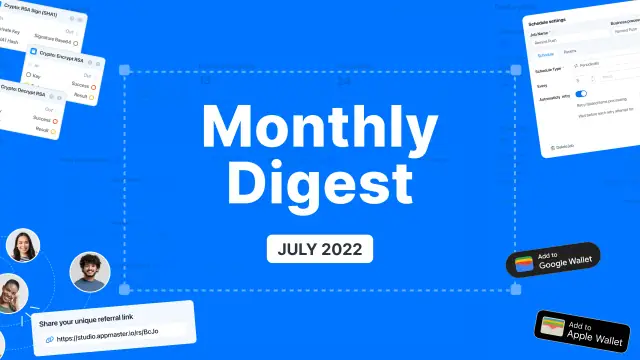
This past month we’ve been focused on technical improvements in AppMaster as well as developer apps and studio sync. We're proud to share our latest product updates with you. Check out this blog post from our team to get the latest on what we've been up to!

Now you can use our business process scheduler in web applications to launch business processes periodically. You can run the scheduler in three modes — Foreground & Background, Foreground Only, Background Only. This limits the task's operation depending on the application status. Now you can even run your BP in web background mode when a user switches tabs.

We have renewed our referral program and now you can find it in your workspace. Invite someone to try AppMaster for free by using your referral link! After joining, your friends will receive a discount, and you will receive a reward for all their payments for up to 12 months! There is no limit to how much you can earn.

We have added support for Google Wallet and Apple Wallet for non-financial entities: event tickets, discount cards, boarding passes, and more. You can find the necessary blocks in our business processes. At the first stage, the functionality works only with the Generic Pass. But in the future we will add more entities.

We have added cryptography support to the BP editor of mobile applications and to the Android mobile app. And IOS is going to be ready in the near future. Now if the cryptography module is connected, you’ll have the cryptography blocks available in the business process editor in a separate group in the left pane.
Implemented the BP Detect Browser block in a web application
Added workspace support to AppMaster Developer IOS app
Added automatic creation of BP blocks when double clicking on the connector
Added field array blocks to the Android mobile app
Fixed errors in file handling blocks
Fixed file transfer from the backend in the generated application
Fixed comparison blocks in web application
Fixed map loading in mobile designer
Fixed Bar chart in Android app
 What is the Business Process Scheduler for web apps?
The scheduler lets a web app start a business process on a recurring schedule. You can use it for jobs such as regular data checks, reminders, or timed updates.
Which scheduler modes can I use?Choose Foreground and Background, Foreground Only, or Background Only. These modes control whether the scheduled task runs while the app is active, in the background, or both.
Can a scheduled process run after a user switches tabs?Yes. Background mode lets a scheduled business process continue when a user switches to another browser tab, subject to the mode you selected.
Where do I find my AppMaster referral link?Open your workspace and use the referral link available there to invite someone. The person you invite can try AppMaster for free through that link.
How do referral rewards work?Your invited friend receives a discount after joining through your link. You receive rewards from their payments for up to 12 months, and the program does not set an earning limit.
What can I use Google Wallet and Apple Wallet support for?You can create and work with non-financial passes such as event tickets, discount cards, and boarding passes. The required blocks are available in business processes for mobile apps.
Which Wallet pass type is available now?The first release supports Generic Passes. Other pass types are planned for later, so use Generic Pass when building this feature now.
How do I use cryptography blocks in a mobile app?Connect the cryptography module, then open the mobile app business process editor. Its cryptography blocks appear in their own group in the left pane.
Does mobile cryptography work on both Android and iOS?Cryptography support is available in the mobile business process editor and generated Android mobile apps. iOS support was planned but was not included in the update described here.
What other improvements and fixes came with this update?The update added browser detection for web apps, workspace support in the AppMaster Developer iOS app, automatic BP block creation by double-clicking a connector, and Android field-array blocks. It also fixes issues with files, comparisons, maps, and Android bar charts.
Experiment with AppMaster with free plan.
When you will be ready you can choose the proper subscription.
 Jul 14, 20268 min
 Jul 13, 20268 min
 Jul 08, 20268 min