


 Jul 14, 2026
 8 min
8 minEquipment reservation app: prevent conflicts and track returns
Plan an equipment reservation app that prevents double bookings, records returns and damage, and places faulty items on maintenance hold.

Get to know the pros and cons of native mobile apps and how AppMaster.io can help you to develop them.
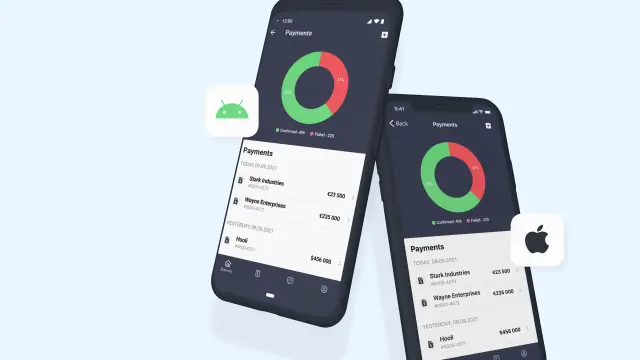
One of the reasons why you should choose our no-code mobile development platform is that all apps you create will be native. Let's talk about the benefits of this.
Native mobile applications are applications developed for a specific platform, in our case, for iOS or Android. They look organic on a smartphone and are downloaded through the App Store or Google Play.
Such applications can make full use of hardware resources (camera, microphone, accelerometer, compass, light sensor, etc.), access photo and video files, address book, geolocation, player, calendar, and other programs and services. By accessing the notification system, you can enable push notifications.
Compared to hybrid (cross-platform) applications, native ones work faster and more stable, consume less battery and memory.
In classic development, building native apps requires experience with specific environments (xCode for Apple; Eclipse or Android Studio for Android) and knowledge of programming languages (Java and Kotlin; Objective-C and Swift).
No-code allows you to bypass the main disadvantages of native development. The code is generated automatically, which means you don't need to learn specific languages or look for developers. The cost of the application will not depend on the OS - the tariff for iOS and Android will be the same. In the mobile app builder, it is easier to develop for different platforms. It will take much less time than classic development.
In addition, the native AppMaster.io framework (in Swift or Kotlin for the respective OS) will allow you to update your application without publishing delays. It is enough to publish it in PlayMarket or AppStore once, and all interface and logic updates will be delivered to users instantly, you just need to make changes and republish the backend.
Create your native app - register on our no-code platform and join the AppMaster.io community chat on Telegram.
 What is a native mobile app?
A native app is built for a specific mobile operating system, such as iOS or Android. It uses that system's own tools and design patterns, so it feels at home on the device.
What phone features can a native app use?Native apps can use device features directly, including the camera, microphone, GPS, photo library, contacts, sensors, calendar, and push notifications. That access supports apps with real mobile workflows instead of a mobile website in an app shell.
Why do native apps often feel faster?Native apps usually respond quickly and run smooth animations because they work directly with the operating system. They can also use memory and battery more efficiently than many hybrid apps.
Will a native app look different on iOS and Android?A native app follows the conventions of its platform. iOS users see familiar iPhone behavior, while Android users get controls and interactions that fit Android.
Why is traditional native app development expensive?Traditional native development often requires separate skills for each platform, such as Swift for iOS and Kotlin for Android. Teams also need time to build, test, maintain, and update each version.
How does AppMaster help create native apps without coding?AppMaster lets you build complete native mobile apps with visual tools instead of writing platform-specific code yourself. You can create the data model, business logic, and mobile interface in one no-code platform.
What technologies does AppMaster use for mobile apps?AppMaster generates native mobile applications using SwiftUI for iOS and Kotlin for Android. You design the app visually, then the platform produces code for the selected mobile platforms.
Can I build for both iOS and Android with AppMaster?You can create versions for both iOS and Android through AppMaster's mobile app builder. This reduces the duplicated effort that usually comes with maintaining two separate native projects.
How do AppMaster mobile app updates work?After the first app-store release, you can update the app's interface and logic by changing the project and republishing the backend. Users receive those updates without waiting for another store review for each change.
What types of apps can I build with AppMaster?Native apps suit customer portals, internal tools, sales and support apps, admin panels, and process automation. They work especially well when the app needs device access, push notifications, or a responsive interface.
Experiment with AppMaster with free plan.
When you will be ready you can choose the proper subscription.
 Jul 14, 20268 min
 Jul 13, 20268 min
 Jul 08, 20268 min