


 Jul 14, 2026
 8 min
8 minEquipment reservation app: prevent conflicts and track returns
Plan an equipment reservation app that prevents double bookings, records returns and damage, and places faulty items on maintenance hold.

Explore the latest AppMaster updates, featuring powerful enhancements for developers, app enthusiasts, and business owners.
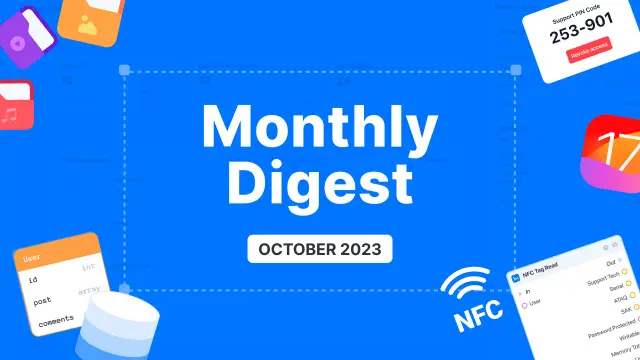
This month, we're thrilled to introduce some exciting updates to our platform. These changes benefit all our users, whether you're a developer, an app enthusiast, or a business owner.
Let’s dive into the details of our October updates to see how they can make your experience with AppMaster even better.
We're excited to unveil a valuable update to AppMaster's no-code platform: Support Access. This feature simplifies the process of granting technical support access to your projects.
With Support Access, you can easily generate a Personal Identification Number (PIN) and share it with our support staff, giving them secure and restricted access to your project precisely when and where you need it.
This not only speeds up troubleshooting and issue resolution but also safeguards your sensitive data and proprietary information. Support Access is a testament to our commitment to providing a secure collaborative environment for our users.
We understand that efficient and secure support is crucial to your app development journey. This feature will simplify the process and ensure your data's safety. It's just one of the exciting updates we have in store for October, all aimed at empowering you in your app development endeavors.
Another new feature is an Asset Manager for web apps. This update makes handling digital assets in your app development projects easier.
No longer will you need to juggle multiple tools and systems to organize, track, and utilize your assets effectively. With the Asset Manager, users gain a centralized hub to effortlessly upload, categorize, and access all their digital resources, from images and icons to audio and video files.
This comprehensive solution ensures that your web app development workflow is more efficient and organized, enhancing your ability to collaborate, iterate, and deliver a top-notch app.
We also added direct database access via a dedicated button on the deploy card. This feature empowers users to directly edit, delete, or add records without entering the generated application. It provides a convenient way to quickly and precisely change the database, making data management smoother.
Yet, it's crucial to bear in mind that the changes made through this feature are irreversible, so users should exercise caution with all the edits they perform. This update reflects our commitment to providing comprehensive data management tools, giving you more control within the AppMaster environment.
This feature comes with ready-to-use blocks that allow you to connect, scan, and work with NFC tags. It means users can now seamlessly incorporate NFC technology into their apps. Use it to connect with other devices, scan NFC tags for information, and create interactive solutions.
The possibilities are extensive, from making user interactions more convenient to streamlining data transfer. Embrace NFC support and unlock the potential for more dynamic and interactive user experiences.
Another significant addition to our platform is project adaptation for iOS 17. This update enables developers to seamlessly tailor their applications to the most recent iOS version, ensuring compatibility and optimal performance.
By incorporating this adaptation into our platform, we empower developers to stay ahead of the curve, offering users the best possible experience on the latest iOS devices.
Stay tuned for more updates as we continue to improve our platform to meet your app development needs!
 What is Support Access in AppMaster?
Support Access lets you generate a PIN for AppMaster support staff. They can use it to get restricted access to the project you need help with.
How do I give AppMaster support access to my project?Generate a PIN in your project and share it with AppMaster support when you need help. Give access only for the issue you want them to review.
Is Support Access safe for sensitive project data?The feature gives support restricted project access instead of requiring you to share broader account details. Keep your PIN private and share it only with verified support staff.
What does the Asset Manager do?The Asset Manager is a central place in a web app project to upload, organize, and use files such as images, icons, audio, and video.
Which files can I manage with the Asset Manager?Upload the file to the Asset Manager, categorize it, then access it from the same project when building your web app. This keeps project assets together instead of spread across separate tools.
Can I edit database records directly in AppMaster?Use the database button on a deployment card to open direct database access. You can add, edit, or delete records without opening the generated application.
Can I undo direct database changes?Treat every direct database edit carefully because the post says these changes are irreversible. Check the record and values before you save or delete anything.
How can I add NFC tag scanning to an AppMaster app?AppMaster provides ready-to-use blocks for connecting to NFC, scanning tags, and working with tag data. Add these blocks to your app logic for the NFC action you need.
What can I build with AppMaster NFC support?NFC support can help an app read information from NFC tags, connect with compatible devices, or pass data through NFC interactions. Choose it when that physical tap or scan fits your app's workflow.
Does AppMaster support iOS 17?The October update adapts AppMaster projects for iOS 17 so developers can prepare their apps for that iOS release and its devices.
Experiment with AppMaster with free plan.
When you will be ready you can choose the proper subscription.
 Jul 14, 20268 min
 Jul 13, 20268 min
 Jul 08, 20268 min