


 Jul 14, 2026
 8 min
8 minEquipment reservation app: prevent conflicts and track returns
Plan an equipment reservation app that prevents double bookings, records returns and damage, and places faulty items on maintenance hold.

The list of new modules that appeared on our no-code platform.
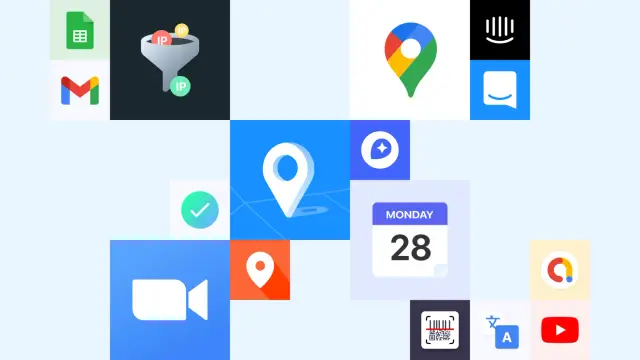
We are constantly expanding the list of modules to give your applications new possibilities. Today we will tell you about the ones that have appeared on the platform during the last month.
Add custom maps to your mobile and web applications.
The module allows you to automatically change the default map service depending on the platform: Google Maps for web and Android applications, Apple Maps for IOS applications.
Add API settings for integration with corresponding map services.
We are expanding the list of marketing tools to make your business even more effective. The Mail Chimp and GetResponse modules will add API settings to allow you to send e-mail messages through these popular services.
Now you can conduct video conferencing and webinars right in your application.
It will be easier to schedule events - your application can create events in ICalendar format and share them with other users.
Now you can allow and deny access to endpoints from specified IP addresses. For more information about the IP Filter module and its settings, we have told in this article.
Currently, there are 10 new modules, which we plan to add to the platform soon.
API settings for Google services:
Intercom communication platform compatibility:
Data Models for Countries and Cities.
User data validation module Validators.
Youtube Player video player widget.
Barcode Scanner.
Want to ask questions or suggest module ideas that we don't have yet? Write to the telegram community chat to connect with developers and other AppMaster.io no coders.
 What new modules did AppMaster add?
AppMaster added modules for maps, mailing services, Zoom, iCalendar, and IP-based endpoint filtering. These modules help you connect common services without building every integration from scratch.
How does the Universal Map module work?The Universal Map module chooses the map service for the platform. It uses Google Maps in web and Android apps, and Apple Maps in iOS apps.
Can I choose Google Maps or MapBox directly?Use the Google Maps or MapBox Map modules when you want to connect a specific map provider. Add that provider's API settings, then use its map features in your app.
What can the Mail Chimp and GetResponse modules do?The Mail Chimp and GetResponse modules connect your app to those email marketing services through their APIs. You can use them to send email messages through the service you already use.
Can I add Zoom meetings to my app?The Zoom API module lets your application work with Zoom for video conferences and webinars. It brings that video meeting workflow into your product instead of sending users to a separate process.
What is the iCalendar module for?iCalendar lets your app create shareable calendar events in iCalendar format. Users can pass those events to others and add them to compatible calendar apps.
How does IP Filter protect an endpoint?The IP Filter module controls access to selected endpoints by IP address. Set addresses or ranges that your app should allow, then deny traffic from addresses outside that rule.
When should I use IP filtering?Use IP filtering for admin APIs, internal tools, or partner endpoints that should accept traffic only from known networks. It adds an access rule, but you should still use authentication for sensitive actions.
Which modules were planned next?AppMaster planned modules for Gmail, Google AdMob, Google Sheets, Google Translate, Intercom, country and city data models, validation, a YouTube player, and a barcode scanner. Availability depends on when each module reaches the platform.
How can I start using AppMaster modules?Create a no-code application in AppMaster, then add the modules that match your workflow. You can combine backend logic, web screens, and native mobile interfaces in the same project.
Experiment with AppMaster with free plan.
When you will be ready you can choose the proper subscription.
 Jul 14, 20268 min
 Jul 13, 20268 min
 Jul 08, 20268 min