


 Jul 14, 2026
 8 min
8 minEquipment reservation app: prevent conflicts and track returns
Plan an equipment reservation app that prevents double bookings, records returns and damage, and places faulty items on maintenance hold.

We had an incredibly productive 2021. Learn what's new on AppMaster.io in December!
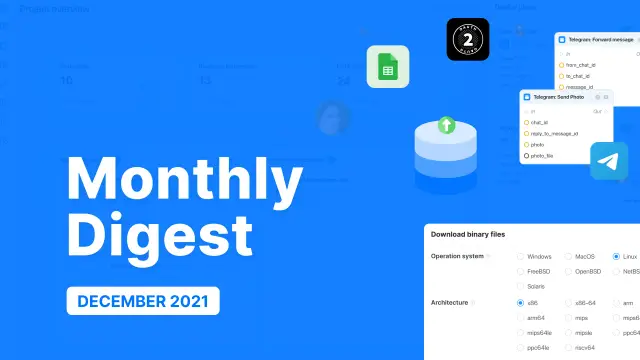
We had an incredibly productive 2021! We managed to significantly improve the overall performance of AppMaster.io, present it to a larger audience, and gain valuable feedback.
We have already set the plan for the subsequent development. We are aiming for new achievements.
As for now, we have some important updates that we've been working on in December.
Apps created with AppMaster.io already compile many operating systems with various processor architectures. We have extended this list of OSs for enterprise accounts to provide our users with more options. Among supported systems are Linux, macOS, Windows, FreeBSD, OpenBSD, NetBSD, Solaris with the following processor architecture — x86 (i386), x86-64 (amd64), arm, arm64.
We added the databases and files export for the generated apps. Thus, you can easily export the required data of the application.
 This month we managed to add blocks to Business Processes:
 As always, we could not leave you without any new modules, so we added:
Ctrl + P — publish the last project;
Ctrl + S — save the current entity to the server;
Ctrl + N — create a new instance of an entity or element;
Ctrl + Enter — save the current modal window or dialog with a positive result;
Ctrl + S + S — save the scheme + publish;
Сtrl + C; Сtrl + V — copy/paste business processes blocks. Stay tuned, and don't miss no-code updates! Welcome to join the AppMaster.io community on Discord and text directly to our developers there!
 Which operating systems can AppMaster projects compile for?
Enterprise accounts can compile AppMaster projects for Linux, macOS, Windows, FreeBSD, OpenBSD, NetBSD, and Solaris. This gives teams more choices when they run applications on their own infrastructure.
Which processor architectures does AppMaster support?The update lists x86 (i386), x86-64 (amd64), arm, and arm64. Choose the architecture that matches the servers or devices where you plan to run the generated application.
Can I export my app's database and files?Yes. AppMaster added database and file export for generated applications, so you can export the application data you need.
What can I do with the new Telegram business process blocks?The new Telegram blocks let you add Telegram-related actions to a visual business process. You can use them when your app needs to work with Telegram messaging.
What are SSH Command blocks used for?SSH Command blocks let a business process run commands on a remote system through SSH. Use them for controlled automation tasks that need to interact with a server.
Does AppMaster support OAuth 2.0 authentication?AppMaster added an OAuth 2.0 authentication module. It helps applications support OAuth 2.0 based sign-in and authorization flows.
What is the Google Sheets module for?The Google Sheets module lets an AppMaster application work with Google Sheets as part of its logic. It is useful when a team keeps operational data or reports in spreadsheets.
Can I remove unused web app components?The platform added a tool that removes unused web application components. Cleaning out components you no longer use can keep the project easier to maintain.
What deployment improvements were included?AppMaster added a detailed deploy-plan page and improved publication stability. The log information page also received an update to make deployment details easier to review.
Which Studio hotkeys were added?Studio supports shortcuts for publishing, saving, creating items, confirming dialogs, and copying or pasting business process blocks. For example, Ctrl + P publishes the last project, Ctrl + S saves the current entity, and Ctrl + Enter confirms the current dialog.
Experiment with AppMaster with free plan.
When you will be ready you can choose the proper subscription.
 Jul 14, 20268 min
 Jul 13, 20268 min
 Jul 08, 20268 min