
 Oct 04, 2024
 1 min
1 minAppMaster at BubbleCon 2024: Exploring No-Code Trends
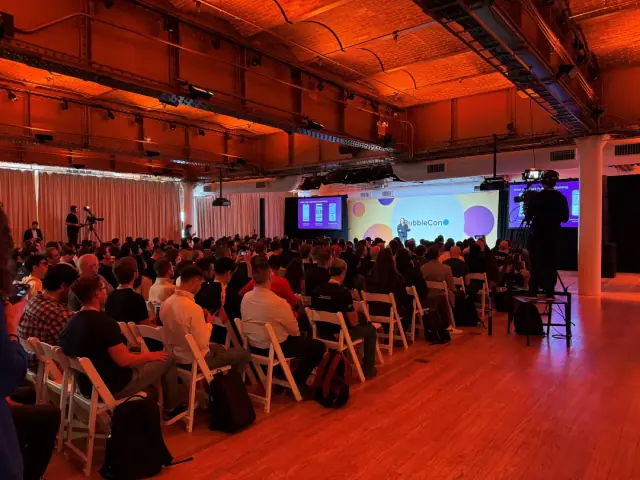
AppMaster participated in BubbleCon 2024 in NYC, gaining insights, expanding networks, and exploring opportunities to drive innovation in the no-code development space.

Google's latest upgrades to Google Cast include the enhanced Output Switcher 2.0.
In line with the tech giant's commitment to innovation, Google has recently unveiled a series of updates to its Google Cast platform. The enhancements aim to push the boundaries of media transfer and control across devices and technical protocols. Among these notable improvements is the output switcher accessible via the Android System user interface.
Following the much-anticipated launch of Output Switcher 2.0 on Android U, Google Cast now showcases advanced features such as amplified volume control, improved device grouping, and seamless integration with devices making use of bespoke protocols.
In response to the growing demand for bite-sized content, Google Cast has been optimized to allow users to access and enjoy their preferred short-form videos across cast-compatible devices, such as TVs. This development enhances the barrier-less media entertainment experience.
Heeding customer feedback, Google has tackled the issue concerning the visibility of the cast icon. Many users reported that the absence of this icon often led to the wrong assumption that their Chromecast-compliant devices were not recognized. To address this, Google rolled out the new “Persistent cast icon” feature to enhance overall user experience and device findability.
The persistent cast icon is designed to be constantly visible, allowing users to have immediate access to it and understand why a certain device may not appear available. Google has also fine-tuned the mechanism that controls how fast devices are discovered. Developers looking for more detailed insights can refer to the Google Cast Developer Guide.
In conclusion, with these enhancements, Google takes a significant stride in not only improving media dissemination and control but also streamlining user experience - a principle shared by no-code platforms like AppMaster, which simplify the app development process with user-friendly features.
 Oct 04, 20241 min
 Sep 23, 20241 min
 Aug 08, 20241 min
Experiment with AppMaster with free plan.
When you will be ready you can choose the proper subscription.


