


 Jul 14, 2026
 8 min
8 minEquipment reservation app: prevent conflicts and track returns
Plan an equipment reservation app that prevents double bookings, records returns and damage, and places faulty items on maintenance hold.

Explore the most critical features to consider when selecting an ERP system, including built-in analytics, customizable modules, mobile capabilities, and seamless integration with other business systems.

Enterprise Resource Planning (ERP) systems are vital for businesses looking to modernize their operations by consolidating tasks such as finance, inventory management, human resources, sales, and customer relationship management. These systems integrate these processes into a single platform, improving efficiency, reducing errors, and enabling better decision-making.
As technology advances and businesses become more complex, having a comprehensive ERP system becomes increasingly important. When choosing an ERP system, it's crucial to consider key features for business success. In this article, we'll explore one essential feature to look for: built-in analytics and reporting.
One of the most important features an ERP system must have is built-in analytics and reporting capabilities. These tools empower users to extract valuable insights from large volumes of data generated across business processes. Besides creating and customizing standard reports, advanced analytics capabilities should enable users to explore trends, patterns, and outliers in data, forecast future outcomes, and identify key performance indicators (KPIs). A powerful analytics suite in an ERP system should offer features such as:
A sophisticated analytics suite within your ERP system enhances decision-making by presenting actionable insights, helping your business make data-driven decisions and stay ahead of the competition.
Every business is unique, and your ERP system should be able to cater to your specific needs and requirements. A flexible, customizable ERP platform is essential, allowing you to configure the system, workflows, and user interface according to the unique processes, practices, and objectives your business has. When assessing an ERP system's customizability, consider whether it offers the following:
The ERP system should consist of separate but integrated modules, each focused on a specific business function. This modular design enables you to pick and choose the modules that best suit your business and avoid paying for features you don't need.
A modern ERP system should offer no-code or low-code customization options, enabling non-technical users to adjust the system's functionality without the need for programming expertise. This empowers your team to modify the system to fit your processes without relying on external developers or consultants. An excellent example of this is AppMaster, a no-code platform allowing users to create software applications without writing code.
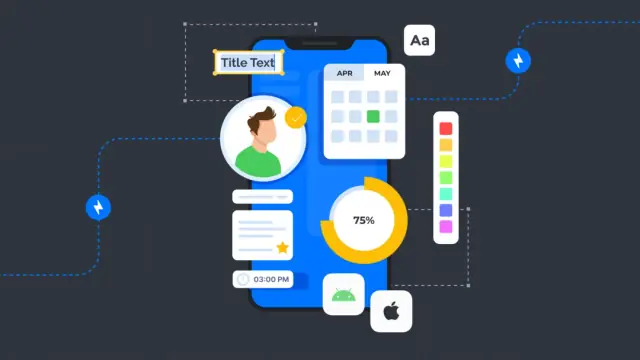
A wide variety of process automation options should be available within the system, allowing users to define and automate workflows, reducing manual tasks, and improving operational efficiency.
The system should allow you to create and modify data models according to your unique business needs and data requirements, leading to a more accurate representation of your organization's data and processes.
A customizable ERP system not only accommodates the specific needs of your business but also allows for growth and adaptation in the face of changing market conditions. Flexible architecture provides long-term value and an advantage over competitors who may be constrained by rigid systems that are difficult to modify.
Today having access to crucial information and data at your fingertips has become vital for decision-makers and employees alike. Mobile capabilities allow ERP system users to manage their business processes, monitor vital statistics, and take actions from anywhere and anytime using their smartphones or tablets. This accessibility and convenience are of utmost significance in streamlining business operations and enhancing productivity. A mobile-friendly ERP solution offers several benefits, including:
To ensure optimal performance, a mobile ERP system should have a responsive user interface, strong security features, and seamless integration with the main ERP platform. Furthermore, innovative no-code platforms, like AppMaster, can help businesses create mobile applications with ease, making it much simpler to develop mobile-ready ERP systems for modern enterprises.
Integration is a key component of any successful ERP implementation. A well-integrated ERP system is essential for streamlining workflows and avoiding data silos between various departments and processes. It ensures that all business processes, such as finance, human resources, inventory management, and CRM, work together in harmony, leading to increased operational efficiency and data accuracy. Here are some notable advantages of seamless integration in an ERP system:
When evaluating ERP solutions, organizations should consider their integration capabilities with existing systems and third-party applications. Such integration can be achieved through APIs, custom connectors, or pre-built integrations provided by the ERP vendor. Platforms like AppMaster can help organizations create custom integrations and generate APIs for their ERP systems, ensuring seamless connectivity and data exchange across multiple business applications.
Real-time data tracking is a critical feature of an ERP system, as it helps businesses access up-to-date information for multiple processes and facilitates quick decision-making. Instant access to real-time data not only drives operational efficiency but also promotes collaboration within the organization, enabling employees to work together more efficiently towards common goals. Some benefits of real-time data tracking and enhanced collaboration in an ERP system include:
To benefit from real-time data tracking and enhanced collaboration, organizations must choose an ERP system that offers advanced reporting, data visualization, and collaboration tools. Additionally, API-driven platforms like AppMaster can help create customized dashboards and reporting solutions, allowing for even greater access to real-time data and insights.
In summary, a modern ERP system with mobile capabilities, seamless integration, and real-time data tracking can significantly improve an organization's efficiency, decision-making, and overall operational performance. By carefully considering these features during the ERP selection process, businesses can choose the right solution that aligns with their unique needs and requirements.
When considering an ERP system for your business, it's vital to ensure that the system can grow with your organization. Scalability plays a significant role in an ERP solution, as it should be able to accommodate increases in business size, users, transactions, processes, and other key parameters. The most future-proof ERP systems are those that can easily scale up or down to support your changing needs without causing unnecessary disruptions. Some of the aspects to look for in an ERP system with regards to scalability include:

Since ERP systems house a vast amount of sensitive business information – from financial data to personal employee details – it is crucial to ensure the highest levels of security to protect against data breaches, unauthorized access, and other cyber threats. To assess the security and compliance of an ERP system, consider the following factors:
As with any software implementation, user adoption is a critical factor to ensure the success of your ERP system. Choosing an ERP solution with a user-friendly interface and simplified workflows helps reduce the learning curve for your employees, ultimately leading to higher productivity and a better return on investment (ROI). To evaluate the usability of an ERP system, consider the following aspects:
By prioritizing scalability, cloud compatibility, security, compliance, and user-friendliness in your ERP system, you will be better equipped to support your organization's growth and adapt to evolving business environment. Additionally, consider exploring platforms like AppMaster for seamless integration with other business systems, which can further enhance your ERP solution's overall effectiveness.
An essential feature of any ERP system is the availability of comprehensive training and support resources. Implementing a new ERP solution can be a complex process that often involves a steep learning curve for your staff. Therefore, having access to training materials, such as online documentation, video tutorials, live webinars, and instructor-led courses, is crucial in ensuring that your team becomes proficient in using the software efficiently and effectively.
Moreover, vendor-provided support should include access to a dedicated support team that can assist with troubleshooting issues, answering questions, and providing guidance on using the ERP system. Support can take various forms, such as email, phone, or live chat, and should be accessible during your business hours to minimize downtime due to unresolved technical problems.
In addition, a vendor that offers a responsive support team and user community can significantly enhance your ability to maximize the benefits of your ERP system. An active user community allows you to connect with other users, share best practices, learn about new features, and get solutions for common issues that other customers may have already encountered and resolved.
Selecting the right ERP system can be a challenging task, considering the wide range of features and capabilities available in the market. However, by focusing on the essential features outlined in this article, you can make an informed decision that caters to the specific requirements and objectives of your business.
In summary, the key features to look for in an ERP system include:
As you evaluate different ERP systems, it's important to keep these features in mind and choose a solution that not only meets your current needs but also has the potential to grow with your business. While making the right choice in ERP may require thorough research and planning, the long-term benefits of increased efficiency, improved decision-making, and greater operational control can greatly outweigh the time invested in the selection process.
Furthermore, consider exploring no-code platforms like AppMaster, which provide a more flexible approach to application development and can complement your ERP system. By leveraging the power of no-code tools, you can build custom applications and integrations that address your unique business challenges and requirements, ensuring a comprehensive and cohesive software ecosystem for your organization.
 What is the main purpose of an ERP system?
The main purpose of an ERP (Enterprise Resource Planning) system is to centralize and streamline the management of various business processes, such as finance, inventory, human resources, sales, and customer relationship management, by integrating them into a single unified platform.
Why is it essential to have built-in analytics in an ERP system?Built-in analytics and reporting capabilities in an ERP system provide valuable insights and empower decision-makers, helping them make data-driven decisions, identify trends, and monitor key performance indicators (KPIs) efficiently.
What advantages does a customizable ERP system offer?A customizable ERP system allows you to adapt the software to your business's specific needs and requirements. It enables you to tailor the system modules, workflows, and user interface, providing greater flexibility, improved efficiency, and better alignment with your business goals.
Why is mobile functionality important for an ERP system?Mobile functionality enables employees to access and manage crucial business information on-the-go from their smartphones or tablets, leading to increased productivity, better decision-making, and faster response times.
What role does real-time data tracking play in an ERP system?Real-time data tracking allows businesses to access up-to-date information across various modules of their ERP system, facilitating quick decision-making, enhanced collaboration, and improved performance.
How does a scalable ERP system benefit a growing business?A scalable ERP system enables businesses to easily add or remove modules, users, and features as their needs change over time. This flexibility allows them to support business growth, respond to changes in market conditions, and adapt to new technologies efficiently.
Why is maintaining security and compliance essential in an ERP system?An ERP system contains sensitive financial, operational, and personal data. Ensuring robust security and compliance safeguards the information against unauthorized access, data breaches, and adheres to industry regulations, protecting the business from potential legal implications.
What makes an ERP system user-friendly, and why is it important?An ERP system with a user-friendly interface and workflows allows employees to navigate the software easily, reduces the learning curve during implementation, and increases user adoption. This, in turn, enhances productivity and the overall return on investment (ROI) of the system.
Experiment with AppMaster with free plan.
When you will be ready you can choose the proper subscription.
 Jul 14, 20268 min
 Jul 13, 20268 min
 Jul 08, 20268 min