


 Jul 14, 2026
 8 min
8 minEquipment reservation app: prevent conflicts and track returns
Plan an equipment reservation app that prevents double bookings, records returns and damage, and places faulty items on maintenance hold.

Get answers to the top 10 common questions about Software-as-a-Service (SaaS) business models, technology, and benefits.

Software-as-a-Service (SaaS) is a cloud-based software delivery model that allows users to access and utilize software applications over the internet, rather than installing them on their local devices. SaaS providers host and maintain the application and its infrastructure, including servers, storage, and databases, enabling users to access the software and data through a web browser. This means that businesses and individuals can use SaaS applications without the need for upfront licensing fees, hardware investments, or software installation and maintenance.
SaaS has become an increasingly popular business model for various software applications, including customer relationship management (CRM) systems, enterprise resource planning (ERP) platforms, and marketing automation tools. It allows for rapid deployment, scalability, and continuous updates, making it an attractive option for businesses seeking to adopt new software solutions with minimal upfront costs and complexities.
SaaS offers several key benefits that make it an appealing choice for businesses and organizations of all sizes:
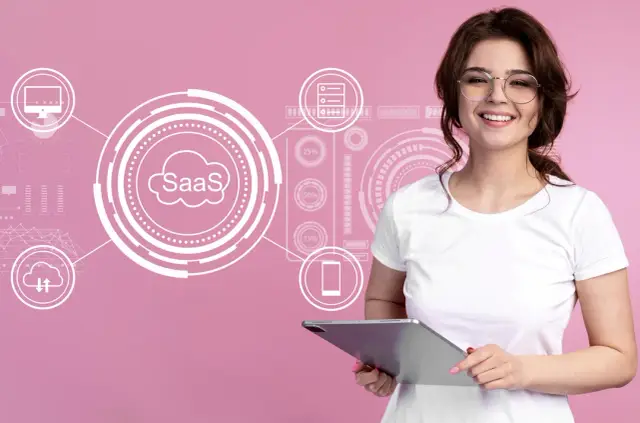
SaaS, as a part of the broader cloud computing space, differs from traditional software delivery models in several key ways:
The Software-as-a-Service model has emerged as a popular and efficient way for businesses to access and utilize software applications. With cost savings, scalability, automatic updates, ease of use, and accessibility, SaaS provides significant benefits compared to traditional software delivery methods. As technology evolves and the demand for software solutions grows, the SaaS model is expected to play an increasingly important role in how businesses adopt and utilize software applications.
Software-as-a-Service (SaaS) has become increasingly popular across various industries and business sizes. Many well-known applications on the market operate as SaaS platforms, offering cloud-based services that streamline operations, improve efficiency, and provide users with a range of scalable features. Here are some widely known examples:
A typical SaaS application comprises several components that work together to enable seamless and efficient cloud-based software services. The following encompass the primary elements:
These components work in unison to deliver a scalable, reliable, and easy-to-use cloud service that benefits both the end-users and businesses adopting SaaS solutions.
Security is often a top concern for organizations considering adopting SaaS solutions. As cloud-based applications become ubiquitous, protecting sensitive data and safeguarding against potential cyber threats is paramount. Fortunately, SaaS providers recognize these concerns and take multiple measures to ensure the security of their platforms:
While SaaS applications are designed to provide strong security measures, organizations also play a crucial role in ensuring the safety of their data. Staff training and implementing strong security policies can help businesses mitigate risks and establish a secure environment when using SaaS platforms.
Yes, SaaS applications can be customized to fit the specific needs of a business or organization. Many SaaS providers offer a range of customization options to allow users to adapt their software to match their processes and requirements better. Some of the main ways in which SaaS applications can be customized include:
APIs are crucial in the SaaS ecosystem, allowing different applications to communicate and share data. They allow businesses to take advantage of the full potential of SaaS by creating a connected, flexible software environment. The main roles of APIs in SaaS include:
One example of a platform that benefits from API integration is AppMaster.io, a no-code platform for creating backend, web, and mobile applications. AppMaster.io can integrate with numerous third-party services by using APIs, providing customers with a seamless, interconnected software environment to power their business needs.
Scalability and data storage are critical factors for SaaS providers as they need to ensure their applications can handle varying levels of usage and demand while maintaining performance, reliability, and security. SaaS providers typically adopt various strategies to tackle these challenges:
SaaS providers adopt a combination of strategies to handle data storage and scalability, ensuring that their applications can cater to the needs of businesses of different sizes while maintaining performance and reliability. SaaS providers can build scalable, flexible, and secure customer applications by leveraging cloud-based infrastructure, data management techniques, and monitoring tools.
As the SaaS industry continues to evolve, it is poised to maintain its steady growth trajectory for the foreseeable future. Several factors contribute to this promising outlook, including continuous technological advancements, demand for digital tools, and the need for businesses to pivot due to rapid changes in the market. Let's explore some crucial trends that may shape the future of the SaaS industry.
One certain thing is the ongoing growth of the SaaS market. According to market research, the Software-as-a-Service sector is expected to reach a value of over $300 billion by 2026. The economic uncertainty and changes in workforce dynamics caused by the COVID-19 pandemic have only accelerated the need for accessible, cost-effective, and remote-capable software solutions.
With the SaaS market becoming more saturated, companies must find ways to differentiate themselves from the competition. One strategy is to focus on vertical SaaS, offering highly tailored solutions for specific industries. This approach caters to niche markets with unique needs, providing more specialized offerings than general-purpose SaaS platforms.
By targeting a specific audience, vertical SaaS companies can deliver a high level of customization and in-depth features that cater to the unique demands of their customers. Examples of vertical SaaS applications include Veeva, which focuses on the life science industry, and Procore, catering to the construction sector.
Artificial Intelligence and Machine Learning are rapidly transforming various industries, including SaaS. AI and ML enable SaaS applications to analyze vast amounts of data, automate processes, and provide personalized experiences to the end-users. Integrating these technologies into SaaS applications can result in more intelligent, efficient, and tailored solutions that adapt to users' unique needs.
Examples of AI and ML integration in SaaS platforms include chatbots for customer support, smart assistants for task automation, and data-driven analytics to inform business decisions. Popular platforms like Salesforce and HubSpot have already incorporated AI-powered features, further enhancing their user experience and capabilities.
No-code and low-code development platforms like AppMaster empower non-technical users to develop custom software applications independently. SaaS platforms that leverage these technologies enable businesses to improve operational efficiency and reduce development costs while ensuring that applications meet their unique requirements and needs.
Platforms like AppMaster significantly reduce the learning curve and speed up the development process, making it easier for businesses to create and manage SaaS applications. These platforms allow users to design applications using visual editors and provide pre-built integrations, making it possible for non-technical individuals and small teams to create complex software solutions.
As businesses increasingly rely on cloud-based applications, the need for powerful security measures becomes more critical. SaaS providers know this growing concern and invest significantly in protecting their customers' data and applications. They employ various security measures such as encryption, multi-factor authentication, and continuous monitoring to ensure customer data remains secure.
As cyber threats evolve, so will the security measures implemented by SaaS providers. Expect to see more advanced solutions, including AI-driven threat detection and mitigation, to counter emerging cyber-attack methods and maintain user trust.
The COVID-19 pandemic has profoundly impacted how people work, leading to a surge in remote work adoption. As businesses adapt to this new reality, the demand for collaboration and remote work tools will continue to grow. SaaS applications facilitating communication, project management, and file sharing will become increasingly essential.
Companies across various industries are witnessing the benefits of remote work, such as lower overhead costs and increased employee satisfaction. With remote work likely to remain a permanent fixture for many organizations, the demand for SaaS collaboration tools is expected to increase further.
The future of the SaaS industry looks bright, and upcoming trends include continued growth, vertical specialization, AI and ML integration, no-code and low-code platforms, enhanced security measures, and the expansion of remote work tools. As the market evolves, businesses must stay nimble, adapt to changing circumstances, and leverage these trends to maximize their benefits from SaaS applications.
 What are the key advantages of using SaaS applications for a business?
Key advantages of SaaS applications include reduced upfront costs, scalability, automatic updates, ease of use, and accessibility from any device with an internet connection.
How does the SaaS model differ from traditional software licensing models?The main difference is in the way software is delivered and paid for; SaaS is cloud-based and uses a subscription model, whereas traditional software licensing involves upfront payments for on-premise installation.
Is it possible to customize SaaS applications to fit a specific business need?Yes, SaaS applications often offer customization options, including configurations, settings, integrations, and APIs, allowing businesses to tailor the apps to their specific needs.
What is the role of APIs in the SaaS ecosystem?APIs facilitate communication and data exchange between different SaaS applications, allowing businesses to seamlessly integrate and customize their software stack.
Can SaaS applications be used on mobile devices?Yes, SaaS applications can be accessed on any device with an internet connection, including mobile devices such as smartphones and tablets.
How do SaaS providers ensure the security of their applications?SaaS providers implement various security measures, including encryption, multi-factor authentication, secure databases, and regular security audits to protect customer data.
What are some examples of SaaS applications?Examples of SaaS applications include Salesforce, Slack, Microsoft 365, Google Workspace, Dropbox, and Zendesk.
Do SaaS applications require software installation on users' devices?No, SaaS applications are cloud-based and only require a device with an internet connection and a web browser to access.
Are there free SaaS applications available?Many SaaS providers offer free plans with limited features, giving customers the opportunity to try the platform before upgrading to a paid subscription.
What does the future of the SaaS industry look like?The future of the SaaS industry is likely to see continued growth, increased competition, more specialized offerings, and further advancements in AI, machine learning, and other emerging technologies.
Experiment with AppMaster with free plan.
When you will be ready you can choose the proper subscription.
 Jul 14, 20268 min
 Jul 13, 20268 min
 Jul 08, 20268 min