


 Jul 14, 2026
 8 min
8 minEquipment reservation app: prevent conflicts and track returns
Plan an equipment reservation app that prevents double bookings, records returns and damage, and places faulty items on maintenance hold.

Explore how no-code application builders are transforming small businesses by making app development more accessible, cost-effective, and efficient.

The app development process has undergone a significant transformation with the emergence of no-code application builders. Traditional app development required skilled developers, considerable time, and substantial financial resources to build customized software solutions. This posed a challenge for small businesses, as they often lacked the budget, expertise, or time to engage in extensive development projects.
No-code application builders have leveled the playing field for small businesses by enabling them to create web, mobile, and back-end applications without any coding experience. These platforms offer a user-friendly, drag-and-drop interface and pre-built templates, making designing and launching apps efficiently possible. No-code platforms have democratized app development by eliminating the need for in-depth programming skills. Small businesses can now easily create software solutions that cater to their specific needs without hiring a skilled development team or investing in costly resources.
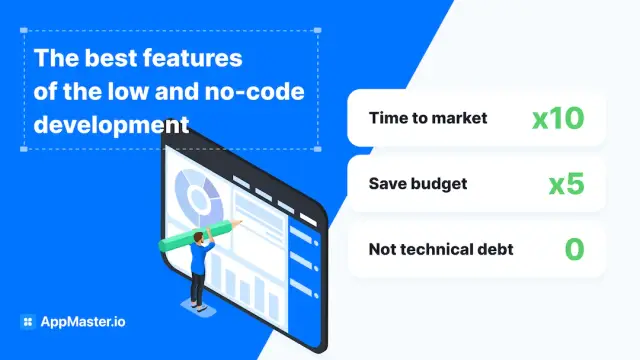
No-code application builders offer several benefits to small businesses, which include:
When selecting a no-code application builder for your small business, ensure the platform offers:
This section will walk you through the entire process of creating your first application using a no-code application builder. Each step will be broken down from conceptualization to launch to ensure that even those with minimal technical background can bring their business ideas to life without writing a single line of code.
The foundation of any great app is careful planning. Start by identifying the problem you want to solve or the process you want to streamline within your business. Clarify your app's purpose and the target audience. Create a list of necessary features and prioritize them. Consider the user journey and sketch a rough outline or wireframe of your application's flow. This preliminary planning sets the roadmap for your development process.
Your application's interface is the first thing users will interact with, so making it intuitive and visually appealing is crucial. No-code platforms typically offer drag-and-drop editors that allow you to design your app’s layout. Select a template that matches your vision or start from scratch. Consider navigation, color schemes, fonts, and element placement. Remember the user experience and ensure that the design is mobile-responsive if your audience is likely to use handheld devices.
With the layout set, it’s time to bring your app to life. No-code platforms offer an array of pre-built functionalities ranging from form submissions and database operations to integrations with other cloud services. Define your data model and set up databases directly within the platform. Utilize visual workflows to automate processes. Connect components by establishing relationships between different parts of your app to ensure smooth operation. Keep testing each feature as you go to avoid larger issues later on.
Thorough testing is crucial to iron out bugs and improve user experience. Start with functional testing to ensure each feature works as expected. Follow with user testing; recruit people that match your target audience and gather feedback. Look out for navigational difficulties or any confusing element. Based on the feedback, iterate on the design and functionality. Once you're confident with the application's performance and usability, finalize the content, and prepare for launch.
Remember that application development, even with no-code tools, is an iterative process. Initial versions may not be perfect, and that's completely normal. Be prepared to evolve your app over time based on user feedback and changing business needs. With persistence and attention to detail, your first no-code application will function efficiently and open up a new world of digital possibilities for your small business.
Small businesses across various industries have been leveraging the power of no-code platforms to develop applications that streamline processes, improve customer service, and boost productivity. Here are a few inspiring success stories that showcase the transformative impact of no-code apps on small businesses.
A small business owner, passionate about supporting local artists, wanted to create an online marketplace to showcase and sell their handmade products. With limited resources and no coding experience, the owner turned to a no-code app builder. The platform's intuitive UI and pre-built templates enabled the owner to develop a fully customized e-commerce platform, complete with shopping carts, secure payment integration, and artist profiles. The platform reached a wider audience, increasing sales for local artists and successfully supporting the creative community.
A small home cleaning business struggled with manual reservation management, resulting in missed appointments and dissatisfied customers. To streamline the booking process, the business owner used a no-code app builder to create a mobile app allowing customers to schedule appointments, receive reminders, and make payments directly. As a result, the business saw reduced missed appointments, increased customer satisfaction, and a more efficient workflow for staff members.
A boutique marketing agency found it challenging to keep track of multiple projects and deliverables with traditional spreadsheets and email communication. Eager to improve team collaboration and productivity, the agency owner used a no-code app builder to develop a project management tool tailored to their specific needs. The custom app featured real-time data updates, task assignments, deadline tracking, and communication tools, making it easier for team members to track project progress and collaborate effectively. The result was an increase in productivity and on-time delivery of projects.
A small retailer found it difficult to manage customer relationships, track sales, and provide personalized offers using limited out-of-the-box solutions. The retailer used a no-code platform to create a custom CRM system to improve customer engagement and gain better insights into sales data. The system allowed the retailer to track customer interactions, monitor sales trends, and segment customers for targeted promotions, improving customer retention and revenue growth.
For small businesses looking to leverage no-code technology to develop custom applications, AppMaster offers a powerful and accessible solution. This no-code platform is designed to create backend, web, and mobile applications through a user-friendly interface, making it easy and efficient for non-technical users to create professional-grade applications tailored for their specific needs.
There are several reasons why small businesses should consider AppMaster as their go-to no-code app builder:
Follow these steps to start building your small business applications with AppMaster:
With no-code technology and platforms like AppMaster, small businesses can develop custom applications that help them compete effectively in a rapidly evolving market. By enabling cost-efficient, streamlined app development, no-code platforms empower small businesses to focus on growth and innovation.
Building your no-code application is just the first step in a journey to digital empowerment. To maximize its potential and ensure it delivers value to your business and your users, you need to employ strategies that will continuously enhance, optimize, and refine your app’s performance. This chapter will guide you through the best practices to ensure your application survives and thrives in a competitive digital industry.
Engagement is the lifeblood of any application. Start by ensuring your app solves a real problem or fulfills a need for your users, making it essential in their daily lives. Focus on offering an intuitive and frictionless experience to minimize learning curves and drop-off rates. Personalization features can increase relevance for the user, while push notifications and timely updates keep your app top of mind. Gamification elements such as badges and leaderboards can also enhance stickiness, especially for more interactive applications.
Determining a monetization strategy that aligns with your app’s value proposition is crucial. Consider various revenue models such as freemium with premium features, subscription-based services, in-app purchases, or ad-revenue if applicable. Be transparent with users about the value they receive from paid features, and ensure that the core functionalities remain accessible for a positive user experience.
Data is the compass that guides your decision-making process post-launch. Analytics tell you how users interact with your app, which features are most popular, and what pain points need addressing. Most no-code platforms integrate with analytics tools that allow you to track user behavior and app performance. Use this information to make informed updates, pivot strategy when something isn’t working, and identify opportunities to add value.
Finally, the market is dynamic and user expectations change over time. Stay abreast of tech trends and be willing to adapt your application accordingly. Regularly seek user feedback, and be proactive in making improvements. In doing so, you'll maintain your competitive edge, foster user loyalty, and maximize the potential of your no-code application. Together, these strategies will help not just in sustaining your application’s success, but also in scaling it effectively as your small business grows.
 What are no-code application builders?
No-code application builders are development platforms that enable users to create web, mobile, and back-end applications without the need for traditional programming skills. The drag-and-drop interface and pre-built templates of these builders help create customized apps in a quicker and more efficient manner.
Why are no-code application builders important for small businesses?No-code application builders are important for small businesses because they help save time, money, and resources on application development, making it more accessible, cost-effective, and efficient. They also eliminate the need for skilled developers, which can be costly for small businesses to hire and maintain.
What are some key features to look for in a no-code platform?Some key features to look for in a no-code platform include easy integration with existing systems, intuitive UI and UX design, scalability, flexibility in customization, security, and a robust support system.
How can small businesses get started with no-code application builders?Small businesses can get started with no-code application builders by researching and selecting a suitable platform that caters to their specific needs. Many platforms offer free trials, demos, and cost-effective pricing options to accommodate small businesses with varying budgets. AppMaster, for example, is a powerful no-code platform ideal for small business applications.
What types of applications can be built using no-code platforms?No-code platforms are versatile and can be used to build a variety of applications, such as e-commerce websites, customer relationship management (CRM) systems, project management tools, booking and reservation platforms, and internal communication tools.
How do no-code platforms ensure application security?No-code platforms take security seriously by incorporating features such as authentication, encryption, and data protection. Many platforms are also compliant with industry-standard security regulations, such as GDPR and HIPAA.
Can I customize applications built using a no-code platform?Yes, no-code platforms offer flexibility and customization options, allowing you to create tailored applications to meet your specific business requirements. Many platforms come with pre-built templates and designs, which can be easily modified to suit your needs.
What is AppMaster, and how can it help my small business?AppMaster is a powerful no-code platform that allows you to create web, mobile, and back-end applications for your small business with ease. It comes with an intuitive user interface, scalability, and cost-effective pricing options that cater to small businesses. Using AppMaster, you can develop applications quickly and efficiently without technical debt.
Experiment with AppMaster with free plan.
When you will be ready you can choose the proper subscription.
 Jul 14, 20268 min
 Jul 13, 20268 min
 Jul 08, 20268 min