


 Jul 14, 2026
 8 min
8 minEquipment reservation app: prevent conflicts and track returns
Plan an equipment reservation app that prevents double bookings, records returns and damage, and places faulty items on maintenance hold.

Discover how freelancers can enhance their productivity and project delivery using free no-code app builders. Learn about the benefits, features, and how to choose the right tool for your freelance projects.

Freelancers continuously seek innovative solutions to enhance their capabilities, deliver quality work to clients, and maintain a competitive edge in a bustling market. This is where no-code app builders come in as virtual game changers, offering a wealth of benefits that align perfectly with the needs of the modern freelancer. These platforms democratize the development process, enabling those without traditional programming skills to build, customize, and deploy applications easily and quickly.
One of the main benefits of using no-code app builders is the dramatic reduction in development time. Freelancers can go from concept to deployment much faster than they could if coding from scratch, which is essential for short-term projects or tight deadlines. Moreover, these tools offer pre-built templates and drag-and-drop interfaces that simplify the design process, making it accessible to a wider range of professionals.
Beyond just efficiency, no-code development means financial savings. With no need to hire additional programming talent, freelancers can keep their costs down and profit margins healthy. This is especially beneficial for solo entrepreneurs and smaller teams with limited resources.
No-code app builders also cater to the desire for customization and flexibility which is crucial for freelancers who often need to tailor projects to a diverse client base. With a no-code platform, adapting an application to specific needs doesn't require rewriting chunks of code but merely adjusting the modular components within the builder's interface.
The scalability offered by no-code tools is an additional advantage. As a freelancer’s business grows or as client requirements become more complex, the applications they’ve built using no-code platforms can scale in functionality and user capacity. This is especially true for platforms like AppMaster, which generate scalable backends in Golang and provide the flexibility to handle high loads with ease.
Another aspect to consider is the ongoing maintenance of software. With no-code builders, maintaining and updating applications is generally as simple as the initial build. This advantage ensures that freelancers can continue to support their clients and make necessary changes without dedicating excessive time and resources.
Lastly, the learning curve for no-code app builders is relatively mild compared to traditional programming. This leaves more time for freelancers to devote to other important aspects of their business, such as market research, client engagement, and strategic planning. No-code development expands their service offerings and gives them the power to create truly cutting-edge solutions without becoming proficient in multiple programming languages.
As technology evolves and no-code platforms become increasingly sophisticated, we'll likely see an even greater adoption among the freelance community. For the freelancer who is keen to stay ahead of the curve, exploring platforms like AppMaster with their comprehensive suite of no-code development tools is a step toward a more dynamic, responsive, and successful business model.
Free no-code app builders present an invaluable resource for freelancers embarking on the app development journey without an extensive coding background. These platforms come packed with essential features that simplify the creation process, yet they offer powerful capabilities to design, iterate, and deploy functional applications. Understanding these core features is fundamental when selecting a no-code app builder that aligns with your project needs and goals.
The hallmark of a good no-code platform lies in its user interface – it must be intuitive enough for users to start building apps without a steep learning curve. Drag-and-drop features are common, enabling the visual assembly of user interfaces and streamlining the design process. The interface should provide a clear project view, allowing freelancers to manipulate elements easily and efficiently.
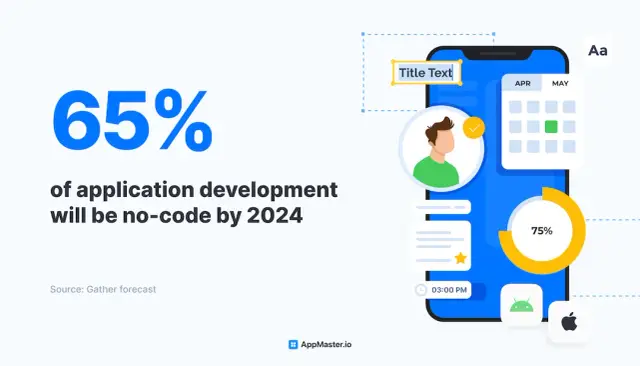
Speed is of the essence in freelance work, and customizable templates directly contribute to quicker app development. These templates offer a starting point tailored to suit specific needs, saving crucial time otherwise spent on setting up the app's fundamental structure. A diverse library of pre-designed components such as buttons, forms, and navigation menus further aids in crafting unique and responsive designs.
A powerful visual development environment is essential for creating the logic that drives the app's functionality. Freelancers benefit from visual programming languages that allow them to define workflows and data processes without writing code. This feature is especially useful for setting up interactions, user input processing, and integrating external services.
No-code platforms must provide user-friendly tools for creating, managing, and maintaining databases. Freelancers should be able to design data models, define relationships, and manipulate data all within the no-code environment. This enables a seamless flow of information within the app, critical to its success and user experience.
Testing is an integral part of the development cycle. Free no-code app builders should include automated testing tools that streamline this process and debugging features to identify and solve issues quickly. This ensures that apps created are reliable and professionally polished before reaching clients.
Once an app is ready, it needs to be deployed. Look for no-code builders that offer seamless deployment solutions, whether it's publishing a web app or submitting a mobile app to the App Store or Google Play. Updating apps without downtime is also important for maintaining continuity of service.
Freelancers often need to integrate their apps with other services in a connected digital environment. Free no-code app builders should allow for API integrations, extending functionality and ensuring the app can work harmoniously with existing tools and systems clients use.
Freelancing doesn't always mean working alone. Collaboration tools within no-code platforms can be critical when working with teams or clients. Version control, role-based access, and real-time editing capabilities help streamline teamwork and ensure consistency across the development process.
Applications that succeed often need to scale up. Freelancers should opt for no-code platforms that offer scalable solutions, where apps can handle an increasing load and performance isn't compromised as the user base grows.
Access to a supportive community and reliable customer support is paramount, especially for freelancers new to no-code development. Platforms that foster an active community and provide comprehensive support through documentation, tutorials, and direct assistance can significantly enhance the development experience.
While these are the essential features one should expect from free no-code app builders, additional functionalities might be available depending on the service provider. For instance, AppMaster, a comprehensive no-code platform, includes not only these foundational features but also extends into realms like backend development and business logic customization, offering freelancers an integrated solution to bring complex app ideas to life without the need for traditional coding.
As a freelancer, selecting the most appropriate no-code app builder is pivotal in shaping the services you offer and the efficiency with which you operate. This choice can influence how quickly you can deliver to your clients, the complexity of the projects you undertake, and your market competitiveness. Here are several factors to consider when determining the best no-code platform for your freelance endeavors:
Before delving into the myriad of no-code tools available, clarify what you need to accomplish. Whether you're building interactive mobile apps, dynamic web applications, or powerful back-end services, ensure that the platform you select caters to those needs. While some app builders specialize in creating quick MVPs or simple apps, platforms like AppMaster offer a comprehensive suite capable of managing more sophisticated systems.
No-code does not necessarily mean no learning required. Each no-code app builder comes with its unique interface and set of functionalities. Some might offer drag-and-drop interfaces, while others are based on visual programming. Account for the time you will invest in mastering a new tool and weigh it against the potential returns in productivity.
Your chosen no-code platform should play well with other systems and services you or your clients use. Seamless integration with APIs, databases, or third-party services is vital for building an app ecosystem that is interconnected and efficient. Check for native integrations, API capabilities, and the ability to create custom connections.
A freelancing career rarely remains static, which means the projects you handle today may be of a completely different scope tomorrow. You need a no-code app builder that can scale with your growing demands. Investigate how well the platform handles increasing loads and how it manages resource scaling.
The availability of a powerful community and support ecosystem can be incredibly reassuring, especially when tackling complex problems. A vibrant user community, comprehensive documentation, and responsive support can greatly reduce development hitches and help keep projects on track.
For freelancers wanting to monetize their creations or have the flexibility to transfer their projects to traditional coding environments, it's crucial to check if the platform allows for deployment beyond its hosting environment. Some app builders, like AppMaster, provide exporting of binary files or even the whole source code under certain subscription plans.
As a freelancer, keeping overheads low is often a priority. Free no-code app builders are appealing, but ensure that the trade-off between the cost and the features you receive is balanced. Sometimes, investing in a subscription can pay off in the long-term due to access to premium features, greater app capabilities, and a more professional presentation to clients.
By weighing these key considerations and understanding the nuances of what each no-code tool offers, freelancers can make an informed decision. This ensures they are not just adapting to a platform, but selecting a partner that complements their workflow, enhances their efficiency, and provides the best value for their time and skills.
Embarking on the journey of no-code app development can be an exhilarating and empowering experience, especially for freelancers looking to expand their portfolio and deliver complex applications without deep diving into programming. Here’s a practical step-by-step guide to help you get started:
Before you choose a no-code app builder, define the scope and requirements of your project. What type of app are you building? Who is your target audience? What features are vital for your app's functionality? A clear understanding of your project will guide your decisions in the subsequent steps.
With your project needs in mind, look for a no-code platform that aligns best with your objectives. Consider factors like ease of use, design flexibility, integration capabilities, and scalability. Platforms like AppMaster offer powerful features that can cater to a wide range of applications.
Once you've selected a platform, sign up for an account. Many no-code app builders offer free plans to get started, such as AppMaster's Learn & Explore subscription. Familiarize yourself with the user interface, available tools, and any educational resources the platform provides.
No-code app builders typically provide a visual approach to defining your app's data model. Use drag-and-drop interfaces to create the data structures that will form the backbone of your application. Ensure that all data relationships are correctly established at this stage.
Design plays a crucial role in the success of an application. Utilize the no-code platform's design tools to create a user-friendly and visually appealing interface. Pay attention to user experience aspects such as navigation flow, accessibility, and consistency across the app.
Most no-code tools allow you to define the business logic and workflows without writing code. This is where you specify how your app will behave in response to user actions, manage data processing, and automate tasks. Complex logic can often be created through visual programming or pre-built functions.
You may need to integrate with other services or APIs to enhance your app's functionality. Look for integration features or plugins that enable connectivity with third-party tools such as CRMs, payment gateways, or analytics services.
Testing is an integral part of the development process. Utilize the platform's features to test each component of your app. Check for bugs, usability issues, and ensure a seamless user experience across different devices and browsers.
Once your app has been thoroughly tested and is ready to go live, utilize the deployment features of your no-code platform. This may involve configuring hosting settings or simply clicking a 'Publish' button to make your app available to users.
With your app in the hands of users, monitor its performance and gather feedback. No-code platforms offer the flexibility to quickly iterate and update your app based on user insights and evolving requirements.
Starting out with no-code app development is not only about getting familiar with a new tool – it's about embracing a whole new mindset of innovation and agility. As you move through these steps, remember that the goal is to create valuable solutions that meet the needs of your clients and users with efficiency and creativity.
As a freelancer, you aim to deliver value to clients through impeccable service and innovative solutions. Integrating no-code apps into your workflow represents a significant leap towards maximizing efficiency and productivity. Let's talk about how to blend no-code app builders seamlessly into the day-to-day operations of your freelance career.
The strategic integration of no-code app builders into your freelance workflow can significantly enhance your operational capacity. By reducing the hours spent on development and repetitive tasks, no-code tools free you up to focus on high-impact areas of your business. With careful selection and effective use, no-code technology can become a linchpin in the ongoing success of your freelance endeavors.
Adopting no-code platforms presents a transformative avenue for freelancers to build applications efficiently. Yet, navigating this innovative territory can present a unique set of challenges. Understanding these difficulties and overcoming them is crucial for leveraging no-code solutions effectively.
Even though no-code tools are designed to be user-friendly, they come with their own principles and interfaces that require some learning. The key is to start small. Begin with tutorials, templates or basic projects that the platform offers. Make use of the community forums, help centers, and customer support. Platforms like AppMaster offer comprehensive documentation that can be invaluable for getting up to speed.
No-code app builders may not have all the features you can get with custom coding, particularly the free versions. To tackle this, you should thoroughly understand the features and limitations of the no-code tool you're considering. When project requirements exceed the capabilities of your tool, explore the platform's extensibility through APIs. For instance, with AppMaster, you can use custom plugins to extend functionality or integrate third-party services.
Clients sometimes need highly customized solutions that seem beyond the scope of no-code builders. In these cases, focus on the platform's customization options. Many app builders, including AppMaster, provide a range of customization tools that can help meet specific client needs without writing a single line of code.
As projects grow, scalability and performance can become concerns. Freelancers should select no-code platforms that offer the flexibility to scale. Cloud-based platforms like AppMaster allow applications to handle increased workloads by scaling up the resources. Always plan for scalability from the outset to avoid potential issues as your client base grows.
Your app might need to work in tandem with other systems or databases. To address this challenge, familiarize yourself with the integration capabilities of your chosen no-code builder. Efficient use of APIs, webhooks, and data connectors can help ensure your no-code app works seamlessly alongside other tools.
Client needs can evolve, requiring changes to the app. The ability to quickly adapt is a significant advantage of no-code development. Frequent iterations and feedback sessions with the client can help you rapidly adjust. Most no-code platforms offer easy ways to update and deploy changes in real time.
While many app builders emphasize their security protocols, the freelancer implements these practices within the app design. Always employ best practices for data handling, follow the platform’s security guidelines, and stay informed about updates or patches that could impact your application's security.
Shifting from traditional coding to no-code development requires a different mindset. Embrace this new paradigm by focusing on the visual and logical aspects of development and utilize visual modeling features to their fullest extent. This approach can become second nature with time and experience.
The unique skills you develop while working with no-code tools might not directly transfer to traditional programming environments. To combat this, diversify your skill set. Understand how no-code logic translates to coding practices, and consider learning the basics of coding for a more rounded skill set.
Lastly, you may need to convince clients of the efficiency and professional-grade quality of no-code applications. Prepare a portfolio of previous work and emphasize the rapid deployment, cost-effectiveness, and flexibility of no-code app development. Showcase successful projects and testimonials to highlight the real-world effectiveness of no-code solutions.
By foreseeing these potential hurdles and arming yourself with strategies to address them, freelancers can harness the power of no-code app builders to create compelling, scalable, and high-quality apps that meet and exceed client expectations. With platforms like AppMaster that optimize the development process, freelancers can remain competitive and agile in a dynamic project environment.
The potential of freelancing has unfolded phenomenally over the years. An increasing number of professionals choose to offer their services independently, valuing the flexibility and variety in projects that freelancing affords. In this expanding ecosystem, no-code platforms are set to redefine how freelancers operate by enabling them to build sophisticated web and mobile applications without writing a single line of code. The trajectory for no-code platforms suggests a burgeoning presence in the freelance market as we look toward the future.
No-code tools are becoming increasingly capable, moving from simple website builders to comprehensive development platforms that manage databases, backend services, APIs, and complex workflows. As their capabilities grow, so does their appeal to freelancers seeking to provide a broader range of services and faster delivery times to their clients without compromising quality or technicality.
For freelancers, staying ahead in a competitive market necessitates understanding current trends and anticipating future technological shifts and client expectations. The adoption of no-code platforms is one such strategic move. In the future, clients might favor freelancers who can leverage these innovative tools to accelerate development cycles and push the envelope of what’s possible without traditional coding. This paradigm shift will likely foster an environment where the demand for technical skills is balanced with an appreciation for strategic and creative problem-solving skills directed by no-code solutions.
Moreover, the agility offered by no-code platforms is invaluable in an industry where client needs and project scopes can shift rapidly. No-code development allows freelancers to adjust deliverables without the need to rework large portions of code, thus offering adaptability that can be a game-changer for client satisfaction and project management.
Another significant aspect is the collaborative feature inherent to no-code platforms. In the future, freelancers may frequently collaborate on larger projects by using shared tools where non-coders and coders alike contribute to a project’s development, thereby enhancing the multidisciplinary nature of freelance projects. This democratization of development is at the heart of no-code platforms, ensuring that people with various expertise levels can contribute constructively without the bottleneck of coding expertise.
The economic terrain for freelancers is also impacted by no-code solutions as these platforms could substantially lower the barriers to entry for aspiring freelancers. With lower initial costs and less time spent on learning programming, individuals can pivot into freelancing roles they were previously unequipped for, potentially resulting in a surge of entrepreneurial innovation and a diversified freelance workforce.
Keeping an eye on platforms like AppMaster, which cater to the evolving needs of freelancers, is critical. AppMaster's unique approach to no-code development allows freelancers to create backend, web, and mobile applications swiftly while promising possibilities like source code export for complete ownership and customization. These capabilities could make AppMaster a freelance favorite as the environment advances.
As we gaze into the crystal ball of freelancing, the picture emerges where no-code platforms become integral partners for freelancers, providing them with the tools to build more, deliver faster, and innovate continually. The future of freelancing shines bright with the promise of no-code evolution, and it is a revolution that is just beginning to pick up momentum.
Freelancers in the tech industry often face unique challenges and opportunities. They are expected to deliver innovative solutions rapidly while managing multiple projects and continuously adapting to new technologies. Enter AppMaster, a no-code platform that is changing the game for freelancers by offering them the tools to quickly build backend, web, and mobile applications without writing a single line of code.
With AppMaster, freelancers can significantly cut down on development time and costs. This platform enables you to visually create data models and business processes with its visual BP Designer. Moreover, it’s not just about creating a makeshift app; the platform boasts generating real, executable backend applications with Go (Golang), web applications with Vue3, and mobile applications for Android and iOS platforms.
For freelancers who juggle various client projects, time is of the essence. AppMaster has fine-tuned the development journey to less than 30 seconds - from ideation to generating a new set of applications. This speed is invaluable when working with clients needing quick prototypes or iterating on feedback.
Costs are another consideration in freelancing. Traditional app development can be expensive, requiring different tools and technologies. Yet, with AppMaster's subscription model, freelancers can start with the free 'Learn & Explore' plan and slowly scale up as their projects grow in size and complexity. This flexibility helps keep expenses in check while providing access to powerful app development capabilities.
One of the most compelling features for freelancers using AppMaster is its ability to generate applications from scratch whenever there’s an update to the blueprints. This approach ensures no technical debt accumulation, a common issue freelancers face when updating traditional code bases.
Scalability and high-load use-cases are also easily managed, given that AppMaster utilizes compiled stateless backend applications. Freelancers working with enterprise-level projects can rest assured that the apps they develop will be able to sustain high traffic and resource demand.
While some may worry about the limitations in customization with no-code platforms, AppMaster addresses this by providing detailed swagger (Open API) documentation and database schema migration scripts for each project. This allows for a high degree of customization, fulfilling client-specific requirements.
Security is never an afterthought with AppMaster, ensuring that applications are built with industry standards for freelance projects that demand rigorous data protection. With their comprehensive IDE-like environment, freelancers have access to many tools that prioritize efficiency, scalability, and security.
For a freelancer seeking an all-inclusive, cost-effective, and efficient solution for their app development needs, AppMaster stands as a compelling choice. With its emphasis on rapid development, zero technical debt, and scalable infrastructure, it's no surprise that AppMaster is becoming a go-to platform for freelance tech professionals looking to enhance their productivity and expand their offerings in the competitive app development market.
 Why are no-code app builders a good option for freelancers?
No-code app builders are a good option for freelancers because they allow rapid development and deployment of apps without the need for in-depth coding knowledge. This economizes time, reduces costs, and enables freelancers to focus on creativity and meeting client needs.
Can I truly build professional-grade applications with a no-code app builder?Yes, many no-code app builders, including AppMaster, allow you to build professional-grade applications with a suite of tools and functionalities that can cater to complex project demands.
Are no-code app builders suitable for complex project requirements?While no-code app builders excel at creating applications with agility, there can be limitations to their capabilities depending on the complexity of the project. However, platforms like AppMaster aim to offer advanced features to handle more complex requirements.
How do no-code app builders help in managing technical debt?No-code app builders like AppMaster help manage technical debt by allowing rapid iteration and modification without the legacy code overhead. They facilitate easy updates and changes, keeping the technical foundation fresh and up-to-date.
Is it possible to integrate no-code apps with other tools and platforms?Yes, many no-code app builders provide integration options with popular tools and platforms through APIs, webhooks, or built-in connectors, enhancing the app's functionality and automating workflows.
What are the limitations of free no-code app builders?The limitations of free no-code app builders often include restrictions on the number of projects, limited access to advanced features, less storage or compute resources, and lack of access to the source code or export options.
Can I use no-code platforms for backend development as well?Yes, certain no-code platforms like AppMaster offer capabilities to develop not only the front-end but also the backend of applications, complete with business logic, API endpoints, and database management.
Are there any success stories of freelancers who effectively used no-code app builders?Yes, there are numerous success stories where freelancers have successfully used no-code app builders to expedite project delivery, tackle larger projects, and improve their market competitiveness.
How scalable are apps built with no-code platforms?Apps built with no-code platforms like AppMaster can be highly scalable, thanks to the use of cloud infrastructure and the ability to handle increasing workloads by adjusting resources.
Can I move my no-code project to a traditional coding environment if needed?This depends on the no-code platform. Some, including AppMaster's Enterprise subscription, offer source code export, allowing you to take your project to a traditional coding environment if necessary.
Are no-code app builders secure enough for freelance work?No-code app builders prioritize security with features like role-based access, data encryption, and compliance with industry standards. Always review the security measures provided by the platform.
Does AppMaster offer any special plans for freelancers?AppMaster has a variety of subscription plans that can suit different types of users. For freelancers, starting with the free 'Learn & Explore' option might be beneficial with the possibility of advancing to more feature-rich subscriptions as their needs grow.
Experiment with AppMaster with free plan.
When you will be ready you can choose the proper subscription.
 Jul 14, 20268 min
 Jul 13, 20268 min
 Jul 08, 20268 min