


 Jul 14, 2026
 8 min
8 minEquipment reservation app: prevent conflicts and track returns
Plan an equipment reservation app that prevents double bookings, records returns and damage, and places faulty items on maintenance hold.

Learn how to build a subscription website using no-code tools like AppMaster, shaping your business idea into a functioning digital platform effortlessly.

Thanks to their potential to generate steady, predictable revenue streams, subscription websites have become an integral part of modern digital businesses. They enable companies to focus on delivering high-quality content, products, or services through a members-only platform. A subscription-based website can build a loyal audience and drive user engagement by offering exclusive access to valuable, niche content or features.
The importance of subscription websites lies in their ability to:
Building a successful subscription website requires careful consideration of several factors. Creating a platform that caters to your target audience while ensuring a seamless user experience is essential. Here are some key features you should consider when creating your subscription website:
Creating a subscription website from scratch can be complex, especially if you lack coding skills or development experience. Thankfully, no-code platforms offer a solution that allows you to build professional-grade websites without writing a single line of code. Finding the right no-code platform is crucial to your subscription website's success. Here are some factors to consider when selecting a no-code platform:
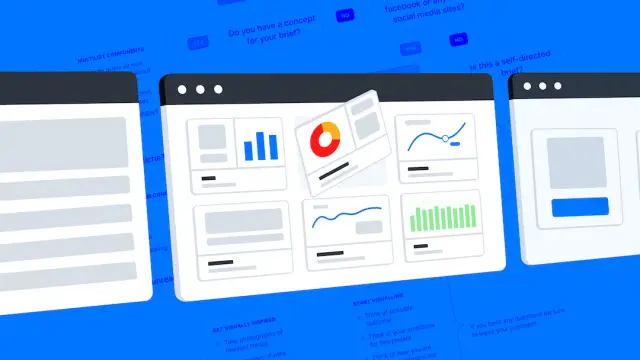
One such no-code platform worth considering is AppMaster. AppMaster is a powerful tool that enables you to create backend, web, and mobile applications without any coding knowledge. It offers features like visual data model creation, business process design, and cross-device user interface design, making it an ideal platform for creating subscription websites. Using a platform like AppMaster, you can effortlessly turn your subscription website idea into reality.
Before building your subscription website, creating a well-structured data model that encapsulates all the necessary information for your platform is critical. A data model defines the data structure, relationships, and rules within your application.
With no-code tools like AppMaster, you can visually design your data models in a few simple steps. Begin by identifying the main entities and components required for your subscription website. Among these, some essential components you'll need to consider are:
After identifying the required components, you can use AppMaster's visual data modeling tools to design your database schema, specifying tables, fields, data types, and relationships between different entities. This approach ensures that your application's data structure is efficient and scalable.
With your data model and components in place, the next step is to design the business processes and automation that will govern the logic and flow of your subscription website. No-code platforms like AppMaster provide a visual business process designer that allows you to create the logic behind your application's functionality without writing a single line of code. Here are some crucial business processes and automations you should consider implementing for your subscription website:
Designing and implementing these business processes using AppMaster's visual BP Designer simplifies the development process and makes it faster and more efficient.
An intuitive, responsive, and visually appealing user interface (UI) is vital for any successful subscription website. When you build your subscription site with a no-code platform like AppMaster, you don't need to worry about mastering web or mobile design languages like HTML, CSS, or JavaScript. Instead, the platform allows you to design frontend components using drag-and-drop visual design tools that automatically generate the underlying code. To create a responsive UI for your subscription website, focus on the following key aspects:
Once you've designed your website's UI using AppMaster's visual design tools, it's time to test your subscription site on various devices and screen resolutions, ensuring optimal user experience across all platforms.
Creating a subscription website involves incorporating efficient and secure payment processing in your platform. This step ensures seamless transactions for your customers and helps you manage your ever-growing subscriber base. Integrating powerful payment gateways and subscription management tools is crucial for the smooth functioning of your website. Utilizing no-code tools like AppMaster makes this integration process more accessible. Follow these steps for integrating payment and subscription management into your no-code app:
A payment gateway technology enables you to accept and process online payments. Selecting an established payment gateway helps in providing a seamless payment experience to your users. Some popular payment gateways include:
Before settling on one, consider factors such as transaction fees, security measures, and supported currencies and regions for your target audience.

Once you've chosen a payment gateway, integrate it with your no-code app. AppMaster and similar platforms offer built-in modules and step-by-step guides to streamline this process. For instance, if you choose Stripe, you can follow these integration steps:
If you opt for a different payment gateway, the integration process will be similar but may vary slightly.
Next, integrate a subscription management tool to handle subscription plans, billing cycles, and member access. Several subscription management platforms can be easily connected to no-code tools like AppMaster. Some popular subscription management tools are:
Once you've selected a suitable platform, integrate it with your app similarly to the payment gateway integration.
After integrating your chosen subscription management tool, create various customer subscription plans. Essential aspects to consider when setting up subscription plans include:
Ensure that your subscription plans cater to different customer segments and provide value for your subscribers.
Once you've integrated payment processing and subscription management into your no-code subscription website, it's time to deploy and optimize your app for the best user experience. Here's a step-by-step guide to help you across this process:
Deploying your no-code app is easy with platforms like AppMaster. It takes care of packaging and deploying your app to the cloud. To deploy your subscription website, follow these simple steps:
After the deployment process finishes, your subscription website will be live and accessible to the public.
Monitoring your subscription website's performance and user traffic is crucial for optimizing the experience and maintaining a smooth operation. Platforms like AppMaster offer built-in monitoring tools to track your app's performance. Alternatively, you can rely on third-party tools like Google Analytics. Some vital metrics to monitor include:
Keeping a close eye on these metrics will help you identify areas for improvement and optimize your subscription website's performance and user experience over time.
As you gather insights from the monitoring process, implement changes to optimize your subscription website. Regular updating and optimization ensure your platform remains engaging, user-friendly, and performance-oriented. Some ways to optimize your subscription website include:
Continuously iterating and improving your subscription website will help you achieve long-term stability and growth, boosting customer satisfaction and retention over time. With tools like AppMaster, there's never been a better time to create and refine your subscription website. By following this guide, you'll be well on your way to launching a successful, high-performance subscription platform.
 What is a subscription website?
A subscription website is an online platform that offers exclusive content, services, or products to users who pay a recurring fee. It allows website owners to generate consistent revenue and provide valuable content to their subscribers.
Why should I consider building a subscription website with no-code tools?Using no-code tools to build a subscription website offers several advantages, including simplicity, cost-effectiveness, and faster development. No-code platforms enable individuals with limited technical expertise to create and manage a professional website without writing code.
Do I need technical skills to use no-code tools?No, you don't need technical skills to use no-code tools. These platforms are designed to be user-friendly, allowing individuals with little to no coding experience to build and manage their subscription websites.
What features should I look for in a no-code platform for subscription websites?When selecting a no-code platform, consider features such as easy content management, secure payment integration, user authentication, member profile management, subscription tiers, and customization options for branding.
What is AppMaster?AppMaster is a powerful no-code platform that enables users to create websites and web applications without any coding skills. It offers a wide range of templates, design elements, and integrations, making it perfect for building subscription-based websites with ease.
Is it possible to integrate third-party services and tools into my subscription website with AppMaster?Yes, AppMaster supports integrations with various third-party services and tools. You can seamlessly integrate email marketing platforms, analytics tools, customer support systems, and more to enhance the functionality of your subscription website.
Experiment with AppMaster with free plan.
When you will be ready you can choose the proper subscription.
 Jul 14, 20268 min
 Jul 13, 20268 min
 Jul 08, 20268 min