


 Jul 14, 2026
 8 min
8 minEquipment reservation app: prevent conflicts and track returns
Plan an equipment reservation app that prevents double bookings, records returns and damage, and places faulty items on maintenance hold.

Discover how to tackle common challenges in no-code app development and learn valuable tips for achieving success in building functional, scalable, and feature-rich apps by using no-code platforms like AppMaster.

No-code app development has gained immense popularity in recent years as it enables businesses to build functional, user-friendly apps without the need for programming knowledge. However, like any other development approach, no-code app development comes with its own set of challenges and limitations. In this article, we will discuss the common obstacles faced in no-code app development and provide valuable tips on how to overcome them. We will also touch upon the benefits of using a powerful no-code platform like AppMaster for building scalable, feature-rich, and customizable apps.
One of the most common complaints associated with no-code app development is the lack of customization. While no-code platforms provide a quick way to build applications using pre-built components and templates, they may not offer the level of customization required for a specific business or use case. This limitation can result in apps that are generic or inconsistent with a company's branding. To overcome this obstacle, consider the following tips:
An excellent example of a powerful no-code platform that offers a high level of customization is AppMaster. AppMaster enables developers to create customized backend, web, and mobile applications using its visual designer tools. With a vast library of components and a range of options for customization and extensibility, you can create applications tailored to your specific business needs while still leveraging the benefits of no-code development.
One of the more significant challenges that no-code app developers often face is working with integration and compatibility between the no-code platform and existing systems or third-party services. No-code platforms generally support some level of integration with popular tools and services, but given the immense variety of services out there, it's likely that there will be some gaps in compatibility. Failure to address these issues can lead to limitations in the application's functionality or even expose vulnerabilities. To resolve integration and compatibility issues in no-code app development, follow these tips:
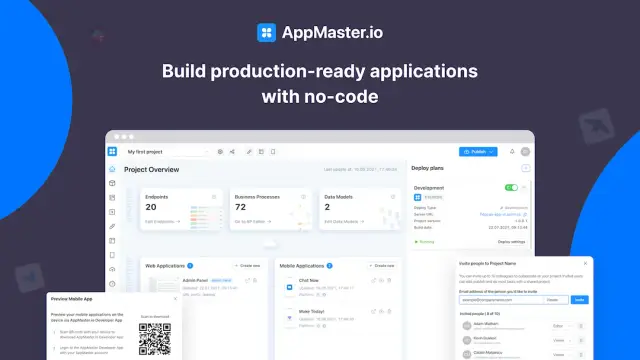
By following these tips, developers can overcome integration and compatibility issues in no-code app development, enabling the creation of well-functioning, feature-rich applications.
Scalability is an essential consideration when developing applications, as the ability to grow and adapt to increased demands is vital for the long-term success of an application. In no-code app development, scalability concerns might arise due to the runtime environment, the limitations of the underlying technology stack, or vendor-imposed software limitations. To address scalability concerns in no-code app development, consider the following:
Addressing scalability concerns within no-code app development ensures that applications can grow alongside user bases and demands, contributing to long-term success.
In the digital age, security and compliance are of utmost importance when developing applications. No-code app developers need to ensure that the applications they build adhere to required security standards and comply with any applicable regulations. To tackle security and compliance concerns in no-code app development, consider these tips:
By addressing security and compliance concerns in no-code app development, developers can showcase their commitment to providing a safe and secure application for their users while adhering to necessary regulations and industry standards.
Testing and debugging are integral parts of any app development process, regardless of the methodology used. In no-code app development, some platforms might not offer built-in or advanced testing and debugging tools. This limitation can lead to performance issues, unexpected errors, and even security vulnerabilities when launching the app. To overcome this challenge, consider the following:

AppMaster.io, a powerful no-code development platform, offers integrated testing and debugging tools. It generates applications that include built-in testing capabilities, allowing developers to identify and resolve issues efficiently. By choosing a platform like AppMaster.io, you can alleviate testing and debugging limitations in your no-code app development.
One potential drawback of some no-code development platforms is vendor lock-in risk. It occurs when an organization relies heavily on a single vendor's tools, technologies, and services, which makes it challenging to move to another vendor or platform in the future. To minimize the risk of vendor lock-in in no-code app development, consider these tips:
AppMaster.io is an excellent example of a no-code development tool that minimizes vendor lock-in risk. Their platform offers multiple subscription levels, including options with binary file and source code exporting for hosting applications on-premises. This capability helps you maintain control over your applications and infrastructure, reducing the risk of being locked into a single vendor.
When choosing a no-code development platform, make sure to consider the following factors to overcome the common obstacles outlined above:
A good no-code platform should offer a high level of customization and extensibility, allowing you to tailor the app to your specific needs and requirements.
Seamless integration with popular third-party tools and services is crucial for ensuring compatibility and streamlining your workflows.
A suitable no-code platform should be designed for scalability and use efficient runtime environments to handle the growth of your app seamlessly.
Ensure that the no-code platform adheres to high security and compliance standards, taking into account both data handling practices and app generation techniques, like eliminating technical debt.
Integrated testing and debugging tools are essential to ensure high-quality app development and smooth user experience.
Choose a platform that reduces the risk of vendor lock-in by providing export flexibility, open standards, and scalable subscription plans.
AppMaster.io is a powerful no-code platform that addresses the common obstacles discussed in this article. With its extensive customization options, integration support, scalability features, strict security standards, testing and debugging capabilities, and flexible subscription plans, AppMaster.io is an optimal choice for successful no-code app development.
Common obstacles in no-code app development, such as lack of customization, integration and compatibility issues, scalability concerns, security and compliance, testing and debugging limitations, and vendor lock-in risk can be daunting. However, by choosing the right no-code development platform and following the tips and best practices outlined in this article, you can significantly increase your chances of overcoming these challenges and building successful applications.
AppMaster.io has proven to be a highly effective no-code development solution that mitigates these common challenges and empowers users to create powerful, scalable, and efficient applications. By leveraging the power of AppMaster, you can confidently embark on your no-code app development journey and achieve success in creating the applications your business needs in today's fast-paced digital world.
 What are the most common obstacles in no-code app development?
Some common obstacles include lack of customization, integration and compatibility issues, scalability concerns, security and compliance, testing and debugging limitations, and vendor lock-in risk.
What are some tips for overcoming lack of customization in no-code app development?To overcome the lack of customization, choose a no-code platform that offers ample customization options and extensibility through custom code, APIs, or plugins. AppMaster.io is a no-code platform that provides a high level of customization and extensibility.
How can integration and compatibility issues be addressed in no-code app development?Select a no-code platform that supports popular integrations and has a robust API framework. AppMaster.io offers seamless integration with various third-party tools and allows users to create REST API and WSS Endpoints easily.
How can scalability concerns be tackled in no-code app development?Choose a no-code platform designed for scalability and uses efficient runtime environments, such as AppMaster.io, which generates applications using Go, Vue3, and Kotlin/Jetpack Compose/SwiftUI frameworks.
What measures can be taken to ensure security and compliance in no-code app development?Evaluate the no-code platform’s security features, compliance certifications, and data handling practices. AppMaster.io adheres to high security standards and generates applications without technical debt.
How can testing and debugging limitations be handled in no-code app development?Opt for a no-code platform that offers integrated testing and debugging tools and allows for the creation and execution of automated tests. AppMaster.io generates applications with built-in testing capabilities and efficiently handles debugging.
How can the risk of vendor lock-in be minimized in no-code app development?Select a no-code platform that allows export or migration of your applications, such as AppMaster.io, which offers different plans that include the ability to export binary files or source code for hosting applications on-premises.
Why is AppMaster.io a powerful no-code development solution?AppMaster.io is a versatile no-code platform that offers a wide range of customization options, integration support, scalability, high security standards, testing and debugging capabilities, and provides flexible plans to minimize vendor lock-in risk.
Experiment with AppMaster with free plan.
When you will be ready you can choose the proper subscription.
 Jul 14, 20268 min
 Jul 13, 20268 min
 Jul 08, 20268 min