


 Jul 14, 2026
 8 min
8 minEquipment reservation app: prevent conflicts and track returns
Plan an equipment reservation app that prevents double bookings, records returns and damage, and places faulty items on maintenance hold.

Explore the Android Application Class, its role in Android development, and how to leverage its features to improve overall app performance and architecture.

The Android Application class is a fundamental component of any Android app, responsible for maintaining the global application state and handling application-wide resources. It provides a singleton instance that is accessible throughout the entire lifecycle of your application, allowing you to store global variables, manage shared data across various components, and handle app-level configurations.
Extending from the android.app.Application base class, the Application class serves as an entry point for your app and as a central place to manage various services, such as shared preferences, databases, and network clients. Understanding the Application class is crucial, as it helps you improve your app's architecture, simplify resource management, and ensure a smooth user experience.
The Application Lifecycle describes the events that occur from the moment an Android app is started until it exits. Familiarizing yourself with the Application Lifecycle is essential for building well-structured and efficient Android applications. The Application class defines several methods that you can override to manage your app's lifecycle and respond to system events. Here are the key components of the Application Lifecycle:
onCreate(): This method is called when the application is starting before any activity, service, or receiver objects (excluding content providers) have been created. It is ideal for initializing your app's global resources, such as network connections or databases.onTerminate(): This method is called when the application is ending, giving you a chance to perform cleanup operations and release resources. Nevertheless, onTerminate() is not guaranteed to be called, as the Android system may kill your app without invoking this method in case of low memory.onConfigurationChanged(Configuration): This method is called when the device configuration changes, such as a locale change or screen size adjustment. You can handle these events by overriding this method and adjust your app's configuration accordingly.onLowMemory(): This method is called when the system is running low on memory, and actively running processes should trim their memory usage. Overriding this method allows you to release resources and optimize your app's memory management strategy.To create a custom Application class, you must follow these steps:
android.app.Application base class. You can now override the methods mentioned earlier to manage your application's lifecycle. ```java public class MyApplication extends Application { // ... } ```AndroidManifest.xml file using the android:name attribute within the <application> element. This informs the Android system to use your custom class to manage your application's global state. ```xml <application android:name=".MyApplication" ...> ... ```getApplicationContext() method result of any Activity, Service, or BroadcastReceiver to your custom class. ```java MyApplication myApplication = (MyApplication) getApplicationContext(); ```By extending the Application class, you can effectively manage your app's global state, handle lifecycle events, and optimize resource usage across your Android application.

Utilizing the Android Application class can improve your app's performance and architecture, but following best practices is crucial to avoid potential pitfalls, such as memory leaks or sluggish performance. Here are some best practices for using the Application class:
Don't perform global initializations in the onCreate() method of your Application class unless necessary. Unnecessary initializations increase startup time, consume more resources, and slow down the app's launch. Instead, initialize components on-demand and release them when they're no longer needed.
As the Application class is a singleton and persists throughout the app's lifecycle, its memory is shared across various components. Be cautious when storing large data or objects in the Application class. This can lead to memory-consuming overhead and give rise to memory leaks. Ensure to release memory occupied by unused objects and resources as soon as possible.
Handle resources efficiently and release them when no longer needed. Use the Application class to expose your app's global resources but ensure you're managing them to prevent memory leaks or unnecessary memory consumption. This includes handling SharedPreferences, database connections, and other shared resources wisely.
The Application class can act as a central place to access data, but it's crucial to abstract data access to ensure smooth user experience and maintainable app architecture. Use design patterns like Repository or Service Locator to decouple components and streamline data access across your app.
Avoid storing references to Activity or other context-sensitive objects in the Application class, as it can lead to memory leaks and unpredictable behavior. If you need to access context outside of an Activity or Service, using the Application context rather than individual component contexts is ideal.
Implement the appropriate lifecycle methods in your custom Application class to handle changes and events during the app's lifecycle. For example, use onLowMemory() to release resources when the system is running low on memory, or onConfigurationChanged(Configuration) to handle changes in the device's configuration settings.
In the realm of Android app development, ensuring user information's security and data privacy is paramount. The Android Application Class plays a crucial role in this aspect by serving as a central hub for implementing security measures. Here are some key considerations:
By addressing security and data privacy concerns within the Android Application Class, developers can create apps that not only deliver functionality but also prioritize the protection of user data and uphold the trust of their user base. This commitment to security is essential in today's digital world, where user privacy and data security are paramount.
Developing Android apps can be faster and more efficient with the help of no-code platforms like AppMaster. AppMaster enables you to design, prototype, and generate real Android applications using an intuitive, drag-and-drop interface along with a visual BP designer. This innovative platform allows developers to focus on app design and logic, rather than spending time on configurations and boilerplate code.
AppMaster handles underlying source code generation, automatically creating a well-structured Android app with Kotlin and Jetpack Compose — covering everything from backend to mobile app components. As a result, the Android Application class can be seamlessly integrated into your development process using the generated source code provided by AppMaster.
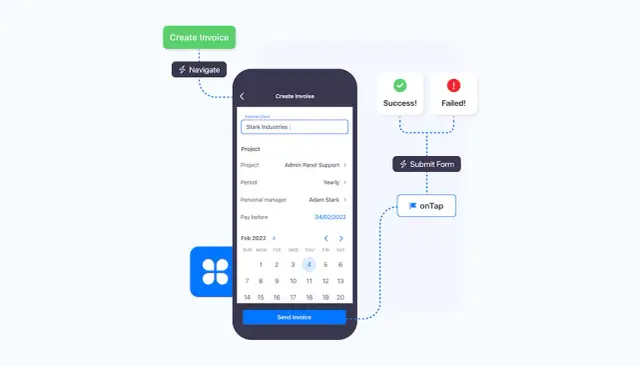
The no-code platform from AppMaster accelerates Android app development by generating real applications that you can further customize and optimize. With flexible subscription plans and extensive features, AppMaster supports projects ranging from startups to large-scale enterprise solutions, fitting seamlessly within an Android developer's workflow.
By properly utilizing the Android Application class and leveraging the power of the AppMasterno-code platform, you can create high-quality, performant, and maintainable Android apps that provide a seamless user experience.
The role of the Android Application Class is continuously evolving, adapting to the changing Android app development sphere and emerging industry trends. As we look to the future, several key trends and developments are shaping its role:
The Android Application Class is not a static component of Android app development but rather a dynamic and evolving one. Its role will continue to expand and adapt to accommodate the shifting technology and user expectations. Keeping abreast of these trends and leveraging the capabilities of the Application Class will be essential for developers aiming to create innovative and future-ready Android applications.
 What is the Android Application class?
The Android Application class is a base class for maintaining global application state, providing a singleton instance accessible throughout the entire lifecycle of an Android app. It allows developers to store global variables, share data across components, and manage app-level configurations.
What is the function of the Application class?The Application class is responsible for managing the global state of an Android app, handling lifecycle events, creating and managing Android components, and providing a central point for accessing application-wide resources and configurations.
What are the benefits of using the Application class?Using the Application class provides various benefits, such as centralizing global state, improving app architecture, enhancing performance, and providing better resource management throughout the entire lifecycle of an Android app.
How do developers access the Application class?Developers can access the Application class by extending the android.app.Application class and overriding its methods. The Android system automatically instantiates the custom Application class once it is defined in the AndroidManifest.xml file.
What are some best practices for using the Application class?Best practices include avoiding excessive initializations, minimizing memory consumption, implementing efficient resource management, and abstracting data access to ensure a smooth user experience and maintainable app architecture.
Can the Android Application class be integrated with AppMaster?Yes, AppMaster's no-code platform allows for seamless integration with Android Application classes. AppMaster handles the underlying source code generation, enabling developers to focus on app design and logic, while simplifying the development process.
What are the key components of the Application Lifecycle?The Application Lifecycle includes onCreate(), onTerminate(), onConfigurationChanged(Configuration), and onLowMemory() events. Developers can override these methods in a custom Application class to add application-specific logic.
How does AppMaster support Android app development?AppMaster's no-code platform offers an intuitive way to create Android applications from scratch using drag-and-drop UI components, visual BP designers, and seamless integration with various backend services. AppMaster generates real applications, in Kotlin and Jetpack Compose, ensuring compatibility and performance.
Experiment with AppMaster with free plan.
When you will be ready you can choose the proper subscription.
 Jul 14, 20268 min
 Jul 13, 20268 min
 Jul 08, 20268 min