


 Jul 14, 2026
 8 min
8 minEquipment reservation app: prevent conflicts and track returns
Plan an equipment reservation app that prevents double bookings, records returns and damage, and places faulty items on maintenance hold.

Discover the best practices for website navigation to create a user-friendly and efficient website. Learn how to structure your menu, choose the right design elements, and make navigation responsive.

Website navigation is a crucial component of a successful and user-friendly website. It serves as a roadmap that guides users through your site and helps them find the information they seek. When your website's navigation is designed with clarity, consistency, and simplicity, it can improve user experience, increase user engagement, and reduce bounce rates.
Excellent navigation helps users to:
Visitors are more likely to spend time on a website if they can navigate through it effortlessly without guessing where information is located. When navigation is intuitive and user-friendly, it contributes not only to user satisfaction but also to the overall success of your website.
The menu bar is the cornerstone of your website's navigation. It organizes your content into logical groups, allowing users to find what they are looking for easily. A clear and well-structured menu is essential for providing an intuitive user experience. Here are some steps to follow to create an effective menu structure:
The visual appearance of your navigation elements plays a significant role in user experience. Clear and attractive design elements make it easier for users to interact with your website and find what they are looking for. Here are some design tips to consider for your navigation elements:
Design and usability should go hand in hand when developing navigation elements. Applying these best practices will help you create a visually appealing and user-friendly website that caters to the needs of your audience.
As the number of mobile users continues to rise, ensuring your website's navigation is optimized for smaller screens is crucial. A responsive navigation experience enhances user satisfaction and helps maintain the website's performance across different devices. Here are some actionable tips for developing responsive navigation design.
First, it's essential to embrace a responsive layout, which means your website adapts to different screen sizes and resolutions. This can be achieved by:
Incorporating these strategies will ensure that your site's navigation is easily accessible and user-friendly for mobile users.
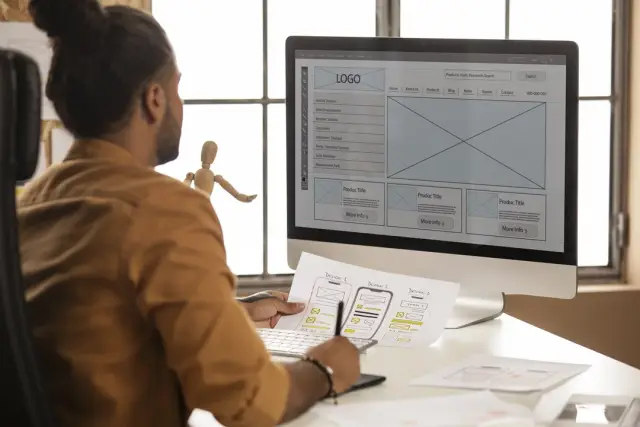
Mobile users interact with their devices using touchscreens, so be sure to optimize your menu for touch interactions. Some suggestions include:
These considerations make it more convenient for mobile users to navigate your website.
Adjust the menu items to ensure they appear correctly on smaller screens. For example:
These changes contribute to a cleaner and less cluttered mobile navigation experience.
A popular option for mobile navigation is the hamburger menu, which consists of three horizontal lines representing a menu icon. When users tap the icon, it reveals the full menu. This approach works well on smaller screens by conserving space while providing easy access to the entire menu. Remember to test how users interact with this design and consider alternative solutions if it doesn't suit your target audience.
Simplicity and consistency are crucial to creating an efficient and user-friendly navigation experience. Follow these guidelines to ensure your website navigation is easy to understand and use:
Focus on the essential elements of your site's navigation, removing redundant or unnecessary features that may confuse users or clutter the interface. This might include simplifying complex animations, reducing the number of links and buttons, or removing elements that don't directly support user goals.
A consistent layout across your entire website ensures familiarity and ease of use for visitors. Apply the same design principles and menu structure to all pages, including consistent placement of menu items, logo, and any other key elements. This creates a cohesive browsing experience and helps users build confidence in navigating the site.
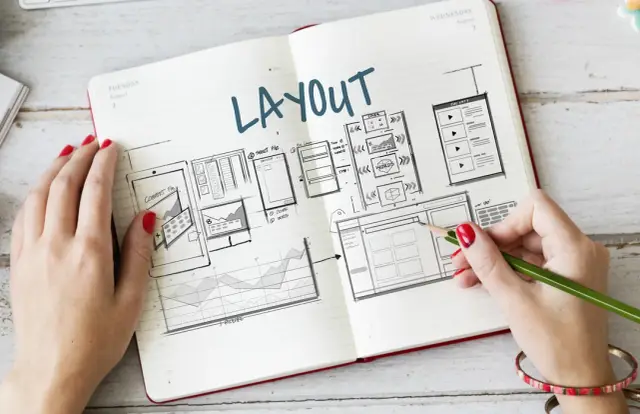
Breadcrumbs are a helpful supplement to primary navigation, offering users a visual representation of their current location on the website and the steps to get back to the homepage. By displaying the site's hierarchy, breadcrumbs provide context and help users understand where they are in relation to other pages.
Leveraging web analytics can provide invaluable insights into how users interact with your website, enabling you to optimize navigation for an even better user experience. Here's how to use analytic data to enhance your website navigation:
Analyze user behavior data such as pages viewed, time spent on pages, and the click-through rate of individual menu items. This information can reveal which pages are the most important and which menu items are clicked the most, assisting you in optimizing your navigation structure accordingly.
Look for any anomalies in the data, such as high bounce rates or low time spent on specific pages. These may indicate site navigation issues, confusing layouts, or unclear menu labels. Addressing these issues can lead to a more streamlined and efficient navigation experience.
Implement changes based on your findings and conduct A/B testing to evaluate the efficacy of navigation improvements. Continuously iterate on your design and learn from user feedback to optimize your navigation further. Remember that improvements may not yield immediate results, and it's essential to be patient and persistent in enhancing your website's user experience.
In conclusion, responsive navigation, simplicity, consistency, and utilizing analytics are crucial for creating a seamless and efficient navigation experience for your website visitors. By leveraging these best practices and optimizing your website's navigation, you inadvertently improve the overall user experience and can potentially increase user engagement, retention, and conversions.
Additionally, incorporating AppMaster's no-code platform allows you to create visually appealing, responsive, and user-friendly mobile and web applications, further enhancing your digital presence.
 What is the importance of website navigation?
Website navigation is crucial for creating a user-friendly experience, making it easy for users to find information and pages on your site. Good navigation improves user engagement and retention.
How can I structure my menu for clarity?Structure your menu by categorizing content into logical groups, using descriptive labels, and arranging items in a logical order. Ensure your main menu is limited to essential items, and use submenus if needed.
What are some design tips for clear and appealing navigation elements?Use contrasting colors for menu items, make sure font size and style are easy to read, maintain sufficient white space, and include visual cues such as icons.
How can I make my website navigation responsive for mobile users?Implement a mobile-friendly design by using a responsive layout, creating a touch-friendly menu, and optimizing menu items for smaller screens. Consider using a hamburger menu or adapting the design to suit different device sizes.
What are some ways to keep navigation simple and consistent?Keep navigation simple by avoiding unnecessary features, maintaining a consistent layout across the site, and using breadcrumbs to help users understand page hierarchy. Also, limit the number of menu items to avoid overwhelming the user.
How can I use analytics to improve my website navigation?Analyze user behavior data to identify high traffic pages, menu items clicked the most, and potential issues with navigation. Make adjustments based on insights and test the changes for improvement. Keep iterating to optimize your navigation.
Experiment with AppMaster with free plan.
When you will be ready you can choose the proper subscription.
 Jul 14, 20268 min
 Jul 13, 20268 min
 Jul 08, 20268 min