


 Jul 14, 2026
 8 min
8 minEquipment reservation app: prevent conflicts and track returns
Plan an equipment reservation app that prevents double bookings, records returns and damage, and places faulty items on maintenance hold.

Discover how to build custom CMS platforms in just a week using no-code tools.

Content management systems (CMS) are crucial in managing and organizing digital content for websites, apps, and intranets. Custom CMS platforms are tailored solutions that cater to an organization's unique needs. They offer features and functionalities specifically targeted for the tasks and workflows required to manage its content effectively. Building a custom CMS provides several advantages, such as:
Though there are known off-the-shelf CMS solutions available (such as WordPress and Drupal), they may not always fulfill an organization's specialized needs and workflows. A custom CMS platform is an ideal solution for organizations that demand greater control and personalization in the content management process.
No-code solutions, such as AppMaster, make the process of building custom CMS platforms faster, more accessible, and more cost-effective. Here are some key reasons to choose a no-code platform for creating a custom CMS:
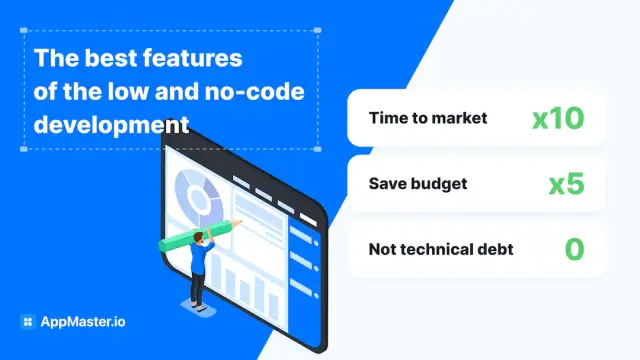
AppMaster is an innovative no-code platform that facilitates the rapid development of web, mobile, and backend applications. It offers a complete suite of tools and capabilities to help build fully interactive and scalable CMS platforms from scratch. Key features of AppMaster that simplify custom CMS development:
By leveraging AppMaster to develop your custom CMS platform, you can significantly reduce the time and complexity involved in the development process, ensuring a tailored and effective solution for managing your organization's digital content.
An effective custom CMS platform requires thoughtful design anchored on the core principles that promote usability, functionality, and scalability. Considering these principles while building your custom CMS ensures longevity, adaptability, and a satisfying user experience. Let's explore some of the essential design principles for an effective CMS:
A streamlined user interface (UI) and intuitive navigation are crucial for an enjoyable experience. Users should be able to perform essential tasks without the need for extensive training. An easy-to-understand CMS allows non-technical users to manage content and maintain the platform efficiently.
An effective CMS must support a variety of content types, including text, images, videos, and documents. The ability to create custom content types and input fields that cater to your organization's specific needs ensures that your CMS remains adaptable for future growth.
User roles help to define access levels for various functions within the CMS. Implement granular permissions to ensure that each user has the appropriate level of control and access based on their assigned role.
Keep track of changes made to the content by maintaining a clear and easily accessible revision history. This enables users to revert to previous versions of the content if needed, ensuring your CMS's integrity and reliability.
A well-designed CMS should have consistent methods for creating, updating, and organizing content. Consistency in navigation and UI elements makes the platform easier to use, allowing users to focus on content management rather than learning new interfaces.
Make it easy for users to create visually appealing content by providing a selection of customizable templates. Pre-built templates ensure a consistent look and feel across the platform while allowing flexibility for users to create content that meets their unique requirements.
A powerful search function is vital for efficient content management, especially when dealing with large volumes of data. Implement advanced search and filtering capabilities that enable users to locate the needed content quickly.
By using a no-code platform like AppMaster, it's possible to build a custom CMS solution within a week, by following these steps:
A custom CMS can be enhanced and extended through various integrations to streamline your content management processes further. Some key integrations and enhancements you might consider include:
Leverage external services by integrating third-party APIs to add functionality that complements your CMS, such as social media sharing, analytics, or additional tools for running your organization.
Implement Single Sign-On to simplify user authentication and reduce the need for multiple logins across different platforms. SSO can improve security and foster a seamless user experience.
Utilize analytics and reporting tools to gain insights into user behavior and content performance. Understanding how your content is performing will enable you to make informed decisions and optimize future content for maximum impact.
Improve the performance and reliability of your CMS by using a Content Delivery Network. CDNs can help distribute your content across multiple servers, reducing latency, and ensuring fast load times for users worldwide.
Incorporate email and notification functionality into your CMS to inform users of essential updates, recent content changes, or any other pertinent information relevant to your organization.
Ensure that your CMS includes features to optimize content for search engines, such as customizable SEO metadata, URL structures, and sitemap generation. Proper SEO optimization will increase your content's visibility and attract more users.
By utilizing these design principles, following a step-by-step development process, and implementing appropriate integrations and enhancements, you can build a powerful, efficient, and user-friendly custom CMS platform using no-code tools like AppMaster in just a week.
Custom Content Management Systems (CMS) are highly versatile and can be tailored to meet the specific needs of various industries and organizations. Let's explore some real-world applications where custom-built CMS platforms have streamlined content management and positively impacted businesses.
E-commerce businesses rely heavily on efficient content management to showcase their products and keep their online stores up to date. A custom CMS can provide an optimized user experience with product categorization, sophisticated search capabilities, and inventory management features. Moreover, a tailor-made CMS can integrate seamlessly with third-party payment gateways and marketing automation tools, making it easier for e-commerce owners to manage their online stores.

For news organizations and online publishers, delivering up-to-date content and managing multimedia assets like images and videos are critical. Custom CMS platforms can cater to these requirements by offering flexible content structuring and workflows, editorial approval processes, and media management capabilities. Moreover, a custom CMS can help optimize content for different distribution channels such as social media, mobile apps, and email, maximizing the reach of published content.
Large corporations often require internal platforms for communication, document management, and employee collaboration. A custom CMS can be an efficient corporate intranet offering granular user roles and permissions, internal search and navigation, and integration with third-party tools like project management systems and HR software. Custom-built intranets help streamline internal processes, encourage employee collaboration, and improve operational efficiency.
Educational institutions and online learning platforms require powerful content management systems to manage course materials, lesson plans, and student data. A custom CMS can facilitate easy organizing and updating educational content while providing access control and tracking student progress. Integrating with third-party tools like video conferencing, assessment systems, and learning management systems (LMS) becomes smoother with a custom CMS, leading to a better student learning experience.
Nonprofit organizations need simple yet powerful content management solutions to manage their websites, donor information, events, and volunteer coordination. A custom-built CMS can provide tailored functionalities for these organizations, including targeted fundraising campaigns, easy content updates for staff, and seamless integration with donor relationship management tools. A well-designed CMS helps nonprofits to engage donors and volunteers, driving their mission forward effectively.
As more businesses and organizations recognize the benefits of custom content management systems, the adoption of no-code solutions like AppMaster is on the rise. These agile tools empower non-technical users to create and maintain customized platforms without the need for programming expertise. Embracing no-code solutions means significantly reducing development time, minimizing costs, and enabling rapid iteration based on user feedback. The future of application development is centered around users and their requirements.
No-code platforms provide the ideal environment for rapid, iterative development by offering a visual approach to designing and building software applications. This enables users to see immediate results and adjust their designs accordingly, significantly reducing the traditional development cycle. Moreover, no-code solutions like AppMaster support the growing trend of citizen developers - non-technical professionals who leverage no-code and low-code tools to contribute to software development. By embracing no-code solutions, organizations can tap into a broader pool of talent and skillsets, allowing employees from various backgrounds to contribute to the development process.
Businesses and organizations can achieve agility, flexibility, and innovation by using no-code custom CMS platform development tools. This helps them stay competitive in the digital era, as they can quickly adapt to changing business requirements and user preferences. So, as we move further into the future of software development, no-code tools like AppMaster will play a significant role in shaping the future of content management and custom application development.
 What is a custom CMS platform?
A custom Content Management System (CMS) platform is a tailored solution designed to manage and organize digital content, offering features and functionalities specific to an organization's unique needs.
What are the benefits of using a no-code tool like AppMaster?Using no-code tools like AppMaster provides multiple benefits such as reduced development time, cost savings, elimination of technical debt, and allowing non-technical users to build and maintain the platform.
How does rapid application development work?Rapid application development (RAD) is an approach to software development that emphasizes user experience, incremental improvements, and quick feedback cycles. By using no-code tools and predefined modules, RAD enables you to build applications much faster compared to traditional methods.
What are the design principles for an effective CMS?Design principles for an effective CMS include ease of use, flexible content structures, granular permissions and user roles, clear revision history, consistent content management, customizable templates, and search and filtering capabilities.
How can I build a custom CMS in a week?Using no-code tools like AppMaster, you can quickly build a custom CMS platform by designing data models, incorporating business logic, creating UI with drag-and-drop interfaces, and making use of built-in components for rapid development.
What integrations and enhancements can be added to a custom CMS?Integrations and enhancements for a custom CMS can include third-party APIs, single sign-on (SSO), analytics and reporting tools, content delivery networks (CDNs), email and notifications, SEO optimization, and more.
Can non-technical users build a custom CMS?Yes, no-code tools like AppMaster are designed to empower non-technical users to build and maintain custom CMS platforms without the need for programming knowledge.
What are some real-world applications of custom CMS?Real-world applications of custom CMS platforms include e-commerce stores, publishing and news websites, corporate intranets, educational resource portals, nonprofit organizations, and more.
Experiment with AppMaster with free plan.
When you will be ready you can choose the proper subscription.
 Jul 14, 20268 min
 Jul 13, 20268 min
 Jul 08, 20268 min