


 Jul 14, 2026
 8 min
8 minEquipment reservation app: prevent conflicts and track returns
Plan an equipment reservation app that prevents double bookings, records returns and damage, and places faulty items on maintenance hold.

Discover how to transform your app idea into a tangible digital product with our comprehensive beginner's guide to app-creating websites and no-code solutions like AppMaster.

If you've been nurturing an app idea and are eager to see it come to life, the journey from a visionary concept to a functional piece of software need not be peppered with the complexities of traditional coding. Today's app-creating websites and platforms have ushered in an era where anyone, from seasoned tech enthusiasts to complete novices in software development, can embark on building their first app.
Entering the world of app creation, you'll quickly discover that the most significant advantage is accessibility; these platforms have democratized the app development process. Instead of sifting through programming languages and wrestling with intricate code, beginner app creators can now manipulate user-friendly graphical interfaces to construct powerful applications visually.
What's crucial for beginners to grasp is that creating your first app isn't just about laying out buttons on a screen — it's about understanding the journey of translating your innovative idea into a series of logical steps. These steps encompass defining your app’s purpose, curating a seamless user experience, testing the functionality, and eventually releasing your creation into the app cosmos for users to explore and enjoy.
Platforms like AppMaster are part of this empowering movement, providing a no-code solution that generously opens the doors for anyone to design, build, and manage an application without touching a single line of code. With intuitive tools and services, these platforms serve your app development needs and instill a sense of accomplishment as you watch your first digital product take shape. Let's embark on this formative journey into app creation, where every step you take is a milestone in itself — a stride toward a future where your idea is not just a fleeting thought, but a tangible, interactable reality.
Embarking on the journey of building your first app can be an exhilarating experience, especially with the array of app-building solutions that cater to users with varying levels of technical expertise. These tools, often differentiated by their approach to customization, complexity, and coding requirements, fall into three main categories: code-based frameworks, low-code platforms, and no-code platforms. The lines between them can sometimes blur, but understanding the fundamental distinctions is crucial for selecting the ideal tool for your app creation adventure.
At the technical end of the spectrum are code-based frameworks and Integrated Development Environments (IDEs). These traditional app development tools require a solid understanding of programming languages like Java for Android, Swift for iOS, or JavaScript for web applications. You'll also need to grapple with concepts like API integration, database management, and version control. While these frameworks offer the most flexibility and power, the steep learning curve and time investment they demand often make them a less practical choice for beginners without coding experience.
In the middle ground are low-code development platforms (LCDPs), which aim to reduce the complexity of traditional coding by using a visual development interface. They provide a suite of prebuilt components and a drag-and-drop approach to designing app functionalities. While they simplify the development process, a certain level of technical understanding is usually still necessary. Low-code platforms appeal to developers who want to speed up the development process and business users with some technical know-how looking to bring their app ideas to life quickly.
Finally, the most accessible option for beginners is the no-code development platform. These platforms are the epitome of democratizing app development, allowing anyone with an idea to build an app without writing a single line of code. They use a visual approach where users can construct apps by piecing together various elements on a canvas. Platforms like AppMaster stand out in this category by providing a drag-and-drop interface and enabling the automatic generation of source code for backend, web, and mobile applications. Users can even export the source code and host their applications on-premises if needed.
No-code platforms indeed open up a world of possibilities. They're designed to cater to diverse needs, from simple projects to complex, scalable enterprise applications. Beginners can relish the ease of use, while professional developers can appreciate the opportunity to rapidly prototype and scale their projects. As such, no-code platforms are not just tools for beginners; they are also powerful allies for those looking to iterate quickly in an agile development environment.
When choosing between these app builders, you must consider the type of app you want to create, the level of customization you need, your budget, time constraints, and your comfort with technical tasks. Regardless of your platform, the goal remains the same: bringing your app from a concept to a fully functional digital product that users can enjoy.
The surge of no-code platforms in the app development world has opened up possibilities for those without traditional programming skills. These innovative tools have democratized the creation of applications by enabling nearly anyone to bring their ideas to life. Below, we explore the numerous benefits that no-code platforms offer to beginners and seasoned professionals alike.
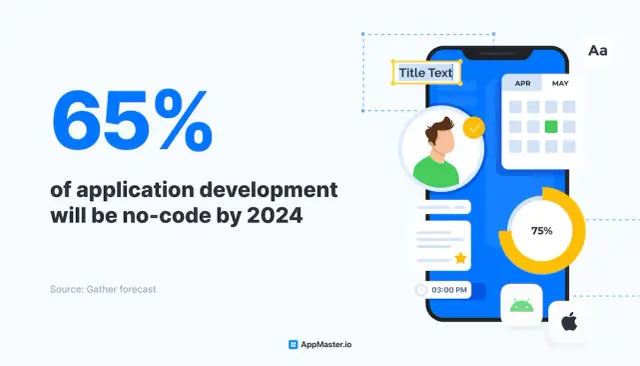
The advantages of no-code platforms are transformative, offering a more accessible, cost-effective, and flexible approach to app creation. Whether for personal projects, startups, or enterprise solutions, no-code platforms like AppMaster are at the forefront of this paradigm shift, revolutionizing how we think about and engage with app development.
Entering the app development world can be exciting and overwhelming for beginners. The first step to a successful application is planning. Transforming your idea into a detailed plan is essential to guide you through subsequent stages of development. Here's how to turn your concept into a blueprint for your first app.
Begin by identifying who your app is for and what problem it solves. Conduct market research to understand your potential users' needs, behaviors, and pain points. Use surveys, focus groups, and competitive analysis to collect data that will inform your app's design and features.
Once you understand your audience, outline your app's core features to meet their needs. Differentiate between must-have features and nice-to-haves to avoid feature creep, which can delay your launch and inflate costs. Remember, simplicity is often key in the early stages.
With the core features determined, sketch the user journey from start to finish. This includes all the steps a user will take, from opening the app to completing a primary action. Flow diagrams can be helpful here to map out each screen and interaction.
Develop wireframes for each screen of your app using a pencil and paper or a digital tool. Wireframing provides a visual structure to your app's layout without the distractions of design elements. From there, you can create higher-fidelity mockups that include colors, typography, and imagery to give a clearer feel of the final product.
A prototype is a clickable version of your app that simulates the user interface and experience. Use no-code tools to create a prototype without engaging in actual coding. This step can flush out usability issues before development begins.
Test your wireframes and prototype with potential users. Gather feedback on usability and function. This valuable insight can save time and resources by ensuring you're on the right track before diving into full development.
Consider the app-building platform that aligns with your app's requirements and technical skills. No-code platforms like AppMaster are ideal for beginners as they provide extensive functionalities while removing the need to learn coding.
With a clear concept and prototype, you can now outline a timeline and budget. Estimate how long each development phase will take and the resources needed. Be realistic to avoid frustration and ensure milestones are clearly defined.
Your app's blueprint is now ready to guide you through each phase of the development process. Thorough planning upfront can greatly simplify development, especially when using intuitive no-code platforms that streamline the transition from blueprint to a fully operational app.
When building your first app, the app builder interface is where you'll spend most of your time. A well-designed interface can distinguish between an enjoyable, productive experience and a frustrating one. Let’s explore how to navigate the interface of a typical app builder, focusing on user experience aspects that are common across many platforms.
After registering and logging into your chosen app builder, you’ll likely be greeted with a dashboard. This central hub is where you manage your projects, access resources, and start building. Usually, your first step will be to select an option to create a new app or project.
From here, you often enter a workspace that provides a visual layout of your app’s structure. It's crucial to familiarize yourself with the various areas of your workspace:
It’s worth taking the time to click through the various menus and panels to see what each feature does. Most builders, including AppMaster, are designed to be intuitive, but you may find tutorials or guided tours that can accelerate your learning curve.
Another key aspect of navigating the app builder interface is understanding the ‘drag-and-drop’ concept — a staple of no-code development. This allows you to visually compose the layout of your app by moving elements around the canvas. The process is not just convenient but also gives you an immediate visual feedback on how your app is shaping up.
Each action you perform on the canvas is often represented in real-time in the navigation tree, which maintains a structured view of your project. It's important to periodically review this to ensure your app’s flow is logical and user-friendly.
No-code platforms like AppMaster are designed to offer an enjoyable user experience, taking the guesswork out of app development. With a virtual tour of familiarizing yourself with the different interfaces and daring to experiment, you'll grow more comfortable and proficient in using the app builder. Before long, you’ll find that you're not just navigating the interface but mastering the art of app creation.
When embarking on your journey to create your first app, the importance of a well-designed user interface (UI) cannot be overstated. A user-friendly UI is crucial because it's often the first point of interaction between your app and its users. It should be intuitive, aesthetically appealing, and efficient to navigate, enhancing user experience and engagement. In this section, we'll delve into the principles of crafting a UI that resonates with users and upholds the essence of your app's purpose.
First and foremost, define your user base and understand their preferences. What are their age, tech-savviness, and expectations? This understanding will inform your app's layout, color scheme, typography, and interactivity. A minimalistic design with clear labels and large buttons might suit an older demographic, while a vibrant and dynamic interface could appeal more to younger users.
Secondly, adhere to the 'less is more' philosophy. Cluttering your interface with unnecessary elements can be overwhelming, leading to a poor user experience. Instead, focus on the essential features that facilitate the primary functions of your app. This simplification ensures that users can easily navigate your app without confusion.
Thirdly, consistency is key across your design elements. Consistent use of colors, fonts, and button styles provides a cohesive look and feel, making it easier for users to learn how to use your app quickly. It also strengthens your brand identity within the app's ecosystem.
Next, optimize your app's interactivity. Ensure that interactive elements like buttons and links are easily recognizable and provide immediate visual feedback upon interaction, such as changing color or highlighting. This feedback reassures users that the app responds to their actions and contributes to a smooth user experience.
Accessibility should also be a core part of your design process. Ensure your app is usable by as many people as possible, including those with disabilities. This includes text readability, voice-over capabilities, and adaptable color contrasts.
Lastly, prototyping your design can be vital in achieving a user-friendly interface. Utilize the drag-and-drop tools provided by no-code platforms such as AppMaster to mock up your UI and iterate on the design based on user feedback and usability testing. With AppMaster, you can create a visual blueprint of your app and interact with the prototype as if it were the final product. This ability to rapidly prototype and validate ideas ensures you can fine-tune the app's interface to best suit your users' needs before launch.
Designing a user-friendly app interface doesn't have to be daunting. By focusing on your users, maintaining simplicity, consistency, optimizing interactivity, ensuring accessibility, and utilizing the benefits of prototyping tools available on no-code platforms, you can develop a functional and enjoyable interface.
One of the most exhilarating aspects of using a no-code platform is the ability to inject sophisticated features and functionalities into your app without the need for traditional coding. Imagine being an artist with a broad palette of tools to bring your vision to life; that's what no-code platforms offer regarding app development. With intuitive interfaces and pre-built elements, these platforms empower anyone to build rich, dynamic, and interactive applications.
Start by brainstorming the core functionalities that your app will need to serve its purpose effectively. Most no-code platforms, including AppMaster, have an extensive library of ready-to-use features that can often be dragged and dropped into your design. It's as simple as selecting the functionality you need, be it a form, a payment gateway, a chat system, or dynamic lists, and integrating it into your app.
For instance, if you're creating an eCommerce app, you might need features like product galleries, shopping carts, and secure checkout systems. A no-code platform allows you to select and customize these elements, setting parameters such as the payment methods you want to accept or the information you'd like to collect in your forms. This customization process doesn't require coding; it's usually a matter of adjusting settings and options within the platform's user interface.
No-code platforms are also remarkable for their ability to integrate with external services and APIs. This means expanding your app's capabilities beyond the no-code tools' inherent features. Integration can allow for added functionalities such as automated emails, social media sharing, or data synchronization with other tools and systems you may use.
Moreover, advanced no-code tools like AppMaster go a step further by enabling you to visually design your app's logic. You can define workflows and set up business processes without writing a single line of code. This can involve creating conditional logic, managing user actions, or even handling complex data operations, all within a graphical interface that's easy to understand and navigate.
In the case of AppMaster, the platform's Business Process (BP) designer is especially powerful. It lets you visually construct the business logic that dictates your app's behavior. This might sound technical, but the BP designer simplifies it to a point where you can build your app's logic if you can map out a flowchart. This approach drastically reduces the learning curve for first-time developers, while still offering the sophistication demanded by complex projects.
Add-ons and plugins can offer additional capabilities, often designed to work seamlessly within the no-code environment. These can range from advanced analytics to third-party login systems. And for those rare instances where a specialized feature is unavailable, many no-code platforms offer the option to request custom development from their professional services team.
The spirit of no-code development is about breaking down barriers to technology creation. By abstracting the code and providing a user-friendly layer on top, no-code platforms democratize the ability to create feature-rich, customized apps. Whether for a business or personal use, adding features and functionalities without coding has never been more accessible.
Once you have laid the foundation of your app and fleshed out its functionalities using the intuitive interfaces provided by no-code platforms like AppMaster, you've reached a critical juncture in the app development process: testing and iterating. This stage involves examining your creation for usability, functionality, and performance. Here, you iron out the kinks, enhance user experience, and ensure your app operates smoothly across devices and platforms.
Begin with alpha testing, which is your personal, rigorous app testing in a controlled environment. While no-code platforms are designed to minimize coding errors, logical and flow-related issues can still occur. Check each feature and interaction point within the app. Ensure that buttons lead where intended, forms capture data correctly, and navigation is smooth and intuitive.
Next, move to beta testing, enlisting a group of users representing your target audience. Provide them with a version of your app and collect feedback on their experiences. Pay close attention to their comments about usability, and observe how they interact with the application. Their unbiased input is invaluable for spotting potential improvements you might have missed.
Utilizing the feedback, iterate on your app's design and features. Both alpha and beta testing may reveal the need for adding, removing, or adjusting functionality. With a no-code platform, such revisions are generally straightforward, allowing for rapid adjustments without the need to delve into complex code edits.
Testing isn't a one-time activity but a cycle that repeats until your app reaches a level of quality you're satisfied with. Each iteration offers a chance to improve and refine the user experience. Remember, user satisfaction is paramount — an app that doesn't meet users' expectations won't succeed, no matter how strong the idea behind it. Remember that post-launch, your app will likely require updates and new features. Testing remains an important part of the app's lifecycle even after it has gone live.
Thorough testing and iterative design are pillars of successful app creation, particularly when leveraging the powers of a no-code platform. They allow you to harness direct user feedback and quickly adapt your app to better meet the needs and expectations of its intended users. This enhances the likelihood of your app's success and provides a valuable learning experience that can inform future app development endeavors.
After countless hours of design, preparation, and testing, the time has come to introduce your first application. Publishing an app is the final step from an idea to a fully functional digital product available for users to download and engage with. This may feel like uncharted territory, but don't worry — the intricate process follows a clear set of steps and decisions, especially when leveraging platforms and guides available today.
Publishing your application is just the start of an ongoing cycle of monitoring, feedback, and updates. Use the insights gained from being live on the app stores to finesse and evolve your app. With dedication and an understanding of the steps and platforms to publish your app, you can set the stage for its success in the competitive world of mobile applications.
Once you have created your first app, the next crucial step is to get it into the hands of users and make it known in the market. Marketing your app effectively and gathering user feedback are key to your app's growth and success. Here's how you can approach this vital phase of your app development journey.
Start by identifying your target audience and understanding their needs. Use this information to craft a compelling message highlighting your app's unique value proposition and benefits. Then, choose the right channels to reach your audience. These can range from social media and content marketing to in-app advertising and email campaigns. It's also important to consider app store optimization (ASO) to improve the visibility and ranking of your app in app stores.
Another effective marketing approach is leveraging partnerships and influencer collaborations to amplify your reach. Working with industry influencers or complementary brands can introduce your app to new audiences and add credibility to your offering.
Social media platforms offer a cost-effective way to connect with your audience and build a community around your app. Share engaging content, such as how-to guides, success stories, and updates, to keep your audience informed and interested. Utilize platform-specific features like Instagram Stories, Facebook Live, or Twitter Polls to engage users more interactively.
Conversely, content marketing is about providing valuable and relevant content to attract and retain a clearly defined audience. Blog posts, videos, and podcasts can be powerful tools to demonstrate your expertise, share insights, and drive traffic to your app.

Encourage users to rate and review your app on app stores. Positive reviews and high ratings can significantly influence potential users' decision to download your app. They also contribute to better app store rankings. One strategy is to prompt satisfied users to leave a review after interacting positively with your app.
User feedback is invaluable for understanding how your app is being used and what improvements can be made. Incorporate feedback mechanisms within your app to make it easy for users to share their thoughts. Tools like in-app surveys, feedback forms, and user forums are great ways to collect insights directly from your user base.
Also, analytics tools can provide data on user behavior and app performance. Monitoring retention rates, session lengths, and user engagement can help you make informed decisions about future updates and feature developments.
Once you have collected user feedback, it's crucial to act on it. Prioritize feedback based on its impact on the user experience and the feasibility of implementation. Then, iterate on your app by making enhancements, fixing bugs, or adding new features your users have requested.
Remember, gathering user feedback is an ongoing process. As your app evolves, so will the expectations and needs of your users. Staying attuned to this feedback loop is a hallmark of successful and responsive app development.
Using a platform like AppMaster, you can easily manage your app's lifecycle, from implementation to maintenance, updates, and beyond. Its capabilities facilitate the initial app creation and the subsequent updates that are often necessary based on the continuous stream of user feedback you'll gather through the abovementioned methodologies.
After launching your first app, growth becomes the next big challenge. As your user base expands and the demand for more functionality increases, the ability to scale your app efficiently is crucial to sustaining its success. Fortunately, advanced no-code features provide a seamless way to enhance and grow your app without diving into complex coding or incurring significant development costs. These features offer the flexibility to meet new business requirements and user expectations as they evolve.
One aspect of scaling is ensuring your app can handle increased traffic and data. No-code platforms like AppMaster are designed with scalability in mind, leveraging the power of generated backend applications that are inherently stateless and capable of handling high-load scenarios. As your app grows in popularity, the backend can scale accordingly to manage this growth without introducing performance bottlenecks or downtime.
Moreover, advanced no-code features can help optimize your app's performance by enabling you to integrate with powerful databases and cloud services. These integrations play a pivotal role in managing large volumes of data, ensuring quick access and reliable storage. With support for any Postgresql-compatible database, the flexibility in choosing the right data management solution is in your hands, allowing for a tailored approach to data scaling needs.
Enhancing your app's functionality is another area where no-code excels. Advanced features such as the integration of third-party APIs, the automation of business processes, and the addition of complex workflows can extend the capabilities of your app without the need for extensive coding. This empowers you to introduce new services, connect with other apps, and automate tasks, which would otherwise require a dedicated development team to implement.
Personalization and adaptability to user feedback are also crucial during the scaling phase. With no-code platforms, you can easily iterate on your app based on analytics and user insights. Real-time changes and updates can be made and pushed to your app without interrupting the service, continuously improving the user experience as your app matures.
Furthermore, multi-platform support is a key no-code advantage. For example, if your initial release was a web application and you're now looking to expand into the mobile market, no-code solutions like AppMaster allow you to build and deploy native mobile applications cohesively. This cross-platform strategy maximizes reach and ensures a consistent experience across different devices.
Scaling your app goes beyond just increasing the server capacity. It's about enriching its features, maintaining performance, and enhancing the user experience for a growing audience. No-code platforms present a suite of advanced tools that allow you to scale effortlessly, ensuring your app remains competitive and responsive to the demands of an evolving market.
In an ever-changing tech environment, maintaining and updating your app is not just an option; it's essential for survival. Users expect a seamless experience, and regular maintenance ensures your app continues to function properly, while updates can refresh its look, enhance its features, or correct any issues. Here’s how you can manage maintenance and updates for your app, especially if you’ve created it using a no-code platform like AppMaster.
Feedback is the compass that guides the improvements of your app. Pay close attention to reviews and use in-app analytics to understand how users interact with your application. Identify patterns and common complaints that could indicate areas needing improvement or optimization.
Create a maintenance schedule to routinely check your app for errors, broken links, or outdated content. Automated testing features on no-code platforms can help streamline this process, but a human touch is irreplaceable for ensuring the highest quality.
As you gather feedback and spot trends in analytics, prioritize the updates that will most significantly impact your users' experience. Whether it's a new feature that's been highly requested or a pesky bug that's affecting functionality, regular updates show users that you're committed to providing a valuable app.
Operating systems and third-party services update regularly, and your app needs to keep up to accommodate any changes in their requirements. Outdated apps can suffer from performance issues or become unusable, thus staying aligned with these updates is crucial.
No-code platforms often have features to automatically manage parts of the maintenance process. For example, AppMaster can regenerate your entire application with updated requirements and dependencies with just a few clicks, making maintenance a less cumbersome task.
If your app hits it off with users, you'll need to scale to accommodate the growth in traffic and data. No-code platforms like AppMaster are designed with scalability in mind. They enable you to enhance backend services to support a larger user base without the hassle of traditional code modifications.
Seasonal updates keep your app relevant and can be fun to engage users. Consider adding thematic elements during holidays or special events. These updates can be a great marketing tool and improve user engagement.
When you roll out new features or significant updates, guide your users through the changes. Use in-app tutorials, blog posts, or update notes within the app store. Education simplifies the transition for your users and can highlight improvements they may have otherwise missed.
Remember, your relationship with your app doesn't end at its launch; it evolves. Regular maintenance and timely updates are key to an app's success. With no-code platforms like AppMaster, this ongoing process becomes less of a technical challenge and more of a strategic activity focused on user satisfaction and continuous improvement.
 What is a no-code app-building platform?
A no-code app-building platform is a user-friendly tool that allows individuals to create web, mobile, and backend applications without needing to write any code. Users can visually design their app's interface and features through a drag-and-drop interface.
Can I build a professional app using a no-code platform?Yes, no-code platforms like AppMaster are designed to enable users to create professional-grade applications that can scale and meet the needs of businesses or personal projects.
Do I need programming knowledge to use an app-creating website?No, the beauty of app-creating websites, especially no-code platforms, is that they're specifically tailored to users without programming knowledge. Everything from design to functionality can be implemented visually.
How do I choose the right app builder for my project?Consider factors like ease of use, customization options, available features, integration capabilities, scalability, customer support, and pricing plans. Platforms like AppMaster offer a variety of subscriptions to suit different needs.
Can I make changes to my app after it's published?Yes, one of the benefits of using a no-code platform is the flexibility to update your app. You can add new features, fix issues, or make design changes and republish your app with ease.
Is it possible to integrate third-party services into my app?Many app-building websites offer integration features that allow you to connect your app with third-party services and APIs, increasing the functionality and versatility of your app.
What is the cost of using an app-creating website?The cost varies depending on the platform and subscription plan you choose. Some platforms offer free versions with basic features, while others have premium plans with advanced functionalities and support.
How can I test my app before launching it?App-creating websites often provide simulation tools or allow you to create a test version of your app. This enables you to check the functionality and gather feedback before officially releasing it.
How long does it take to create an app using a no-code platform?The time to create an app can vary greatly depending on the complexity of your app and your familiarity with the platform. No-code platforms can significantly reduce development time, often allowing you to build a basic app in a matter of days.
Can I export the source code of my app?Some no-code platforms, like AppMaster, offer the option to export your app's source code, giving you full ownership and the ability to host it on-premises or through other services.
Will my app built on a no-code platform be scalable?No-code platforms are designed with scalability in mind. For instance, AppMaster generates backend applications that are stateless and can scale to meet high demand.
What if I need help while building my app on a no-code platform?Most no-code platforms provide extensive documentation, tutorials, and customer support to assist users in building their apps. Additionally, some platforms offer community forums where you can get help from other users.
Experiment with AppMaster with free plan.
When you will be ready you can choose the proper subscription.
 Jul 14, 20268 min
 Jul 13, 20268 min
 Jul 08, 20268 min