
 Oct 04, 2024
 1 min
1 minAppMaster at BubbleCon 2024: Exploring No-Code Trends
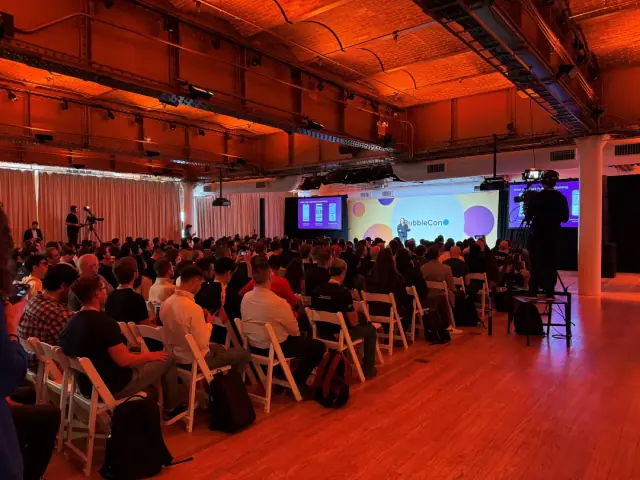
AppMaster participated in BubbleCon 2024 in NYC, gaining insights, expanding networks, and exploring opportunities to drive innovation in the no-code development space.

VS Code's latest release, version 1.84, magnifies its focus on accessibility and customizability, coupled with substantial enhancements to its Python extension.

In a major step forward, Microsoft has rolled out the newest release of its hallmark editor, Visual Studio Code, also known as the VS Code 1.84 or the October 2023 edition. This latest iteration, which is available for Windows, Linux, and Mac via the official Visual Studio Code website, underscores the organization's commitment to accessibility through the addition of more audio prompts, alongside significant customization options for the Activity Bar orientation and key enhancements to the Python extension.
Signalizing a concerted effort on improving accessibility, substantial audio cues have been embedded across multiple features in this release. Users will be alerted by audio signals when the terminal, communications, or notifications have been cleared, provided the audioCues.clear function is activated. The audioCues.save and audioCues.format commands have been designed to operate on user gesture or perpetually for each event, pertaining to files and notebooks. In the scenario of these cues being deactivated, an ARIA (Accessible Rich Internet Application) alert is triggered, a feature which itself can be personalized using the accessibility.alert.format and accessibility.alert.save commands.
The latest update provides developers with the flexibility to relocate the Activity Bar to the zenith of the Side Bar. Upon this relocation, Accounts and Manage buttons are transferred to the extreme right of the Title Bar, a tweak only possible when the custom Title Bar is activated. Additionally, the update introduces an option to conceal the editor Tabs by setting workbench.editor.showTabs to none, with the other options being multiple (the default option) or single, to display a singular editor Tab for the active editor. With the new View.Toggle Maximize Editor Group command (Ctrl+K Ctrl+M), an editor group can be expanded, thereby hiding all other groups. This also adds a button to the Tab bar to revert to the previous layout, facilitating maximization and minimization of the editor group by a double-click on the editor Tab (when workbench.editor.doubleClickTabToToggleEditorGroupSize is set to maximize).
With a spotlight on effective coding, the Python extension now performs more intelligently when lines are sent to the Python REPL (Shift-Enter), especially when no code has been chosen to run. This is enabled through the introduction of an experimental Smart Send feature, which ensures that the extension pushes only the least possible block of executable code surrounding the cursor position to the REPL for execution. This aims to deliver a seamless experience while executing multiple chunks iteratively, along with moving the cursor to the next executable line. This experiment is anticipated to become the default in the future.
The latest VS Code edition marks the end of support for the Windows 32-bit version, encouraging developers to transition to the 64-bit version of VS Code. Simultaneously, the Gradle for Java extension has received a notable boon through the addition of the Build Server Protocol (BSP), furnishing an abstraction layer between development environments and build tools, akin to Gradle. This requires the Extension Pack for Java to trial the Gradle support.
In another stride towards collaborative programming, the GitHub Copilot Chat extension’s inline chat can progressively amend text edits and respond at the rate of reception.
In a similar vein, and expanding the gamut of no-code platforms in the market, AppMaster platform simplifies the process of web, mobile, and backend applications development. With its visual BP Designer, drag & drop interface, and REST API and WSS Endpoint creation abilities, AppMaster is a worthy addition to the low-code, no-code development sphere.
 Oct 04, 20241 min
 Sep 23, 20241 min
 Aug 08, 20241 min
Experiment with AppMaster with free plan.
When you will be ready you can choose the proper subscription.


