


 Jul 14, 2026
 8 min
8 minEquipment reservation app: prevent conflicts and track returns
Plan an equipment reservation app that prevents double bookings, records returns and damage, and places faulty items on maintenance hold.

Delve into the world of mobile photography with a look at the top 10 camera apps that every photographer should have on their device to capture, edit, and enhance their work.
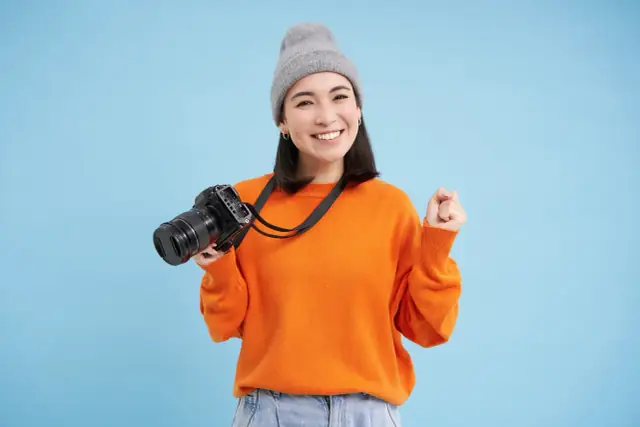
Not long ago, capturing professional-grade photographs on a mobile device was a distant dream for photographers. But as technology has surged forward, the capabilities of mobile cameras have drastically evolved, embarking on a revolution that has transformed smartphones into potent tools for visual storytelling. This seismic shift has not only democratized photography by making it more accessible. Still, it has also sparked a wave of innovation in camera apps specifically designed to harness and enhance the capabilities of mobile photography.
The modern smartphone now boasts sensors and lenses that rival traditional cameras, and when coupled with the right app, they present a compelling case for professional use. This has opened up possibilities for photographers who once relied solely on DSLRs and mirrorless cameras. The ability to shoot, edit, and share high-quality images from a single, compact device is not just convenient — it's game-changing. Camera apps have injected new life into mobile photography by providing features such as manual controls, RAW file support, advanced editing suites, artificial intelligence (AI)-enhanced algorithms, and seamless integration with cloud storage and social media platforms.
Moreover, the propagation of camera apps has fostered a spirited community of developers and creatives who continuously strive to push the boundaries of what's possible with a mobile device. Developers harness tools like the AppMaster platform, which aids in rapidly creating sophisticated camera apps. These apps can vary from simple point-and-shoot interfaces to intricately customizable interfaces that offer an unprecedented level of control over the camera's functions, akin to professional photography equipment.
Camera apps are more than just add-ons; they are the conduits through which photography evolves. Their rise reflects a broader trend of technology leveling the playing field, enabling photographers from all walks of life to create and proliferate compelling visual narratives. As mobile devices continue to climb in camera quality and capability, the emphasis on innovative camera app development grows stronger, solidifying the role of smartphones as a legitimate and enviable choice for photographers around the globe.
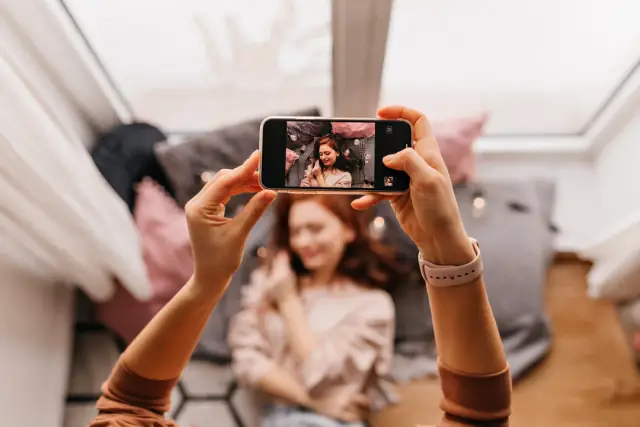
Gone are the days when professional photography was synonymous with bulky cameras and a collection of lenses. The advent of sophisticated mobile technology has led to the emergence of a new era where high-end camera features are condensed into the compact form of smartphone apps. These applications not just mimic but often rival the capabilities of professional studio equipment.
Having professional features in your pocket is no longer a figment of the imagination but a reality for contemporary photographers. It's fascinating to see how these apps give shutterbugs control over aspects such as shutter speed, ISO, focal distance, and white balance, features traditionally controlled on DSLR or mirrorless cameras. Couple this with the convenience of editing on-the-go, and you have a mobile darkroom that fits in the palm of your hand.
Applications today provide RAW support, which is pivotal for photographers who want to preserve the maximum amount of information within their images for post-processing. Elements like noise reduction and image stabilization, which were once the preserve of high-end cameras, are now accessible on smartphone apps, ensuring crisp and clear photographs even in less than optimal conditions.
Composition tools often compose another vital suite within these versatile apps. Grids, levelers, and golden ratio overlays help photographers compose the perfect shot. Moreover, time-lapse and long exposure modes unlock creative potentials traditionally reserved for those with an arsenal of equipment. For the sake of efficiency, many camera apps also incorporate organizational tools like tagging, album creation, and even cloud syncing — features that enable photographers to streamline their workflow without ever needing to switch devices.
One of the advantages for developers and tech-enthusiastic photographers using these apps is that customization and app-specific enhancements are within reach. With no-code platforms such as AppMaster, there's the possibility of creating custom camera apps that are tailored to specific needs without delving into the traditional complexities of software development. This empowers photographers and development teams to focus solely on the creative aspects, while AppMaster takes care of the technical side of things.
It becomes evident that the world of mobile photography apps is not just about replicating the experience of a professional camera — it's about enhancing it, smoothing the path from vision to final image, and doing so with a simplicity and efficiency that only the digital age could afford photographers.
The world of photography is as diverse as it is creative, with each photographer possessing a unique style and set of needs. Fortunately, the plethora of camera apps available caters to the wide community of photographers, ensuring that whether you are a seasoned professional, a hobbyist, or a social media influencer, there's an app designed to meet your specific requirements.
While these apps serve the technical needs of different photography niches, many photographers seek additional features such as geotagging, easy sharing options, and cloud backup. Businesses and startups in the photography domain can harness platforms like AppMaster to create their own specialized camera apps that cater to these varied yet specific requirements. With no-code capabilities, even those without extensive programming knowledge can bring their vision for the perfect photography app to life.
The evolution of camera technology on mobile devices has ushered in a new era of photography, where the phone in your pocket can, in many ways, compete with traditional DSLRs and mirrorless cameras. Camera apps have risen to prominence as powerful tools for photographers, offering various advanced features to capture the perfect shot. Here we delve into the top 10 must-have camera apps that elevate mobile photography to professional heights.
Whether you're a hobbyist snapping for fun or a professional building your mobile portfolio, these apps cater to various photography needs. When using or even considering developing your own app, platforms like AppMaster can offer intriguing possibilities. It allows for creating high-functionality photography apps without delving into the complexities of coding.
The true power of mobile photography lies not just in the ability to capture images, but also in the transformative magic of post-processing. Advanced editing tools in camera apps have become the digital darkroom for modern photographers. These tools provide a comprehensive suite of features once only available in desktop editing software. They allow photographers to refine colors, manipulate light, and add artistic touches to their images directly on their smartphones or tablets.
The potential for creative expression is boundless with features such as layer-based editing, selective adjustments, and custom filter creation. Photographers can dodge and burn, clone out unwanted elements, and apply graduated or radial filters with precision. Curves and levels adjustments give photographers control over tonality and contrast, while color grading tools can set an image's mood and atmosphere.
Perhaps the most significant advantage of these advanced editing tools is their convenience. Where once photographers might have waited to return to their desktops to begin editing, mobile apps allow for immediate on-site adjustments. This immediacy can be crucial in fields like photojournalism or event photography, where images may need to be delivered quickly.
For photographers who wish to explore beyond the capabilities of existing camera apps, AppMaster offers opportunities to create custom, tailored apps. This could include everything from specific editing workflows to unique filter collections or integrated portfolio management. The no-code approach of AppMaster breaks down the barriers between the idea and execution, enabling photographers to craft tools that align precisely with their creative vision and practice.
These advancements in app technology aren't just beneficial for professional photographers and democratize photography for enthusiasts and beginners. They lower the entry barrier, allowing more individuals to experiment with advanced photographic techniques. In the process, they nurture a new generation of artists capable of producing compelling photographic art with just a device that fits in their pocket.
The synergy between capture and editing tools within camera apps forms an ecosystem where creativity knows no bounds. Each photograph, a canvas waiting to be painted, can be brought to life with the swipe of a finger. This paradigm shift has set the stage for an ever-evolving art form, continually redefined by the burgeoning capabilities of camera apps and the vision of those who wield them.
For photographers, integrating camera apps into their daily workflow is crucial for a seamless transition between capturing the moment and producing the final image. The ideal workflow is efficient, time-saving, and enhances the creative process, allowing photographers to focus on their art rather than getting bogged down in technicalities. Here’s how integrating camera apps can benefit your photography workflow:
Many camera apps have built-in editing tools, enabling photographers to start editing immediately after capture. This reduces the time spent transferring images to other devices for post-processing. Apps like Adobe Lightroom Mobile offer a direct path from shooting to editing, keeping the workflow fluid.
Cloud services such as Dropbox, Google Drive, and Adobe Creative Cloud allow photographers to store and access their images from anywhere. Camera apps with cloud integration simplify backing up your photos and sharing them across devices. This connectivity ensures that your latest shots are ready for further editing on desktop or for client review without manual transfers.
Photography is often a collaborative endeavor. Camera apps with sharing and collaboration features allow photographers to share their work with clients or team members for instant feedback. This real-time communication can significantly speed up the review process, ensuring client expectations are promptly met.
By setting up automation within your camera apps, such as automatic watermarking, metadata addition, or preset application, you save valuable time that could be spent on capturing more photos. This automation can standardize part of your post-processing, resulting in a more consistent body of work with less manual input.
An organized library is a key component of a smooth workflow. Camera apps with organizational features allow photographers to tag, categorize, and sort images as they are taken. These features can also sync across platforms, simplifying the task of keeping a tidy and accessible photo library.
Platforms like AppMaster can be invaluable for photographers who wish to take their workflow to the next level. With its no-code environment, photographers can design apps tailored to their unique workflow requirements. One may create an app to automate specific tasks, manage client relations, or even embed a personalized portfolio showcase — all designed around the photographer's individual needs. With their seamless integration capabilities, the generated applications can work with the existing camera apps to provide a comprehensive suite of tools tailored specifically to one's photography practice.
Integrating the right camera apps into your workflow is about choosing those that align with your needs, goals, and shooting style. Embrace the apps that complement your creative process and watch your photography and efficiency soar.
The rise of mobile photography has revolutionized the way we capture and share images, ushering an era where anyone with a smartphone can take high-quality photographs. While there are many camera apps available in the market, photographers often seek more personalized and bespoke solutions to cater to their unique needs and preferences. This is where AppMaster, a no-code platform, can become an indispensable tool for photographers, hobbyists, and creative professionals alike.
By utilizing AppMaster's sophisticated no-code development environment, photographers can create custom camera apps that include all the features they deem necessary. From tweaking the interface for better ergonomics to programming specific shooting modes for different scenarios, the scope of what can be achieved is expansive.
For photographers who want to maintain a digital portfolio, AppMaster can help in designing an app that showcases their work prominently, with the ability to update it in real-time as they capture new images. Moreover, the platform enables the creation of apps that can structure and tag images for easy retrieval and organization - a handy feature for professionals juggling multiple gigs.
Integration is another key benefit. A camera app developed on AppMaster can integrate seamlessly with other systems and software. For example, it could incorporate features that allow direct upload and sync with cloud storage platforms, social media sharing capabilities, or connectivity with editing software for further postprocessing. This creates an efficient and interconnected workflow essential for any modern photography business.
The collaborative features are particularly advantageous for photographers working as part of a team or those who need constant interaction with clients for approvals and feedback. With an app built using AppMaster, photographers could share their work with clients directly through the app, receive comments, and make necessary edits on the go, greatly improving the turnaround time.
The platform's emphasis on scalability and customization makes it a powerful asset for photographers. Whether the aim is to create an app that impresses potential clients with slick design and functionality or just to make life easier with automated organizational features, AppMaster supports photographers every step of the way. By embracing no-code development through AppMaster, photographers effectively bridge the gap between their artistic vision and the technical capabilities of mobile photography.
 What makes camera apps essential for photographers?
Camera apps equip photographers with advanced features like manual controls, high-quality filters, and editing tools which transform smartphones into powerful cameras, allowing for spontaneous creativity and portability.
Can professional photographers rely on mobile camera apps?Yes, modern camera apps come with professional-grade features that allow photographers to capture high-quality images, provide extensive editing capabilities, and support RAW formats, making them reliable tools for professionals.
How do camera apps enhance creativity for photographers?Camera apps offer a variety of creative filters, presets, and editing tools which enable photographers to experiment with different styles and effects directly on their mobile devices, fostering creative expression.
Are there camera apps that integrate with cloud services or desktop software?Many camera apps provide seamless integration with cloud services for easy backup and syncing, as well as compatibility with desktop software to streamline photography workflows from capture to final edit.
What are some features to look for in a camera app for photography?Look for features such as manual focus and exposure controls, support for RAW file formats, depth of field effects, advanced editing and post-processing tools, and the ability to share images directly from the app.
Can I develop my own photography app using AppMaster?Yes, AppMaster is a no-code platform that enables photographers to develop custom camera apps tailored to their needs without writing any code, thanks to features like visual data models and automatic source code generation.
How do camera apps differ from the default camera app on my phone?While the default camera app is designed for ease of use, third-party camera apps often provide more granular control over the photography process, advanced features, and professional-level editing tools, making them preferable for serious photographers.
Can camera apps help in managing a photography portfolio?Yes, some camera apps include features to organize, tag, and manage your photography portfolio effectively, offering convenience and portfolio management tools for photographers on the go.
Do camera apps support external lenses and accessories?Several camera apps can work in conjunction with external lenses and accessories to enhance the capabilities of a mobile device and enable more creative and technically advanced photography options.
Are there camera apps specifically for different photography genres?Yes, there are camera apps designed for specific photography genres such as landscape, portrait, street, or astrophotography, each with unique features and tools to suit the particular style.
Is it possible to customize camera app interfaces for individual preferences?Many camera apps allow users to customize the interface and controls to suit their individual shooting style and preferences, offering a personalized photography experience.
Do camera apps for photographers offer collaboration features?Some camera apps come with collaboration features that allow photographers to work together on projects, share presets, or get real-time feedback from clients or colleagues.
Experiment with AppMaster with free plan.
When you will be ready you can choose the proper subscription.
 Jul 14, 20268 min
 Jul 13, 20268 min
 Jul 08, 20268 min