


 Jul 14, 2026
 8 min
8 minEquipment reservation app: prevent conflicts and track returns
Plan an equipment reservation app that prevents double bookings, records returns and damage, and places faulty items on maintenance hold.

Learn the basics of AppMaster.io visually! The set of no-code video tutorials is out on our YouTube Channel.
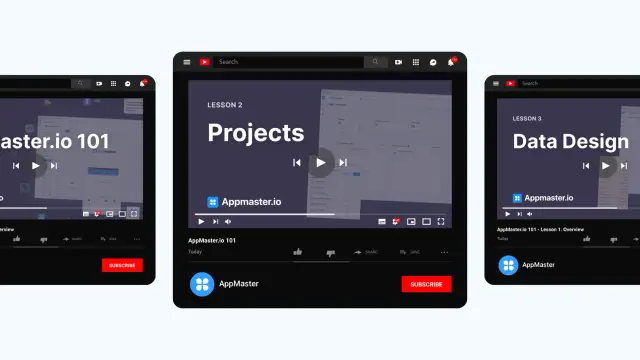
Great news! The first cycle of video tutorials is ready! This will help you get introduced to the platform's architecture, its capabilities, and the main functions that are already available.
Language: EN voice + EN and RU subtitles.
Video list:
1. Introduction
2. Projects
3. Data Design
7. Mobile Apps
8. Deployment
Subscribe so you don't miss our new videos!
 What does the AppMaster video course cover?
The first AppMaster video course introduces the platform’s architecture, main features, and everyday workflow for building applications without code.
How many tutorials are in the first course cycle?The course has eight tutorials: introduction, projects, data design, business logic, endpoints, web apps, mobile apps, and deployment.
Are Russian subtitles available?Yes. The videos use English narration and include both English and Russian subtitles.
Which tutorial should I watch first?Start with the Introduction video, then watch Projects before moving into data design and business logic. That order makes the later lessons easier to follow.
What will I learn in the Projects tutorial?The Projects tutorial explains how to create and organize an AppMaster project before you build its data model, logic, or interface.
What is covered in the Data Design lesson?Data Design shows how to model the data your application needs with AppMaster’s visual tools and PostgreSQL-based database structure.
How do I learn to create business logic?The Business Logic tutorial explains how to create application behavior with the visual Business Process Editor. You can build workflows without writing the logic by hand.
What are endpoints in AppMaster?Endpoints are API routes that let your application receive requests and return data. The endpoint tutorial shows how they fit into an AppMaster backend.
Does the course include web and mobile app development?The web and mobile lessons focus on building user interfaces for browser-based applications and native mobile apps within the same platform.
Does the course explain how to deploy an app?The Deployment tutorial covers preparing your application to run after development. AppMaster can deploy applications to its cloud or support other hosting options, depending on your setup.
Experiment with AppMaster with free plan.
When you will be ready you can choose the proper subscription.
 Jul 14, 20268 min
 Jul 13, 20268 min
 Jul 08, 20268 min