


 Jul 14, 2026
 8 min
8 minEquipment reservation app: prevent conflicts and track returns
Plan an equipment reservation app that prevents double bookings, records returns and damage, and places faulty items on maintenance hold.

Plan a production batch record app that tracks materials, lot numbers, operator checks, yields, and release decisions for small manufacturers.
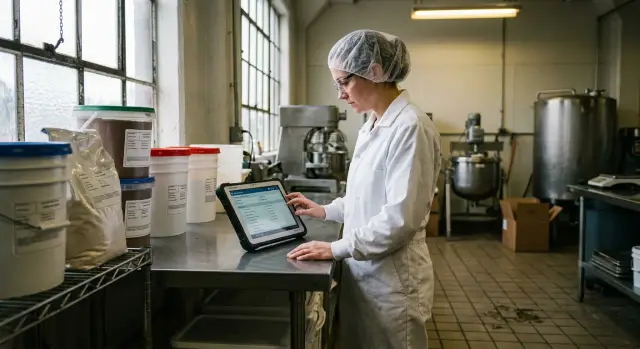
Small factories often begin with paper batch sheets, a shared spreadsheet, and a whiteboard for the day's work. That arrangement can work when production is light. It starts to fail when shifts change, materials arrive late, or two batches run at once.
Paper forms move around the floor. An operator writes a temperature check on scrap paper and plans to copy it later. A supervisor approves a batch verbally because product needs to go out. By the end of a busy shift, handwriting is hard to read, times are missing, and no one knows which spreadsheet contains the final numbers.
A production batch record app gives each batch one place to collect facts as work happens. It does not replace careful work, but it makes skipped fields and unclear handoffs easier to catch.
A lot number connects finished product to the material used to make it. If an ingredient, coating, component, or packaging item later has a quality issue, the manufacturer needs to identify every affected batch quickly.
One blank lot field breaks that chain. An operator might use the last bag from lot M-184 and open a bag from lot M-219 halfway through a mix. If the record says only "material used," the team cannot tell which finished units contain each lot. They may need to hold much more stock than necessary while they investigate.
This is rarely a matter of carelessness. The form may hide the lot entry, a barcode may not be available at the workstation, or the operator may need to enter the same information in several places. A useful record asks for the lot when staff issue or add the material, then keeps it attached to the batch.
Teams sometimes try to use one spreadsheet for everything. That creates confusion because inventory, schedules, and batch records answer different questions.
The batch record should capture the formula or bill of materials used, material lots, operator checks, quantities, yield, exceptions, and the release decision. It should not replace warehouse counts or a production calendar.
A schedule may say that Batch BR-042 should make 500 units on Tuesday. The batch record can show that the team made 472 acceptable units, used two material lots, paused for a mixer check, and received release from a named reviewer. Those details explain the result. A planned schedule cannot.
When each record has a clear job, staff spend less time sorting out conflicting entries. During a complaint, material recall, or routine quality review, the batch record tells the story without forcing someone to search through paper, messages, and separate files.
A batch record should tell the full story of one production run without relying on paper notes, spreadsheets, or memory. Keep the first version focused on facts that affect identity, traceability, quantity, and release.
Start with details known before production begins. Give every record a unique batch ID and connect it to the product name, product code, recipe or specification version, target quantity, unit of measure, planned production date, and planned completion date. Add the work area or line when the same product runs in more than one place.
The product and recipe version deserve close attention. A batch made with an older formula can look identical to a newer one, but the record must show which instructions the operator followed.
For every ingredient, component, or packaging material, record the material name, internal code, supplier lot number, expiry date when relevant, and amount issued to the batch. Store the unit too, whether it is kilograms, liters, or pieces.
A material entry might read: "Sugar, lot SUP-4472, 25 kg used." That line lets a manufacturer find finished batches affected by a supplier problem with lot SUP-4472.
For each material, capture:
Use separate fields instead of one open notes box. Operators can enter records faster, and managers can search batch record tracking data without reading every comment.
The record also needs the outcome of the run. Store actual output, expected output, scrap, rework, and units held for review. Calculate yield from the input and output figures, but require a reason when yield falls outside the allowed range.
A batch with a target of 1,000 units might produce 960 finished units, 25 scrap units, and 15 units on hold because a label print looks unclear. Keep those numbers separate. Recording "1,000 units made" hides a quality issue and creates inaccurate inventory.
Finish with a clear batch status: in progress, awaiting review, released, rejected, or on hold. Add the reviewer name, decision time, and a short reason for every hold or rejection. A no-code app built in AppMaster can keep these fields in a controlled form while giving operators a simple screen for daily work.
Lot traceability depends on the same batch ID following work from the first material issue to final release. Create the batch record before production starts, then put that ID on the work order, container labels, and any paper used on the floor. Staff should never have to guess which record belongs to a tank, tray, or mixing vessel.
Treat materials as separate entries within the batch instead of a single note such as "ingredients used." Each entry needs the material name, internal item code if used, supplier lot number, quantity issued, unit, recording person, date, and time.
This creates a practical trail when a supplier reports a problem. A manager can search the supplier lot number, find affected batches, and see whether they remain in stock, have shipped, or await release.
Put the lot check where material enters production. When an operator scans a barcode, the app can fill in the material and lot fields. When staff type the number, show the expected format and reject an empty lot field for materials that require tracking.
For each material line, record:
A material store may issue one lot at the start of a batch, then run short halfway through. Do not replace the original lot number with the new one. Add a second material entry for the additional lot and include the amount taken from each lot. The record then shows exactly what went into the product.
People make data entry mistakes. Let them correct an entry, but keep the original value, the person who changed it, the time of the change, and the reason. Deleting or silently overwriting a lot number removes the audit history and makes later investigations harder.
An operator may type supplier lot "L-3817" instead of "L-3871." They should select the entry, enter the corrected number, and choose a reason such as "typing error." A supervisor can then see both values and confirm the correction before release.
Use permissions carefully. Operators can add material use and request corrections. Supervisors can approve corrections after the fact. This keeps the process workable on a busy floor while protecting manufacturing lot traceability through release.
A batch record should capture checks at the point of work, not at the end of a shift. Notes written later create missing times, guessed readings, and unclear responsibility. A production batch record app can show the right check at the relevant production stage.
Create a check for every action that affects product safety, quality, or traceability. A mixing batch might require an operator to confirm the ingredient weight before adding it, enter the vessel temperature after mixing, and confirm that the room and equipment passed cleaning.
Line clearance needs its own check when a team changes products, packaging, or labels. The operator confirms that they removed the prior batch's materials, labels, and paperwork before the next run begins. This record can prevent an expensive mix-up.
Each required check needs the operator who completed it, the time of completion, and the result. The app can fill in the operator name after sign-in and record the time automatically. The operator then enters a number, chooses pass or fail, or adds a short note.
Avoid one large text box labeled "comments." It slows later reviews and makes trends difficult to find. Use fields that fit the task:
An operator should not accidentally skip a required check. The app can hold the next production step until the operator records the result. For a failed result, require a reason and alert a supervisor instead of allowing work to continue without review.
Operators need short forms that work on a tablet or phone near the line. Put instructions beside each field, use large pass and fail buttons, and show only the checks that apply to the current product and stage.
An operator might enter 72.4 C after a heating step with an allowed range of 70 to 75 C. The app records the reading, operator, and time, then allows filling to begin. If the reading is 68 C, the app records the exception and sends it to the person who decides what happens next.
AppMaster can model these checks through visual data structures and business process rules. A manufacturer can create an application that records each action without asking operators to manage spreadsheets or separate paper forms.
A batch record needs a clear quantity trail. Teams should see what they planned to make, what they made, what they used, and why those numbers differ. Otherwise, a production batch record app becomes a digital form while supervisors still investigate in spreadsheets.
Define batch statuses before workers enter results. A batch starts when an operator confirms the first production step. It pauses when work stops for a planned break, equipment issue, quality hold, or missing material. The operator who resumes work should record the time and a short reason. Finish the batch only after all required checks and final quantities are complete.
Use the planned input quantity and product formula to calculate expected output before production begins. A 100 kg mix with an expected 96% yield should produce 96 kg of finished product. Store both the target amount and an allowed range, such as 94 to 98 kg.
The app should calculate the difference automatically:
Yield percentage = actual finished quantity / planned input quantity × 100
Record quantities with their units. Do not mix kg, g, liters, and pieces in one field. If workers measure an ingredient in grams but the formula uses kilograms, the app should convert it or show a clear warning before saving the entry.
An out-of-range yield needs more than a red warning. Require the operator to choose a reason and add a note before the record moves forward. Common reasons include spillage, material left in equipment, rejected product, an incorrect weigh-in, or an unplanned adjustment.
Keep options specific enough for later review, while retaining an "Other" choice for unusual events. A free-text note can explain what happened, who noticed it, and whether the team corrected the issue.
For a planned 500-unit run, an operator records 462 accepted units. If the allowed yield range begins at 95%, the app calculates 92.4% and opens an exception entry. The operator selects "Rejected product," enters 38 units, and notes that a sealing fault caused the rejects. A supervisor can see the loss before making the batch release decision.
AppMaster can model status rules and calculations visually, so the same checks apply on a web screen and a mobile app on the production floor.
A batch should not move from production to shipment because someone assumes it is finished. Give every record a visible status so staff can see whether work is underway, waiting on a check, or cleared for use.
A simple batch release workflow often uses five statuses:
Use names that match the words people already use on the factory floor. Avoid vague labels such as "complete." A batch can be complete from an operator's view but still require quality review before release.
Operators should record material lots, actual quantities, temperatures, checks, downtime, and exceptions. They should not approve their own batch for release unless their role specifically allows it.
Assign release permission to a supervisor, quality reviewer, or another named role. The reviewer should see the full batch record, including failed checks, corrections, and hold notes, before selecting Released or Rejected. Require a reason for every hold or rejection. That rule prevents confusing handoffs.
An operator may finish a food mix at 10:30 and mark it Ready for review. The quality reviewer checks the ingredient lot numbers, confirms the final weight falls within the allowed range, and releases the batch at 11:05. The app records both actions under different user accounts.
After release, block casual edits to the batch record. A released record must remain a reliable account of what people made and checked. If staff can quietly change a lot number or yield afterward, manufacturing lot traceability loses its purpose.
Mistakes still happen, so use controlled corrections rather than a lock that no one can work around. Let an authorized user reopen the record or add a correction entry, require a reason, and retain the original value in the audit history. Record who changed it and when.
In a production batch record app, role permissions and status rules can handle this. AppMaster lets teams build those rules visually: operators enter production data, reviewers access release actions, and the app blocks ordinary edits after release. The record remains practical for daily work and provides a clear history when a customer, auditor, or teammate asks why a batch changed status.
A shop plans to make 500 units of Product P-12 during the morning shift. The production batch record app creates batch B-104 and assigns operator Maya Chen. Before work starts, Maya scans material M-44, lot L-771, with 18 kg available. She also records the equipment ID and confirms that the mixer passed its pre-start check.
The recipe calls for 30 kg of M-44. Maya uses 18 kg from lot L-771, then opens a second material entry for 12 kg from lot L-772. The record keeps both lots tied to B-104, along with the time each lot entered the batch and the person who recorded it. A later complaint can trace all 500 units back to both material lots.
At the required temperature check, Maya records 68 C. The allowed range is 70 to 75 C, so the app marks the check as failed and asks for a note. Maya pauses the process for 14 minutes, adjusts the mixer setting, and records the action. Her next reading is 72 C. She adds the time, reading, and her name before continuing.
Maya completes the run and records 500 finished units. The record shows the two input lots, the failed check, the pause, the corrected temperature, and the final yield. It keeps the original failed reading rather than replacing it. A complete record should show what happened, not only the final result.
A reviewer, Daniel, sees the failed temperature check in the batch release workflow. He places B-104 on hold while he reads Maya's note and confirms that the second reading met the limit. He checks that the pause occurred before the next processing step and that the lot quantities total the recipe amount.
Daniel decides the documented correction is acceptable. He records "Released," adds the reason, and signs the record with the date and time. If the note lacked a correction or the temperature remained outside the limit, he could select "Rejected" or "Hold for review." The production team can see the status immediately and ships only units from released batches.
Small factories often begin with a spreadsheet, then carry the same loose habits into a production batch record app. That creates a digital form without the controls a batch record needs. A few sound design choices prevent most traceability gaps.
Do not ask operators to type lot numbers into an empty field when they can select a lot already received into stock. Typing invites small errors: LOT-1048 becomes LOT-1084, or someone selects an old lot because the number looks familiar. A selected record can bring the supplier lot, internal lot ID, material name, expiry date, and available quantity into the batch automatically.
Required checks need a clear rule. If an operator cannot record a temperature, weight, line clearance, or signature, the app should require a reason and identify the person who entered it. A blank check should never appear complete. A supervisor can review the exception before release.
Build less before building more. Test the full record flow with one real product and a small group of operators. Watch them create a batch, select materials, complete checks, enter actual quantities, and submit the record for review. This reveals confusing labels and missing steps earlier than a large rollout.
Search matters during a customer question, material recall, or internal review. A team should find batches that used a given material lot quickly, then see their operators, checks, quantities, exceptions, and release status.
A production batch record app built in AppMaster can keep these records in one workflow. The Data Designer can store batches, lots, materials, and check results, while visual business processes can block release until required information exists. Start with records people use every shift, then add reports and extra fields after the test product produces complete batch records.
Begin with one product and the paper batch form your team already uses. Do not try to digitize every product, shift rule, and report on the first day. Pick a product that runs often enough to expose real problems but has a manageable number of ingredients, steps, and checks.
Put the paper form beside the operator during the first build. Ask which fields they fill in while working, which details they look up, and where they usually pause. A field that matters in an office may be awkward on a shop floor. An operator may need a large lot-number picker and a simple pass or fail check, while a supervisor needs a yield summary and release decision.
Build the first production batch record app around that routine. In AppMaster, create data forms for the batch, materials, checks, quantities, and comments. Add user roles so operators can enter work, supervisors can review exceptions, and authorized staff can release a batch. Use business rules to block release when required entries are missing.
Keep the first version narrow:
Run several test batches before making the app part of daily production. Use realistic data, including a wrong lot entry, a missed check, and a yield outside the expected range. Watch where users hesitate or enter the same detail twice. Those moments show what needs to change.
Ask the people who use the form to review each test batch on the same day. A supervisor may need the exception note visible on the release screen. An operator may find that two material names are too similar. Fix those issues while the app is still small.
After the workflow works for one product, copy the pattern to the next product and change only the fields that differ. This gives the team usable batch record tracking early and keeps the first launch practical for the people using it every shift.
 What is a production batch record app?
A production batch record app documents what actually happened during one production run. It records the batch ID, recipe version, materials and lots, operator checks, quantities, exceptions, and release decision in one place.
Why should a small factory replace paper batch sheets?Paper and spreadsheets often split batch details across several places. An app gives operators, supervisors, and reviewers the same current record, with clear timestamps and named actions.
What material details should each batch record include?Record the material name, internal code, supplier lot, internal stock lot if used, expiry date when relevant, quantity, unit, operator, and entry time. Add a separate entry whenever staff use a second lot.
How do I trace a material lot to finished products?Use one batch ID from material issue through final release. Put it on the work order, containers, and floor paperwork so staff always know which record belongs to the work in progress.
What should happen when someone enters the wrong lot number?Keep the original entry and log the correction separately. Record the new value, the person who changed it, the time, and the reason, such as a typing error. A supervisor can review the change before release.
Which operator checks belong in the app?Capture checks while operators perform the work. Common examples include weigh-ins, temperatures, cleaning confirmations, equipment checks, and line clearance. Each check needs a result, operator name, and time.
How should the app track yield and scrap?Store planned output, actual accepted output, scrap, rework, and units on hold as separate figures. The app should calculate yield and require an exception reason when the result falls outside the allowed range.
Who should approve a batch for release?Use clear statuses such as In progress, On hold, Ready for review, Released, and Rejected. Operators enter production facts, while an authorized supervisor or quality reviewer makes the release decision.
Can staff edit a batch record after release?Block ordinary edits after release so the record remains trustworthy. If a correction is necessary, require an authorized user to reopen it or add a correction entry with a reason and full history.
What is the simplest way to start building this app?Start with one product that runs often and has a manageable recipe. Build the batch, material, check, quantity, exception, and release screens, then run realistic test batches before expanding to other products. AppMaster lets teams create this workflow with visual data models, forms, roles, and business rules.
Experiment with AppMaster with free plan.
When you will be ready you can choose the proper subscription.
 Jul 14, 20268 min
 Jul 13, 20268 min
 Jul 08, 20268 min