


 Jul 14, 2026
 8 min
8 minEquipment reservation app: prevent conflicts and track returns
Plan an equipment reservation app that prevents double bookings, records returns and damage, and places faulty items on maintenance hold.

Discover how no-code development tools are empowering both developers and designers to create mobile-first designs efficiently, allowing for rapid prototyping and development of mobile applications.
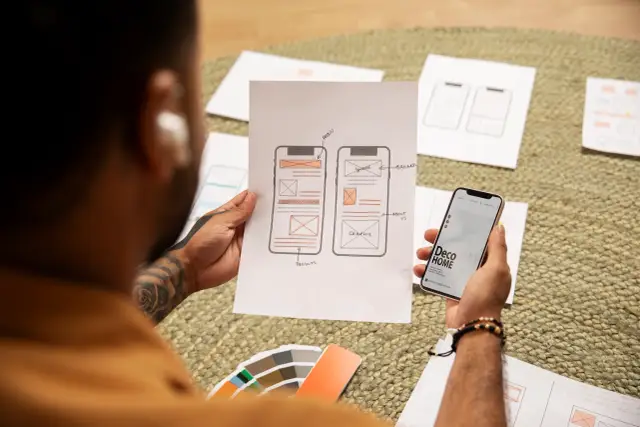
Mobile-first design has emerged as a crucial approach in modern application development due to the staggering growth of mobile devices and their impact on how people access information. According to Statista, the global number of smartphone users has surpassed 6 billion in 2022, making it more important than ever for businesses to cater to the vast audience of mobile users.
Mobile-first design prioritizes creating responsive and optimized experiences for mobile devices before adapting these experiences to larger screens like desktops or tablets. This design strategy has a number of notable advantages:
Considering these advantages, it becomes apparent that businesses need to adopt mobile-first design strategies to provide the best possible experience to their customers and stay competitive in the market.
As mobile-first design becomes increasingly important, no-code development tools have emerged as a powerful solution to help both developers and non-developers create and launch mobile applications rapidly and efficiently. No-code tools support mobile-first design in a number of ways:
Numerous no-code tools, with varying functionality and flexibility, have been developed in recent years. One such powerful no-code tool is AppMaster, which allows users to visually create backend, web, and mobile applications without requiring coding expertise. To create a mobile application with no-code tools like AppMaster, follow these steps:
No-code tools like AppMaster have made it easier than ever for non-developers and experienced developers alike to create mobile-first designs and develop high-quality mobile applications in record time. By leveraging the capabilities of these tools, businesses can stay agile, competitive, and responsive to the rapidly evolving needs of their customers in an increasingly mobile-driven world.
Creating a mobile-first design with no-code tools can be a smooth and efficient process. By following these best practices, you can ensure your mobile applications provide an outstanding user experience while adhering to design guidelines and industry standards.
Mobile-first design should always emphasize user-friendly interfaces and functionality. Focus on designing an app that is easy to use, with intuitive navigation, logical layout, and easily accessible features. Remember that mobile devices have smaller screens and touch interactions, so your design should work well under these conditions.
When designing your mobile-first app using no-code tools, select a platform that includes responsive frameworks. A responsive framework will automatically adapt the user interface elements to different screen sizes and orientations. This ensures your app looks and functions optimally across various devices, from smartphones to tablets.
Mobile screens are much smaller than desktop screens, so keeping your design elements simple and clean is crucial. Only display essential information and simplify complex elements to provide a better user experience. Choose legible fonts, clear and concise text blocks, and use white-space to improve readability.
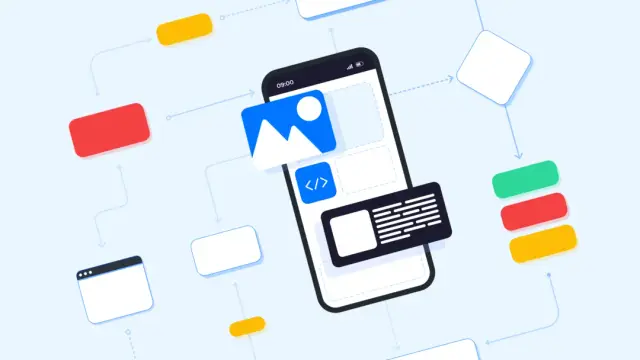
Mobile users expect quick-loading applications with smooth performance. No-code tools like AppMaster can generate high-performing applications without requiring deep technical knowledge from users. To optimize your mobile app, use the no-code platform's performance-monitoring features, compress images and files, and choose efficient widgets when developing the app.
When your app is built with no-code tools, it's essential to adhere to platform-specific design guidelines, such as those for iOS or Android, to provide a consistent user experience. No-code platforms usually offer pre-built components and templates that adhere to these guidelines, ensuring your app feels native to the platform it's running on.
No-code tools have powered the creation of numerous mobile apps that have gone on to achieve great success. Here are some notable examples:
A large multinational corporation used a no-code platform to develop an internal communication app for their thousands of employees. The mobile-first design allowed employees to quickly access company news, updates, and essential resources through their smartphones. The no-code approach enabled the company to prototype, develop, and deploy the app in record time while keeping costs low.
A small fashion boutique used a no-code tool to create a mobile-first e-commerce app, enabling customers to browse and purchase items directly from their smartphones. The app featured a visually appealing design with easy navigation and optimized product images for an enhanced user experience. The no-code solution allowed the boutique owner to quickly test the app and make changes as needed without relying on external developers.
A nonprofit organization created a fundraising and event-management app using a no-code platform. The mobile-first design targeted a younger demographic, with appealing visuals and intuitive navigation. This allowed the organization to reach more supporters and streamline event planning and fundraising processes quickly and efficiently.
As mobile-first design becomes increasingly crucial in the digital world, no-code development tools will play an essential role in helping businesses and individuals create effective, high-quality mobile applications.
With a growing trend toward mobile-first design, businesses across various industries will adopt no-code tools to develop and deploy mobile apps rapidly. This trend will benefit not only start-ups and small businesses looking to keep costs low but also larger enterprises aiming to streamline complex processes.
No-code development platforms like AppMaster will continue to evolve with new features and improvements catering to users' diverse needs. Expect more sophisticated design capabilities, advanced performance optimizations, and an expanded library of pre-built components and templates.
Integrating artificial intelligence (AI) into no-code tools to aid in design decisions and automate specific development tasks will become more prevalent. AI could help users select optimal design elements, predict user behavior, and generate personalized experiences based on user preferences and history.
No-code platforms will expand their capabilities to support an increasingly wide array of use cases. From niche industry applications to complex, large-scale business solutions, no-code development tools will become even more versatile, enabling users to tackle various challenges and projects.
In conclusion, mobile-first design and no-code development tools have a promising future as they empower businesses and individuals to create high-quality, professional mobile apps without writing a single line of code. With continual improvements and evolving capabilities, no-code platforms like AppMaster will reshape mobile application development to be more accessible, efficient, and flexible than ever before.
 What is mobile-first design?
Mobile-first design is a design approach where designers and developers prioritize creating a responsive and optimized experience for mobile devices before adapting it for larger screens like desktop or tablet.
How do no-code tools support mobile-first design?No-code tools simplify the mobile app development process by providing a visual interface to design, develop, and launch mobile applications without the need for in-depth programming knowledge. They streamline the process of creating mobile-first designs by offering pre-designed templates, drag-and-drop features, and customizable components tailored to enhance user experience on mobile devices.
Can I make professional-looking mobile apps with no-code tools?Yes, no-code tools like AppMaster provide a wide range of customization options, allowing inexperienced users to create professional-looking and feature-rich mobile applications without writing a single line of code.
What are some best practices for mobile-first design with no-code tools?Some best practices include prioritizing usability and functionality, building with a responsive framework, keeping design elements simple and clean, optimizing for performance and speed, and following platform-specific design guidelines.
Do no-code tools generate high-quality, performance-efficient apps?Yes, modern no-code tools employ advanced technology and optimizations to generate high-quality, performance-efficient apps that can rival those created with traditional programming methods.
Are no-code tools suitable for large-scale enterprise projects?Yes, no-code tools like AppMaster are built to support large-scale enterprise projects by offering scalability, customization, and integration capabilities that cater to diverse business needs.
Can no-code tools integrate with existing systems?Yes, many no-code tools offer built-in integrations or APIs that allow easy connection with existing systems or third-party services, ensuring seamless functionality across various platforms.
What is the future of mobile-first design and no-code development?The future of mobile-first design and no-code development lies in increased adoption, more advanced features, improved AI-assisted design capabilities, and growing capabilities to support a broader range of use cases across industries.
Experiment with AppMaster with free plan.
When you will be ready you can choose the proper subscription.
 Jul 14, 20268 min
 Jul 13, 20268 min
 Jul 08, 20268 min