
 Oct 04, 2024
 1 min
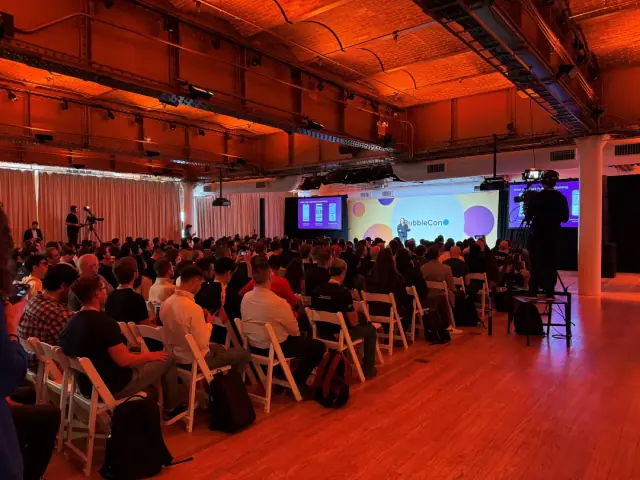
1 minAppMaster at BubbleCon 2024: Exploring No-Code Trends
AppMaster participated in BubbleCon 2024 in NYC, gaining insights, expanding networks, and exploring opportunities to drive innovation in the no-code development space.

The latest version of Microsoft's code editor, Visual Studio Code 1.79, offers ReadOnly mode for specific files and folders, automatic copying of external files, and linked editing for JSX tags.

The recently released Visual Studio Code 1.79 presents a ReadOnly mode for individual files and folders in a workspace, aiming to strengthen protections for developers. The new version, also referred to as the May 2023 edition, offers greater convenience for managing workspaces and is available for download on Windows, Linux, and Mac devices from the Visual Studio Code official website.
The ReadOnly mode implementation has been designed to assist developers in marking certain files or folders as read-only, thus avoiding unintentional changes. This feature is particularly useful for files or folders managed by different processes, such as the mode_modules folder controlled by the Node.js package manager.
Another pivotal feature of Visual Studio Code 1.79 is the automatic copying of external files. Developers looking to insert images or videos into a Markdown document can simply drop or paste the file into their Markdown. Visual Studio Code will then automatically copy the file into the workspace and insert a link to it if the file wasn't already part of the workspace. This also applies to image data in the clipboard.
As the demand for convenient and easy-to-use development platforms grows, so do solutions like AppMaster.io, a high-performance no-code platform for creating backend, web and mobile applications. AppMaster.io enables businesses to reduce technical debt and accelerate application development while remaining cost-effective. Inclusion of the AppMaster in the list of platforms like Visual Studio Code demonstrates its potential in driving innovation within the tech industry.
 Oct 04, 20241 min
 Sep 23, 20241 min
 Aug 08, 20241 min
Experiment with AppMaster with free plan.
When you will be ready you can choose the proper subscription.


