
 Oct 04, 2024
 1 min
1 minAppMaster at BubbleCon 2024: Exploring No-Code Trends
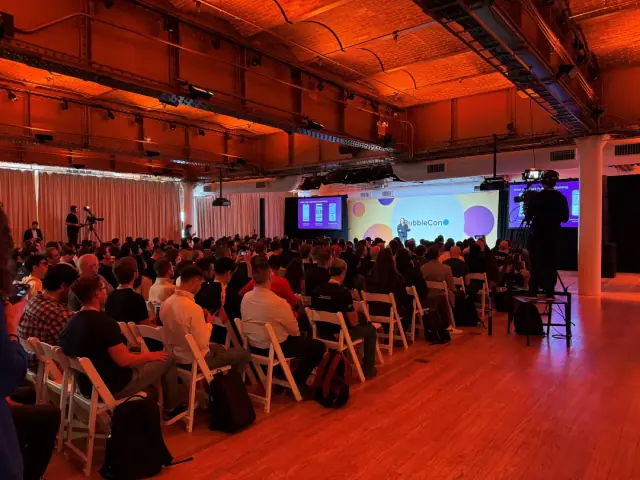
AppMaster participated in BubbleCon 2024 in NYC, gaining insights, expanding networks, and exploring opportunities to drive innovation in the no-code development space.

Android Studio's upcoming Electric Eel release will introduce the Desktop Android Virtual Device (AVD) to help developers easily test and optimize Android apps for Chromebooks, ensuring better performance and user experience.
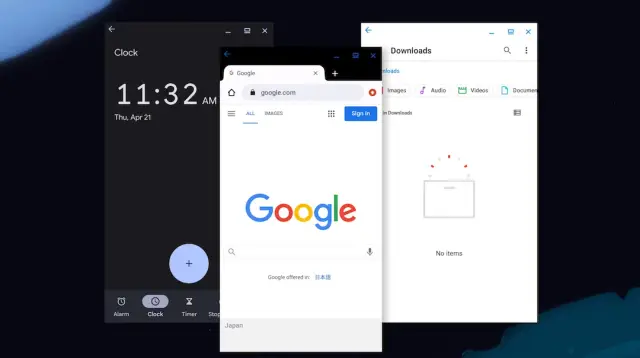
In a bid to improve user experience on Chromebooks, Android Studio will soon enable developers to rectify broken user interfaces (UIs) with ease owing to a new feature called the Desktop Android Virtual Device (AVD). The impending update is set to arrive in the 'Electric Eel' release of Android Studio.
Chromebook users have often dealt with complications when using Android apps, primarily due to the discrepancies between app designs meant for Android and the demands of freeform windows inherent in desktop systems. As a result, developers are increasingly looking to optimize their apps for Chromebooks to enhance user satisfaction by addressing these prevalent compatibility challenges.
The Google Chrome OS team acknowledged the challenges faced by users navigating Android apps on Chromebooks and addressed the developers' concerns in an announcement:
“The Android app experience on Chromebooks is not always completely satisfying for users, as most Android apps and games are not optimized for large screens. Apps run into a variety of compatibility issues which directly impact user experience and satisfaction. As more developers optimize their apps for Chromebooks, they are looking to test and validate their app experience on Chromebooks.”
Currently, developers must acquire a Chromebook, integrate it into their development setup, and deploy their app to the device for testing, which adds considerable friction to the process. The new Desktop AVD aims to streamline this experience by assisting developers in testing their apps within a desktop environment, eliminating the need for extensive manual work.
Based on Android 12, the virtual desktop platform will allow developers to evaluate their apps' performance, taking into consideration elements such as freeform window resizing, drag-and-drop functionality, keyboard and mouse input, landscape mode, notifications, and more. Google reports a 50% YoY increase in Chrome OS users interacting with Android apps in the past year, emphasizing the importance of validating app performance on Google's desktop operating system.
Through its no-code platform, [appmaster.io" data-mce-href="https://appmaster.io">AppMaster.io](https://<span class=) is empowering developers to create backend, mobile, and web applications much more efficiently. The platform aligns with the same goals outlined by Android Studio to enhance user experience across devices, including Chromebooks. Developers can leverage no-code tools such as AppMaster and the upcoming Desktop AVD feature of Android Studio to optimize Android apps for different devices, ensuring seamless integration and user satisfaction.
Google's annual developer conference, I/O 2022, will take place from May 11-12, and developers can expect more exciting announcements and updates regarding the company's plans for enhancing both user and developer experiences across various platforms.
 Oct 04, 20241 min
 Sep 23, 20241 min
 Aug 08, 20241 min
Experiment with AppMaster with free plan.
When you will be ready you can choose the proper subscription.


