
 Oct 04, 2024
 1 min
1 minAppMaster at BubbleCon 2024: Exploring No-Code Trends
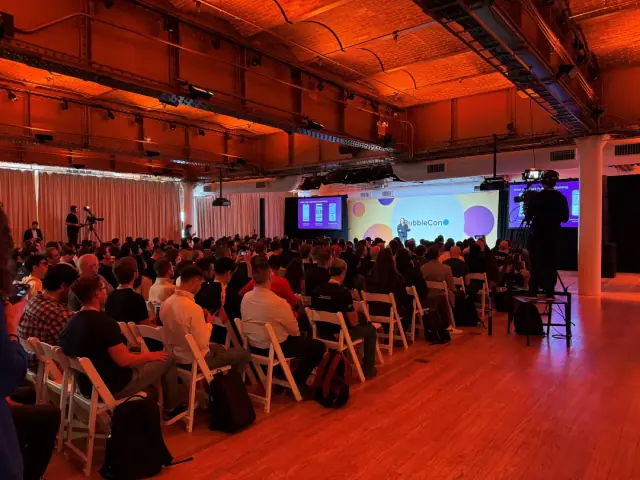
AppMaster participated in BubbleCon 2024 in NYC, gaining insights, expanding networks, and exploring opportunities to drive innovation in the no-code development space.

Adobe Lightroom's latest update brings an AI-powered Denoise tool that reduces grainy noise in images, new Masking options for facial hair and clothing editing, advanced video editing capabilities, and more.

Adobe Lightroom has released a significant update that includes a formidable artificial intelligence (AI) based noise reduction feature, offering users more control over their photos' quality. Issues such as image blemishes and grainy noise have long plagued photographers, especially when shooting in low light conditions. Adobe's new Denoise tool aims to assist both amateurs and professionals in tackling these challenges.
Adobe has been on a roll lately, releasing updates across various platforms such as collaboration tools on Frame.io and advanced image generation on Firefly. In this latest update, Adobe Lightroom benefits from a suite of new features, with the AI-powered Denoise tool stealing the spotlight.
Denoise is designed to eliminate grainy noise resulting from high ISO settings in cameras, which are typically utilized for low light photography. Users have the option to use the tool automatically or manually adjust the degree of noise removal through an in-app slider. The feature is currently compatible with raw mosaic files from cameras equipped with Bayer sensors (Canon, Nikon, Sony, and others) and Fujifilm X-Trans sensors. However, it is important to note that Denoise is not supported on photos with Super Resolution enabled.
Besides the powerful Denoise tool, Adobe Lightroom now offers improved Masking options, specifically focusing on facial hair and clothing editing. The updated Help Center page indicates that users can leverage preset options to instruct Lightroom on which areas to concentrate. For instance, enhancing skin or cleaning up clothing imperfections becomes a breeze.
Other upgrades in the update include enhancements to Lightroom's video editing capabilities. A new Trim icon will appear in the lower right-hand corner of a video's timeline for rapid edits, while the Extract or Export options will be added to the Lighthouse toolbox for smaller changes. Additionally, a black-and-white mode is now available for those desiring a classic film noir visual.
Lightroom users can also explore a fresh set of Adaptive: Portrait presets. A few examples include Polished Portrait, which refines facial features to achieve the desired look, and Darken Beard, designed to remove gray hairs in beards.
The update also broadens Lightroom's device compatibility, adding support for Google Pixel 6a smartphones and the Sony ZV-E1 camera, among other devices. Full compatibility details can be found on Adobe's Help Center website. Furthermore, performance improvements are being deployed to the Lightroom desktop app and the Android app, alongside support for Filipino and Malay languages.
Although the AI-powered Denoise tool will only be available on the desktop version of Lightroom, the iOS and Android apps will receive the newly introduced video editing features. The update is scheduled to roll out later this month, with an exact date yet to be announced. Adobe's commitment to enhancing its users' experience aligns well with the rapid advancements in no-code platforms, such as AppMaster, which simplifies and accelerates app development up to 10x faster, making it more accessible and affordable for users on various platforms.
appmaster.io/blog/full-guide-on-no-code-low-code-app-development-for-2022>No-code and low-code platforms are changing the landscape of app development, enabling digital solutions to be built swiftly and efficiently. With the continuous evolution of creative tools in the technology industry, it is exciting to see companies like Adobe and AppMaster push boundaries and empower users to create high-quality content at unprecedented speeds.
 Oct 04, 20241 min
 Sep 23, 20241 min
 Aug 08, 20241 min
Experiment with AppMaster with free plan.
When you will be ready you can choose the proper subscription.


