


 Jul 14, 2026
 8 min
8 minEquipment reservation app: prevent conflicts and track returns
Plan an equipment reservation app that prevents double bookings, records returns and damage, and places faulty items on maintenance hold.

Build a warranty claim tracker to collect receipts and photos, route approvals, and track refunds or replacements with a clear timeline.
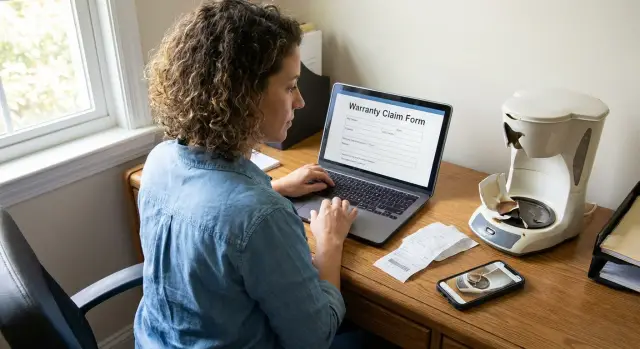
Warranty claims usually start simple: a customer reports a problem and asks for a replacement or refund. The mess begins when details live in too many places - inboxes, chat threads, spreadsheets, and someone’s memory.
Without a single tracker, every update turns into a scavenger hunt. One person has the receipt, another has the shipping address, and a third is waiting on a photo that was already sent last week.
The pain points are predictable:
That back-and-forth slows decisions and makes customers repeat themselves. It also creates internal stress. Support wants a quick answer, ops needs clear rules, the warehouse needs shipping details, and finance needs proof before money goes out.
A good tracker isn’t just a database. It’s a shared place where everyone sees the same story and the next step is obvious. The goal is simple: faster approvals, fewer messages, and fewer claims that quietly stall.
Most teams end up using the tracker in slightly different ways:
A warranty claim tracker only works if it keeps the right facts in one place. Miss one key detail (where it was purchased, the warranty terms, the serial number) and the team starts guessing, re-asking customers, or making inconsistent calls.
Start with a small set of records that connect cleanly:
Those records should answer the questions your team asks every day. For the product and order, the usual must-haves are purchase date, where it was bought (your store, marketplace, retail partner), the serial number (if you use one), and the warranty terms that apply (length, what’s covered, exclusions).
Evidence is the next big piece. Uploads should live inside the claim record, not scattered across email threads. Most teams need:
Finally, split notes by audience. Internal notes capture investigation details (testing results, suspected misuse, replacement cost, supplier batch). Customer-visible notes should be simple and polite: “We approved a replacement” or “We need one more photo of the serial label.”
Example: a customer reports a blender failure. The claim ties back to their marketplace order, stores the serial number from a label photo, and applies a 12-month warranty rule. An agent adds internal notes about a known motor issue, while the customer only sees a request for a clearer receipt and the replacement timeline.
A good intake form does one job: collect the minimum information needed to make a first decision without calling the customer back. If the form is too long, people skip fields or guess. If it’s too short, your team spends days asking for missing proof.
Choose intake channels based on how customers already contact you. Many product businesses use a mix: a web form for customers, an agent screen for phone and chat, and a way to turn an email into a draft claim.
Keep the form short, but make the right fields required. The fields that prevent the most rework are:
A few small touches save hours later. Use dropdowns for issue type (arrived damaged, stops working, missing parts), and auto-fill what you can once the order number is entered.
Set expectations before the customer clicks submit. A clear message reduces repeat emails and angry follow-ups:
End with a confirmation screen that shows a claim number and what happens next. That small detail makes the process feel organized, even while the case is still being reviewed.
Most warranty delays happen before you even start deciding. You ask for “a photo and the receipt,” the customer sends one blurry image, you reply, and then they go quiet. A tracker works best when it makes the right evidence the easiest next step.
Tell customers exactly what to photograph. Keep it short and concrete so they can do it in one minute:
Support more than one file per claim. People often have a receipt in one place and product photos in another. If your intake only allows a single upload, you end up in messy email threads anyway.
Add lightweight validation rules. These guardrails are boring, but they save time:
Once files are in, treat them like real evidence, not random attachments. Store the upload timestamp and who uploaded each file (customer, support agent, warehouse). When a customer says, “I already sent it,” you can see what arrived, when it arrived, and what’s still missing.
Example: a customer reports a cracked casing. They upload three photos but forget the serial label. The tracker flags “serial missing” and requests it immediately. When the final photo arrives, the claim can move forward without an agent manually chasing it.
Claims move faster when everyone knows what happens next. The goal isn’t to decide everything from scratch. It’s to apply the same rules every time, and make exceptions visible.
Start with a small set of outcomes and define what each one triggers in practice. “Approve replacement” should kick off the steps to ship a new unit. “Need more info” should pause the clock and request specific missing items.
Most teams need five decision paths:
Make ownership clear. Support handles intake, quick checks, and routine approvals. Operations verifies policy details, stock, shipping, and returns. A manager approves anything that breaks policy, costs over a set amount, or affects a key customer relationship.
Keep rules simple and measurable: “If proof of purchase is missing, set status to Need more info.” “If the product is outside warranty terms, deny with a reason code.”
Add time expectations so claims don’t stall. Set targets like “first response within 1 business day” and “decision within 3 business days,” then send reminders when a claim sits too long in one status.
Always capture why a claim was denied or escalated. Use a short dropdown (out of warranty, misuse, missing receipt, duplicate claim) plus an optional note. Those reasons become a monthly report on what to fix in packaging, instructions, or policy.
A good timeline turns a warranty claim from a messy email thread into a clear story: what happened, who did what, and what’s next.
Start with a status model that matches how your team actually works. Keep it tight, but include pauses and outcomes. For example:
Every time the status changes, log an event with four pieces of information: timestamp, actor (agent, manager, system), old and new status, and a short note. Notes should be practical: “Photo received: serial label,” “Approved under 12-month policy,” “Replacement authorized, ship today.”
Keep customer-facing updates separate from internal events. Customers need a simple message like “We’re reviewing your claim” or “Your replacement shipped.” Internally, you may record details you wouldn’t share (policy exceptions, supplier batch issues, fraud flags). Two streams reduce mistakes and make timelines easier to scan.
When money or shipping is involved, store references in the timeline. For shipping, record carrier, tracking number, ship date, and what was sent. For refunds, record refund ID, amount, method, and date. Then “Did we ship this?” or “Was the refund processed?” becomes a two-second check.
Decide what a single claim should look like from start to finish. Anyone should be able to open a record and immediately see what happened, what proof you have, who decided what, and what was shipped or refunded.
Build in a practical order:
Add a timeline early. Record the events that matter: claim created, proof received, decision made, replacement shipped, refund sent. Store a short customer-facing message for each step so updates stay consistent.
Before rollout, run 5-10 real past claims through the tracker. You’ll spot missing fields (serial number, purchase channel) and confusing statuses quickly. Tighten labels, simplify rules, and remove anything nobody uses.
A customer, Maya, reports that her countertop blender stopped working after three weeks. She opens your intake form, enters her order number and serial number, selects “won’t power on,” and uploads a photo of the blender plus a photo of the receipt.
The tracker creates Claim #1048 and starts the clock. Customer details, product info, warranty window, and files are all in one place.
Support reviews the claim the same day. The receipt photo is clear, but the blender photo doesn’t show the serial sticker, so the agent requests one extra photo: “Please send a close-up of the serial label on the base.”
The next morning Maya uploads the extra photo. The claim returns to review, and the agent approves a replacement because it’s within 30 days and matches an allowed reason code.
From there, work moves to the next team. The warehouse gets a task to pick and ship a replacement unit, and the tracking number is added once the label is created.
Finance checks the policy: this case is replacement-only, so they mark “Refund not required” and record the cost for reporting. The claim closes when delivery is confirmed (or after a set number of days).
Later, the timeline tells the full story: first report, file uploads, photo request, approval, shipment, closure.
Most claim delays aren’t caused by the customer. They come from small gaps that add up: unclear steps, missing evidence, and nobody sure what “done” looks like.
These patterns usually break a tracker after the first busy week:
A simple example: support logs a broken blender but doesn’t ask for a serial number photo. Two days later, the warehouse needs it to confirm a batch issue. The customer is asked again, the thread goes cold, and the replacement is delayed.
A few small rules prevent most of this:
Before you invite the whole team in, do a dry run with 5-10 real past claims. If it feels slow in a quiet test, it’ll feel impossible on a busy Monday.
Start with the basics: can someone open a new record and identify the exact order and product quickly? If they still need to search across email threads, spreadsheets, and old invoice PDFs, the tracker isn’t doing its job.
Use this pre-launch checklist:
A quick test: ask a teammate who didn’t work the case to answer three questions in under two minutes: What happened? What did we decide? What do we do next? If they can’t, your timeline view needs to be tighter.
One practical example: a customer submits a cracked-part photo but forgets the label image. If your process lets the claim move to review anyway, the reviewer will either pause the claim (wasting time) or make a bad call (costing money). Fix it with a required upload or an automatic “Missing info” status assigned back to the intake owner.
Once the basics are working, improve by measuring what actually happens. A tracker should show where claims stall so you can fix the real bottleneck.
Review a few simple metrics weekly:
After a month, look for repeat problems. Group claims by product model, supplier, batch/lot, and failure reason. If one model spikes in “battery won’t charge” or “screen cracks in transit,” you can act upstream with packaging changes, supplier follow-ups, or clearer instructions.
Reduce typing and back-and-forth with a small set of templates: “We approved your claim,” “We need one more photo,” “Here’s how to find your serial number,” “Your replacement has shipped.” Keep the photo checklist consistent so customers know exactly what “good evidence” looks like.
If you want to turn this workflow into a shared internal app (with roles, forms, and a clear timeline), a no-code platform like AppMaster (appmaster.io) can be a practical option. It’s designed to build complete applications - including web and mobile screens, business logic, and a database - so your process lives in one place as policies change.
 What should a warranty claim tracker include?
Use one claim record that links the customer, order, product, evidence, decision, and final outcome. Give each claim one owner so the next action never gets lost between teams.
What information should customers provide when filing a claim?Ask for the order or invoice number, product and serial number, issue type, a short description, and proof of purchase. Add product photos at intake so reviewers do not need to chase them later.
How do I get usable photos and receipts from customers?Keep the request concrete: ask for a full product photo, a close-up of the problem, the serial label, and the full receipt or order confirmation. Let customers upload several files in common formats such as JPG, PNG, and PDF.
Which decision statuses should a warranty tracker use?Start with five paths: approve a replacement, approve a refund, deny the claim, request more information, or escalate it. Tie each path to a clear action, such as creating a warehouse task after replacement approval.
How many claim statuses do we need?Use a short set such as New, Waiting on customer, Under review, Approved, and Closed. Add only statuses your team uses every day, and define when each one applies.
What should the claim timeline record?Log each status change with the time, the person or system that made it, the previous and new status, and a short note. Record shipment tracking and refund references in the same timeline.
Should customers see internal claim notes?Keep internal investigation notes separate from messages customers can see. Staff can document policy exceptions or testing results, while customers receive clear updates about missing evidence, approvals, and shipment timing.
Who should handle each part of a warranty claim?Assign support to intake and routine updates, operations to policy and exception checks, the warehouse to returns and replacement shipments, and finance to refunds. One person should still own each claim from start to finish.
How can we prevent claims from stalling?Ask for the receipt, product photos, and serial label before the claim reaches review. If something is missing, automatically set the claim to Waiting on customer and state exactly what the customer needs to send.
How should we test a warranty tracker before rollout?Test the tracker with 5 to 10 past claims before launch. Check whether a teammate can find the order, evidence, decision, owner, and next action from one screen in under two minutes.
Experiment with AppMaster with free plan.
When you will be ready you can choose the proper subscription.
 Jul 14, 20268 min
 Jul 13, 20268 min
 Jul 08, 20268 min