


 Jul 14, 2026
 8 min
8 minEquipment reservation app: prevent conflicts and track returns
Plan an equipment reservation app that prevents double bookings, records returns and damage, and places faulty items on maintenance hold.

Learn visual business logic testing with a practical order of automation: workflow checks, API contracts, and stable test data that still works after model changes.
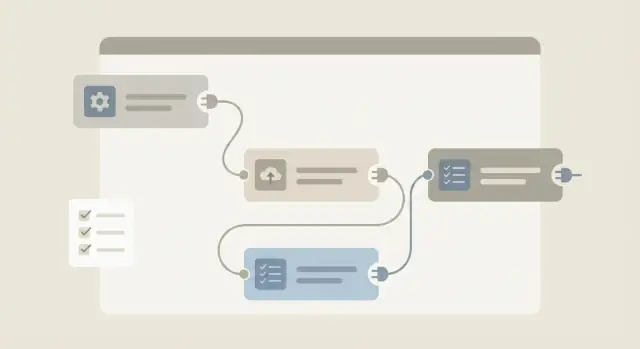
Visual workflows feel safer because you can see the logic. But they still change often, and small edits can break real user paths. That’s why visual business logic testing matters even in no-code tools.
What breaks most often isn’t the “big idea” of a workflow. It’s the tiny connections: a condition flips ("AND" vs "OR"), a default value changes, a step runs in the wrong order, or an error branch gets skipped. In AppMaster, you’ll see this when a Business Process is edited, a Data Designer field is renamed, or an API response shape evolves.
Many failures are silent. Everything deploys, the UI still loads, but the workflow sends the wrong message, creates duplicates, or approves something that should be blocked. Manual spot checks miss these problems because the screens still look fine.
The goal is fast feedback without testing everything. You want a small set of automated checks that shout when core logic changes, while leaving edge cases and visual polish for manual review.
A practical way to think about coverage is three layers that support each other:
Example: if a support app has a “refund approval” workflow, you don’t need to test every screen. You need confidence that requests over a limit always route to a manager, the status updates correctly, and the message sent by email or Telegram includes the right fields.
Testing gets easier when you separate what you’re testing (logic) from where it runs (workflow, API, or UI). The goal isn’t to test everything everywhere. It’s to pick the smallest slice that proves the feature still works.
“Unit-style” logic checks focus on one rule at a time: a calculation, a condition, a status change. They’re fast and pinpoint the break, but they miss issues that only show up when multiple steps are chained together.
Workflow-level tests are the middle layer. You start from a clear state, push realistic input through the workflow, and assert the outcomes that matter (created records, changed statuses, sent notifications, denied actions). In AppMaster, that often means exercising a Business Process end to end without clicking through the whole UI.
End-to-end UI tests sit on top. They can catch wiring issues, but they’re slow and fragile because small UI changes can break them even when the logic is correct. If you rely only on UI tests, you’ll spend more time fixing tests than finding bugs.
When you’re choosing the smallest reliable test slice, this order works well:
For an approval process, that might mean: one workflow test that moves a request from Draft to Approved, one contract check to keep the status field consistent, and one UI test that proves a user can submit a request.
Start automation where a small logic bug hurts the most. That usually means workflows tied to money, permissions, or customer data. If a mistake could charge the wrong amount, expose a record, or lock a user out, it belongs near the top.
Next, target workflows that are complex on purpose: many steps, branches, retries, and integrations. A missed condition in a demo “happy path” becomes a real incident when an API is slow, a payment is declined, or a user has an unusual role.
Frequency matters too. A workflow that runs thousands of times a day (order creation, ticket routing, password reset) deserves automation earlier than a once-a-month admin process.
Before writing a test, make the outcome measurable. A good automated test isn’t “it looks right.” It’s “record X ends in state Y, and these side effects happened exactly once.” For AppMaster Business Processes, that translates cleanly into inputs, expected status changes, and expected calls or messages.
A quick filter for what to automate first:
Leave manual testing for exploratory checks, visual layout, and edge cases you’re still discovering. Automate once the behavior is stable and everyone agrees what “success” means.
Workflow-level tests sit one step above unit-style checks. They treat a workflow like a black box: trigger it, then verify the final state and the side effects. This is where you catch the breaks that users actually feel.
Start by naming one trigger and one outcome that matters. For example: “When a request is submitted, the status becomes Pending and an approver is notified.” If that stays true, small internal refactors usually don’t matter.
Cover the branches that change outcomes, not every node. A compact set is:
Then check side effects that prove the workflow really ran: records created or updated in PostgreSQL, status fields changing, and messages sent (email/SMS or Telegram) if you use those modules.
A pattern that keeps tests short is “trigger, then assert outcomes”:
Avoid pixel-perfect UI checks here. If a button moved, your business rules didn’t change. Assert what the workflow must guarantee, regardless of how the UI looks.
Keep each workflow test focused on one outcome. If one test tries to validate five rules and three side effects, it becomes hard to read and painful to fix.
An API contract is the promise your API makes: what it accepts, what it returns, and how it fails. When that promise changes without warning, you get the worst kind of bug: everything looks fine until a real user hits a specific path.
Contract checks are a fast way to protect workflows that depend on API calls. They won’t prove the workflow logic is correct, but they catch breaking changes early, before they surface as “random” UI failures.
Start with what tends to break clients quietly:
Include negative cases on purpose: missing a required field, sending the wrong type, or trying an action without permission. These tests are cheap and reveal mismatched assumptions between the workflow and the API.
If you build in AppMaster, contracts matter even more when you regenerate apps after model or logic changes. A renamed field, a tightened validation rule, or a new required attribute can break older clients or integrations even if your backend compiles cleanly.
Pick at least one reliable place, then add more only if you need faster feedback:
Agree on compatibility expectations too. If older clients must keep working, treat removing fields or changing meanings as a versioned change, not a “small refactor.”
Workflow tests only help if they start from the same place every time. Repeatable test data is predictable, isolated from other tests, and easy to reset so yesterday’s run can’t affect today’s result. This is where many testing efforts quietly fail.
Keep a small seed dataset that covers the roles and core records your workflows depend on: an Admin user, a Manager, a standard Employee, one Customer, one active Subscription, and one “problem case” record (like an overdue invoice). Reuse these seeds across tests so you spend time validating logic, not reinventing data.
Before adding more tests, decide how the environment returns to a clean state:
Avoid randomness for core checks. Random names, timestamps, and amounts are fine for exploratory runs, but they make pass/fail hard to compare. If you need variety, use fixed values (for example, InvoiceTotal = 100.00) and change only one variable when the test is meant to prove a rule.
Also write down the minimum required data for each workflow test: which user role, which status fields, and which related entities must exist before the Business Process starts. When a test fails, you can quickly tell whether the logic broke or the setup did.
Model changes are the number one reason “good” tests suddenly start failing. You rename a field, split one table into two, change a relation, or regenerate an AppMaster app after updating the Data Designer, and the test setup still tries to write the old shape. Worse, tests can pass while checking the wrong thing if they rely on brittle internal IDs.
Hardcoding database IDs or auto-generated UUIDs is a common trap. Those values don’t carry business meaning and can change when you reseed data, rebuild environments, or add new entities. Anchor tests on stable business identifiers like email, order number, external reference, or a human-readable code.
Treat test data like a small product feature. Use data builders that create entities based on today’s model, not last month’s. When you add a required field, you update the builder once and every test benefits.
Keep a small set of canonical entities that evolve with the app. For example, always create the same roles (Requester, Approver), one department, and one sample customer. This keeps workflow tests readable and avoids a pile of one-off fixtures.
Rules that keep suites stable:
employee_email), not internal IDs.That migration-check test is simple but powerful: if seed data no longer fits the model, you learn immediately, before dozens of workflow tests fail in confusing ways.
AppMaster makes it easy to move fast, and that means your app can change shape quickly. Treat visual and model changes as testing triggers, not “we’ll check later.” Visual business logic testing pays off when you catch breaks during model changes, not after users do.
When you edit the Data Designer (PostgreSQL model), assume old seed data might no longer fit. A renamed field, a new required column, or a changed relation can break setup scripts and make tests fail for the wrong reason. Use each data model update as a prompt to refresh seed data so tests start from a clean, realistic baseline.
Business Process Editor updates deserve the same discipline. If a workflow changes (new branch, new status, new role check), update the workflow-level tests right away. Otherwise you get a false sense of safety: tests pass, but they no longer match the real process.
For APIs, tie endpoint changes to contract snapshots. If inputs or outputs change, update the contract checks in the same work session so you don’t ship a silent breaking change to the web app or mobile app.
In each test environment, double-check:
Example: you add a required Department field and adjust a BP step to auto-route approvals. Update seed users with departments, then update the approval workflow test to assert the new routing. AppMaster regenerates clean source code, which helps reduce drift, but only if your tests target behavior (outputs, statuses, permissions) rather than implementation details.
Pick what must keep working, even when the model or screens change. That’s usually the workflows that move money, approvals, access, or customer-facing promises.
Write a short list of critical workflows and define the outcome in plain words. “Invoice approved by a manager creates a payment request” is testable. “Approval works” isn’t.
Create a minimal seed dataset for each workflow. Keep it small and named so it’s easy to spot in logs: one user per role, one account, one document per status. In AppMaster, align this with your Data Designer model so the data stays consistent as fields evolve.
Automate only the top few flows end to end at the workflow level. For example, start the approval workflow, simulate the manager decision, and check the final state (approved, audit record created, notification sent).
Add API contract checks only for the endpoints those flows depend on. You’re not trying to test everything, just to catch shape changes that would silently break the workflow.
Make runs repeatable:
This keeps the suite small, fast, and useful as your visual logic grows.
Flaky tests are worse than no tests. They train people to ignore failures, and real logic breaks slip through. The biggest cause is treating workflows like a UI script instead of a business system.
Over-automating clicks is a classic trap. If your test proves a button can be pressed, it doesn’t prove the right outcome happened. A better check is: did the workflow create the right records, set the right status, and send the right message. With AppMaster, that usually means validating what the Business Process produced (fields, transitions, side effects), not how you navigated the page.
Another source of flakiness is messy, shared test accounts. Teams reuse one “test user” until it has hundreds of old requests, strange permissions, and leftover drafts. Then a new run fails only sometimes. Prefer fresh users per run or reset the same small dataset back to a known state.
Avoid assumptions that break the moment your model changes. Hardcoding IDs, relying on record order, or selecting “the first item in the list” makes tests brittle. Select records by stable keys you control (external reference, email, a code you set in the test).
Patterns worth fixing early:
If an approval workflow should block Submit when a budget is missing, write a negative test that expects rejection and a clear error status. That one test often catches more regressions than a pile of click-through scripts.
Before adding another test, make sure it’ll pay for itself. The fastest way to grow a suite everyone ignores is to add tests that are hard to read, hard to rerun, and easy to break.
A useful habit is to treat every new test like a small product feature: clear goal, stable inputs, obvious pass/fail.
A quick pre-flight checklist:
If you’re building in AppMaster, prefer reusable setup steps that create test records through the same API or Business Process your app uses. It keeps tests closer to real behavior and reduces breakage when the model evolves.
Picture an internal approvals app: a requester submits a purchase request, an approver reviews it, and the request moves through clear statuses. This is a strong starting point because the value is simple: the right person can move the request to the right next state.
Start by testing only the actions that matter most:
Add one API contract check around the approval endpoint because that’s where silent breaks hurt. For example, if your workflow calls POST /requests/{id}/approve, verify:
updated_at exists)Keep test data small and repeatable. Seed only what the logic needs: one requester, one approver, and one request in "Pending". Stable identifiers (like fixed emails) make it easy to find the same records after regeneration.
Now imagine a model change: you add a new required field like cost_center. Many suites break because they create requests with the old shape.
Instead of rewriting every test, update one shared “create request” helper (or seed step) to include cost_center. Your workflow tests stay focused on status transitions, and your contract check will catch the new required field if it changes the request or response schema.
A test suite only helps if people trust it. Trust disappears when the suite grows too quickly and then rots. Keep focus on a small set of workflows that represent real business value.
Turn your prioritized workflow list into a tiny, repeatable test backlog. Give each workflow a clear pass condition you can explain in one sentence. If you can’t say what “done” looks like, the test will be vague too.
A simple rhythm that works for most teams:
Cleanup is real work. If a workflow changed and the old test no longer represents reality, remove it or rewrite it immediately.
If you’re building workflows and APIs in AppMaster (appmaster.io), you can use that same visibility to define concrete outcomes and anchor a small set of workflow-level checks early. That’s often the simplest way to keep tests aligned as your data model evolves.
 What should I automate first when testing visual workflows?
Start with automation where a small logic bug causes real damage: money flows, permissions, approvals, and customer data changes. Pick one or two workflows that represent core value and write checks for their final states and side effects, not for every screen.
Why do visual business logic bugs slip past manual testing?Because many workflow bugs are silent: the UI loads and deploys succeed, but the workflow routes to the wrong person, skips an error branch, or creates duplicates. Automated checks catch those regressions by asserting outcomes like status changes, created records, and notifications sent.
What is a workflow-level test in practice?A workflow-level test triggers the Business Process with realistic input and verifies what must be true at the end, plus key side effects. It treats the workflow like a black box, which makes it resilient to internal refactors and small UI changes.
When is it worth using end-to-end UI tests?Use UI tests for only one or two critical user paths, like login or submitting a request, where wiring issues matter. Keep them minimal, because they tend to break when layouts or selectors change even if the underlying logic is still correct.
What do API contract checks actually protect me from?Contract checks validate the API’s promise: required fields, types, status codes, and error shape for common cases. They won’t prove the business rules are correct, but they catch breaking changes that can quietly break your web app, mobile app, or integrations.
What should I include in an API contract check?Lock down status codes for success and common failures, required fields and nullability, field formats and enum values, and a consistent error response structure. Keep assertions focused on compatibility, so a harmless backend refactor doesn’t cause noise.
How do I make test data repeatable and reliable?Seed a small, named dataset that covers roles and the few records your workflows depend on, then reset it the same way every run. Predictability matters more than quantity; stable inputs make failures easier to diagnose and reproduce.
How can my tests survive data model changes?Avoid hardcoding internal IDs and instead assert on stable business keys like emails, external references, or human-readable codes. Centralize entity creation in a builder or helper so when the Data Designer model changes, you update setup in one place rather than rewriting every test.
What needs extra testing attention in AppMaster projects?Any change in the Data Designer or Business Process Editor should trigger updates to seed data, workflow tests, and relevant API contracts in the same work session. With AppMaster regenerating code from the visual model, staying aligned is mostly about keeping tests focused on observable behavior.
What’s a simple plan for building a reliable test suite without overdoing it?Start small: define 5–10 must-not-break workflows, write one workflow-level test per outcome, add a few contract checks for the endpoints those workflows depend on, and keep UI tests to a minimum. If you’re building in AppMaster, aim to automate around Business Processes and APIs first, then expand only when a real bug escapes or a new feature becomes stable.
Experiment with AppMaster with free plan.
When you will be ready you can choose the proper subscription.
 Jul 14, 20268 min
 Jul 13, 20268 min
 Jul 08, 20268 min