


 Jul 14, 2026
 8 min
8 minEquipment reservation app: prevent conflicts and track returns
Plan an equipment reservation app that prevents double bookings, records returns and damage, and places faulty items on maintenance hold.

Design verification, invite, and magic link emails with safe tokens, clear expiry, resend limits, and quick deliverability checks for transactional email flows.
Most broken sign-up and sign-in experiences aren't caused by "bad email." They fail because the system can't handle normal human behavior: people click twice, open links on a different device, wait too long, or search their inbox later and use an older message.
The failures look small, but they add up:
These flows are higher risk than newsletters because a single click can grant account access or confirm identity. If a marketing email is delayed, it's annoying. If a magic link is delayed, the user can't sign in.
When teams ask for reliable transactional email flows, they usually mean three things:
Secure: links can't be guessed, stolen, or reused in unsafe ways.
Predictable: users always know what happened (sent, expired, already used, wrong email) and what to do next.
Traceable: you can answer "what happened to this email?" using logs and clear status checks.
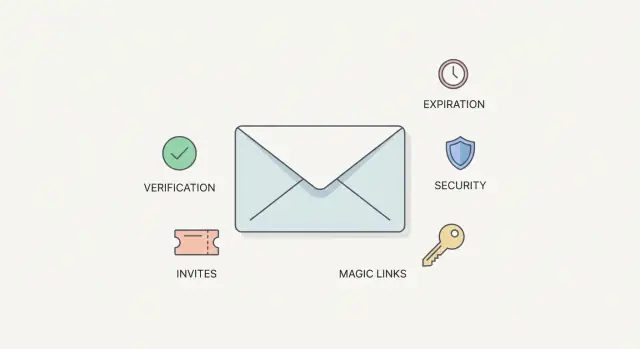
Most products end up building the same core flows: email verification (prove ownership), invites (join a workspace or portal), and magic links (passwordless sign-in). The blueprint is the same: clear user states, solid token design, sensible expiration rules, resend limits, and basic deliverability visibility.
Reliable transactional email flows start on paper. If you can't explain what the user is proving and what changes in your system after the click, the flow will break in edge cases.
Define a small set of user states, and name them so support can understand them quickly:
Next, decide what each email proves:
Then map the minimum path from click to success:
Plan for "already done" cases up front. If someone clicks an invite twice, show "Invite already used" and send them to sign in. If they click a verification link after they're already verified, confirm they're good and route them forward instead of throwing an error.
If you support more than one channel (email plus SMS, for example), keep the states shared so users don't get stuck bouncing between flows.
Transactional email flows usually succeed or fail on token design. A token is a temporary key that allows one specific action: verify an email, accept an invite, or sign in.
Three requirements cover most of the problem:
An opaque token is the simplest for most teams: generate a long random string, store it on your server, and look it up when the user clicks. Keep it one-time and boring.
A signed token (a compact string with a signature) can be useful when you want to avoid a database lookup on every click, or you want the token to carry structured data. The tradeoff is complexity: signing keys, validation rules, and a clean revocation story. For many transactional email flows, opaque tokens are easier to reason about and easier to revoke.
Avoid putting user data in the URL. Don't include email addresses, user IDs, roles, or anything that reveals who the person is or what access they have. URLs get copied, logged, and sometimes shared.
Make tokens one-time use. After success, mark the token as consumed and reject any later attempt. That protects you from forwarded emails and old browser tabs.
Store enough metadata to debug issues without guessing:
If you're using a no-code tool like AppMaster, this usually maps cleanly to a Tokens table in the Data Designer, with the consume step handled in one Business Process so it happens atomically with the success action.
Expiration is where these flows often feel either unsafe (too long) or annoying (too short). Match the lifetime to the risk and to what the user is trying to do.
A practical starting point:
Short lifetimes only work if the expired experience is kind. When a token is no longer valid, say so clearly and offer one obvious action: request a new email. Avoid vague errors like "Invalid link."
Clock issues can bite you across devices and corporate networks. Validate using server time, and consider a tiny grace window (1-2 minutes) to reduce false failures from delays. Keep the grace window small so it doesn't become a real security gap.
When you issue a new token, decide whether to invalidate older ones. For magic links and password resets, the newest token should usually win. For email verification, invalidating older tokens also reduces "which email should I click?" confusion.
Resend limits protect you from abuse, reduce costs, and help your domain avoid suspicious bursts. They also prevent accidental loops when a user keeps clicking resend because they can't find the email.
Good limits work on more than one axis. If you only limit by user account, an attacker can rotate emails. If you only limit by email address, they can rotate IPs. Combine checks so normal users rarely notice, but abuse gets expensive quickly.
These guardrails are enough for many products:
When a limit triggers, your UX copy matters as much as the backend. Be specific and calm.
Example: "We just sent an email to [email protected]. You can request another one in 60 seconds." If it helps, add: "Check spam or promotions, and search for the subject 'Sign in link.'"
If the daily cap is hit, don't keep showing a dead Resend button. Replace it with a message that explains the next step (try tomorrow, or contact support to update the address).
If you're implementing this in a visual workflow, keep the limit checks in one shared step so verification emails, invites, and magic links behave consistently.
Most "it never arrived" reports are really "we can't tell what happened." Deliverability starts with visibility so you can separate delays from bounces, and bounces from spam filtering.
For every send, log enough detail to replay the story later: user id (or an email hash), the exact template/version used, the provider response, and the provider message id. Store the purpose too, because the expectations are different for a magic link than for an invite.
Treat outcomes as different buckets, not one generic "failed" state. A hard bounce needs a different next step than a temporary block, and a spam complaint is different again. Track unsubscribes separately so support doesn't tell a user to "check spam" when you're correctly suppressing mail.
A simple delivery status view for support should answer:
Don't rely on one mailbox for testing. Keep test inboxes across major providers and run a quick check when you change templates or sending settings. If Gmail receives it but Outlook blocks it, that's a signal to review content, headers, and domain reputation.
Also treat sender-domain setup as a checklist item, not a one-time project. Confirm SPF, DKIM, and DMARC are present and aligned with the domain you send from. Even with perfect tokens, weak domain setup can make verification and invite emails disappear.
Many emails aren't "broken." Users hesitate because the message looks unfamiliar, the action is buried, or the text feels risky. Good transactional emails use predictable wording and layout so users can act quickly and safely.
Keep subject lines consistent per flow. If you send "Verify your email" today, don't switch to "Action required!!!" tomorrow. Consistency builds recognition and helps users spot phishing.
Put the primary action near the top: one short sentence explaining why they got the email, then the button or link. For invites, say who invited them and what they're being invited to.
Include a plain text fallback and a visible raw URL. Some clients block buttons, and some users prefer copy/paste. Put the URL on its own line and keep it readable. If you can, show the destination domain in text (for example, "This link will open your portal").
A structure that works:
Avoid noisy formatting. Excess punctuation, all caps, and words like "urgent" can trigger filters and user suspicion. Transactional emails should sound calm and specific.
Always tell users what to do if they didn't request the email. For magic links, also say: "Do not share this link."
Treat verification, invites, and magic links as the same pattern: a one-time token that triggers one allowed action.
Create separate records, even if you're tempted to "just store a token on the user." Separate tables make audits, limits, and debugging much easier.
When a user requests a link (or you create an invite), generate a random token, store only a hash of it, set an expiry, and keep it unused. Send the email and save the provider response metadata in your send log.
On click, keep the handler strict and predictable:
Return one of two screens: success, or a recovery screen that offers a safe next step (request a new link, resend after a short cooldown, or contact support). Keep error messages vague enough that you don't leak whether an email exists in your system.
A manager wants to invite a contractor into a customer portal to upload documents and check job status. The contractor isn't a regular employee, so the invite needs to be easy to use but hard to abuse.
A reliable invite flow looks like this:
If the contractor clicks after 72 hours, don't show a scary error. Show "This invite has expired" and offer one clear action that matches your policy (request a new invite, or ask the manager to resend).
Invalidating the previous token when sending a second invite prevents confusion like "I tried the first email, now the second works." It also limits the window where an old forwarded link could be used.
For support, keep a simple send log: when the invite was created, whether the provider accepted the email, whether the link was clicked, and whether it was used.
Most broken transactional email flows fail for boring reasons: a shortcut that looked fine in testing, then caused support tickets at scale.
Avoid these recurring problems:
A common real-world failure is the "phone then desktop" click. A user taps an invite on their phone, then later taps the same email on desktop. If you don't consume the token on first use, you can create duplicate accounts or attach access to the wrong session.
Do one last pass with a support mindset: assume people will click late, forward emails, hit resend five times, and ask for help when nothing arrives.
Checklist:
Next steps:
If you're building these flows in AppMaster (appmaster.io), you can model tokens and send logs in the Data Designer and enforce one-time use, expiry, and rate limits in a single Business Process. Once the flow is stable, run a small pilot and adjust your copy and limits based on real user behavior.
 Why do verification and magic links fail even when email sending is working?
Most failures come from normal behavior your flow didn’t anticipate: users click twice, open the email on another device, return hours later, or use an older message after hitting resend. If your system doesn’t handle “already used,” “already verified,” and “expired” outcomes cleanly, small edge cases turn into lots of support tickets.
What expiration times should I use for magic links, verification, and invites?Use short expirations for high-risk actions and longer ones for low-risk actions. A practical default is 10–20 minutes for magic sign-in links, 30–60 minutes for password resets, 24–72 hours for new-user email verification, and 1–7 days for invites, then adjust based on user feedback and your risk profile.
How do I handle users clicking the same link multiple times?Make tokens single-use and consume them atomically on success, then treat later clicks as a normal, safe state. Instead of throwing an error, show a clear message like “This link was already used” and route the person to sign in or continue, so double-clicks and multiple tabs don’t break the experience.
What should a token contain, and what should I avoid putting in the URL?Create separate tokens per purpose and keep them opaque whenever possible. Generate a long random value, store only a hash server-side, and include purpose and expiry in the record; don’t put emails, user IDs, roles, or other identifying data in the URL because links get copied, logged, and forwarded.
Should I use opaque tokens or signed tokens for email links?Opaque tokens are usually the simplest and easiest to revoke because you can look them up and invalidate them in your database at any time. Signed tokens can reduce database lookups, but they add key management, stricter validation, and a harder revocation story; for most verification, invite, and magic-link flows, opaque tokens keep the system easier to reason about.
Why should I store only a hash of the token instead of the raw token?Hashing limits damage if your database is leaked because attackers can’t simply copy raw tokens and redeem them. Use a fast hash for lookup (for example, a keyed hash) or a secure one-way hash stored alongside metadata, then compare hashes when the link is clicked and reject anything that’s expired, already used, or revoked.
How do I add resend limits without annoying real users?Start with a short cooldown and a daily cap that rarely affects normal users but blocks repeated abuse. When a limit triggers, tell the user exactly what happened and what to do next, such as waiting a minute, checking spam, or confirming they typed the right address, rather than silently disabling the button or returning a generic error.
What should I log to debug “the email never arrived” reports?Log each send with a clear purpose, template version, provider message ID, and the provider’s response status, then separate outcomes like bounce, block, complaint, and suppression. With that, support can answer “was it sent,” “did the provider accept it,” and “are we suppressing this address,” instead of guessing based on the user’s inbox.
What user states do I need for reliable verification and invite flows?Keep user states small and explicit, and decide exactly what changes after a successful click. Your handler should validate token purpose, expiry, and used status, then apply only one state change; if the state is already complete, show a friendly confirmation and move the user forward rather than failing the flow.
How can I implement these flows in AppMaster without writing custom backend code?Model tokens and send logs as separate tables, then enforce generation, validation, consumption, expiry checks, and rate limits inside one Business Process so it’s consistent across verification, invites, and magic links. This also makes it easier to keep the click action atomic, so you don’t create a session without consuming the token or consume a token without applying the intended state change.
Experiment with AppMaster with free plan.
When you will be ready you can choose the proper subscription.
 Jul 14, 20268 min
 Jul 13, 20268 min
 Jul 08, 20268 min