


 Jul 14, 2026
 8 min
8 minEquipment reservation app: prevent conflicts and track returns
Plan an equipment reservation app that prevents double bookings, records returns and damage, and places faulty items on maintenance hold.

Check out the new video tutorials on the AppMaster.io YouTube channel!
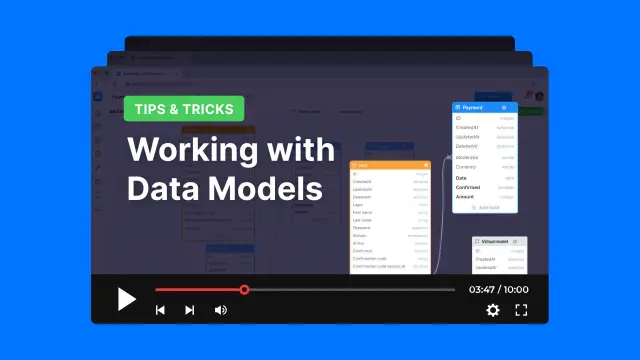
In our video tutorials " AppMaster.io Tips & Tricks", we share tips and tricks that will come in handy when creating applications on our no-code platform:
These are just some of the topics that we will cover.
Videos are released every day, don't miss it - subscribe to the YouTube channel and stay tuned in the Telegram chat of our community.
 What do the AppMaster Tips & Tricks videos cover?
The tutorials cover practical AppMaster topics such as data models, business processes, webhooks, endpoints, object access, validation, debugging, and logging.
Who are these tutorials for?They focus on creating applications with AppMaster's no-code platform. You can use the lessons while building backend logic, web apps, or mobile apps.
How often are new videos released?New videos are released every day. Subscribing to the AppMaster YouTube channel helps you keep up with new lessons.
Where should I start if I am new to AppMaster?Start with the videos that match the part of your app you are building. For example, watch data model lessons before creating database-related business processes.
What can I learn about data models?Data model tutorials explain how to structure the information your application stores. This gives your app a clear database foundation before you build screens and logic.
How do the tutorials help with business processes?Business process videos show how to create application logic visually. You can use them to define what happens when users submit forms, update records, or trigger actions.
Can I learn how to connect external services?Webhook and endpoint lessons help you connect your app with outside services and receive or send data through APIs. They are useful when your workflow needs to communicate with another system.
Do the videos explain access permissions?Object access lessons show how to control who can view, create, edit, or delete data. Set these rules early when your app contains user or business information.
What is validation used for in AppMaster?Validation tutorials help you check input before your app saves or processes it. For example, you can require a field, check a format, or reject values outside an allowed range.
How can the tutorials help me fix app issues?Debugging and logging videos help you trace what your application does when something does not work as expected. Use logs to inspect process steps, values, and errors while you test.
Experiment with AppMaster with free plan.
When you will be ready you can choose the proper subscription.
 Jul 14, 20268 min
 Jul 13, 20268 min
 Jul 08, 20268 min