


 Jul 14, 2026
 8 min
8 minEquipment reservation app: prevent conflicts and track returns
Plan an equipment reservation app that prevents double bookings, records returns and damage, and places faulty items on maintenance hold.

Stripe subscriptions without code: avoid revenue leakage by fixing webhook handling, trial logic, proration edge cases, and failed-payment retries with a QA checklist.
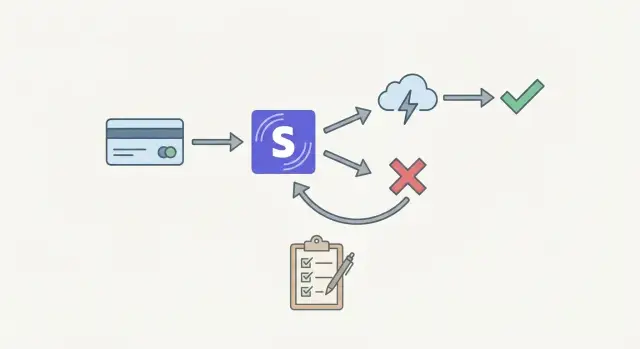
Revenue leakage in subscriptions rarely looks dramatic. It shows up as small, repeated mistakes: customers keeping access after they shouldn’t, upgrades that don’t charge the full amount, or credits applied twice. One bad edge case can quietly repeat for weeks, especially as subscriptions scale.
Even if you’re building Stripe subscriptions without code, billing still has logic. Stripe is the billing engine, but your app decides what “active” means, when to unlock features, and how to react to renewals and failed payments. No-code tools remove a lot of work, but they can’t guess your rules.
Most leakage starts in four places:
A common pattern is “it works in a happy-path test.” You subscribe, you get access, the first invoice is paid. Then real life hits: a card fails, a customer upgrades mid-cycle, someone cancels during a trial, or Stripe retries a payment overnight. If your app only checks one field (or only listens to one event), it can grant free time or create accidental double credits.
If you’re using a platform like AppMaster, it’s easy to build screens and flows quickly. The risk is assuming the default flow equals a correct billing policy. You still need to define your access rules and verify that your backend reacts to Stripe events consistently.
If you’re running Stripe subscriptions without code, one decision prevents a lot of leaks later: what system decides whether a user has access right now.
There are two common options:
The second option is usually faster for the app and easier to keep consistent across web and mobile, but only if you update it reliably.
A practical approach for many products is: Stripe is the source of truth for billing, your database is the source of truth for access. Your database shouldn’t be edited by hand or by UI buttons like “mark paid.” It should be derived from Stripe events (and occasionally reconciled).
To do that, you need stable identifiers. At minimum, store these fields on your user or account record:
Next, define what each subscription state means inside your product. Write it down as simple rules before you build screens, automations, or webhooks.
A clear default policy many teams use:
Avoid “free forever” gaps. If you allow full access in past_due, you need a hard cutoff (based on dates you store), not a vague “we’ll fix it later.”
If you’re building in AppMaster, treat the access decision as business logic: store the current access state on the account, update it from Stripe events, and have your web and mobile UI check that one field consistently. That keeps behavior predictable even when Stripe events arrive late or out of order.
Webhooks are the quiet place where revenue leaks start. Stripe can send events more than once, send them out of order, or deliver them hours later. Treat every webhook as “possibly late” and “possibly duplicated,” and design your access updates to stay correct anyway.
Stick to a small set of events that represent real subscription state changes. For most setups, these cover nearly everything you need:
checkout.session.completed (when you use Checkout to start a subscription)customer.subscription.created, customer.subscription.updated, customer.subscription.deletedinvoice.paid (the moment a billing period is actually paid)invoice.payment_failed (the moment it isn’t)Many teams overreact to noisy events like charge.updated or payment_intent.* and end up with contradictory rules. If you already handle invoices and subscriptions well, lower-level events often add confusion.
Stripe retries webhooks. If you “grant access” every time you see invoice.paid, some customers will get extra time, extra credits, or repeated entitlements.
A simple pattern works:
event.id as processed before any irreversible actionevent.id again, exit earlyIn AppMaster, this maps cleanly to a database table plus a Business Process flow that checks “already processed?” before updating access.
Don’t assume customer.subscription.updated arrives before invoice.paid, or that you’ll see every event in sequence. Base access on the latest known subscription and invoice status, not on what you expected to happen next.
When something looks inconsistent, fetch the current subscription from Stripe and reconcile.
Also store raw webhook payloads (at least for 30 to 90 days). When support asks “why did I lose access?” or “why did I get charged twice?”, that audit trail turns a mystery into an answer.
Webhooks are the messages Stripe sends when something actually happened. If your app ignores them or reacts to the wrong moment, you can give access away for free or cause inconsistent billing behavior.
A common mistake is granting access when checkout finishes instead of when money is collected. “Checkout completed” can mean the customer started a subscription, not that the first invoice is paid. Cards fail, 3D Secure can be abandoned, and some payment methods settle later. For access, treat “invoice paid” (or a successful payment intent tied to the invoice) as the moment to turn features on.
Another source of leaks is only listening for the happy path. Subscriptions change over time: upgrades, downgrades, cancellations, pauses, and past due states. If you never process subscription updates, a canceled customer may keep access for weeks.
Four traps to watch for:
A real-world failure: a customer completes checkout, your app unlocks premium, and the first invoice fails. If your system never processes the failure event, they stay premium without paying.
If you build Stripe subscriptions without code in a platform like AppMaster, the goal is the same: keep one server-side record of access, and change it only when verified Stripe webhooks say payment succeeded, failed, or the subscription status changed.
A trial isn’t just “free billing.” It’s a clear promise: what the customer can use, for how long, and what happens next. The biggest risk is treating a trial like a label in the UI instead of a time-bound access rule.
Decide what “trial access” means in your product. Is it full access, or limited seats, features, or usage? Decide how you’ll remind people before the trial ends (email, in-app banner), and what your billing page shows when a customer hasn’t added a card.
Tie access to dates you can verify, not a local boolean like is_trial = true. Grant trial access when Stripe says the subscription is created with a trial, and remove trial access when the trial ends unless the subscription is active and paid. If your app stores trial_ends_at, update it from Stripe events, not from a user clicking a button.
Card collection timing is where “free forever” usually sneaks in. If you start trials without collecting a payment method, plan the conversion path:
Edge cases matter because trials get edited. Support might extend a trial, or a user might cancel on day one. Users also upgrade during trials and expect the new plan immediately. Pick simple rules and keep them consistent: upgrading during trial should either keep the trial end date, or end the trial and start billing now. Whichever you choose, make it predictable and visible.
A common failure pattern: you grant trial access when the user clicks “Start trial,” but you only remove it when they click “Cancel.” If they close the tab or your webhook fails, they keep access. In a no-code app (including AppMaster), base access on subscription status and trial end timestamps received from Stripe webhooks, not on a manual flag set by the frontend.
Proration is what happens when a customer changes a subscription mid-cycle and Stripe adjusts the bill so they pay only for what they used. Stripe can create a prorated invoice when someone upgrades, downgrades, changes quantity (like seats), or switches to a different price.
The most common revenue leak is undercharging during upgrades. It happens when your app grants new-plan features right away, but the billing change takes effect later, or the proration invoice is never paid. The customer gets the better plan for free until the next renewal.
Upgrades and downgrades shouldn’t be treated the same unless you intentionally want that.
A simple, consistent policy set:
If you’re building Stripe subscriptions without code in AppMaster, make sure the plan-change flow and the access-control rules match the policy. If upgrades should bill now, don’t unlock premium features until Stripe confirms the proration invoice is paid.
Mid-cycle changes can be tricky with seats or usage tiers. A team might add 20 seats on day 25, then remove 15 seats on day 27. If your logic is inconsistent, you can grant extra seats without charging or create confusing credits that trigger refunds and support tickets.
Proration disputes often come from surprise invoices, not bad intent. Add one short sentence near the confirmation button that matches your policy and timing:
Clear expectations reduce chargebacks, refunds, and “why was I charged twice?” messages.
Failed payments are where subscription setups quietly leak money. If your app keeps access open forever after a charge fails, you deliver the service without being paid. If you cut access too early, you create support tickets and unnecessary churn.
After a failed charge, Stripe can move a subscription through past_due and later unpaid (or cancellation, depending on settings). Treat these states differently. past_due usually means the customer is still recoverable and Stripe is retrying. unpaid generally means the invoice isn’t getting paid and you should stop service.
A common mistake in Stripe subscriptions without code is checking only one field (like “subscription is active”) and never reacting to invoice failures. Access should follow billing signals, not assumptions.
Decide your retry schedule and grace period up front, then encode it as rules your app can enforce. Stripe handles retries if configured, but your app still decides what happens to access during the retry window.
A practical model:
invoice.payment_failed: mark the account as “payment issue,” keep access for a short grace period (for example 3 to 7 days)past_due: show an in-app banner and send a “update card” messageinvoice.paid or invoice.payment_succeeded): clear the payment issue flag and restore full accessunpaid (or is canceled): switch to read-only or block key actions, not just hide the billing pageAvoid infinite grace by storing a hard deadline on your side. For example, when you receive the first failure event, compute a grace end timestamp and enforce it even if later events are delayed or missed.
For the “update card” flow, don’t assume the problem is fixed when the customer enters new details. Confirm recovery only after Stripe shows a paid invoice or a successful payment event. In AppMaster, this can be a clear Business Process: when a payment success webhook arrives, flip the user back to active, unlock features, and send a confirmation message.
Maya signs up for a 14 day trial. She enters a card, starts the trial, upgrades on day 10, then her bank later declines a renewal. This is normal, and it’s exactly where revenue leaks happen.
customer.subscription.created and (depending on your setup) an upcoming invoice. Your app should grant access because the subscription is in trial, and it should record when the trial ends so access can change automatically.Pitfall 1: granting access on “signup success” only, then never updating it when the trial ends.
customer.subscription.updated, invoice.created, invoice.finalized, then invoice.paid if money is collected.Pitfall 2: treating “plan changed” as immediate paid access even if the invoice is still open or payment later fails.
Pitfall 3: relying on one webhook and missing others, so you either fail to remove access after invoice.payment_failed or you remove access even after invoice.paid (duplicates and out-of-order events).
Pitfall 4: locking the user out instantly instead of using a short grace period and a clear “update card” path.
Keep a small audit trail: Stripe customer ID, subscription ID, current status, trial_end, current_period_end, latest invoice ID, last successful payment date, and the last processed webhook event ID with timestamp.
When Maya contacts support mid-issue, your team should be able to answer two questions quickly: what does Stripe say right now, and what did our app last apply?
Treat billing like a feature you must test, not a switch you flip. Most revenue leakage happens in the gaps between Stripe events and what your app decides about access.
Start by separating “can Stripe charge?” from “does the app grant access?” and test both in the exact environment you’ll ship.
In AppMaster, this usually means confirming your Stripe integration, environment settings, and Business Process flows record a clean audit trail for each webhook event and resulting access change.
Run these as a short scripted QA session. Use real roles (a normal user, an admin) and write down what “access on/off” means in your product.
For each test, capture three facts: Stripe’s event timeline, your database state, and what the user can actually do in the app. When those three disagree, you’ve found the leak.
Write your billing rules in plain language and keep them specific: when access starts, when it stops, what counts as “paid,” how trials end, and what should happen on plan changes. If two people read it and imagine different outcomes, your workflow will leak money.
Turn those rules into a repeatable test plan you run every time you change billing logic. A few dedicated Stripe test customers and a fixed script beat “click around and see what happens.”
While you test, keep an audit trail. Support and finance will need fast answers like “why did this user keep access?” or “why did we charge twice?” Log key subscription and invoice changes (status, current period dates, trial end, latest invoice, payment intent outcome), and store the webhook event ID so you can prove what happened and avoid processing the same event twice.
If you’re implementing this without code, AppMaster (appmaster.io) can help you keep the structure consistent. You can model billing data in the Data Designer (PostgreSQL), process Stripe webhooks in the Business Process Editor with idempotency checks, and control access with one “source of truth” field that your web and mobile UI reads.
Finish with one dry run that feels like real life: a teammate signs up, uses the app, upgrades, fails a payment, then fixes it. If every step matches your written rules, you’re ready.
Next step: try building a minimal Stripe subscription flow in AppMaster, then run the QA checklist before you go live.
 Should Stripe or my app decide subscription access?
Use Stripe as the billing record and keep a separate access state in your app. Update that state from verified Stripe events, then have every web and mobile screen check the same access field.
When should I unlock paid features?Use invoice.paid to confirm that a billing period was paid before granting paid access. A completed checkout can still lead to a failed or unfinished payment.
How do I stop duplicate webhooks from granting access twice?Store each Stripe event ID before you make access changes. If Stripe sends the same event again, detect the existing ID and stop without running the action twice.
How do I secure Stripe webhooks?Verify Stripe's webhook signature on every request and reject invalid payloads. Keep test and live endpoints separate so test events never change production access.
How do I prevent trials from becoming free access forever?Base trial access on Stripe's subscription status and trial_end timestamp. When the trial ends, keep access only if the subscription has moved into the paid state your policy allows.
What is a safe proration policy for plan changes?For an immediate upgrade, collect the prorated amount first and unlock the higher plan after Stripe confirms payment. Schedule downgrades for the next renewal if you want to avoid mid-cycle refunds and credits.
What should happen after a subscription payment fails?Treat past_due as a short recovery window, such as 3 to 7 days, and show a clear way to update payment details. Set a firm grace-end time in your app, then restrict paid features when payment still has not recovered.
When should I restore access after a customer updates their card?Do not restore access just because the customer entered a new card. Restore it when Stripe reports a successful invoice payment, then clear the payment issue state once.
What billing details should my app store?Keep the Stripe customer and subscription IDs, trial and period-end dates, latest invoice and payment intent IDs, last successful payment date, access state, and processed webhook IDs. These records let support compare Stripe's current status with your app's decision.
What should I test before launching Stripe subscriptions?Test trials, cancellations, upgrades, downgrades, seat changes, duplicate events, failed renewals, retries, refunds, and payment recovery. For every test, compare Stripe's event history, your database record, and the access the user actually receives.
Experiment with AppMaster with free plan.
When you will be ready you can choose the proper subscription.
 Jul 14, 20268 min
 Jul 13, 20268 min
 Jul 08, 20268 min