


 Jul 14, 2026
 8 min
8 minEquipment reservation app: prevent conflicts and track returns
Plan an equipment reservation app that prevents double bookings, records returns and damage, and places faulty items on maintenance hold.

SQLite vs Realm offline-first storage compared for field apps: migrations, query options, conflict handling, debugging tools, and practical selection tips.
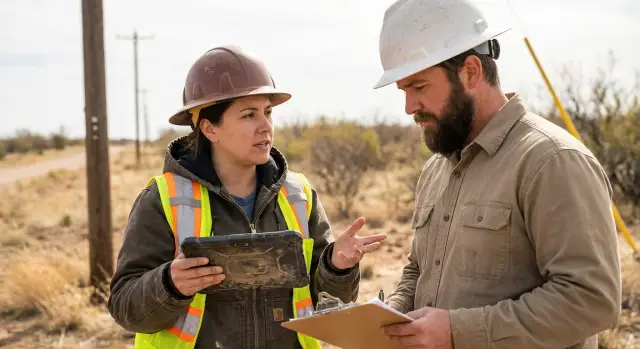
Offline-first doesn’t just mean “works without internet.” It means the app can load useful data, accept new input, and keep every edit safe until it can sync.
Field work adds a predictable set of constraints: signal drops in and out, sessions are long, devices can be old, and battery saver modes are common. People move fast. They open a job, scroll long lists, take photos, fill forms, and jump to the next task without thinking about storage.
What users notice is simple. They lose trust when edits disappear, when lists and search crawl while offline, when the app can’t clearly answer “is my work saved?”, when records duplicate or go missing after reconnecting, or when an update causes weird behavior.
That’s why choosing between SQLite and Realm is mostly about day-to-day behavior, not benchmarks.
Before you pick a local database, get clear on four areas: your data model will change, your queries must match real workflows, offline sync will create conflicts, and tooling will decide how fast you can diagnose field issues.
Even stable apps evolve: new fields, renamed statuses, new screens. If model changes are painful, you either ship fewer improvements or you risk breaking real devices with real data.
Field apps need fast filters like “today’s jobs,” “nearby sites,” “unsynced forms,” and “items edited in the last 2 hours.” If the database makes those queries awkward, the UI gets slow or the code turns into a maze.
Two people can edit the same record, or one device can edit old data for days. You need a clear plan for what wins, what merges, and what needs a human decision.
When something goes wrong in the field, you need to inspect data, reproduce issues, and understand what happened without guesswork.
Field apps rarely stay still. After a few weeks, you add a checkbox, rename a status, or split a “notes” field into structured fields. Migrations are where offline apps often fail, because the phone already holds real data.
SQLite stores data in tables and columns. Realm stores data as objects with properties. That difference shows up quickly:
Adding a field is easy in both systems: add a column in SQLite, add a property with a default in Realm. Renames and splits are the painful ones. In SQLite, renaming can be limited depending on your setup, so teams often create a new table and copy data across. In Realm, you can read the old property and write into new ones during migration, but you need to be careful with types, defaults, and nulls.
Large updates with on-device data need extra caution. A migration that rewrites every record can be slow on older phones, and a technician shouldn’t be stuck watching a spinner in a parking lot. Plan for migration time, and consider spreading heavy transforms across multiple releases.
To test migrations fairly, treat them like sync:
Example: if “equipmentId” becomes “assetId” and later splits into “assetType” plus “assetNumber,” the migration should keep old inspections usable, not force a logout or wipe.
Field apps live or die on list screens: today’s jobs, nearby assets, customers with open tickets, parts used this week. Your storage choice should make those questions easy to express, fast to run, and hard to misread six months later.
SQLite gives you SQL, which is still the most flexible way to filter and sort large datasets. You can combine conditions, join across tables, group results, and add indexes when a screen slows down. If your app needs “all inspections for assets in Region A, assigned to Team 3, with any failed checklist item,” SQL can usually express it cleanly.
Realm leans on objects and a higher-level query API. For many apps this feels natural: query Job objects, filter by status, sort by due date, follow relationships to related objects. The tradeoff is that some questions that are trivial in SQL (especially reporting-style queries across multiple relationships) can be harder to express, or you end up reshaping data to match the queries you need.
For partial text search across multiple fields (job title, customer name, address), SQLite often pushes you toward careful indexing or a dedicated full-text approach. Realm can filter text too, but you still need to think about performance and what “contains” means at scale.
Relationships are another practical pain point. SQLite handles one-to-many and many-to-many with join tables, which makes patterns like “assets tagged with these two tags” straightforward. Realm links are easy to navigate in code, but many-to-many and “query through” patterns usually need more planning to keep reads fast.
A maintenance-friendly pattern is to keep a small set of named queries that map directly to screens and reports: your main list filters and sorts, a detail view query (one record plus related records), the search definition, a few counters (badges and offline totals), and any export/reporting queries.
If you expect frequent ad hoc questions from the business, SQLite’s raw query power is hard to beat. If you want most data access to read like working with normal objects, Realm can feel faster to build, as long as it can answer your hardest screens without awkward workarounds.
Offline-first field apps usually support the same core actions while disconnected: create a record, update a record, delete something invalid. The hard part isn’t local saving. It’s deciding what happens when two devices change the same record before either can sync.
Conflicts show up in simple situations. A technician updates an inspection on a tablet in a basement with no signal. Later, a supervisor fixes the same inspection from a laptop. When both reconnect, the server receives two different versions.
Most teams land on one of these approaches:
SQLite gives you a reliable local database, but it doesn’t provide sync by itself. You usually build the rest: track pending operations, send them to an API, retry safely, and enforce conflict rules on the server.
Realm can reduce the amount of plumbing if you use its sync features, because it’s designed around objects and change tracking. But “built-in sync” still doesn’t choose your business rules. You decide what counts as a conflict and which data is allowed to win.
Plan an audit trail from day one. Field teams often need clear answers to “who changed what, when, and from which device.” Even if you choose last write wins, store metadata like user ID, device ID, timestamps, and (when possible) a reason. If your backend is generated quickly, for example with a no-code platform like AppMaster, it’s easier to iterate on these rules early before you have hundreds of offline devices in the wild.
Offline bugs are hard because they happen when you can’t watch the app talk to a server. Your debugging experience often comes down to one question: how easily can you see what’s on the device and how it changed over time?
SQLite is easy to inspect because it’s a file. In development or QA you can pull the database from a test device, open it with common SQLite tools, run ad hoc queries, and export tables to CSV or JSON. This helps you confirm “what rows exist” versus “what the UI shows.” The downside is that you need to understand your schema, joins, and any migration scaffolding you created.
Realm can feel more “app-like” to inspect. The data is stored as objects, and Realm’s tooling is often the easiest way to browse classes, properties, and relationships. It’s great for spotting object graph issues (missing links, unexpected nulls), but ad hoc analysis is less flexible if your team is used to SQL-based inspection.
Most field failures come down to silent write errors, partial sync batches, or a migration that only half-finished. Either way, invest in a few basics: per-record “last changed” timestamps, a device-side operation log, structured logs around migrations and background writes, a way to enable verbose logging in QA builds, and a “dump and share” action that exports a redacted snapshot.
Example: a technician reports that completed inspections vanish after a battery drain. A shared snapshot helps you confirm whether records were never written, were written but not queried, or were rolled back on startup.
With SQLite, sharing is often as simple as sharing the .db file (plus any WAL files). With Realm, you typically share the Realm file along with its sidecar files. In both cases, define a repeatable process to remove sensitive data before anything leaves the device.
Field apps fail in boring ways: battery dies mid-save, the OS kills the app in the background, or storage fills up after weeks of photos and logs. Your local database choice affects how often those failures turn into lost work.
When a crash happens mid-write, both SQLite and Realm can be safe when used correctly. SQLite is reliable when you wrap changes in transactions (WAL mode can help with resilience and performance). Realm writes are transactional by default, so you usually get “all or nothing” saves without extra work. The common risk isn’t the database engine. It’s app code that writes in multiple steps without a clear commit point.
Corruption is rare, but you still need a recovery plan. With SQLite, you can run integrity checks, restore from a known-good backup, or rebuild from a server resync. With Realm, corruption often means the whole Realm file is suspect, so the practical recovery path is often “drop local and resync” (fine if the server is the source of truth, painful if the device holds unique data).
Storage growth is another surprise. SQLite can bloat after deletes unless you vacuum periodically. Realm can grow too and may need compaction policies, plus pruning old objects (like completed jobs) so the file doesn’t expand forever.
Upgrades and rollbacks are another trap. If an update changes the schema or storage format, a rollback can strand users on a newer file they can’t read. Plan upgrades as one-way, with safe migrations and a “reset local data” option that doesn’t break the app.
Reliability habits that pay off:
Example: an inspection app that stores checklists and photos can hit low storage in a month. If the app detects low space early, it can pause photo capture, upload when possible, and keep checklist saves safe, regardless of which local database you use.
Treat storage as part of the product, not a library decision. The best option is the one that keeps the app usable when the signal drops, and predictable when it returns.
Write down your offline user flows first. Be specific: “open today’s jobs, add notes, attach photos, mark complete, capture a signature.” Everything on that list must work with no network, every time.
Then work through a short sequence: list offline-critical screens and how much data each needs (today’s jobs vs full history), sketch a minimal data model and the relationships you can’t fake (Job -> ChecklistItems -> Answers), choose a conflict rule per entity (not one rule for everything), decide how you’ll test failures (migrations on real devices, sync retries, forced logout/reinstall behavior), and build a small prototype with realistic data that you can time (load, search, save, sync after a day offline).
That process usually reveals the real constraint: do you need flexible ad hoc queries and easy inspection, or do you value object-based access and tighter model enforcement?
Use one realistic scenario, like a technician who completes 30 inspections offline and then drives back into coverage. Measure first-load time with 5,000 records, whether a schema change survives an update, how many conflicts appear after reconnect and whether you can explain each one, and how quickly you can inspect a “bad record” when support calls.
If you want to validate flows quickly before committing, a no-code prototype in AppMaster can help you lock down the workflow and data model early, even before you finalize the on-device database choice.
Most offline-first failures don’t come from the database engine. They come from skipping the boring parts: upgrades, conflict rules, and clear error handling.
One trap is assuming conflicts are rare. In field work they’re normal: two technicians edit the same asset, or a supervisor changes a checklist while a device is offline. If you don’t define a rule (last write wins, merge by field, or keep both versions), you’ll eventually overwrite real work.
Another quiet failure is treating the data model as “done” and not practicing upgrades. Schema changes happen even in small apps. If you don’t version your schema and test upgrades from older builds, users can get stuck after an update with failed migrations or blank screens.
Performance issues also show up late. Teams sometimes download everything “just in case,” then wonder why search feels slow and the app takes minutes to open on a mid-range phone.
Patterns to watch for:
Example: a technician completes an inspection offline, taps Sync, and gets no confirmation. The upload actually failed due to an auth token issue. If the app hides the error, they leave the site thinking the job is done, and trust is gone.
Whatever storage you choose, run a basic “field mode” test: airplane mode, low battery, app update, and two devices editing the same record. If you’re building quickly with a no-code platform like AppMaster, bake these tests into the prototype before the workflow reaches a larger team.
Before you pick a storage engine, define what “good” looks like for your field app, then test it with real data and real devices. Teams argue about features, but most failures come from basics: upgrades, slow screens, unclear conflict rules, and no way to inspect local state.
Use this as a go/no-go gate:
If you’re prototyping in AppMaster, apply the same discipline. Test upgrades, define conflicts, and rehearse recovery before you ship to a team that can’t afford downtime.
A field technician starts the day by downloading 50 work orders to their phone. Each job includes the address, required checklist items, and a few reference photos. After that, signal drops in and out all day.
During each visit, the technician edits the same few records repeatedly: job status (Arrived, In Progress, Done), parts used, customer signature, and new photos. Some edits are small and frequent (status). Others are large (photos) and must not be lost.
At 11:10, the technician marks Job #18 as Done and adds a signature while offline. At 11:40, a dispatcher reassigns Job #18 because it still looks open in the office. When the technician reconnects at 12:05, the app uploads changes.
A good conflict flow doesn’t hide this. It surfaces it. A supervisor should see a simple message: “Two versions of Job #18 exist,” with key fields side by side (status, assigned tech, timestamp, signature yes/no) and clear options: keep field update, keep office update, or merge by field.
This is where your storage and sync decisions show up in real life: can you track a clean history of changes, and can you replay them safely after hours offline?
When a job “disappears,” debugging is mostly about proving what happened. Log enough to answer: local record ID and server ID mapping (including when it was created), every write with timestamp/user/device, sync attempts and error messages, conflict decisions and the winner, and photo upload status tracked separately from the job record.
With those logs, you can reproduce the issue instead of guessing from a complaint.
Before you take sides in SQLite vs Realm debates, write a one-page spec for your offline flows: the screens a technician sees, what data lives on-device, and what must work without signal (create, edit, photos, signatures, queued uploads).
Then prototype the whole system early, not just the database. Field apps fail at the seams: a mobile form that saves locally doesn’t help if the admin team can’t review and fix records, or if the backend rejects updates later.
A practical validation plan:
If speed matters, a no-code first pass can help you validate the workflow quickly. AppMaster (appmaster.io) is one option for building the full solution (backend services, a web admin panel, and mobile apps) early, then regenerating clean source code as requirements change.
Pick the next validation step based on risk. If forms change weekly, test migrations first. If multiple people touch the same job, test conflicts. If you fear “it worked in the office,” prioritize your field debugging workflow.
 What does “offline-first” actually mean for a field app?
Offline-first means the app stays useful with no connection: it can load needed data, accept new input, and keep every change safe until sync is possible. The key promise is that users don’t lose work or confidence when signal drops, the OS kills the app, or the battery dies mid-task.
When should I pick SQLite over Realm (and vice versa)?SQLite is usually a safer default when you need complex filters, reporting-style queries, many-to-many relationships, and easy ad hoc inspection with common tools. Realm is often a good fit when you want object-style data access, transactional writes by default, and you can keep your query needs aligned with Realm’s strengths.
How do I avoid breaking users when the data model changes?Treat migrations like a core feature, not a one-time task. Install an older build, create realistic on-device data, then upgrade and confirm the app still opens, edits, and syncs; also test large datasets, low storage, and killing the app mid-migration.
What types of schema changes are the most risky on real devices?Adding a field is usually straightforward in both systems, but renames and splits are where teams get burned. Plan those changes deliberately, set sensible defaults, handle nulls carefully, and avoid migrations that rewrite every record in one shot on older devices.
What queries matter most for field apps, and how do I plan for them?List screens and filters that match real work are the main benchmark: “today’s jobs,” “unsynced forms,” “edited in the last 2 hours,” and fast search. If expressing those queries feels awkward, the UI will either get slow or the code will become hard to maintain.
How should I handle sync conflicts when two people edit the same record?Neither SQLite nor Realm “solves” conflicts by itself; you still need business rules. Start by choosing a clear rule per entity type (last write wins, merge by field, or a manual review queue) and make the app able to explain what happened when two devices change the same record.
What should I log so support can diagnose “my work disappeared” reports?Track enough metadata to explain and replay changes: user ID, device ID, timestamps, and a per-record “last changed” marker. Keep a local operation log so you can see what was queued, what was sent, what failed, and what the server accepted.
Which is easier to debug on a real device: SQLite or Realm?SQLite is easy to inspect because it’s a file you can pull from a device and query directly, which helps with ad hoc analysis and exports. Realm inspection often feels more natural for object graphs and relationships, but teams used to SQL may find deep analysis less flexible.
What causes data loss in offline apps, even with a good local database?The biggest reliability risks are usually in app logic: multi-step writes without a clear commit point, hidden sync failures, and no recovery path for disk-full or corruption scenarios. Use transactions/checkpoints, show clear save and sync status, and have a predictable “reset and resync” option that doesn’t require reinstalling.
What should I prototype before committing to a storage engine?Build one realistic end-to-end scenario and time it: first load with thousands of records, search, long-form saves, and a “day offline then reconnect” sync. Validate upgrades from at least two older builds, simulate conflicts with two devices, and confirm you can inspect local state and logs when something goes wrong.
Experiment with AppMaster with free plan.
When you will be ready you can choose the proper subscription.
 Jul 14, 20268 min
 Jul 13, 20268 min
 Jul 08, 20268 min