


 Jul 14, 2026
 8 min
8 minEquipment reservation app: prevent conflicts and track returns
Plan an equipment reservation app that prevents double bookings, records returns and damage, and places faulty items on maintenance hold.

Service contract renewal reminders help home service teams track dates, create follow-ups, and send friendly messages before agreements expire.
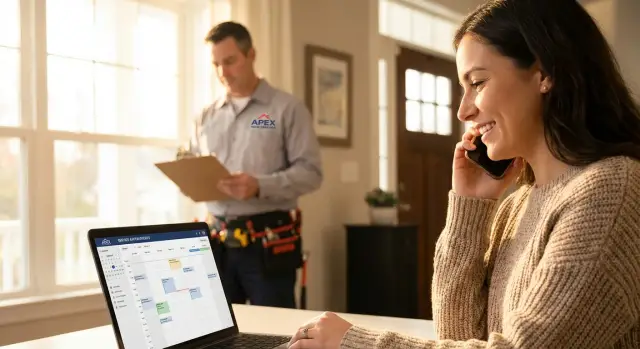
A contract renewal in home services usually means a customer is extending a maintenance plan, service agreement, or warranty coverage for another term. It might be an annual HVAC tune-up plan, a plumbing membership with priority scheduling, or an appliance protection add-on that expires every 12 months.
Renewals get missed because the date rarely lives in one clear place. One tech writes it in invoice notes, someone else saves the signed agreement as a PDF in email, and the office manager tracks a few key accounts in a spreadsheet. When the busy season hits, the team focuses on today’s calls, and renewal dates quietly slide by.
Ownership is another problem. If nobody is responsible for renewal follow-up tasks, everyone assumes someone else is handling it. The customer only hears from you after coverage lapses, which feels like a surprise, even if the terms were clear.
The goal is simple: keep customers covered and keep revenue predictable, without sending spammy messages. Done well, reminders feel helpful: “Your plan is about to end, want to stay protected?” not “Buy now or else.”
A practical renewal process doesn’t need fancy software. You need a small set of fields, one place to store renewal dates, a repeatable follow-up cadence, and messages customers won’t ignore.
If you want renewal reminders to work, the record has to be simple enough that someone will keep it updated. Aim for “just enough data to act,” not a full customer history.
Start with the basics so you can answer three questions fast: who is it for, where is the work, and when does it end. A clean renewal record usually includes:
Add a few fields that prevent most renewal confusion:
If you serve multi-site customers, treat each location as its own renewal item. One property manager might have five addresses, and three of them may be on different end dates because they were signed at different times.
What to skip: long notes, every past repair, and copies of invoices inside the renewal record. Keep those elsewhere. The renewal record is for timing and action.
Renewal dates often end up scattered: a calendar event, a spreadsheet, a line item in the invoice system, and a CRM field that only some people use. Any one of these can work. Using all of them at once usually fails.
Common “homes” for renewals (and the usual downside):
Pick one source of truth and treat everything else as a view, not a second system. Duplicates are where renewals disappear: a date gets updated in one place, not the other, and everyone assumes “someone else is on it.”
A simple status flow helps your team know what happens next without digging through notes:
Data hygiene matters more than automation. Use one date format (for example, YYYY-MM-DD). Make key fields required so records can’t be saved half-finished. At minimum: customer name, service address, plan type, end date, status, and owner.
Renewal dates sitting in a spreadsheet don’t save contracts. What works is turning each date into a clear task that tells a tech, office admin, or account rep exactly what to do next.
A good follow-up task is small, specific, and easy to finish in one sitting. It should answer: who owns it, when it’s due, and what success looks like.
Each task should include:
Timing matters because customers are busy, and your team is too. Instead of one big reminder at the end, use a cadence that feels like a heads-up.
A practical schedule:
If there’s no response, decide retry rules in advance so people don’t guess. Two attempts per touch is usually enough: one call and one message. After the final reminder, stop unless the customer is high value or asked you to follow up later.
A good reminder plan feels helpful, not pushy. Send fewer messages, but make each one clear and useful.
Separate internal reminders from customer messages. Internal alerts tell your team what to do next (call, confirm pricing, check history). Customer messages should focus on the customer’s decision and the easiest next step.
A schedule that works for most home services renewals:
Keep the tone friendly by being short, specific, and calm. Say what’s ending, when it ends, and what you can do for them. Avoid pressure language like “final notice” unless it’s truly required.
If you use SMS, get clear permission first and keep proof. Every text should include a simple opt-out line (for example: “Reply STOP to opt out”). For email, honor unsubscribes quickly.
Also respect quiet hours. Even if it’s allowed where you operate, customers hate late-night pings. A safe default is to message during normal business hours in the customer’s local time.
Internal reminders should create tasks your team will actually complete: a call list, an assigned owner, and a due date. Customer reminders should be short enough to read in a glance and clear enough to answer with one reply.
A renewal workflow works best when it’s boring and repeatable. Every active agreement gets a renewal record, those dates create action for your team, and customers get a heads-up before they lapse.
The best renewal reminders feel personal, short, and easy to act on. Use the same structure each time: what the plan is, when it ends, the value, and 2 to 3 clear options.
Pick one style and stay consistent so customers recognize you.
Keep emails skimmable. Use one short subject line and 3 to 5 short lines in the body.
Subject: Your {PlanName} renews on {EndDate}
Hi {FirstName},
Your {PlanName} is set to end on {EndDate}.
Renewing keeps your member perks (priority scheduling, discounted visit, included inspections).
Reply with: Renew, Question, or Checkup, and we will take it from there.
Thanks, {SenderName} at {CompanyName} | {Phone}
Subject: Final reminder: {PlanName} ends {EndDate}
Hi {FirstName},
This is a final reminder that your {PlanName} ends on {EndDate}.
If you would like to keep your member benefits and avoid a gap in coverage, just reply Renew today. If now is not a good time, reply Question and tell us what you need.
{SenderName} | {CompanyName}
A small tip: match the message to the customer. If they usually text, keep it SMS-first. If they ask lots of questions, lead with the “Question” option so it feels low pressure.
Picture a small HVAC company with about 400 maintenance agreements. Roughly 30 to 40 renew each month. Nobody is trying to miss renewals, but busy weeks and scattered notes make it easy.
Here’s how reminders can work for one customer, Maria, whose plan renews on May 31.
If Maria renews early (say May 10), the agreement is marked renewed, the remaining reminders stop, and a new renewal date is created for next year. The office can still send a quick “Thanks, you’re all set” confirmation.
If she ignores messages, nothing falls through the cracks. The follow-up task stays visible, and the next step is always clear: call, voicemail, or a final email.
Instead of hunting through spreadsheets, the office opens a simple list: renewals due in the next 30 days, who owns each follow-up, and which customers already renewed.
Exceptions show up first: expiring this week, multiple unanswered touches, and anything that needs manager approval for pricing. That’s the difference between reminders that get sent and renewals that actually get closed.
Most renewal problems aren’t about bad intentions. They happen because the process is fuzzy, and small gaps turn into missed calls, awkward conversations, and lost recurring revenue.
Tracking only the renewal month is a common trap. “Renews in March” sounds fine until you realize it renews on March 2, not March 31. Store the exact end date and the notice window (for example, “contact 30 days before”) so your team isn’t forced into last-minute scrambles.
Another issue is having no clear owner. If a renewal task is assigned to “the office” or left unassigned, it often gets ignored because everyone assumes someone else is handling it. Every renewal should have one named person responsible for the next action.
Reminder timing can also backfire. Too many messages too close together trains customers to ignore you. A spaced schedule works better (for example: 30 days, 14 days, and 3 days before expiration), with a stop rule once the customer responds.
Not recording outcomes is the quiet mistake that creates repeated nagging. If you don’t log “renewed,” “not interested,” “call back in 2 months,” or “wrong contact,” the same customer can get pinged again and again. That feels careless, even when your team is trying to help.
Finally, don’t let price changes and terms surprise people. If the rate is going up or plan details changed, note it before anyone reaches out. A quick internal summary keeps the conversation calm:
The easiest way to keep renewals consistent is to treat them like a habit, not a project. Use a short routine that anyone can follow, even on busy weeks.
A simple operating checklist:
Before you hit send, do a 30-second sanity check:
If you want this to stick, make it hard to skip. Required fields and clear task ownership do more than extra reminders.
You don’t need to replace your CRM, accounting tool, and scheduler just to stop missing renewals. The easiest wins come from automating one job at a time, then expanding once the team trusts the process.
Most teams get the biggest payoff from a simple chain: track the renewal date, create a follow-up task, then send customer reminders on a predictable schedule.
A practical first pass:
Keep the scope small. Pick one service line (HVAC is a common start because plans are predictable) and run it for a month. If it works, add plumbing, then electrical. This avoids a big rollout that nobody adopts.
As you grow, you can add extras later, once the basics are stable: payments, a customer portal, and tighter scheduling handoffs.
If you need a simple internal tool to centralize renewal records and task ownership, a no-code platform like AppMaster (appmaster.io) can help you build a workflow app with a database, follow-up tasks, and automated reminders without writing code.
Before building anything, write down your exact fields (what you store for each contract) and your reminder schedule (when you reach out, how often, and when you stop). That becomes your build plan and keeps automation from turning into noise. "}
 What’s the minimum info I need to track to stop missing renewals?
Start with one record per agreement that includes customer name, service address, plan type, end date, status, and a single owner. If those six fields are always correct, you can reliably create tasks and reminders without digging through notes.
Where should we store renewal dates so they don’t get scattered?Pick one “source of truth” and make everything else a view of that data. Duplicating dates across a CRM, spreadsheet, and calendar is where updates get missed and renewals slip.
Who should own renewals on a home service team?Assign each renewal to one named person who owns the next action, even if others help. Shared ownership like “the office” usually means no one feels responsible when things get busy.
How far in advance should we remind customers to renew?A simple cadence works well: a heads-up about 30 days before expiration, a follow-up around 14 days, and a final reminder 3–5 days before the end date. It gives customers time to decide without feeling chased.
How do we send reminders without sounding spammy?Send fewer messages, but make each one specific and easy to respond to. Say what’s ending, when it ends, and the quickest next step, then stop or pause reminders as soon as the customer replies.
What are the basic compliance rules for SMS and email reminders?Get clear permission before texting and keep proof that they opted in. Include an opt-out line in every text (like “Reply STOP to opt out”), honor email unsubscribes quickly, and message during normal business hours in the customer’s local time.
What if a customer doesn’t respond to any renewal messages?Decide retry rules ahead of time so staff don’t guess. A practical default is two attempts per touch (for example, one call and one message), then a final reminder and a stop unless the customer asked for a later follow-up.
How should we handle renewals for multi-site customers or property managers?Treat each address as its own renewal item with its own end date, status, and owner. This avoids confusion when one property manager has multiple locations that started on different dates and expire at different times.
What should we record after we contact a customer about renewal?Log one clear outcome after every call or message, such as renewed, declined, unreachable, or “call back on a specific date.” Without a recorded outcome, customers get repeated nudges and your team wastes time redoing the same work.
Can we automate renewals without replacing all our existing software?Yes, if you keep the build small and practical: a database table for agreements, automatic task creation based on dates, and scheduled messages tied to status. A no-code platform like AppMaster can help you centralize renewal records, assign owners, and automate reminders without rewriting your CRM or accounting system.
Experiment with AppMaster with free plan.
When you will be ready you can choose the proper subscription.
 Jul 14, 20268 min
 Jul 13, 20268 min
 Jul 08, 20268 min