


 Jul 14, 2026
 8 min
8 minEquipment reservation app: prevent conflicts and track returns
Plan an equipment reservation app that prevents double bookings, records returns and damage, and places faulty items on maintenance hold.

Server-driven forms let you store field definitions in a database so web and native apps render updated forms without redeploying clients.
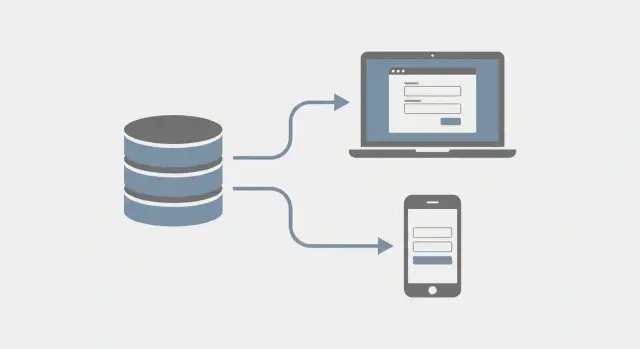
Forms look simple on the screen, but they’re often hard-coded into your app. When a form is baked into a release, even a tiny change turns into a full delivery cycle: update code, retest, deploy, and coordinate the rollout.
What people call a “small edit” usually hides real work. A label change can affect layout. Making a field required affects validation and error states. Reordering questions can break assumptions in analytics or logic. Adding a new step can change navigation, progress indicators, and what happens when someone drops off mid-flow.
On the web, the pain is smaller but still real. You still need a deployment, and you still need QA because a broken form blocks signups, payments, or support requests. On mobile, it gets worse: you ship new builds, wait for app store review, and deal with users who don’t update right away. Meanwhile your backend and support team may be dealing with multiple form versions at the same time.
The slowdowns are predictable: product wants a quick tweak but engineering slots it into the next release train; QA reruns full flows because a single field change can break submission; mobile updates take days when the business need is urgent; support ends up explaining mismatched screens to different users.
Fast iteration looks different. With server-driven forms, teams update a form definition and see the change live across web and native apps in hours, not weeks. If an onboarding form causes drop-offs, you can remove a step, rename a confusing field, and make one question optional the same afternoon, then measure whether completion improves.
Server-driven forms mean the app doesn’t carry a hardcoded form layout. Instead, the server sends a description of the form (which fields to show, in what order, with what labels and rules), and the web or mobile app renders it.
Think of it like a menu. The app is the waiter that knows how to present items, collect choices, and submit the order. The server is the kitchen that decides what’s on today’s menu.
What stays in the app is the rendering engine: reusable UI parts like text input, date picker, dropdown, file upload, and the ability to show errors and submit data. What moves to the server is the form definition: what this specific onboarding form looks like right now.
It helps to separate two things:
Most server-driven forms systems use the same building blocks, even if teams name them differently: fields (single inputs), groups (sections), steps (multi-page flows), rules (show or hide, required conditions, calculated values), and actions (submit, save draft, move to another step).
A simple example: your native app already knows how to render a dropdown. The server can change the dropdown label from “Role” to “Job title”, update the options, and mark it required, without releasing a new app version.
Server-driven forms work best when the form changes more often than the app itself. If your team regularly tweaks copy, adds a field, or adjusts rules, server-driven forms can save days of waiting on app store reviews and coordinated releases. The client stays the same. The schema changes.
This works well for flows where the layout is fairly predictable, but the questions and rules change often: onboarding and profile setup, surveys and feedback, internal tools and admin flows, compliance updates, and support intake that varies by issue type.
The big win is speed with less coordination. A product manager can approve an updated form definition, and both web and native apps pick it up on the next load.
It’s usually a bad match when the form experience is the product, or when the UI needs very tight native control. Examples include highly custom layouts, complex offline-first experiences that must work fully without a connection, heavy animations and gesture-driven interactions per field, or screens that rely on deep platform-specific components.
The tradeoff is simple: you gain flexibility, but you give up some control over pixel-perfect UI. You can still use native components, but they need to map cleanly to your schema.
A practical rule: if you can describe the form as “fields, rules, and a submit action” and most changes are content and validation, go server-driven. If changes are mostly custom interactions, offline behavior, or visual polish, keep it client-driven.
A good database model for server-driven forms keeps two things separate: the stable identity of a form, and the changeable details of how it looks and behaves. That separation lets you update forms without breaking older submissions or older clients.
A common structure looks like this:
Keep your first field types small and boring. You can go far with text, number, date, select, and checkbox. File uploads are useful, but add them only when you’ve figured out uploads, size limits, and storage end to end.
For ordering and grouping, avoid “magic” based on creation time. Store an explicit position (an integer) on fields and options. For grouping, either reference a section_id (normalized) or store a layout block that lists which field keys appear in each section.
Conditional visibility works best when it’s stored as data, not code. A practical approach is a visibility_rule JSON object on each field, like “show if field X equals Y”. Keep rule types limited at first (equals, not equals, is empty) so every client can implement them the same way.
Localization is easier if you keep text separate, for example a table like FieldText(field_id, locale, label, help_text). That keeps translations tidy and lets people update copy without touching logic.
For JSON vs normalized tables, use a simple rule: normalize what you query and report on, and use JSON for rarely-filtered UI details. Field type, required, and keys belong in columns. Styling hints, placeholder text, and more complex rule objects can live in JSON, as long as they’re versioned with the form.
To make server-driven forms work across web and native, both clients need the same contract: the server describes the form, and the client turns each field into a UI component.
A practical pattern is a “field registry”. Each app keeps a small map from field type to a component (web) or view (iOS/Android). The registry stays stable even as the form changes.
What the server sends should be more than a list of fields. A good payload includes the schema (field ids, types, labels, order), defaults, rules (required, min/max, pattern checks, conditional visibility), grouping, help text, and analytics tags. Keep rules descriptive rather than shipping executable code, so clients stay simple.
Select fields often need async data. Instead of sending huge lists, send a data source descriptor (for example, “countries” or “products”) plus search and paging settings. The client calls a generic endpoint like “fetch options for source X, query Y”, then renders results. That keeps web and native behavior aligned when options change.
Consistency doesn’t mean pixel-perfect. Agree on shared building blocks like spacing, label placement, required markers, and error style. Each client can still present the same meaning in a way that fits the platform.
Accessibility is easy to forget and hard to patch later. Treat it as part of the schema contract: every field needs a label, optional hint, and a clear error message. Focus order should follow field order, error summaries should be reachable by keyboard, and pickers should work with screen readers.
With server-driven forms, the server stays in charge of what “valid” means. Clients can still do quick checks for instant feedback (like required or too short), but the final decision belongs on the server. Otherwise you end up with different behavior on web vs iOS vs Android, and users can bypass rules by sending requests directly.
Keep validation rules next to field definitions. Start with the rules people hit every day: required fields (including required only when X is true), min/max for numbers and lengths, regex checks for things like postal codes, cross-field checks (start date before end date), and allowed values (must be one of these options).
Conditional logic is where teams often overcomplicate clients. Instead of shipping new app logic, ship simple rules like “show this field only when another field matches.” Example: show “Company size” only when “Account type” = “Business”. The app evaluates the condition and shows or hides the field. The server enforces it: if the field is hidden, don’t require it.
Error handling is the other half of the contract. Don’t rely on human text that changes every release. Use stable error codes and let clients map them to friendly messages (or display server text as a fallback). A useful structure is code (stable identifier like REQUIRED), field (which input failed), message (optional display text), and meta (extra details like min=3).
Security note: never trust client validation alone. Treat client checks as convenience, not enforcement.
Start small. Pick one real form that changes often (onboarding, support intake, lead capture) and support only a few field types at first. That keeps the first version easy to debug.
Choose 4-6 field types you can render everywhere, such as text, multiline text, number, select, checkbox, and date. Decide what each type requires (label, placeholder, required, options, default value) and what you won’t support yet (file uploads, complex grids).
Your API should return everything the client needs in one payload: form identifier, version, and an ordered list of fields with rules. Keep rules simple at first: required, min/max length, regex, and show/hide based on another field.
A practical split is one endpoint to fetch the definition and another to submit responses. Clients shouldn’t guess rules.
Implement the renderer on the web first because it’s faster to iterate. When the schema feels stable, build the same renderer on iOS and Android using the same field types and rule names.
Treat submissions as append-only records that reference (form_id, version). This is audit-friendly: you can always see what the user saw when they submitted, even after the form changes.
Draft changes in an admin screen, validate the schema, then publish a new version. A simple workflow is enough: copy the current version into a draft, edit fields and rules, run server-side validation on save, publish (incrementing version), and keep old versions readable for reporting.
Test one real form end to end before adding more field types. That’s where hidden requirements show up.
Treat every form change like a release. Server-driven forms let you ship changes without app store updates, which is great, but it also means a bad schema can break everyone at once.
Start with a simple version model. Many teams use “draft” and “published” so editors can iterate safely. Others use numbered versions (v12, v13) so it’s easy to compare and audit. Either way, keep published versions immutable and create a new version for every change, even small ones.
Roll out changes like you would a feature: release to a small cohort first, then widen. If you already use feature flags, a flag can select the form version. If not, a server rule like “users created after date X” works.
To understand what changed in real life, log a few signals consistently: render errors (unknown field type, missing options), validation failures (what rule failed and on which field), drop-off points (last step/section seen), time to complete (overall and per step), and submission outcome (success, server rejection). Always attach the form version to every submission and support ticket.
For rollback, keep it boring: if v13 spikes in errors, flip users back to v12 immediately, then fix v13 as v14.
Server-driven forms make it easy to change what users see without waiting for app store approvals. The downside is that shortcuts can turn into big failures when you have multiple app versions in the wild.
One mistake is stuffing the schema with pixel-level UI instructions. A web app might handle “two-column grid with a tooltip icon,” but a native screen may not support it. Keep the schema focused on meaning (type, label, required, options), and let each client decide presentation.
Another common problem is introducing a new field type with no fallback. If older clients don’t know how to render “signature” or “document scan,” they may crash or silently drop the field. Plan for unknown-type handling: show a safe placeholder, hide with a warning, or prompt “Update required”.
The hardest issues often come from mixing changes, like editing the form definition and migrating stored answers in the same release, trusting client-side checks for sensitive rules, letting “temporary” JSON grow until nobody knows what it contains, changing option values without keeping old values valid, or assuming one client version and forgetting older native installs.
A realistic failure: you rename a field key from company_size to team_size while also changing how you store answers. Web updates instantly, but older iOS builds keep sending the old key, and your backend starts rejecting submissions. Treat schemas as contracts: add new fields first, accept both keys for a while, and only remove the old one after usage drops.
Before you publish a new schema, do a quick pass for the issues that tend to show up only after real users start submitting data.
Every field needs a stable, permanent identifier. Labels, order, and help text can change, but the field id shouldn’t. If “Company size” becomes “Team size,” the id stays the same so analytics, mappings, and saved drafts still work.
Validate the schema on the server before it goes live. Treat the schema response like an API: check required properties, allowed field types, option lists, and rule expressions.
A short pre-ship checklist:
Finally, test one “old client, new schema” scenario. That’s where server-driven forms either feel effortless or fail in confusing ways.
A SaaS team has a customer onboarding form that changes almost every week. Sales learns new details they need, compliance asks for extra questions, and support wants fewer “please email us” follow-ups. With server-driven forms, the app doesn’t hardcode the fields. It asks the backend for the latest form definition and renders it.
Over two weeks, it might look like this: Week 1 adds a Company size dropdown (1-10, 11-50, 51-200, 200+) and makes VAT number optional. Week 2 adds conditional regulated-industry questions like License ID and Compliance contact, and makes them required only when the user selects an industry like Finance or Healthcare.
Nobody submits a new mobile build. Web updates immediately. Native apps pick up the new schema the next time they load the form (or after a short cache period). The backend change is updating field definitions and rules.
Support gets a cleaner workflow too. Each onboarding record includes metadata like form_id and form_version. When a user says, “I never saw that question,” support can open the exact version the user filled out and see the same labels, required flags, and conditional fields.
Pick one form that changes often and has clear impact, like onboarding, support intake, or lead capture. Define what it must support on day one: a tight set of field types (text, number, select, checkbox, date) and a few basic rules (required, min/max, simple conditional show/hide). Add richer components later.
Prototype end to end with a narrow scope: convert one form, sketch your data model (form, version, fields, options, rules), define the JSON your API returns, build a tiny renderer on web and mobile, and enforce server-side validation so behavior stays consistent.
A concrete first win: change “Company size” from free text to a dropdown, add a required consent checkbox, and hide “Phone number” unless “Contact me” is checked. If your schema and renderer are set up correctly, those updates become a data change, not a client release.
If you want to build this without hand-writing every backend endpoint and client flow, a no-code platform like AppMaster (appmaster.io) can be a practical fit. You can model the schema and data in one place and keep validation on the backend, while generating web and native apps that render what the server describes.
 Why do “small” form changes take so long?
They’re hardcoded into app releases, so even a tiny tweak triggers code changes, QA, and deployment. On mobile you also wait for store review and deal with users on old versions, which can leave support handling multiple form variants at once.
What exactly is a server-driven form?Server-driven forms mean the app renders a form from a definition sent by the server. The app keeps a stable set of UI building blocks, while the server controls the fields, order, labels, and rules for each published version.
When are server-driven forms the best fit?Start with onboarding, support intake, profile setup, surveys, and admin/internal flows where questions and validation change frequently. It’s most valuable when you need to adjust copy, required flags, options, or conditional rules without waiting for a client release.
When should I not use server-driven forms?Avoid it when the form UI itself is the product or needs very custom interactions, heavy animation, or deep platform-specific behavior. It’s also a poor fit for fully offline-first flows where the whole experience must work without a connection.
How should I model server-driven form definitions in the database?Use a stable Form record and publish immutable FormVersion snapshots. Store Field records per version (type, key, required, position), plus Options for select-like fields and a small Layout or grouping model, and keep submissions separate while referencing (form_id, version).
What’s the rule for field IDs and renaming fields?Give every field a permanent identifier that never changes, even if the label does. If you need a new meaning, add a new field id and keep the old one deprecated, so analytics, saved drafts, and older clients don’t break.
How can web and native apps render the same form reliably?Treat the client renderer as a registry: each field type maps to a known UI component on web, iOS, and Android. Keep the schema descriptive (types, labels, order, required, rules) and avoid shipping pixel-level layout instructions that won’t translate across platforms.
Where should validation live in a server-driven setup?Do quick client-side checks for user feedback, but enforce all rules on the server so web, iOS, and Android behave the same and users can’t bypass validation. Return errors with stable codes and the failing field id so clients can show consistent messages.
How do I roll out changes safely and measure impact?Version every change, keep published versions immutable, and roll out to a small cohort before widening. Always log the form version with render errors, validation failures, drop-off points, and submissions so you can compare versions and roll back fast if something spikes.
Can a no-code tool help me build server-driven forms faster?If you want to prototype this without hand-building every endpoint and client flow, AppMaster can help by modeling data and validation on the backend while generating web and native apps that can render server-provided schemas. It’s still on you to keep the schema contract stable and versioned, but it can reduce the amount of custom code you maintain.
Experiment with AppMaster with free plan.
When you will be ready you can choose the proper subscription.
 Jul 14, 20268 min
 Jul 13, 20268 min
 Jul 08, 20268 min