


 Jul 14, 2026
 8 min
8 minEquipment reservation app: prevent conflicts and track returns
Plan an equipment reservation app that prevents double bookings, records returns and damage, and places faulty items on maintenance hold.

Learn patterns for scheduling background jobs using workflows and a jobs table to run reminders, daily summaries, and cleanup reliably.
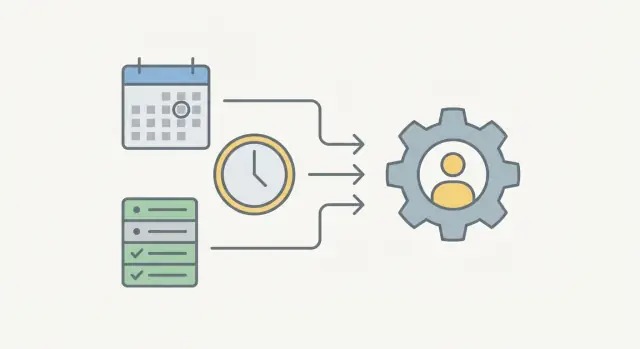
Cron is great on day one: write a line, pick a time, forget about it. For one server and one task, it often works.
The problems show up when you rely on scheduling for real product behavior: reminders, daily summaries, cleanup, or sync jobs. Most “missed run” stories aren’t cron failing. They’re everything around it: a server reboot, a deploy that overwrote crontab, a job that ran longer than expected, or a clock or time zone mismatch. And once you run multiple app instances, you can get the opposite failure mode: duplicates, because two machines think they should run the same task.
Testing is another weak spot. A cron line doesn’t give you a clean way to run “what would happen at 9:00 AM tomorrow” in a repeatable test. So scheduling turns into manual checks, production surprises, and log hunting.
Before you pick an approach, be clear about what you’re scheduling. Most background work falls into a few buckets:
Sometimes you can skip scheduling entirely. If something can happen right when an event occurs (a user signs up, a payment succeeds, a ticket changes status), event-driven work is usually simpler and more reliable than time-driven work.
When you do need time, reliability mostly comes down to visibility and control. You want a place to record what should run, what did run, and what failed, plus a safe way to retry without creating duplicates.
A simple way to avoid cron headaches is to split responsibilities:
Keeping those roles separate helps in two ways. You can change timing without touching business logic, and you can change business logic without breaking the schedule.
A jobs table becomes the source of truth. Instead of hiding state inside a server process or a cron line, every unit of work is a row: what to do, who it’s for, when it should run, and what happened last time. When something goes wrong, you can inspect it, retry it, or cancel it without guessing.
A typical flow looks like this:
run_at <= now and status = queued).The key idea is to make work resumable, not magical. If a worker crashes halfway through, the job row should still tell you what happened and what to do next.
A jobs table should answer two questions quickly: what needs to run next, and what happened last time.
Start with a small set of fields that cover identity, timing, and progress:
send_reminder or daily_summary.user_id, not the whole user object).queued, running, succeeded, failed, canceled.Then add a few operational columns that make concurrency safe and incidents easier to handle. locked_at, locked_by, and locked_until let one worker claim a job so you don’t run it twice. last_error should be a short message (and optionally an error code), not a full stack trace dump that bloats rows.
Finally, keep timestamps that help both support and reporting: created_at, updated_at, and finished_at. These let you answer questions like “How many reminders failed today?” without digging through logs.
Indexes matter because your system constantly asks “what’s next?” Two that usually pay for themselves:
(status, run_at) to fetch due jobs fast(type, status) to inspect or pause one job family during issuesFor payloads, prefer small, focused JSON and validate it before inserting the job. Store identifiers and parameters, not snapshots of business data. Treat the payload shape like an API contract so older queued jobs still run after you change your app.
A job runner stays reliable when every job follows a small, predictable lifecycle. That lifecycle is your safety net when two workers start at once, a server restarts mid-run, or you need to retry without creating duplicates.
A simple state machine is usually enough:
run_atTo prevent duplicates, claiming a job needs to be atomic. The common approach is a lock with a timeout (a lease): a worker claims a job by setting status=running and writing locked_by plus locked_until. If the worker crashes, the lock expires and another worker can reclaim it.
A practical claiming rule set:
run_at <= nowstatus, locked_by, and locked_until in the same updatelocked_until < nowIdempotency means: if the same job runs twice, the result is still correct.
The simplest tool is a unique key. For example, for a daily summary you can enforce one job per user per day with a key like summary:user123:2026-01-25. If a duplicate insert happens, it points to the same job rather than creating a second one.
Mark success only when the side effect is truly done (email sent, record updated). If you retry, the retry path must not create a second email or duplicate write.
Retries are where job systems either become dependable or turn into noise. The goal is straightforward: retry when a failure is likely temporary, stop when it isn’t.
A default retry policy usually includes:
Instead of inventing a new status for retries, you can often reuse queued: set run_at to the next attempt time and put the job back in the queue. That keeps the state machine small.
When a job can make partial progress, treat that as normal. Store a checkpoint so a retry can continue safely, either in the job payload (like last_processed_id) or in a related table.
Example: a daily summary job generates messages for 500 users. If it fails at user 320, store the last successful user ID and retry from 321. If you also store a summary_sent record per user per day, a rerun can skip users already done.
Log enough to debug in minutes:
A scheduler loop is a small process that wakes up on a fixed rhythm, looks for due work, and hands it off. The goal is boring reliability, not perfect timing. For many apps, “wake up every minute” is enough.
Pick your wake-up frequency based on how time-sensitive the jobs are and how much load your database can take. If reminders must be near-real-time, run every 30 to 60 seconds. If daily summaries can drift a bit, every 5 minutes is fine and cheaper.
A simple loop:
status = 'queued' and run_at <= now.The claim step is where many systems break. You want to mark a job as running (and store locked_by and locked_until) in the same transaction that selects it. Many databases support “skip locked” reads so multiple schedulers can run without stepping on each other.
-- concept example
BEGIN;
SELECT id FROM jobs
WHERE status='queued' AND run_at <= NOW()
ORDER BY run_at
LIMIT 100
FOR UPDATE SKIP LOCKED;
UPDATE jobs
SET status='running', locked_until=NOW() + INTERVAL '5 minutes'
WHERE id IN (...);
COMMIT;
Keep the batch size small (like 50 to 200). Bigger batches can slow down the database and make crashes more painful.
If the scheduler crashes mid-batch, the lease saves you. Jobs stuck in running become eligible again after locked_until. Your worker should be idempotent so a reclaimed job doesn’t create duplicate emails or double charges.
Most teams end up with the same three kinds of background work: messages that need to go out on time, reports that run on a schedule, and cleanup that keeps storage and performance healthy. The same jobs table and worker loop can handle all of them.
For reminders, store everything needed to send the message in the job row: who it’s for, which channel (email, SMS, Telegram, in-app), which template, and the exact send time. The worker should be able to run the job without “looking around” for extra context.
If many reminders are due at the same time, add rate limiting. Cap messages per minute per channel and let extra jobs wait for the next run.
Daily summaries fail when the time window is fuzzy. Pick one stable cutoff time (for example, 08:00 in the user’s local time), and define the window clearly (for example, “yesterday 08:00 to today 08:00”). Store the cutoff and the user time zone with the job so reruns produce the same result.
Keep each summary job small. If it needs to process thousands of records, split it into chunks (per team, per account, or by ID range) and enqueue follow-up jobs.
Cleanup is safer when you separate “delete” from “archive.” Decide what can be removed forever (temporary tokens, expired sessions) and what should be archived (audit logs, invoices). Run cleanup in predictable batches to avoid long locks and sudden load spikes.
Many failures are time bugs: a reminder goes out an hour early, a daily summary skips Monday, or cleanup runs twice.
A good default is to store schedule timestamps in UTC and store the user’s time zone separately. Your run_at should be one UTC moment. When a user says “9:00 AM my time,” convert that to UTC when scheduling.
Daylight saving time is where naive setups break. “Every day at 9:00 AM” is not the same as “every 24 hours.” On DST shifts, 9:00 AM maps to a different UTC time, and some local times don’t exist (spring forward) or happen twice (fall back). The safer approach is to compute the next local occurrence each time you reschedule, then convert it to UTC again.
For a daily summary, decide what “a day” means before you write code. A calendar day (midnight to midnight in the user’s time zone) matches human expectations. “Last 24 hours” is simpler but drifts and surprises people.
Late data is inevitable: an event arrives after a retry, or a note is added a few minutes after midnight. Decide whether late events belong to “yesterday” (with a grace period) or “today,” and keep that rule consistent.
A practical buffer can prevent misses:
Most pain comes from a few predictable assumptions.
The biggest is assuming “exactly once” execution. In real systems, workers restart, network calls time out, and locks can be lost. You typically get “at least once” delivery, which means duplicates are normal and your code must tolerate them.
Another is doing effects first (send email, charge card) without a dedupe check. A simple guard often solves this: a sent_at timestamp, a unique key like (user_id, reminder_type, date), or a stored dedupe token.
Visibility is the next gap. If you can’t answer “what is stuck, since when, and why,” you’ll end up guessing. The minimum data to keep close is status, attempt count, next scheduled time, last error, and worker id.
The mistakes that show up most often:
A concrete example: a daily summary job loops over 50,000 users and times out at user 20,000. On retry, it starts over and sends summaries again to the first 20,000 unless you track per-user completion or split it into per-user jobs.
A job runner is only “done” when you can trust it at 2 a.m.
Make sure you have:
run_at in UTC; convert only at input and display.Also cap batch size (how many jobs you claim at once) and worker concurrency (how many run at the same time). Without caps, one spike can overload your database or starve other work.
A small SaaS tool has 30 customer accounts. Each account wants two things: a 9:00 AM reminder for any open tasks, and a 6:00 PM daily summary of what changed today. They also need weekly cleanup so the database doesn’t fill up with old logs and expired tokens.
They use a jobs table plus a worker that polls for due jobs. When a new customer signs up, the backend schedules the first reminder and summary runs based on the customer’s time zone.
Jobs get created at a few common moments: on signup (create recurring schedules), on certain events (enqueue one-off notifications), on a schedule tick (insert upcoming runs), and on maintenance day (enqueue cleanup).
One Tuesday, the email provider has a temporary outage at 8:59 AM. The worker tries to send reminders, gets a timeout, and reschedules those jobs by setting run_at using backoff (for example, 2 minutes, then 10, then 30), incrementing attempts each time. Because each reminder job has an idempotency key like account_id + date + job_type, retries don’t produce duplicates if the provider recovers mid-flight.
Cleanup runs weekly in small batches, so it doesn’t block other work. Instead of deleting a million rows in one job, it deletes up to N rows per run and reschedules itself until done.
When a customer complains “I never got my summary,” the team checks the jobs table for that account and day: the job status, the attempt count, the current lock fields, and the last error returned by the provider. That turns “it should have sent” into “here’s exactly what happened.”
Pick one job type and build it end to end before adding more. A single reminder job is a good starter because it touches everything: scheduling, claiming due work, sending a message, and recording outcomes.
Start with a version you can trust:
Once it runs, make it observable for humans. Even a basic admin view pays off quickly: search jobs by status, filter by time, inspect payload, cancel a stuck job, rerun a specific job id.
If you prefer building this kind of scheduler and worker flow with visual backend logic, AppMaster (appmaster.io) can model the jobs table in PostgreSQL and implement the claim-process-update loop as a Business Process, while still generating real source code for deployment.
 When should I stop using cron for background jobs?
Use cron for a small, isolated task on one server. Move to a jobs table and workers when jobs affect users, need retries, run across several app instances, or require a clear audit trail.
What should a jobs table store?A jobs table records each task, its run time, status, attempts, and result. It gives your team one place to inspect failed reminders, retry work, or cancel a task without editing server configuration.
How should I handle user time zones?Store timestamps in UTC, then keep each user's time zone separately. Convert a requested local time into UTC when you create the job, and calculate the next local occurrence again after each run.
How do I prevent two workers from running the same job?Use an atomic claim with a lease. A worker changes a due job to running and records who owns it and when the lock expires, so another worker cannot take it at the same time.
What does idempotency mean for a job?Make each side effect idempotent. For example, give each reminder a unique identifier based on the recipient, reminder type, and date, then check that identifier before sending again.
Which job failures should I retry?Retry temporary problems such as provider timeouts with a limited number of attempts and increasing delays. Stop retrying invalid input or missing records, then save a short error message for someone to review.
How do I deal with daylight saving time?Treat a daily schedule as a local calendar time, not a fixed 24-hour interval. On each run, calculate the next 9:00 AM in the user's time zone and convert that moment to UTC.
How can I run a large cleanup or summary safely?Break large work into smaller jobs, such as one per account or ID range. Save progress as you go, so a retry can continue without repeating completed work or timing out again.
What should I monitor in a job system?Track queued, running, succeeded, failed, and canceled jobs, along with attempt counts, lock details, and the last error. You should also see the oldest queued job and any jobs that have held a lock too long.
Can I build this job workflow without writing backend code?AppMaster can model the jobs table in PostgreSQL and build the scheduler, claim, processing, and update flow with visual backend logic. You can create the application without code while still deploying generated source code where you need it.
Experiment with AppMaster with free plan.
When you will be ready you can choose the proper subscription.
 Jul 14, 20268 min
 Jul 13, 20268 min
 Jul 08, 20268 min