


 Jul 14, 2026
 8 min
8 minEquipment reservation app: prevent conflicts and track returns
Plan an equipment reservation app that prevents double bookings, records returns and damage, and places faulty items on maintenance hold.

Rate limiting for public APIs that stops abuse without blocking real users: practical limits, per-key quotas, lockouts, and rollout tips.
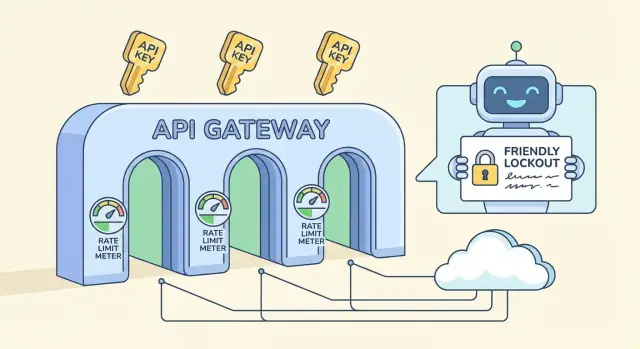
Rate limiting for public APIs isn't about punishing users. It's a safety valve that keeps your service available when traffic gets weird, whether that "weird" is malicious or just a client bug.
"Abuse" often looks normal at first: a scraper that walks every endpoint to copy data, brute-force login attempts, token stuffing against auth routes, or a runaway client that retries the same request in a tight loop after a timeout. Sometimes nobody is attacking you at all. A mobile app update ships with a bad caching rule and suddenly every device polls your API every second.
The job is straightforward: protect uptime and control costs without blocking real users doing normal work. If your backend is metered (compute, database, email/SMS, AI calls), one noisy actor can turn into a real bill fast.
Rate limiting on its own also isn't enough. Without monitoring and clear error responses, you get silent failures, confused customers, and support tickets that sound like "your API is down" when it's really throttling.
A complete guardrail usually has a few separate pieces:
If you're building an API backend on a platform like AppMaster, these rules still matter. Even with clean, regenerated code, you'll want protective defaults so one bad client doesn't take your whole service with it.
These terms get mixed together, but they solve different problems and feel different to users.
A rate limit is a speed limit: how many requests a client can make in a short window (per second, per minute). A quota is a budget: total usage over a longer period (per day, per month). A concurrency limit caps how many requests can be in progress at once, which is useful for expensive endpoints even when the request rate looks normal.
Where you attach the limit matters:
Soft throttling slows the client down (delays, lower burst capacity) so they can recover without breaking workflows. Hard blocking rejects requests immediately, usually with HTTP 429.
A lockout is stronger than a normal 429. A 429 says "try again soon." A lockout says "stop until a condition is met," such as a cool-down period, a manual review, or a key reset. Reserve lockouts for clear abuse signals (credential stuffing, aggressive scraping, repeated invalid auth), not normal traffic spikes.
If you're building an API with a tool like AppMaster, treat these as separate controls: short-window limits for bursts, longer quotas for cost, and lockouts only for repeated bad behavior.
Good limits start with one goal: protect the backend while letting normal users finish their work. You don't need perfect numbers on day one. You need a safe baseline and a way to adjust it.
A simple starting point is a per-API-key limit that matches the kind of API you run:
Then split limits by endpoint type. Reads are usually cheaper and can take higher limits. Writes change data, often trigger extra logic, and deserve tighter caps. A common pattern is something like 1,000/min for GET routes but 100-300/min for POST/PUT/DELETE.
Also identify expensive endpoints and treat them separately. Search, report generation, exports, file uploads, and anything that hits multiple tables or runs heavy business logic should have a smaller bucket even if the rest of the API is generous. If your backend uses visual workflows (for example, Business Process flows), each added step is real work that multiplies under load.
Plan for bursts with two windows: a short window to absorb quick spikes, plus a longer window that keeps sustained usage in check. A common combo is 10 seconds plus 10 minutes. It helps real users who click fast, without giving scrapers unlimited speed.
Finally, decide what happens when the client exceeds the limit. Most public APIs return HTTP 429 with a clear retry time. If the work is safe to delay (like an export), consider queueing it instead of hard-blocking so real users still get results.
Per-key quotas are usually the fairest approach because they match how customers actually use your service: one account, one API key, clear responsibility. IP-based limits are still useful, but they often punish innocent users.
Shared IPs are the big reason. A whole office may exit through one public IP, and mobile carriers can put thousands of devices behind a small pool of IPs. If you rely on per-IP caps, one noisy user can slow down everyone else. A per-key quota avoids that, and you can keep a light per-IP limit as a backstop for obvious floods.
To make quotas feel fair, tie them to customer tiers without trapping new users. A free or trial key should work for real testing, just not at a scale that hurts you. A simple pattern is generous bursts, a modest sustained rate, and a daily quota that matches the plan.
A per-key policy that stays predictable:
To discourage key sharing and automated signups, you don't need heavy surveillance. Start with simple checks like unusual geo changes, too many distinct IPs per hour for one key, or many new keys created from the same source. Flag and slow down first; lock out only after repeated signals.
Anonymous traffic is where stricter caps make sense. If you offer trial keys, rate-limit them tightly and require a basic verification step before raising limits. If your API powers a public form, consider a separate anonymous endpoint with its own quota so the rest of your backend stays protected.
If you build your API with a platform like AppMaster, per-key logic is easier to keep consistent because auth, business rules, and response handling live in one place.
Rate limiting only works long term if clients can understand what happened and what to do next. Aim for responses that are boringly predictable: same status code, same fields, same meaning across endpoints.
When a client hits a limit, return HTTP 429 (Too Many Requests) with a clear message and a concrete wait time. The fastest win is adding Retry-After, because even simple clients can pause correctly.
A small set of headers makes limits self-explanatory. Keep names consistent and include them on both successful responses (so clients can pace themselves) and 429 responses (so clients can recover):
Retry-After: seconds to wait before retryingX-RateLimit-Limit: current allowed requests per windowX-RateLimit-Remaining: requests left in the current windowX-RateLimit-Reset: when the window resets (epoch seconds or ISO time)X-RateLimit-Policy: short text like "60 requests per 60s"Make the error body as structured as your success responses. One common pattern is an error object with a stable code, a human-friendly message, and recovery hints.
{
  "error": {
    "code": "rate_limit_exceeded",
    "message": "Too many requests. Please retry after 12 seconds.",
    "retry_after_seconds": 12,
    "limit": 60,
    "remaining": 0,
    "reset_at": "2026-01-25T12:34:56Z"
  }
}
Tell clients how to back off when they see 429s. Exponential backoff is a good default: wait 1s, then 2s, then 4s, and cap it (for example, at 30-60 seconds). Also be explicit about when to stop retrying.
Avoid surprises near quotas. When a key is close to a cap (say 80-90% used), include a warning field or header so clients can slow down before they start failing. This matters even more when one script can hit multiple routes quickly and burn through budget faster than expected.
A rollout works best when you treat limits as a product behavior, not a one-off firewall rule. The goal is the same throughout: protect the backend while keeping normal customers moving.
Start with a quick inventory. List every endpoint, then mark each by cost (CPU, database work, third-party calls) and risk (login, password reset, search, file upload). That prevents you from applying one blunt limit everywhere.
A rollout order that usually avoids surprises:
Keep the first release conservative. It's easier to loosen later than to unblock angry users.
Monitor and tune, then version your policy. Track how many requests hit limits, which endpoints trigger it, and how many unique keys are affected. When you change numbers, treat it like an API change: document it, roll it out gradually, and keep old and new rules separated so you can roll back fast.
If you build your API with AppMaster, plan these rules alongside your endpoints and business logic so limits match the real cost of each workflow.
Lockouts are the seatbelt. They should stop obvious abuse quickly, but still give normal users a clear path to recover when something goes wrong.
A calm approach is progressive penalties. Assume the client might be misconfigured, not malicious, and escalate only if the same pattern repeats.
Use a small set of steps that are easy to explain and easy to implement:
Choosing what to lock matters. Per API key is usually fairest because it targets the caller, not everyone behind a shared network. Per account helps when users rotate keys. Per IP can help with anonymous traffic, but it causes false positives for NATs, offices, and mobile carriers. When abuse is serious, combine signals (for example, lock the key and require extra checks for that IP), but keep the blast radius small.
Make lockouts time-based with simple rules: "blocked until 14:05 UTC" and "resets after 30 minutes of good behavior." Avoid permanent bans for automated systems. A buggy client can loop and burn through limits fast, so design penalties to decay over time. A sustained low-rate period should reduce the penalty level.
If you're building your API in AppMaster, this ladder maps well to stored counters plus a Business Process that decides allow, slow, or block and writes the unlock time for the key.
For repeat offenders, keep a manual review path. Don't argue with users. Ask for request IDs, timestamps, and the API key name, then decide based on evidence.
False positives are when your defenses block normal users. They usually happen when the rules are too simple for the way people actually use your API.
A classic mistake is one global limit for everything. If you treat a cheap read endpoint and an expensive export the same, you either overprotect the cheap one (annoying) or underprotect the expensive one (dangerous). Split limits by endpoint cost and make the heavy paths stricter.
IP-only limiting is another common trap. Many real users share one public IP (offices, schools, mobile carriers, cloud NAT). One heavy user can get everyone blocked, and it looks like random outages. Prefer per-API-key limits first, then use IP as a secondary signal for obvious abuse.
Failures can also create false positives. If your limiter store is down, "fail closed" can take your whole API down. "Fail open" can invite a spike that takes your backend down anyway. Pick a clear fallback: keep a small emergency cap at the edge, and degrade gracefully on non-critical endpoints.
Client handling matters more than most teams expect. If you return a generic 429 without a clear message, users retry harder and trigger more blocks. Always send Retry-After, and keep the error text specific ("Too many requests for this key. Try again in 30 seconds.").
The most avoidable issue is secrecy. Hidden limits feel like bugs when customers hit production load for the first time. Share a simple policy and keep it stable.
Quick checklist for avoiding false positives:
Retry-AfterIf you build your API with a tool like AppMaster, this often means setting different caps per endpoint and returning consistent error payloads so clients can back off without guessing.
Rate limiting only works if you can see what's happening in real time. The goal isn't to catch every spike. It's to spot patterns that turn into outages or angry users.
Start with a small set of signals that explain both volume and intent:
To separate "bad traffic" from "we shipped something," add context to dashboards: deploy time, feature flag changes, marketing sends. If traffic jumps right after a release and the 429/5xx mix stays healthy, it's usually growth, not abuse. If the jump is concentrated in one key, one IP range, or one expensive endpoint, treat it as suspicious.
Alerts should be boring. Use thresholds plus cooldowns so you don't get paged every minute for the same event:
When an alert fires, keep a short incident note: what changed, what you saw (top keys/endpoints), and what you adjusted (limits, caches, temporary blocks). Over time, those notes become your real playbook.
Example: you launch a new search endpoint and traffic doubles. If most calls hit that endpoint across many keys, raise the per-key quota slightly and optimize the endpoint. If one key hits export nonstop and drives latency up, cap that endpoint separately and contact the owner.
A good setup is boring when it works. This checklist catches the issues that usually create false positives or leave obvious gaps.
Run these checks in staging and again right after launch:
If you're building on AppMaster, treat each new API endpoint as a cost-tier decision: a simple lookup can be generous, while anything that triggers heavy business logic should start stricter.
Protect the backend while letting real users recover:
Before increasing limits for a customer, check their normal request pattern, endpoint mix, and whether they can batch or add backoff. Also confirm they're not sharing one key across many apps.
Monthly, review: top limited endpoints, percent of traffic hitting limits, new high-cost routes, and whether your quotas still match real usage.
Imagine you run a public API used by two apps: a customer portal (high volume, steady traffic) and an internal admin tool (low volume, but powerful actions). Both use API keys, and the portal also has a login endpoint for end users.
One afternoon, a partner ships a buggy integration. It starts retrying failed requests in a tight loop, sending 200 requests per second from a single API key. Without guardrails, that one key can crowd out everyone else.
Per-key limits contain the blast radius. The buggy key hits its per-minute cap, gets a 429 response, and the rest of your customers keep working. You might also have a separate, lower limit for expensive endpoints (like exports) so even "allowed" traffic can't overload the database.
At the same time, a brute-force login attempt starts hammering the auth endpoint. Instead of blocking the whole IP range (which can hit real users behind NAT), you slow it down and then lock it out based on behavior: too many failed attempts per account plus per IP over a short window. The attacker gets progressively longer waits, then a temporary lock.
A real customer who mistyped their password a few times can recover because your responses are clear and predictable:
Retry-After so the client knows when to try againTo confirm the fix, you watch a few metrics:
This is what protective rate limiting looks like when it shields your backend without punishing normal users.
You don't need a perfect model on day one. Start with a small, clear policy and improve it as you learn how real users behave.
A solid first version usually has three parts:
Add lockouts only where abuse risk is high and intent is easy to infer. Signup, login, password reset, and token creation are typical candidates. Keep lockouts short at first (minutes, not days), and prefer progressive friction: slow down, then temporarily block, then require a stronger check.
Write the policy down in plain language so support can explain it without engineering help. Include what is limited (per API key, per IP, per account), the reset window, and how a customer can recover.
If you're implementing this while building a new backend, AppMaster can be a practical fit: you can create APIs, define business workflows (including counters and lockout decisions) visually, then deploy to cloud providers or export the generated source code when you need full control.
 Why does a public API need rate limiting?
Rate limiting keeps one client, script, or attack from using enough resources to slow down everyone else. It protects uptime and helps control costs for database work, messages, file processing, and other paid services.
What is the difference between a rate limit and a quota?A rate limit controls request speed over a short period, such as requests per minute. A quota controls total usage over a longer period, such as per day or month. Use both when you need to manage bursts and sustained use.
Should I limit requests by IP address or API key?Use the API key as the main identifier when clients authenticate with keys. It ties usage to the caller and avoids blocking an entire office or mobile network because many people share one IP address.
How do I choose a sensible starting limit?Start with a safe per-key baseline, then adjust it by endpoint cost. For example, allow more requests for simple reads and fewer for writes, exports, searches, uploads, and routes that call outside services.
What should my API return when a client exceeds a limit?Return HTTP 429 with a short message and a concrete wait time. Include a Retry-After header so clients know when they may retry, and keep the error format consistent across the API.
How should clients handle HTTP 429 responses?Use exponential backoff: retry after a short wait, then increase the wait after each 429. Stop retrying after a reasonable cap or when the request no longer makes sense, rather than sending a tight retry loop.
Which endpoints need stricter limits?Apply lower limits to routes that use more CPU, database queries, storage, or third-party calls. Search, reports, bulk exports, uploads, login, password reset, and token creation usually need their own rules.
When should I use a lockout instead of normal throttling?Use a lockout only for repeated signals that point to abuse, such as many failed logins, credential stuffing, or ongoing scraping after throttling. Begin with a short, time-based lockout and give the caller an exact unlock time.
How can I reduce false positives from rate limiting?Set limits by API key or account first, then use IP rules as a secondary flood check. Separate cheap routes from expensive ones, send Retry-After, and keep an allowlist for trusted monitoring or internal systems.
What metrics should I monitor after launching limits?Track request volume, 429 and 5xx rates, repeated authentication failures, top API keys, and costly endpoints. When a limit fires often, check whether a release, a client bug, or one abusive caller caused the traffic before changing the policy.
Experiment with AppMaster with free plan.
When you will be ready you can choose the proper subscription.
 Jul 14, 20268 min
 Jul 13, 20268 min
 Jul 08, 20268 min