


 Jul 14, 2026
 8 min
8 minEquipment reservation app: prevent conflicts and track returns
Plan an equipment reservation app that prevents double bookings, records returns and damage, and places faulty items on maintenance hold.

Property inspection app for landlords that works offline: use checklists, photo annotations, and auto-generated reports for move-in and move-out.
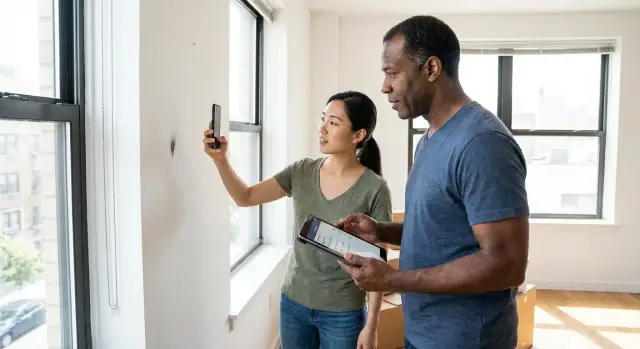
Move-in and move-out inspections break down for one main reason: the record usually isn’t clear enough to settle questions later. A paper checklist, a few unlabeled photos, and quick notes can feel “good enough” during the walkthrough, then fall apart when money is on the line.
Paper forms and loose photos create gaps. Images get mixed between units, timestamps go missing, and no one remembers what “small mark by door” meant two weeks later. When a tenant disputes a charge, the argument shifts from condition to context.
Walkthroughs are also easy to rush. People focus on the big, visible items and miss the repeat offenders that often matter most during deposit discussions: appliance interiors (oven, fridge shelves, dishwasher filter), window tracks and screens, baseboards and door frames, bathroom grout and fans, smoke detectors, and any provided keys or fobs.
Another issue is inconsistent wording. One person writes “good,” another writes “ok,” and a third writes “clean.” None of those describe what was actually seen. Clear notes like “no stains, no chips, working” or “two 1-inch scuffs near handle” leave less room for interpretation.
The real cost shows up after the walkthrough. One unclear note can trigger days of back-and-forth messages, extra photos, and even a re-inspection. That time adds up fast across multiple units, and it can slow turnover work.
A property inspection app for landlords helps because it forces structure: the same checklist every time, photos tied to the right room, and notes that match what you captured. When the process is consistent, disputes get shorter and decisions get easier.
A good property inspection app for landlords should do two things well: help you capture facts quickly during a walkthrough, and help you prove those facts later if there’s a dispute.
Start with offline behavior. Basements, stairwells, and older buildings can kill reception. The app should let you complete the whole inspection offline and sync later without losing details. It also helps if each entry keeps basic proof like capture time and, when available, device location.
Next, photos should be more than a camera roll. You want each photo tied to a specific room and item, with fast notes right on the image when needed (for example, circling a countertop chip and adding “2 cm, move-in”). That structure matters when you compare move-in vs move-out.
Look for flexible forms. Templates save time, but every property has quirks. The best tools let you add fields like “key fob count,” “parking pass number,” or “smoke alarm test result” without turning the checklist into a mess.
Prioritize the basics: room-based checklists with customizable fields, photo annotations linked to checklist items, offline mode with clean sync, one-tap report generation after the walkthrough, and searchable storage for past inspections (by address, unit, date, tenant).
Finally, test the report flow. After a 30-minute walkthrough, you should be able to produce a readable move-in move-out inspection report on the spot, not “sometime later.”
An offline checklist only works if someone can finish it in a normal walkthrough. The goal isn’t to record every tiny detail. It’s to capture consistent, comparable notes you can trust later, even when the building has no signal.
Start with a room-by-room flow that matches how people naturally walk a unit. Make the first screen a simple list of areas (entry, kitchen, living room, bathrooms, bedrooms, balcony, storage). Inside each room, group items the same way every time (floors, walls, ceiling, windows, fixtures, appliances). Once the order becomes muscle memory, fewer items get missed.
Keep condition choices consistent across the whole checklist. Four options is usually enough: New, Good, Worn, Damaged. When everyone uses the same labels, reports are easier to compare across properties and across time.
Make a few items required so you don’t leave without the essentials. Common examples are smoke and CO alarms checked, keys counted (with types noted), meter readings recorded, utilities tested (water, heat, lights), and safety issues flagged.
Then leave space for exceptions. Optional notes are where reality fits: a faint odor, an old stain that isn’t worth repairing yet, or a cabinet door that sticks only sometimes. A good offline inspection checklist app should let you add a quick note without turning the checklist into a writing task.
A practical rule: if your checklist takes more than 15 to 20 minutes for a small unit, it’s too long. Trim repeated items, merge similar checks, and move rare scenarios into an optional section.
Example: In the kitchen, you might mark “Worn” for countertop, add a short note (“small burn mark by stove”), and move on. Later, your inspection record turns that into a clean, consistent baseline.
A good inspection process should feel the same every time. Create a clear baseline at move-in, then repeat the same path at move-out so the comparison is fair.
Set up the property file before you arrive. Pick the right building and unit, confirm the tenant name and date, and make sure your checklist matches the property type (studio vs. 3-bed, furnished vs. unfurnished). If you expect weak reception, switch to offline mode and confirm the checklist is available on your device.
A practical flow that works in real apartments and single-family homes:
Keep notes specific. “Scratch on living room wall, 30 cm above baseboard, near window” is stronger than “wall scuffed.” If your tool supports photo annotations for property inspections, circle the exact spot so it’s obvious months later.
For move-out, repeat the same route and the same checklist. Your report should show move-in condition next to move-out condition, with dated photos, so differences stand out without debate.
A photo only helps if you can understand it months later, under stress, with someone arguing the details. The goal is simple: make every image easy to place (where), easy to interpret (what), and easy to connect to the record (why it matters).
Use consistent labels that include the room and the exact item. “Bedroom 2 - Window frame - paint chip” beats “IMG_1048.” If your app allows captions, keep them brief and factual. Skip judgments like “tenant damage.” Write what you see: “2 cm scratch on lower right corner.”
Use annotations only when they add clarity. A quick circle around a stain, an arrow to a cracked tile, and a one-line note can prevent arguments about what the photo was meant to show. If the issue is obvious, keep the image clean and let the caption do the work.
Scale is where many disputes start. One close-up can make a tiny mark look huge. Take a wide shot first, then a close-up. Include a simple size reference (coin, key, ruler). Photograph the item in context (door plus frame, not just the chip). Keep lighting consistent when you can.
Most importantly, keep each photo tied to one checklist item. If you’re documenting “Living room - North wall - scuff,” attach the photos there, not in a general gallery. Later, your report reads like a map: item, proof, notes.
Avoid duplicates. Two to three images per issue is usually enough: wide, close, and scale. Ten nearly identical photos make reports harder to review and easier to challenge.
A good report is what turns an inspection into evidence. If your property inspection app for landlords can produce auto-generated inspection reports in seconds, you’re more likely to run inspections on time and keep records consistent.
At minimum, the report should include property and unit details, inspection dates and type (move-in or move-out) with start and end time, attendees, the full room-by-room checklist with condition ratings and comments, and photos tied to each item with short captions.
Auto-fill matters more than it sounds. The report should pull the address, unit, tenant name, and inspection type from a single source so you don’t end up with “Unit 3B” in the checklist and “Unit 38” in the header. Small mismatches like that can turn into big arguments later.
Make space for summary notes and agreed actions. A short “What happens next” block helps: what needs cleaning, what needs repair, who is responsible, and target dates. “Replace cracked bedroom window latch by Feb 10, landlord to schedule” is clearer than “fix latch.”
Choose an export format your process can handle. PDF is usually easiest for signatures and disputes. Team sharing can work too, as long as the report stays locked and timestamped.
Store reports with a strict naming convention so you can find them fast. Keep the report and its photos together, not scattered in a camera roll. A simple format like Address_Unit_YYYY-MM-DD_MoveIn (or MoveOut) is usually enough.
An inspection tool isn’t just about checkboxes. It needs clear accountability so your move-in and move-out records are hard to question later.
Start by separating roles. A landlord, a property manager, and a maintenance tech don’t need the same screens or permissions. The manager might run the inspection, maintenance might add repair notes, and the landlord might only review and approve the final report.
Keep role access simple. For example: landlord (read-only, approve, export), property manager (create inspections, edit items, collect signatures), maintenance (add comments and photos, mark fixes completed), tenant (review, comment, sign or initial).
Tenant confirmation matters most when someone disagrees. Let tenants add short comments per room or item (for example, “small chip already here”), and support both a full signature and initials on key sections.
Multiple occupants are a common source of confusion. If two roommates move in, capture two names, two signatures, and a clear note of who was present. If one person can’t attend, record it plainly and don’t make it look like they approved.
Finally, you need a basic audit trail: who changed what and when. If a photo caption is edited after the inspection, that timestamp should be visible.
Before the report goes out, add one gate: manager completes the inspection, landlord (or lead manager) reviews, then the final report is locked and shared. After a move-out, that might look like: manager uploads photos of wall scuffs, the tenant adds a comment, then the landlord approves the final version before deposit decisions are documented.
Most disputes aren’t about whether damage exists. They’re about whether your records clearly show what was there, when it was there, and who agreed to it. A property inspection app for landlords only helps if the information is specific and consistent.
One common trap is treating the inspection like a quick walk-through, then relying on memory later. Photos without context are almost as weak as no photos. If a picture doesn’t show which room it is, what you’re pointing at, and how big the issue is, it’s easy to challenge.
Mistakes that most often weaken records:
A simple example: you photograph a stain on the living room carpet at move-in, but you only take a close-up. At move-out, the tenant claims it’s a different spot. A wide shot from the doorway plus a close-up with “by balcony door, left corner” usually ends the argument.
If your current tool makes consistency hard, standardize one template and lock it. Consistency beats a “perfect” checklist that no one finishes.
A great inspection starts before you open the front door. Five minutes of prep can save you an hour later, especially when you need a clean move-in move-out inspection report and you’re tired, in a hurry, or stuck with weak reception.
Before you walk in, do a quick check: confirm your phone has power and storage, verify you selected the correct unit and tenant details, load the right template (studio vs. house, furnished vs. unfurnished), test offline mode by switching to airplane mode briefly, and decide a simple naming rule (for example: “2026-01-Unit12B-MoveIn”).
Then do one last practical step: clean your camera lens and stick to the same photo orientation in every room. Consistent photos are easier to compare at move-out.
Example: You arrive at a basement unit where service drops out. Because you tested offline mode, you can still capture photos, mark “living room wall scuff” with a quick note, and the app saves everything until you’re back online.
A landlord manages a small one-bedroom apartment. During move-in, the place is clean, but there’s minor existing wear: a wall scuff near the sofa area and a tiny chip on the kitchen countertop edge. Using an inspection app, they start a move-in template and walk room by room.
The building has poor reception, so the inspector switches to offline mode. The checklist still opens, photos save on the device, and each item shows as completed even without a signal. When they’re back outside, the app syncs everything.
For the wall scuff, they take a wide photo plus a close-up and add an annotation: “Living room, north wall, 3 cm scuff, existing at move-in.” For the countertop chip, they snap a close-up with a coin for scale and add: “Kitchen, right of sink, 5 mm chip, existing.” Those notes matter because they tie the photo to a specific place and purpose.
Right after the walkthrough, the move-in report is generated and ready to share. It includes the basics (date and time, property and unit details, inspection type), the room-by-room checklist, photos grouped by room, a short summary of pre-existing damage, and space for tenant confirmation and signatures.
At move-out, the same checklist is reused. The app shows the move-in photos next to new ones, so comparisons are fast. If the wall scuff is unchanged, it’s marked “same as move-in” in seconds. If the countertop chip has grown, the report clearly shows the before and after, which keeps the conversation focused on facts.
If you want inspections to be fast and defensible, treat them like a repeatable process, not a one-off chore. Pick one template and use it on your next inspection, even if it isn’t perfect. You’ll learn more in one real walkthrough than in a week of tweaking fields.
Standardize wording and condition choices across all properties. Small differences like “good” vs “OK” create arguments later because people read them differently. Use a short, fixed set of options (for example: New, Good, Fair, Needs repair) and add notes only when something is unusual.
Lock in a few decisions this week: one move-in template and one move-out template, consistent room naming, a simple photo rule (what to photograph and how many), and one place where the full record lives (report plus photos plus signatures). Run two or three inspections, then update the template based on what you actually used.
Storage and retention matter more than most landlords expect. Keep records for the length of the tenancy plus a buffer, so you’re covered if a dispute shows up later.
If you can’t find an app that matches your workflow, building a lightweight one can be easier than forcing generic software to fit. AppMaster (appmaster.io) is a no-code platform that can generate production-ready web and mobile apps with a database and consistent reporting, which can be useful if you want your own templates, roles, and inspection records in one place.
After a few runs, ask one question: what did you skip under time pressure? Remove or simplify those fields. The best process is the one you’ll actually finish.
 What’s the biggest reason move-in and move-out inspections end up in disputes?
Start by making sure each photo is tied to a specific room and checklist item, with a short factual note that includes location and size. Wide shot plus close-up (with a simple scale reference) usually removes most ambiguity later.
Do I really need an inspection app that works offline?Yes, it matters a lot. Offline mode prevents missing notes and photos in basements, stairwells, and older buildings, and it keeps the inspection flow consistent so you don’t “fill in the gaps” later from memory.
How do I build an inspection checklist people will actually finish?Use a room-by-room structure that matches how you naturally walk the unit, and keep condition options consistent across every room. Make a few essentials required (like alarms and key counts), then keep everything else quick so the checklist doesn’t feel like a writing assignment.
How many condition ratings should a checklist have?Pick a small set that everyone uses the same way, such as New, Good, Worn, and Damaged. The value isn’t the perfect word; it’s that the same labels are used at move-in and move-out so comparisons are clear.
What’s a simple move-in inspection workflow that stays consistent?Start at the entry and move in one direction, room by room, using the same order every time. Take photos as you mark each item, add a short note right away, then review the summary with the tenant before saving and locking the report.
When should I use photo annotations, and when should I skip them?Use annotations only when they clarify what the photo is meant to show, like circling a small chip or pointing to a hairline crack. Keep the caption factual (what and where), and avoid judgmental labels like blaming a tenant in the photo text.
Why do I need both wide and close-up photos?Wide shots establish context, and close-ups capture detail, so together they’re harder to argue with. Adding a quick size reference prevents a tiny mark from looking huge or an issue from being dismissed as “too small to matter.”
What should an auto-generated inspection report include?At minimum, include property and unit details, inspection type and date, attendees, a room-by-room checklist with ratings and comments, and photos attached to each item with brief captions. A short summary of next actions also helps keep expectations clear.
How do tenant signatures and comments protect me later?Collect a signature (or initials on key sections) after reviewing the inspection together, and allow the tenant to add short item-level comments. If multiple occupants are involved, capture each person’s name and signature, and note clearly if someone was not present.
Can I build my own landlord inspection app instead of using a generic tool?If you need a custom workflow, start with your data model (properties, units, tenants, inspections, rooms, photos, signatures) and then build a simple mobile-first form that works offline and generates a consistent report. A no-code platform like AppMaster can help you create a tailored web and mobile app with a database and role-based access so your process matches how your team actually works.
Experiment with AppMaster with free plan.
When you will be ready you can choose the proper subscription.
 Jul 14, 20268 min
 Jul 13, 20268 min
 Jul 08, 20268 min