


 Jul 14, 2026
 8 min
8 minEquipment reservation app: prevent conflicts and track returns
Plan an equipment reservation app that prevents double bookings, records returns and damage, and places faulty items on maintenance hold.

Nail salon membership tracker that shows prepaid sessions, remaining visits, and renewal dates so staff can answer clients in seconds.
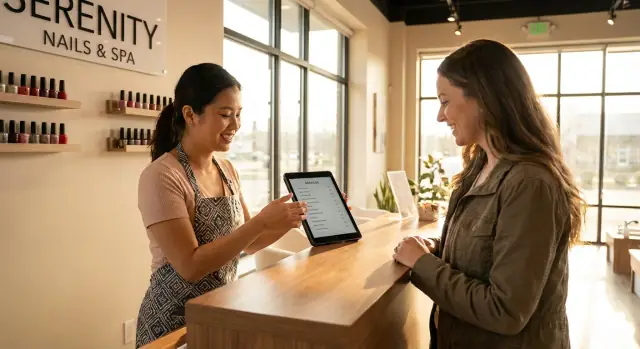
Most nail salons hear the same question all day: “How many do I have left?” It happens at check-in, again when the client is choosing services, and sometimes at checkout when they are deciding whether to renew.
The trouble is that the answer is often scattered. One client has a punch card in their wallet. Another has a note in a paper file. Someone else was tracked in a spreadsheet that only one person knows how to update. When the salon is busy, those systems break fast.
Here’s what usually goes wrong with paper notes, punch cards, and spreadsheets:
Slow answers don’t just waste a minute. They chip away at trust. If a client feels like they have to argue for sessions they already paid for, the front desk becomes tense, tips can suffer, and renewals become harder.
An “instant answer” in a busy salon means this: within a few seconds, any staff member can pull up a client record and see remaining visits, what was used last, and whether anything is expiring soon. No guessing, no “let me ask the manager,” and no flipping through notes while the line grows.
A nail salon membership tracker makes that possible when it is designed for real life, not perfect data entry. If you build it as a simple no-code tool (for example in AppMaster), the goal is not fancy features. It’s one clean place to look so the front desk can answer confidently, every time.
A tracker only works when everyone can read it the same way. Start by deciding what you sell: a package is usually a one-time prepaid bundle (like 5 manicures), while a membership is ongoing (like 2 visits per month). Your nail salon membership tracker should make that difference obvious at a glance.
For packages, the core is simple: how many sessions were purchased, how many were used, and how many are left. If you charge different prices for different services, also track the value left (money remaining) so you can handle upgrades without guessing.
For memberships, the key dates matter as much as the visits. A membership needs a start date, a renewal date (or billing cycle), and an expiry date if it ends after a set term. If visits reset monthly, store the allowance and the current cycle balance so staff do not subtract from the wrong month.
Here’s the minimum set of fields most salons need:
Finally, decide your rules for edge cases before you start tracking. Will you allow free bonus visits (like “buy 5 get 1”)? If yes, record them separately so they do not look like paid sessions. Will you allow refunds, pauses, or transfers to another client? If you allow any of these, add a clear “adjustment” record (who, when, why) so the front desk can explain the balance in one sentence without arguing or backtracking.
A nail salon membership tracker stays calm when it separates three things that often get mixed up: who the client is, what they bought, and what they used.
Start with a clean client profile. Keep it focused on the details staff need in the moment: phone and email for quick lookup, a notes field for preferences or allergies, and a couple of consent fields (for marketing messages and policy acceptance). Put the “messy stuff” (like long chat histories) somewhere else so the profile stays readable.
Then record each purchase as its own package purchase record. This is where you store what was bought (for example, “6 gel manicures”), the price, the date, and a payment reference (receipt number, POS transaction ID, or cash note). If a client buys the same package twice, you should have two purchase records, not one edited record.
Finally, track usage with a visit ledger: one row per redemption. Each row should include the date, the staff member, and which purchase it was taken from. This last piece prevents the classic argument: “I swear I had more left.” You can point to exact visits.
Balance rules should be simple and consistent: remaining visits = purchased visits - redeemed visits. Avoid typing the balance by hand. If you’re building this in a no-code tool like AppMaster, treat “remaining” as a calculated field so it updates automatically when a visit is added or reversed.
Statuses keep edge cases from turning into confusion:
With this structure, staff can answer “how many do I have left?” in seconds, and your records still make sense months later.
A tracker only helps if it fits the pace of the front desk. The goal is simple: in under 5 seconds, anyone can answer, “How many do I have left?” without digging through notes or old receipts.
When a client walks in, staff should search by phone number (or last name as a backup). The client profile should open to one clear summary: remaining visits, the package or membership name, and the next renewal or expiration date. If your nail salon membership tracker makes people hunt for this info, it will get skipped.
After the service is confirmed, record the redemption right away. Keep it to one tap: select “Redeem visit,” optionally choose a service type (for reporting later), and save. If the client is getting multiple services, treat add-ons as separate line items, not extra visit redemptions, unless your rules say an add-on consumes a visit.
Here’s a simple flow staff can follow during a normal appointment:
Notes matter because salons run on real life exceptions. If a late fee is waived, a bonus visit is granted, or a service is redone, staff should log a short note on the redemption. That way, the next person doesn’t “fix” the numbers by guessing.
If you build this in a no-code tool like AppMaster, aim for one clean “appointment screen” that shows counts and has a single redemption button. Staff should never need to edit the package manually during a busy day.
A tracker only works if everyone counts the same way. Before you build anything, write down the rules in plain words and keep them consistent across every package.
Start by choosing how you will deduct value. Many salons keep it simple: one visit equals one redemption. Others deduct by service type (for example, gel counts differently than basic). Pick one approach per package, not per staff member.
Next, create a package list with the details your front desk will actually need during a rush. For each package, define:
If you are building a nail salon membership tracker in a no-code tool like AppMaster, this becomes a simple "Packages" table and saves you from one-off notes in a calendar.
Your team needs two buttons, not ten screens.
Purchase flow: when a client buys, create a "Membership/Package" record tied to that client, set the start date, calculate the expiry date, and set remaining visits to the included amount.
Redemption flow: after the service, deduct the right amount (usually 1) and log what happened. Save the service date, staff member, and service type so you can answer questions later without guessing.
Add a one-screen quick view on the client profile: remaining visits, expiry date, renewal status, and last visit. This is what staff should see while booking, checking in, and checking out.
Before training anyone, test with three fake clients: one with an active package, one expired, and one with only 1 visit left. Run a purchase, redeem twice, and confirm the quick view always matches what you expect.
Renewals and expiry rules are where a nail salon membership tracker either stays clean or turns into daily arguments. Decide the rules once, then make them visible to staff in plain language.
Start by choosing an expiry type for each package. A fixed date works for promos (for example, “valid until June 30”). A rolling window is better for memberships (for example, “30 days from purchase” or “30 days from first visit”). Some packages should have no expiry, especially prepaid bundles that clients treat like stored credit.
Renewals should be flexible, but consistent. Let staff pick the renewal outcome: renew the same package, upgrade, downgrade, or enter a custom package if you are running a special. When renewing, decide whether unused visits roll over. If you allow rollover, cap it (for example, up to 1 leftover visit) so balances do not grow forever.
When something expires, avoid surprises by defining a grace period. During grace, you can allow booking and redemption, but flag the membership as “expired - grace” so it gets resolved before checkout. After grace, choose one clear action: freeze remaining visits, zero them out, or convert to a store credit note. Whatever you choose, make it automatic so staff do not invent rules at the desk.
Pauses matter for vacations, medical breaks, and schedule gaps. Keep pauses controlled:
Finally, keep an audit trail. Record who changed dates, who adjusted remaining visits, what the old and new values were, and why. If you build this in AppMaster, you can add a simple “Change Log” record that is created automatically whenever staff edits a membership, so disputes are settled in seconds, not guesses.
Most awkward moments happen when nobody knew a package was almost empty, or a membership quietly expired. A few simple reminders make a nail salon membership tracker feel helpful instead of “extra admin.”
Start with low-balance alerts. Pick a clear threshold (for example, 2 visits left for regular clients, 1 visit left for infrequent clients) and trigger a reminder as soon as the balance drops below it. The goal is to catch it while the client is still happy with the service, not when they are already at the counter.
Renewal reminders work best when they have timing options. Some salons prefer “7 days before expiration,” others prefer “on the last visit,” and some do both. Keep message templates short and specific so they can be sent quickly:
For staff, a daily list prevents missed follow-ups. It should be easy to open at the start of each shift and include only what matters:
Choose channels that match how you already talk to clients: email for receipts and longer notes, SMS for quick confirmations, or Telegram if your team uses it for day-to-day messages. Whatever you choose, make reminders opt-in and easy to stop with a simple “unsubscribe” tag in the profile.
Example: during checkout, the system flags “1 visit left.” The receptionist offers a renewal, sends a pre-filled message, and the client never gets surprised next month.
If you build this in AppMaster, you can set up these triggers and templates with no-code logic, then try now and adjust the timing as you learn what your clients respond to.
Reports should answer real questions your salon asks every week, not create a second job. A good nail salon membership tracker can keep reporting simple by pulling from the same visits, packages, and renewals your staff already records.
Start with a small set you can trust:
If you keep it to these, you avoid the usual trap of building 30 dashboards that nobody opens.
Most awkward front desk moments come from small data issues: someone redeemed twice, a visit was entered on the wrong day, or a package was edited without a note.
Keep an exceptions report that is short and actionable. For example, show any client with a balance below 0, any visit logged more than 7 days in the past, and any manual edit made without a reason. That gives a manager a 5 minute daily routine to keep everything clean.
When accounting asks, they usually want totals by period and a list of package sales and refunds. Don’t overthink it. Export the basics and include clear fields like client name, package name, payment date, amount, and whether it was a renewal.
If you build this in a no-code tool like AppMaster, you can generate these reports from your existing data model and add simple filters (date range, service, staff member) without turning reporting into a long project.
Jasmine buys a 10-visit manicure package. It expires 6 months from the purchase date. Your front desk scans her in and the package is automatically attached to her client record, with a clear counter for used visits and remaining visits.
Three appointments later, Jasmine is checking out and asks, “How many do I have left?” The staff member searches her profile by phone number, taps “Packages,” and sees it instantly: 3 used, 7 remaining, expires on a specific date. No guessing, no flipping through notes, and no awkward “I think you have…” moments.
To keep it simple for staff, the screen shows only what they need at checkout:
Jasmine then says she wants to book ahead for the next month. Because the tracker can estimate a projected run-out date (based on her recent visit frequency), the staff member can add a short note like: “At every 2 weeks, likely 7 visits lasts about 14 weeks. Offer renewal in early May.” That note helps anyone on the team keep the same message.
Later, when Jasmine reaches 1 visit remaining, the system adds a checkout prompt: “1 visit left. Offer renewal.” The staff can present a clear option without pressure: renew the same package, switch to a membership, or pay per visit.
This is the core job of a nail salon membership tracker: make the answer immediate, accurate, and consistent, even when the front desk is busy. If you build it in a no-code tool like AppMaster, you can keep the flow focused on one screen and adjust rules (expiry, pauses, renewal prompts) without reworking the whole system.
Most tracking issues are not about fancy features. They happen when the rules are unclear or the data gets messy. If you want a nail salon membership tracker that staff can trust at the front desk, lock down a few basics early.
One frequent mistake is mixing purchases and redemptions in the same record. It looks simple until someone edits a number and the balance stops matching reality. Keep purchases (what the client bought) separate from redemptions (what the client used), and calculate the remaining visits from those events.
Another problem is letting anyone type over a balance with no explanation. You will need adjustments sometimes, but they should be tracked like a real transaction with a reason and who made it (for example: “comped by manager”, “migration fix”, “refunded”).
Before you build screens, decide how you treat no-shows, late cancellations, and comps. A simple rule beats a perfect rule. Write it down and use the same option every time.
A third issue is duplicate client profiles. One person books with a new phone number and suddenly their package looks “missing”. Reduce this by requiring a unique field (phone or email), and give staff a merge option instead of creating new records.
Expiration bugs often come from timezone and date rules. Pick one salon timezone for all calculations, store timestamps consistently, and define whether a package expires at the start or end of the expiration date.
Here’s a quick check you can use during setup:
If you build this in a no-code tool like AppMaster, add simple permissions and an audit trail from day one so mistakes become easy to spot and fix.
Before you roll this out to the whole team, do one quick pass as if you were a client calling the front desk. The goal is simple: anyone on staff can pull up a client and answer “how many do I have left?” in a few seconds, without guessing.
Here’s the short checklist that usually prevents 90% of confusion:
If you find a weak spot, fix the rule, not the person. Most package issues happen when the system allows two different interpretations.
Start by mapping your real package rules on paper: what’s sold, how many visits it includes, what counts as a visit, and what happens when a client renews early or late. Then decide which actions are “staff can do” vs “manager only” (like manual changes).
From there, build the tracker as a simple no-code web app in AppMaster: one staff-friendly screen for check-in and redemption, plus an admin panel for managers to create packages, adjust balances with a reason, and review renewals and expirations. Keep the first version small, test it for a week, and only then add extras like reminders and reports.
If you want, the best next move is to try now with a tiny pilot: 10 clients, 2 staff members, and one package type. That will tell you what to improve fast.
 What should a nail salon membership tracker show at check-in?
Keep one purchase record for each package and a separate redemption record for every visit used. The tracker can then calculate the remaining balance automatically, so staff see the same number at check-in and checkout.
How can staff find a client’s remaining visits quickly?Search by phone number first, with last name as a backup. The client screen should show active packages, visits remaining, the last redemption, and the next renewal or expiry date.
What is the difference between a package and a membership?Treat a package as a prepaid bundle with a set number of sessions. A membership runs on a schedule, such as two visits each month, so it also needs billing or renewal dates and the balance for the current cycle.
When should staff deduct a visit from a package?Log each redemption as soon as the service is confirmed. Record the date, staff member, service type, and package used so you can explain the balance later.
How do I prevent visits from being deducted twice?Use a calculated balance: purchased visits minus redeemed visits, adjusted only through a logged correction. Avoid letting staff overwrite the remaining number by hand.
What should happen when a package expires?Decide the rule before selling the package, then show it in the client record. You can offer a short grace period, freeze unused visits, or convert them to store credit if that matches your salon policy.
How should we handle membership pauses?Limit pause and unpause actions to managers. Record the reason and pause dates, then move the expiry date forward by the paused time without changing the visit balance.
When should we send renewal reminders?Set a low-balance alert, often at one or two visits remaining, and an expiry reminder several days before the end date. Send messages only to clients who agreed to receive them.
How do we handle refunds or bonus visits?Keep an adjustment record with the old balance, new balance, reason, date, and staff member. This covers refunds, bonus visits, service corrections, and manager-approved goodwill without losing the history.
Can I build a nail salon package tracker without coding?Start with a client table, a package or membership purchase table, and a visit ledger. In AppMaster, build a simple front-desk screen for search and redemption, then give managers a separate area for packages, adjustments, reminders, and reports.
Experiment with AppMaster with free plan.
When you will be ready you can choose the proper subscription.
 Jul 14, 20268 min
 Jul 13, 20268 min
 Jul 08, 20268 min