


 Jul 14, 2026
 8 min
8 minEquipment reservation app: prevent conflicts and track returns
Plan an equipment reservation app that prevents double bookings, records returns and damage, and places faulty items on maintenance hold.

Plan a massage intake and consent forms app to collect health notes and signatures once, then let staff access records safely using clear roles and permissions.
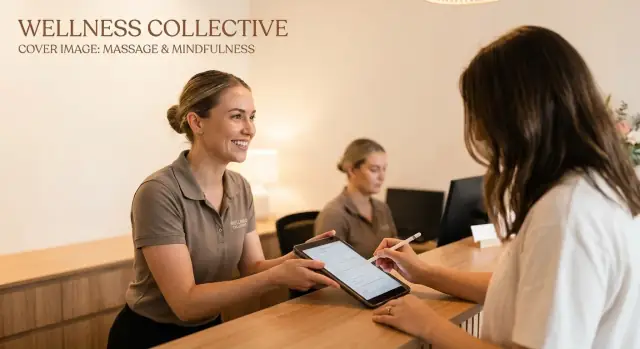
A massage studio runs on small details: allergies, recent injuries, medication changes, and what the client agreed to before you started. Intake and consent sounds simple, but it turns into daily friction when the system is paper-based or spread across multiple tools.
Paper forms are easy to hand out and surprisingly hard to manage. Pages get misplaced, handwriting is unreadable, and the same client ends up answering the same questions again because last month’s form is in the wrong folder. Even when everything is filed correctly, it takes time to pull the right sheet while the client is already in the room.
Different people need different information at different times. The front desk needs contact details, an emergency contact, and obvious health flags before the appointment. Therapists need what affects treatment right now, like pain areas, contraindications, pregnancy status, or recent surgery. After the session, notes need to be saved in a way that’s easy to find next time, without exposing private details to people who don’t need them.
Clients expect the process to be fast and private, with minimal repetition. If they already shared their history once, they want updates to be simple. They also want to sign once, confidently, without feeling like sensitive information is circulating around the studio.
When intake and consent is incomplete or hard to access, a few patterns show up quickly: contraindications get missed, signatures can’t be proven later because a page is missing or the consent version is outdated, and staff accidentally overshares because “everyone can see everything.” Follow-up sessions start with guesswork instead of clear history and prior notes, and clients lose trust after being asked the same personal questions again.
A good massage intake and consent forms app reduces these problems by making the right info easy to capture once, easy to update, and visible only to the right people.
A good intake isn’t about collecting everything. It’s about collecting the few details that keep treatment safe, reduce back-and-forth, and help your team work the same way every time. A well-designed massage intake and consent forms app separates “must have” information from “nice to have” so clients don’t get stuck on long pages.
Start with client basics that help you run the appointment without awkward gaps: full name, mobile number, email, and preferred contact method. Add an emergency contact because you don’t want to ask for it when something is already going wrong. Preferences like pressure level, areas to avoid, and pronouns can save time and help clients feel respected.
Health history is where safety lives. You’re not diagnosing, but you do need to spot contraindications and adjust your plan. Collect only what you’ll actually use. For most studios, that means current injuries or pain areas (what, where, how long), surgeries or major conditions that affect massage, medications that may change bruising or skin sensitivity, pregnancy status and trimester (when relevant), and allergies or skin reactions to lotions, oils, or adhesives.
Consent is about clear boundaries and fewer disputes later. Spell out the scope of treatment, draping expectations, and what clients can do at any point (pause, adjust pressure, stop). You can include practical studio rules like cancellation and late arrival policies, but keep the language simple and readable.
Signatures matter most when they’re easy to manage over time. Decide who signs (client, parent or guardian for minors) and when (first visit, then only when something changes). If you update policies or add a new service type, build in a quick review and re-sign step so the record stays clean.
Finally, plan for staff notes. Session notes and follow-ups help continuity, but they should be internal-only by default. A simple setup is: client-visible intake answers, therapist-only session notes, and manager-only admin fields (like refund exceptions). If you’re building your app in AppMaster, you can model these sections as separate fields and tables, then control who can view or edit each part based on staff role.
A smooth intake flow should feel like checking in for an appointment, not doing paperwork. The best massage intake and consent forms app is one clients can finish on a phone in a few minutes, without hunting for a pen or asking the front desk for help.
Keep the first screen simple: name, contact info, and a clear reason you’re asking for health notes. Then group questions into small chunks (conditions, medications, areas to avoid, pregnancy, allergies). Use plain language, and add “prefer not to say” where it makes sense.
For repeat visits, don’t make clients redo everything. Use one-time intake plus a short update that asks only what matters: new injuries, new medications, new contraindications, and today’s goals.
Digital signing works best as the last step, after the client has reviewed the consent text. Capture the signature, then lock the record with a timestamp so staff can see when it was signed and which version of the consent was accepted.
A simple signing flow usually includes a one-screen consent summary with key points highlighted, signature capture that works with a finger or stylus, an automatic timestamp with a clear “submitted” status, and a short confirmation message so clients know it went through.
After submission, show on-screen confirmation immediately. If you also send a confirmation message, keep it short: “We received your intake and consent for today’s appointment.” Clients mainly want to know it didn’t disappear.
If your studio serves more than one language, offer a translated version of the form, at least for the intro and consent text. Check basic accessibility too: large tap targets, high contrast, and minimal scrolling, especially on smaller phones.
If you build this in AppMaster, you can design a client-friendly web form for phones and tablets, then store the signed consent as a secure record that staff can access based on their role.
A good intake system isn’t just about collecting info. It’s about showing the right info to the right person at the right time. In a massage intake and consent forms app, “everyone can see everything” is the fastest way to create privacy problems and awkward client moments.
Start by naming the roles you actually have, not the roles a template assumes. Many studios can cover most cases with receptionist (front desk), therapist (employee), therapist (contractor), manager, and owner.
Then decide what each role needs to do in real life. A receptionist usually needs contact details, appointment notes, and whether consent is signed. They don’t need detailed health history. A therapist needs health notes and contraindications, but may not need billing details or internal management notes.
A simple rule that works well: limit both editing and viewing, not just editing. Sensitive fields often include health notes, injury history, medications, pregnancy status, and any internal notes your team uses to flag preferences or concerns.
Keep consent templates locked down. Changing consent text affects every future signature, so only a manager or owner should be able to edit templates. Therapists and receptionists should be able to send and collect signatures, not rewrite what’s being signed.
Audit trail basics matter even for small teams. You want to be able to answer who opened a record, who changed it, and when. If a client questions a change, or a therapist leaves, that history protects both the client and the studio.
Contractors need special handling. In most studios, they should only access their own appointments and the clients they’ve seen, and only the fields needed to deliver care. They shouldn’t be able to edit templates or access studio-wide exports and reports.
If records are messy, staff will waste time during check-in and, worse, miss key health notes. A good massage intake and consent forms app should make one client feel like one file, even when they have years of visits.
Start with a single client record that everything attaches to. Think of it as the client’s home base, and keep it consistent across your team.
Most studios do well with a structure like this:
Keep health notes separate from session notes. Health notes change rarely but matter at every visit. Session notes can be longer and should be easy to scan by date.
Make sure each form submission connects to a booking, not just to the client. Otherwise, a client can update their intake after a new injury and the therapist won’t know which appointment it applies to.
A practical approach is to save intake as a version tied to the appointment date, then mark the newest version as “current.” Staff can open the current one quickly, but older copies stay available if questions come up later.
For signed documents, store exactly what the client signed. PDFs work well, or a locked snapshot of the form with a timestamp and signature image. If you update your wording, you’ll want proof of what was agreed to at that time.
Make records easy to find: search by name and phone, and add simple filters like “new clients,” “missing signature,” and “needs review.” Phone search matters because clients often forget the exact spelling they used.
For retention, decide a simple studio policy and apply it consistently. Keep signed consents and policy acknowledgments for a defined number of years, keep health notes as long as they’re actively used for care, keep older versions when wording changes, and delete or anonymize records when the retention window ends.
A good workflow keeps two things true at the same time: clients finish it quickly, and staff can trust the record later. Decide what you truly need on day one, and what can wait until a follow-up.
Write down required fields (the session can’t happen without them) and optional fields (useful, but not a blocker). Keep required fields short so clients don’t abandon the form.
A practical starting set is: full name and phone or email, date of birth, emergency contact, key health notes (injuries, allergies, pregnancy, medications), consent acknowledgment with signature, and a date and time stamp with the practitioner name.
Keep the consent text plain. Decide when a client must re-sign. Many studios re-sign yearly, when a client reports a new condition, or when your policy changes. A checkbox like “No changes since last visit” can reduce repeat typing, but don’t rely on it as the only safeguard.
Design the client flow in the order they think: contact info first, health notes next, consent last. Put the signature at the end so you don’t collect it and then lose it when someone quits mid-form.
If you build this in AppMaster, you can keep the flow simple across web and mobile, store the signature as a file attached to the client record, and save the signed timestamp as a field that staff can verify.
Map roles to real jobs, not titles. Front desk may need to view contact info but not health notes. Therapists need health notes but shouldn’t see internal admin fields.
Run a handful of test intakes from actual appointment types (new client, returning client, couples, prenatal) and fix anything confusing.
Give staff a clear plan for missing information. Pause check-in and have the client complete the missing field. If the client can’t sign digitally, capture a paper signature and upload it with a short note explaining what happened. Don’t guess health answers or copy old info forward without confirmation. If you can’t get valid consent, reschedule instead of proceeding.
A massage intake and consent forms app can reduce paper and reduce errors, but only if you avoid a few common traps. Most problems aren’t technical. They come from unclear habits and overly open access.
One mistake is collecting more than you need. If the first screen asks for everything (full medical history, detailed medications, lifestyle questions), clients may feel interrogated and rush through it. Start with what supports safe treatment today, then add optional items only when they have a clear purpose.
Another risk is letting too many people edit health notes with no history. If one therapist changes an allergy note and it’s later questioned, you need to see what changed, when, and by whom. Treat clinical notes like a record, not a shared scratchpad.
Five issues show up often in small studios:
Return visits need a consistent process. A good pattern is: the client confirms key health items at each appointment, and the system logs that confirmation. If something changes, it becomes a dated update, not a silent overwrite.
Consent is another weak spot. If you update your policy (for example, cancellation terms or contraindications), the signed record should show that exact version, plus the date and time. Otherwise, you can end up with a signature that’s real, but not clearly tied to what was agreed.
Privacy breaks often happen in casual moments. A front desk message like “Can you take a look at John’s intake?” can leak more than intended. Keep a rule: client info stays inside approved systems, and staff only access what they need for their role.
Before you hand this to clients, run a “real day” test with one staff member and one pretend client. The goal is fewer bottlenecks at the front desk, fewer interruptions for therapists, and fewer missing consents when you need them.
You can cover the basics in about 15 minutes:
One scenario to validate: a returning client books after 14 months, updates their health history, and arrives late. Your process should still work. They can re-sign quickly, the therapist sees the new alert immediately, and the signed document is saved where anyone with permission can pull it up fast.
Jade books a 60 minute massage for Friday at 5:30. The confirmation message asks her to arrive 10 minutes early to complete intake on a studio tablet. When she checks in, the receptionist selects Jade’s appointment and hands over the tablet with the intake form already attached to her profile.
Jade fills in basics (address, emergency contact), then health notes (recent injuries, pregnancy status, allergies), and preferences (pressure level, areas to avoid). Required fields are clearly marked so she doesn’t miss the essentials.
Before Jade is called back, the receptionist sees a simple status screen: “Intake complete” or “Needs attention.” If something is missing, the receptionist can prompt Jade without reading sensitive health details. Front desk staff only needs a few items at this stage: form completion status and timestamp, missing required fields without showing answers, basic contact details for receipts and reminders, and signature status.
In the treatment room, the therapist opens Jade’s record and sees only the sections relevant to care: contraindications, key alerts, and a short summary of health notes. One answer stands out: Jade reports a recent shoulder strain, so the therapist adjusts the plan and confirms what’s safe today.
At the end of the visit, Jade signs the consent on the same tablet. The signed copy is saved automatically to her record with the date, the policy version, and the therapist assigned to that session. No one has to scan paper or chase files later.
Two weeks later, Jade calls about soreness after a different session. The studio manager adds an incident note and restricts it to managers only. The therapist can still see clinical notes needed for future care, but not the incident details.
On Jade’s next booking, she only updates what changed. The studio keeps one clean record that stays easy to find, easy to review, and safer to share inside the team.
A good plan keeps you from building too much too soon. The fastest path is to pick one small win, ship it, then add the next piece once staff are actually using it.
Decide what to build first based on where the pain is. If your paper packets are long, start with intake so you stop retyping. If your biggest risk is around boundaries and touch rules, start with consent. If forms exist but staff can’t find anything, start with the staff view.
A simple build order works for most studios: build the client intake form, add the consent form with signature and date, create a staff view that surfaces the latest answers and highlights alerts, add a way to update answers on later visits without overwriting old records, and set up exports and backups so you’re not trapped if you switch tools.
Before you build screens, write down roles and permissions on one page: receptionist, therapist, manager, owner. Then decide what each role can see and change. For example, therapists may need health notes and contraindications, while receptionists may need contact info and consent status, but not sensitive medical history.
Plan where data lives and how you’ll back it up. Even if you’re following HIPAA-like privacy practices for small clinics, the basics are the same: keep data in one place, limit access, log changes, and make sure you can export client records if needed. Pick a backup habit you can stick to, like a weekly export stored in a restricted folder.
Write a short staff playbook for exceptions, because exceptions are where privacy slips happen. Keep it to one page and cover what to do if a client wants to change an answer after signing, how to handle a minor or someone who can’t sign, how to record verbal updates (like new allergies), and what to do if the wrong staff member opened a record.
If you want to build a full massage intake and consent forms app without custom coding, AppMaster (appmaster.io) is one option to consider. It’s a no-code platform that can handle the database, forms, roles, and admin screens in one place, which helps when you need clear permissions and a clean record history.
A quick example: build intake first for new clients only. After two weeks, check what therapists still ask on paper, add those fields, then introduce the consent signature step. Small iterations beat a big launch that staff avoids.
 What should a massage intake form include at minimum?
Start by capturing the basics you need to run the appointment: name, phone or email, date of birth, and an emergency contact. Add only the health items that affect massage safety today, like injuries, allergies, pregnancy status when relevant, and medications that may affect bruising or skin sensitivity.
How do I avoid making the intake form too invasive?Ask only what you will actually use to adjust treatment and protect the client. If a question doesn’t change how you work or what you avoid, make it optional or remove it, and add a short reason for sensitive questions so clients don’t feel interrogated.
How do we handle returning clients without making them fill everything out again?Keep the first visit as a full intake, then use a short “what changed since last time?” update at each appointment. The update should focus on new injuries, new medications, pregnancy status changes, new allergies, and today’s goals so clients don’t repeat long histories.
What makes a digital consent signature legally defensible in practice?Digital consent should be the last step after the client reviews the text, then the record should be locked with a timestamp. You also want the exact consent wording saved with the signature so you can prove what the client agreed to at that time.
Who on my staff should be able to see health history and notes?Use clear roles based on how your studio actually works, and limit viewing as well as editing. A common setup is that front desk staff can see contact details and consent status, while therapists can see health notes needed for care, and only managers can see internal incident or admin notes.
How do we manage consent changes when our studio policy updates?Store consent templates as a controlled document and let only a manager or owner edit them. When you change the wording, require a quick review and re-sign so each signature is tied to a specific version instead of a moving target.
How should I structure records so therapists can find the right info fast?Keep one client record as the home base, then attach each intake submission to a specific appointment date as a version. Mark the newest version as “current,” but keep older copies so you can answer questions later without guessing what the client said months ago.
What’s the best backup plan if the tablet or signature step fails?Create a simple intake flow that works well on a phone, with short sections and plain language. If someone can’t sign digitally, capture a paper signature and upload it immediately with a note, and avoid proceeding if you can’t get valid consent.
What should we test before rolling the app out to real clients?Aim for two quick checks: how long it takes a new person to finish the form on a phone, and how fast staff can open the latest signed consent. If either takes too long, shorten text, reduce optional fields, and surface a clear “Signed/Needs update” status on the staff screen.
Can I build a massage intake and consent app without hiring developers?Yes, if you need a single system for data, forms, role-based access, and staff screens without custom coding. In AppMaster, you can model intake, consent, and visit notes as separate fields and tables, then control who can view or edit each part by role so private details don’t spread inside the studio.
Experiment with AppMaster with free plan.
When you will be ready you can choose the proper subscription.
 Jul 14, 20268 min
 Jul 13, 20268 min
 Jul 08, 20268 min