


 Jul 14, 2026
 8 min
8 minEquipment reservation app: prevent conflicts and track returns
Plan an equipment reservation app that prevents double bookings, records returns and damage, and places faulty items on maintenance hold.

A practical guide to choosing and setting up a home cleaning schedule app with calendars, cleaner assignments, and before/after photos to reduce disputes.
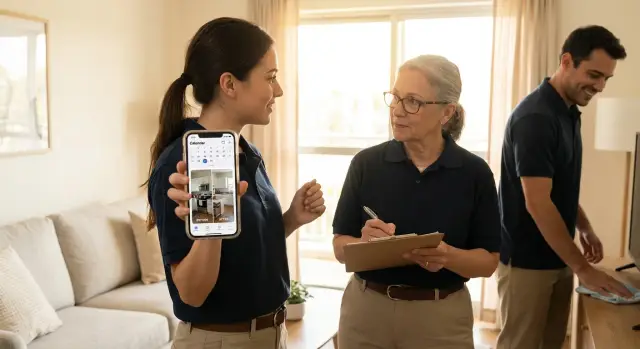
Most cleaning disputes aren't about "bad work." They happen because people remember the visit differently. A guest thinks the kitchen was left messy, the cleaner thinks it was already that way, and the host gets stuck in the middle.
The triggers are usually simple: tasks get missed, timing gets mixed up, and proof is unclear. A cleaner arrives late because the schedule changed, someone assumes "deep clean" includes inside the oven, or a quick text like "done" becomes the only record of what happened.
Before and after photos turn opinions into evidence. They also make expectations visible: what "clean bathroom" looks like, whether stains were already there, and what areas were included. Short visit notes add context photos can't show, like "could not access bedroom, door locked" or "no trash bags provided." When photos and notes live in the same place as the job, disputes are easier to resolve.
A good home cleaning schedule app reduces confusion in four places: planning, assignment, proof, and communication. It gives you one clear calendar, a visible owner for each job (with changes tracked), and a single place for photos, notes, entry codes, priorities, and special requests.
Picture a simple dispute: a host reports a "dirty fridge shelf" after checkout. If the visit has a timestamp, a before photo showing spilled sauce, an after photo showing the cleaned shelf, and a note like "stain remains, needs replacement liner," the conversation becomes quick and fair.
A home cleaning schedule app is only useful if it reduces back-and-forth. The best ones make it easy to plan the work, show who did it, and document what the home looked like when the team arrived and left.
Start with scheduling. You want a calendar that can handle recurring visits (weekly, biweekly) and one-off jobs (move-out, deep clean). Time windows matter too, because "anytime Tuesday" is where mix-ups begin.
Assignments are the next make-or-break piece. Each job should have one clear owner, plus an optional backup. Cleaners should see their own route, while managers need the full board.
The features that prevent disputes most often are:
Proof tools should be fast, not "perfect." If it takes too long to upload photos or label rooms, people skip it. Look for a simple flow: open job, tap "Before," snap photos by room, then repeat for "After." Keep notes right next to the photos so the story is complete.
History turns today's record into tomorrow's protection. When a client says, "This stain wasn't here," you should be able to open the last visit for that unit, see the photos, and read the notes without digging through chat threads.
A photo policy only works if it's easy to remember when someone is tired, in a hurry, or juggling supplies. The goal is repeatable proof captured the same way every time.
Decide what "done" looks like for each space. Don't aim to document the entire home. Aim for a few repeatable shots that cover the common problem areas.
A simple rule set most teams actually stick to:
Make it concrete. For kitchens, the detail shot might always be the sink and the stovetop. For bathrooms, it might be the toilet base and the shower floor.
People follow rules when the app tells them what to do next. Use a short naming pattern that matches how cleaners think, like "Kitchen-before" and "Kitchen-after," so searching later is painless.
Be clear about permissions. Often, cleaners can upload and view their own jobs, while a supervisor can review and approve. If customers can view photos, decide that up front and keep it consistent.
Retention matters. Keep photos long enough to cover the window when complaints arrive (often weeks, not days), and make sure the right people can still access records when staff changes.
Keep notes fast with a tight template, such as: Entry method, Supplies used, Issues found, Extra time request, Customer message sent.
First, decide what a "job" means in your home cleaning schedule app. For most teams, a job is one visit to one location, with a clear service type (standard clean, deep clean, move-out, turnover).
Create your location list the way your cleaners think about it. That might be "123 Oak St - Unit 2B" or "Main House + Guest Suite." Then define service types with expected duration (like 2 hours for standard, 4 hours for deep). This keeps the calendar realistic and reduces last-minute reshuffles.
Add recurring jobs first (weekly, biweekly, monthly), then plan for the exceptions that cause confusion: holiday shifts, guest turnover dates, one-off add-ons (inside fridge, oven, windows), "do not enter" dates (maintenance, pets, locked units), and buffer time for travel or supplies.
A simple rule: recurring jobs are the default, exceptions are the truth.
Create cleaner profiles and keep roles simple: cleaner, supervisor, client read-only. Supervisors can reassign work and approve completion. Clients can view the schedule and results without changing anything.
Three reminders cover most situations: arrival (so the client knows someone is coming), completion (so you have a clear end time), and photo upload (so proof is captured while the cleaner is still on site).
Run the full flow on a single home or unit for one week. Fix what slows people down (too many fields, confusing labels, missing exceptions) before rolling it out.
Photo proof only works when it's consistent. The easiest way to get consistency is to make photos and notes part of the same visit record as the time, address, and assignment. If proof lives in chat threads or camera rolls, it goes missing right when you need it.
Start with a per-visit checklist that matches the service type. A deep clean needs different proof than a weekly maintenance clean. Keep it short enough that people will follow it.
Pick a few checkpoints that cover most disputes, then require a before and after photo for each. For example: kitchen sink and counters, one appliance checkpoint (inside the microwave or the oven door area), toilet and shower/tub, floors in the main living area, and any item the customer mentioned (stains, trash, pet hair).
Tell cleaners what "good" looks like: same angle, lights on, and the full area (not an extreme close-up).
Notes should be quick, factual, and tied to the visit:
For higher-risk jobs (move-outs, first-time clients, or big refunds), a supervisor review step can pay off. The supervisor can check photos and notes before the job is marked complete and request one more photo while the cleaner is still on site.
Most disputes don't start with bad work. They start with missing proof, unclear context, or a plan that changed without everyone seeing it.
Late photo uploads are a common failure. If photos arrive hours later (or the next day), people question whether they match the visit. The simplest fix is to make photos part of closing the job, not a separate task.
Another problem is photos that prove nothing. A wide shot from the doorway rarely settles an argument. A close-up with no context doesn't help either. Require just enough structure to make photos useful: label the room, capture a wide shot plus one detail shot, and match the after photo to the same angle.
Rules can also be too strict. If cleaners need 25 photos and five mandatory fields, they'll rush, skip steps, or copy-paste notes. Aim for "enough to prove the work" and keep it consistent. For many standard homes, 6 to 10 photos is a good starting point, then adjust by property size and risk.
Scheduling causes its own arguments when it lives in too many places. If the cleaning job calendar is partly in texts, partly on paper, and partly in a shared calendar, someone will miss an update. Pick one system as the source of truth and treat everything else as a notification.
Last-minute changes need a clear owner. If anyone can cancel or move a visit, you'll eventually double-book a cleaner or show up to a locked door. Assign one person (or one role) to approve changes and require a short cancellation note.
A dispute usually starts because people remember the same visit differently. A shared workflow turns "I think" into "we can see." The key is that everyone follows the same steps, even on busy days.
A clear status flow helps:
Define what triggers a re-clean versus a note for next time. A re-clean is for missed work in the agreed scope (for example, bathroom mirror not wiped). A note is for preferences or non-urgent items (for example, "Use less product on the wood table" or "Focus more on baseboards next visit"). When possible, attach one photo to each re-clean request so it stays factual.
Cancellations and reschedules shouldn't erase history. When a job moves, keep the same visit record and add a new time. That way, photos and notes remain tied to that date and location, and you avoid "That photo is from another day" arguments.
Make exceptions easy to document with neutral notes: "Red wine stain present before visit, did 2 passes, stain remains" or "Guest items on counter, cleaned around them." Keep the tone calm and objective. Write what you observed and what you did.
Consistency prevents most arguments. A simple routine makes it easy to capture proof the same way every time.
One small rule makes this stick: photos are only "done" when they match the standard angles. For example, always stand in the doorway for bathroom shots so the full room is visible. That keeps photos comparable from visit to visit.
A short-term rental turnover is where small gaps in communication turn into complaints fast. Imagine a 4-hour window between a guest checkout at 11:00 and the next check-in at 15:00, with laundry, trash, and a bathroom reset all needing to happen on time.
With a home cleaning schedule app, the job sits on a shared calendar with a clear start time, expected duration, and status. That prevents classic problems: two cleaners showing up, no one showing up, or someone arriving late because the address and timing lived in a text thread.
Now the twist: the assigned cleaner calls in sick at 9:30. The manager reassigns the job and adds a quick note: "Key in lockbox, code unchanged." Because the assignment change is tied to the calendar entry, everyone sees the update in one place.
At 16:10, the guest messages: "Bathroom wasn't cleaned. There's hair in the shower." This could turn into a refund request and a blame game. But the cleaner uploaded before and after photos, including a close shot of the shower drain and a wide shot of the vanity.
The photos settle what happened in minutes: the shower was clean at completion time. The notes capture what photos don't show:
That combination of calendar, assignment history, photo proof, and notes turns a heated complaint into a calm response.
Photos are strong proof, but they add up fast. Plan for storage early. Set a retention rule (for example, keep full photo sets for 60-90 days, then keep only a small highlight set) and store images at a sensible size so they're clear without being huge. If certain clients or properties need longer history, make that the exception, not the default.
Privacy is the other reality check. Cleaners work in private spaces, and even an honest photo can capture more than intended. Keep privacy rules simple:
Low-signal homes and basement rooms will happen. Decide what offline work means: take photos and notes as usual, then sync as soon as possible. Train staff to confirm uploads before leaving the property (the parking lot is often enough).
Time tracking can create disputes too, just with your cleaners instead of clients. Be clear on expectations: track travel separately from on-site work, allow a small buffer for photo documentation, and judge people on results and consistency, not just minutes.
Clients rarely need every detail. Share a simple visit summary and a small set of the most useful photos (key rooms and problem areas), while keeping the full record internal.
Rollouts fail when you try to fix everything at once. Start small and keep it repeatable. Pick one property (or a small set of similar homes) and one simple checklist. Run it for a week before adding more rules, more properties, or more photo requirements.
Write a one-page SOP anyone can follow on a busy day. Keep it short and specific: when jobs are scheduled, what photos are required, what notes are required, how approvals work, and what happens if something is missed.
Once the basics are stable, automate one thing at a time. Reminders the evening before and 30 minutes before arrival, simple status updates, and prompts like "Add before photos" at check-in and "Add after photos" at check-out tend to help right away.
If you can't find a home cleaning schedule app that matches your workflow, building one is an option. AppMaster (appmaster.io) is a no-code platform you can use to create a production-ready web or mobile app with a job calendar, assignments, and per-visit photo-and-notes records, so the process fits how your team already works.
Set a calendar reminder for a two-week review. Ask: Which rules did people follow without being chased? Which steps caused delays or confusion? What can you remove or simplify while still preventing disputes? Make one change, retrain in five minutes, and keep going.
 Why do cleaning disputes happen so often even when the cleaner did a good job?
Because people remember the same visit differently. Without a shared record of what was there and what was done, a complaint turns into opinion versus opinion instead of a quick, factual check.
What should we photograph on every cleaning visit to avoid arguments?Start with the highest-complaint areas: kitchen sink/counters, stovetop, inside microwave or oven edge, toilet base, shower floor, and one main floor area. Keep the angles consistent so the “after” photo clearly matches the “before.”
How many before/after photos are “enough” without slowing cleaners down?Aim for a small, repeatable set that people will actually take every time. In many homes, 6–10 total photos per visit is enough if they cover the key spots and include both a wide and a detail view.
What should cleaners write in visit notes?Use a short, factual template that captures what photos can’t: access method, missing supplies, issues found on arrival, anything skipped and why, and anything that needs follow-up. Keep the tone neutral and write what you saw and what you did.
How do we stop late photo uploads that make the proof look suspicious?Make photo upload part of closing the job, not an optional extra. Require photos to be uploaded before the job can be marked complete, so timestamps and context stay tied to that specific visit.
How do we prevent scheduling mix-ups like double-booking or missed visits?Use one calendar as the source of truth and assign one accountable owner per job. When changes happen, record who changed it and add a short reason so everyone knows what moved and why.
How do we handle “deep clean” expectations without constant back-and-forth?Define scope in plain language inside the job: what’s included, what’s not, and any add-ons like inside fridge or oven. When a complaint comes in, compare it to the recorded scope, the checklist, and the before/after proof from that same visit.
How can we take proof photos without violating client privacy?Set simple rules: avoid faces, personal documents, mail, IDs, and reflective angles that capture more than the cleaned area. When something is sensitive, note it instead of photographing it, and keep access to photos limited to the roles that need it.
What’s the best way to handle cancellations and reschedules without losing history?Keep the same visit record and update the time and assignment rather than creating a new job from scratch. That way the audit trail stays intact and it’s harder for anyone to argue that the photos belong to a different day.
Should we buy a cleaning schedule app or build our own?If your process is specific and off-the-shelf tools keep forcing workarounds, building a simple custom app can be worth it. With AppMaster, you can create a no-code web or mobile app that matches your workflow with a job calendar, assignments, and per-visit photos and notes stored in one place.
Experiment with AppMaster with free plan.
When you will be ready you can choose the proper subscription.
 Jul 14, 20268 min
 Jul 13, 20268 min
 Jul 08, 20268 min