


 Jul 14, 2026
 8 min
8 minEquipment reservation app: prevent conflicts and track returns
Plan an equipment reservation app that prevents double bookings, records returns and damage, and places faulty items on maintenance hold.

Citizen development governance that keeps delivery fast: practical templates for naming, data models, permission reviews, and lightweight approvals.
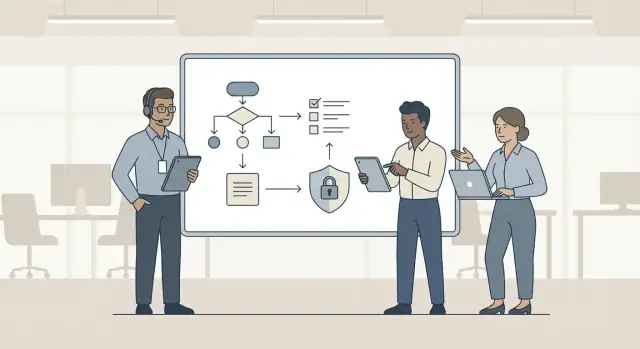
Citizen development is when people outside IT - operations, finance, HR, support, sales - build apps for their own work. That often means no-code tools that let a team create forms, workflows, dashboards, and even customer portals without waiting in an engineering queue.
Speed is the upside. The downside is how shadow IT starts: a spreadsheet becomes "the system," then someone adds macros, then a shared drive folder turns into a database, then a quick app gets copied by three teams with different fields and rules. Nobody is trying to break policy. They are trying to ship.
Good governance is not about stopping people. It protects the things that get expensive to fix later:
Kept light, governance reduces rework. Teams lose time when they rename the same concept five ways, rebuild the same table twice, or discover after launch that the wrong people can access payroll notes.
A simple test: governance should be faster than the cleanup. If it adds meetings, long documents, or weeks of waiting, people will route around it and shadow IT grows anyway.
Example: if a support team builds an internal ticket triage tool in a no-code platform like AppMaster, the goal is not to slow them down. The goal is to make sure "customer_id" means the same thing everywhere, access is reviewed once, and someone can maintain the app next quarter without guesswork.
Good citizen development governance is less about writing rules and more about removing guesswork. If teams know the few things they must do every time, they can build quickly without creating cleanup work later.
Start with a small set of rules that cover real risk. Most teams only need a handful to get most of the benefit:
Match review effort to risk. A basic team dashboard showing non-sensitive KPIs can ship with a lightweight check. A customer-facing portal that handles payments or personal data should get a stronger review before release.
Templates beat long documents. Instead of asking builders to read pages of policy, give them a one-page checklist and a few copy-ready patterns (naming, standard fields, role sets, approval steps). In a platform like AppMaster, you can bake this into how teams create data models and set permissions, so the right way is also the easy way.
Finally, make ownership obvious. Governance fails when tasks float between "IT," "Security," and "the business." Keep decisions close to the work and assign one owner per area.
A practical ownership model:
When rules are few, reviews match risk, templates do the heavy lifting, and owners are clear, teams can ship fast without losing control.
Most governance problems are really role problems. When everyone can build but nobody owns it, apps drift, data gets messy, and reviews turn into last-minute firefights. Clear roles keep governance lightweight because decisions have a home.
Separate three permissions: who can build, who can approve, and who can publish. Many teams accidentally give the same person all three. That speeds up day one but increases risk and rework later.
Keep the cast small and make each role easy to understand:
The app owner is the anchor. They approve what the app should do, keep a simple change log, and make sure someone is watching errors and user feedback after release.
IT and security work best as enablers, not gatekeepers. Their job is to define guardrails (approved connectors, data handling rules, access patterns) and help builders succeed inside them. In AppMaster, that often means providing a standard app template, default authentication module, and an approved list of integrations.
Avoid big committees. Use a small review group with a clear response time so delivery stays predictable:
Example: a sales ops builder finishes a lead-routing tool on Friday. The app owner confirms the workflow, the review group checks access to customer data and role-based permissions, and the publisher ships it Monday without a long approval chain.
Naming is the cheapest control you can add. It makes apps easy to find, audit, and hand over without adding meetings.
Pick one format and use it everywhere you create things: the app itself, modules, pages, API endpoints, and data objects.
<team>-<purpose>-<env>-<version>
In AppMaster, you can apply this to the project name, web pages, business processes, endpoints, and Data Designer entities so everything lines up.
Keep these rules short enough to follow while building:
If you need two versions live, keep both names explicit: sales-orders-prod-v1 and sales-orders-prod-v2. When you plan to retire something, rename it to include deprecated-YYYYMM or legacy so it shows up in searches and reviews.
Quick examples:
| Item | Good | Bad |
|---|---|---|
| App | ops-incident-tracker-prod-v1 | Incident App Final |
| Module/page | ops-incident-intake-dev | page2 |
| API | ops-incidents-prod-v1 | getData |
| Data object | ops_incident | table_new |
When teams name things consistently, reviewers spend less time decoding and more time catching real risk.
Fast apps usually break later for one reason: nobody can tell what the data means. A lightweight standard keeps your database readable, easier to change, and safer, without turning governance into paperwork.
For each table, require a short header that answers basic questions. In a tool like AppMaster’s Data Designer (PostgreSQL), this can live as a table description plus a short note in your app docs.
Make fields predictable so apps can join, filter, and audit reliably.
created_at, updated_at, and optional deleted_at.status with a controlled list of values (and document what each value means).For relationships, default to one-to-many with a foreign key. Use many-to-many only with a join table that has its own timestamps and, if needed, a role/type column.
For documentation, keep it practical: every non-obvious field needs a plain-language meaning, allowed values, and an example.
Write this once and reuse it across all apps:
Permissions are where citizen-built apps usually go wrong. Too many roles create confusion, but no roles creates risk. Aim for a small set of defaults that works for most internal tools, then add exceptions only when you truly need them.
Start with four roles and describe them in plain language:
Apply least-privilege by default. New users start as Viewer or Editor, not Admin. If someone requests more access, require a short reason and a time limit when it makes sense (example: "Admin for 7 days to migrate data").
Prohibit shared accounts. Every person uses a named account so actions are traceable. If you need automation, use a dedicated service account with the narrowest permissions possible and store its credentials in an approved place.
Pick one owner per app (usually the business owner) and set a repeating review. Monthly is best for apps handling money, customer data, or HR. Quarterly is enough for low-risk tools.
A quick review checklist:
This keeps access understandable for non-technical teams while still giving you a clear trail when something goes wrong.
A fast approval process should answer one question: is this app safe enough to ship for its purpose? If the answer is yes, approval should be quick and documented, not a meeting.
Use a single, repeatable flow with clear time limits (same-day for low risk, 2 business days for medium). Keep it mostly async so builders do not wait for calendars.
Example: a sales team ships a deal-approval app. It is Medium risk because it includes customer contacts. Approval takes one async review: confirm fields, limit access to the sales role, and set a 60-day check-in.
Fast delivery is great, but the last 10 minutes are where avoidable problems slip in. This quick pass prevents messy handoffs and quiet security gaps without turning release day into a meeting.
Run it like a pit stop: one person reads each item out loud, one person verifies, and you capture follow-up in a short note.
If you are building in AppMaster, this is usually quick because ownership, data models in the Data Designer, and role-based access can be reviewed in one place before you deploy.
When you find an issue, avoid "fix everything now." Ship what is needed for safety and clarity, then schedule the rest as the next small improvement so teams keep moving.
The fastest way to kill citizen development is to treat every change like a high-risk release. If a new button label needs the same review as a payment flow, teams learn to bypass the process and build in secret. Use risk tiers: low-risk changes ship with a quick check, and only sensitive changes trigger deeper review.
Another common trap is standards that look good on paper but collapse under real deadlines. If naming rules take a page to explain, or data model standards require a DBA to interpret, people will ignore them. Keep standards small enough to follow while building in a tool like AppMaster, not after the fact.
Data problems often come from what you do not decide. Teams store customer exports, logs, and attachments "for now" and forget them. Months later, nobody knows what can be deleted, what must be kept, or where it lives. A retention and deletion note per table or dataset prevents this.
Permissions usually start tidy and slowly turn into "everyone gets access." Without periodic reviews, roles grow until you cannot explain who can see what. Schedule lightweight reviews and remove access that is no longer needed.
The biggest governance failure is having no clear owner. Apps break, vendors change APIs, or a key employee leaves, and nobody feels responsible.
Patterns to watch for:
Fix these five and governance gets lighter, while delivery usually gets faster.
An operations team needs a simple internal app in 2 weeks: employees submit a request, a manager approves it, and finance gets notified. People are already emailing spreadsheets around, and someone suggests building a quick tool "on the side." That is how shadow IT starts.
They keep speed but add light governance from day one. The rule is simple: if it touches shared data or permissions, it follows the templates.
First, they apply the naming template so everything is easy to find later. Pages are named like ops_req_list, ops_req_detail, and ops_req_admin. Workflows follow the same pattern: bp_ops_req_submit, bp_ops_req_approve, bp_ops_req_reject. API endpoints (if exposed) match the resource name, so nobody creates "Request2" or "ApprovalNew" a week before launch.
Next, they use data model standards to avoid duplicate tables. Instead of separate request tables for each department, they create one request entity with clear fields (type, status, requester_id, approver_id, amount, created_at). Comments and attachments are separate entities linked back to request, so the schema stays clean when the app grows.
Before release, they run a low-risk approval path: a 15-minute permission review with an app owner, a security reviewer, and one manager. The checklist catches a real issue: the first draft granted "All Employees" access to the admin page and the full request list. That would expose salary-related requests.
They fix it with a simple rule set:
Built in a no-code tool like AppMaster, the team ships on time. A month later, the app is still supportable because names, data, and access were controlled without adding weeks of process.
Start small so people actually follow the rules. Pick one team, one app type, and one clear risk tier (for example: internal-only apps with non-sensitive data). That is the easiest place to prove governance can be fast, not heavy.
A rollout that tends to work:
To keep governance from becoming a scavenger hunt, turn the templates into reusable forms. Keep the register short and searchable. Track what helps with support and audits, not everything you can imagine.
Include only what you will actually use:
Access reviews should be owned by the business app owner, not IT. Make it a short recurring calendar event (monthly or quarterly). The goal is to remove people who should not have access anymore, not to redesign the app every time.
If you build on AppMaster, you can map these guardrails to what teams already touch: naming rules for Data Designer objects, roles defined up front, and a lightweight approval step as part of the release process before you regenerate and deploy. If you want a single place to standardize this across teams, AppMaster (appmaster.io) is designed for full applications - backend, web, and mobile - so templates and permissions can stay consistent as projects grow.
Build one governed pilot app, then iterate based on what slows people down. Keep what prevents real risk, and cut what only creates paperwork. " } }
 Why do citizen-built apps need governance at all?
Start with a small set of rules that prevent expensive cleanup: clear ownership, consistent data definitions, and basic access control. Keep it faster than the cleanup by using templates and a short checklist instead of meetings and long documents.
What’s the difference between citizen development and shadow IT?Shadow IT is what happens when useful tools grow without clear data definitions, ownership, or access rules. The quickest fix is to provide an approved path that’s easier than going around it: standard templates, a simple register, and fast reviews based on risk.
How do we keep governance from slowing teams down?Use risk tiers. Low-risk internal apps with non-sensitive data should ship with a quick async check, while apps touching customer data, HR data, or payments should get a deeper review before release.
Which roles should we define for citizen development governance?Separate who can build, who can approve, and who can publish. A common setup is Builder, App Owner, Reviewer (security/data), and Publisher (platform admin) so speed stays high but releases don’t turn into uncontrolled changes.
What does a lightweight review group look like?Use a 2–3 person group covering security and data, with a clear response time. Keep the scope narrow: permissions, sensitive fields, and external integrations, not UI style or personal preferences.
What’s a naming convention teams can follow in under a minute?Pick one simple format and apply it everywhere, such as <team>-<purpose>-<env>-<version>. Use clear nouns, keep it consistent across apps, pages, workflows, and APIs, and mark items as legacy or deprecated-YYYYMM when you plan to retire them.
What data model standards prevent messy databases later?Require minimum metadata for each table or object: owner, purpose, source of truth, retention, and sensitivity. Standardize key fields like created_at and updated_at, and avoid storing secrets, payment card details, or open-ended notes that invite sensitive data.
How should we design permissions for citizen-built apps?Start with a small default set like Admin, Editor, Viewer, and Auditor. Default to least privilege, ban shared accounts, and schedule periodic access reviews so roles don’t slowly expand into “everyone can see everything.”
What’s a simple approval process that avoids delays?Use one intake form, assign a risk tier, and apply tier-based checks with time limits. Document a clear decision, then publish and register the app with an owner, support path, and a review date so it doesn’t become a forgotten tool.
What should we check in the last 10 minutes before releasing a citizen-built app?Confirm ownership, spot-check data clarity, test least-privilege access with a restricted account, decide how you’ll trace changes for sensitive workflows, and agree on a basic recovery plan. Ship what’s needed for safety first, then schedule non-critical improvements right after release.
Experiment with AppMaster with free plan.
When you will be ready you can choose the proper subscription.
 Jul 14, 20268 min
 Jul 13, 20268 min
 Jul 08, 20268 min