


 Jul 14, 2026
 8 min
8 minEquipment reservation app: prevent conflicts and track returns
Plan an equipment reservation app that prevents double bookings, records returns and damage, and places faulty items on maintenance hold.

Learn how to design a car detailing booking app with clear service tiers, smart add-ons, pickup options, and saved vehicle profiles for faster repeat bookings.
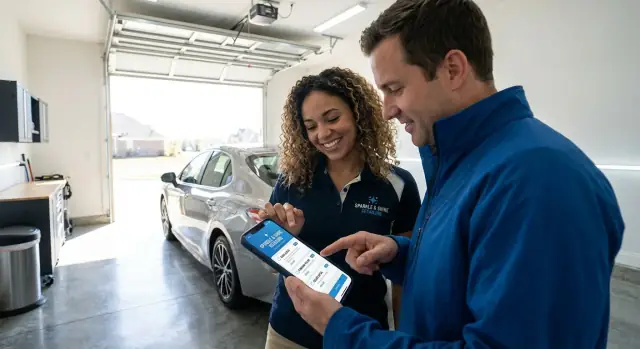
When bookings come in through phone calls, Instagram DMs, and texts, details slip. Someone asks for “a full detail,” you ask a few follow-up questions, they reply an hour later, and by then you’re on another job. Small gaps like that lead to missed appointments, double-bookings, and awkward “I thought you meant…” moments.
Pricing confusion is one of the quickest ways to lose a booking. Customers often can’t tell the total until the end of the chat: sedan vs SUV, pet hair, heavy stains, engine bay, ceramic spray, odor treatment. If the price seems to shift as they answer questions, trust drops, even when your pricing is fair.
Add-ons and pickup options make things worse without a clear, structured flow. One customer wants a child seat cleaned, another needs dog-hair removal, and a third asks for pickup “sometime after 5.” If you handle that manually, you’re stuck keeping the rules in your head: travel radius, minimum ticket size for pickup, how long each add-on takes, and which combinations you can’t do in one slot.
Common failure points show up again and again:
The goal is simple: make booking fast for customers and predictable for you. A car detailing booking app should guide people through the choices you already ask about, calculate a clear total, and capture key details once. That way repeat clients can rebook in minutes instead of starting from scratch.
When someone opens a car detailing booking app, they want to decide fast. Most people aren’t shopping for “the perfect package.” They’re trying to answer four questions: when can I do it, how much will it cost, where does it happen, and what’s included.
If any of those are fuzzy, people pause, second-guess, and leave. Drop-offs usually happen when the price feels like it might change later, or when service names sound fancy but don’t clearly say what you get.
Customers want to see these basics before they commit:
First-time customers need reassurance. They want simple explanations, realistic expectations, and confidence there won’t be a surprise “extra” charge for common things like pet hair or an SUV.
Repeat customers want speed. They don’t want to re-enter their address, vehicle, or preferences every time. They expect the app to remember what they booked last time and offer a quick rebook.
To confirm a booking without surprises, collect only what you need up front: contact details, vehicle type (sedan/SUV/truck), service location, desired time window, and one or two condition notes (for example, “heavy dog hair” or “needs stain removal”). Everything else can be optional, as long as the price and what’s included stay clear.
A good tier setup builds confidence instead of confusion. In a car detailing booking app, most shops do best with 2 to 4 tiers. Use plain names that match how customers think, like Basic, Standard, and Premium.
Define each tier by clear, measurable items, not vague promises. Instead of “full detail,” say what’s included and what’s not. That makes pricing feel fair and cuts down on arguments later.
A simple tier description usually covers:
Limits aren’t about being strict. They protect your schedule. Call out common scope-creep items like pet hair, sand, heavy stains, or excessive trash. A short “Condition notes” field at booking helps.
Decide up front how you handle heavy soiling. Three approaches work well: a separate “Restoration” tier, a required approval step after inspection, or a clear surcharge rule (with a visible range so it doesn’t feel like a surprise).
Example: A customer books “Standard” for a midsize SUV and notes “dog rides daily.” Your app flags pet hair as an extra, offers a “Pet Hair Removal” add-on, and shows a message: “Heavy pet hair may require approval or an additional fee.” The customer sees it before paying, and your team knows what to expect when the car arrives.
Add-ons can raise your average ticket, but they can also stall a booking if the list feels endless. The goal is to make extras easy to scan, easy to choose, and easy to schedule.
A reliable pattern is to group extras by what customers recognize, not by how you do the work. Keep categories short and familiar, like interior, exterior, protection, odor, and specialty. Then show a small set of “most chosen” options first.
Start with 6 to 12 core add-ons that are quick to understand and easy to quote. Each one should have a clear name, a short plain description, and one simple price rule (fixed price or “starts at”). If an item needs an inspection, say that up front.
Keep categories readable, especially on mobile:
Guardrails matter more than clever upsells. If an add-on adds time, show it next to the price (for example, “+30 min”). If it changes the job type, explain what happens (“requires a longer slot” or “available weekdays only”).
A helpful upsell feels like a reminder, not pressure. If someone picks an interior-focused package, suggest one small match like “floor mat deep clean” or “glass coating” with a single tap.
If you’re building this in AppMaster, you can model add-ons with duration and pricing rules, then use a simple decision step in the booking flow to warn when a selection needs extra time or a different slot.
Pickup and delivery can turn your car detailing booking app into a true “done for me” service. It only works if the options are clear and the rules are built in, so customers don’t book something you can’t fulfill.
Make location type a simple choice during booking. Keep it to three options and explain each in one line:
Once someone chooses pickup or mobile, collect the details that prevent day-of confusion. Ask for the address early, then capture access notes right after.
Pricing works best when it’s predictable. Instead of a custom quote every time, use distance bands or zones. For example: Zone A (0-5 miles), Zone B (5-10), Zone C (10-15). If a customer enters an address outside your service area, show a polite message and offer drop-off instead.
Travel also needs time, not just money. Add automatic buffers for driving and handoff so your schedule stays realistic. A common setup is a fixed handoff buffer (10-15 minutes each way) plus travel time based on zone.
Scenario: a customer books an interior detail with pickup in Zone B. The app adds the pickup fee, blocks extra time before the service for travel, and collects the gate code and key plan. Next time they book, the app can reuse their address and notes, so checkout takes seconds.
A repeat customer shouldn’t have to retype the same car details every time. In a car detailing booking app, a saved vehicle profile turns a 2-minute form into a couple of taps.
Start with the basics customers can answer quickly: make, model, year, body style, and color. Those details help you estimate time, pick the right package, and avoid surprises like a large SUV booked into a small-car slot.
The most useful info is often the real-world stuff. Let customers add optional notes that only show to your team, like child seats that need moving, dark tint, sensitive piano-black trim, pet hair, or a scratch they’re worried about. Keep it simple: one short text field plus a few checkboxes is usually enough.
Photos should be optional, but easy. A quick set of 3 to 5 images (front, sides, interior) can set expectations and reduce disputes. Make it clear the photos are for condition checks, not judging the customer.
Many households have more than one vehicle. Support multiple saved cars under one customer so they can book “the blue sedan” or “work truck” without re-entering details.
On the next booking, pre-fill what you already know:
Example: Sam books a maintenance clean for a white Model 3 once a month. Next time, they choose the car, pick a time, confirm pickup, and pay. No typing, no friction.
A good booking flow feels quick, even when you offer lots of choices. Ask one clear question per screen, keep the price visible, and only show details when they matter.
A flow that works well:
Start with service level and vehicle. Ask for vehicle type (sedan, SUV, truck) and basic size info, then show 2 to 4 tiers with plain names and short descriptions.
Offer extras next, but keep it calm. Show a short list with checkboxes and a running total that updates instantly. If an add-on needs more time (pet hair, heavy stain removal), show the extra minutes and the extra cost.
Schedule based on real time, not wishful time. Each tier should have a default duration, and add-ons should increase it. Only show slots that fit your capacity.
Confirm how the job will happen: in-shop, mobile, or pickup and delivery. If pickup is chosen, confirm the address and capture simple access notes like “gate code” or “call on arrival.” This is also where you set expectations (arrival window, key handoff).
Take payment and send confirmation. Some shops use a deposit for higher tiers or large vehicles, and full payment for smaller jobs. After payment, send a clear summary: tier, add-ons, location option, date and time, total paid, and what happens next.
Example: A repeat client chooses “Interior + Exterior,” checks “Clay bar” and “Leather conditioning,” sees the total update, picks a slot that fits the longer duration, chooses pickup from their office, pays a deposit, and gets an email/SMS confirmation with the address and notes.
A car detailing booking app lives or dies on time math. Calculate job duration from three parts: the base tier (for example, “Interior + Exterior”), chosen add-ons (pet hair, clay bar, engine bay), and any travel time for mobile service or pickup and delivery.
Keep it predictable: give each tier and add-on a default time, then apply simple rules (like “oversize SUV adds 30 minutes” or “two-seat coupe subtracts 15”). If pickup is selected, add buffer time for handoff, traffic, and loading.
To prevent double-booking, treat capacity as real limits, not a calendar decoration. Most shops need rules like these:
Reschedules and cancellations are where trust is won or lost. Set clear cutoffs (for example, free reschedule up to 24 hours before) and decide what happens to deposits. When a customer moves an appointment, the system should re-check capacity and only offer valid slots.
Inside the business, a simple status flow keeps everyone aligned:
Each job should show who’s assigned, start time, and a short “supplies needed” note (microfiber set, extractor, leather conditioner). If you’re building in AppMaster, this maps cleanly to your data models and a visual workflow so rules stay consistent on busy weeks.
Payments and messages are where a car detailing booking app either feels trustworthy or risky. Decide when you charge, then keep notifications simple and useful.
There’s no single best option. Pick what matches your no-show risk and the size of the job.
Whatever you choose, make it clear on the checkout screen and in the confirmation message.
Confirm your pricing rules before you build: taxes (if applicable), travel or pickup fees, and any discounts (first-time, multi-vehicle, or bundle offers). If price depends on vehicle size or condition, say what triggers a change (for example, “heavy pet hair” or “oversized SUV”). That avoids arguments at pickup.
Most no-shows happen because people forget, don’t know what to do, or can’t meet a narrow arrival time. Email or SMS reminders remove friction.
Send:
Make receipts and booking history easy to find in the app so repeat clients can rebook in seconds. If you build with AppMaster, you can connect Stripe payments and email/SMS notifications to the same workflow, and store vehicle details for the next booking.
The fastest way to lose trust is to make booking feel like a trick. Many detailing teams build a car detailing booking app that looks polished, but the small details create confusion, rework, and awkward price changes.
One common issue is offering too many packages that differ by tiny items (one extra spray, a slightly different wax). People can’t compare them, so they pick the cheapest or abandon the booking. Keep tiers clearly separated by outcome (basic clean vs deep interior vs full correction) and list what’s included in plain words.
Add-ons often get priced like pure profit, but they really cost time. If an add-on adds 30 minutes, it affects staffing, the next slot, and sometimes the whole day. Tie each add-on to a time estimate and limit how many can be stacked in one appointment.
Pickup and delivery is another trap. If customers can book pickup without confirming the service area, you end up calling to renegotiate or cancel. Make the address check happen before the time is confirmed, and offer a “request pickup” option when you’re unsure.
Price disputes usually come from missing info. Ask for what changes effort: vehicle size, interior condition, pet hair, stains, and whether it’s a first-time clean.
Plan for edge cases upfront:
If you’re building on AppMaster, you can turn these into required questions and consistent rules so the app applies the right tier, add-on, or approval step every time.
Before you build a car detailing booking app, make a few decisions that prevent messy pricing, confusing calendars, and constant customer follow-ups.
Give service tiers names people can picture in one glance (for example, “Express Exterior” vs “Full Interior + Exterior”). Each tier should show a short list of what’s included so customers don’t have to guess.
Add-ons should feel helpful, not endless. Keep them grouped (Interior, Exterior, Protection), limit how many you show at once, and always show both price and added time.
If you offer pickup, drop-off, or mobile detailing, define rules early. Set service zones, travel buffers, and cut-off times for same-day requests. Make the address form strict enough to avoid “Where exactly are you?” messages.
Repeat bookings get much faster when you save a vehicle profile. Store make, model, year, color, plate (optional), and notes like “pet hair” or “matte paint,” and allow multiple vehicles per customer.
Your confirmation screen and message should remove doubt: total price, estimated duration, location, and the next step (for example, “We’ll text when we’re on the way”).
Don’t treat the admin view as an afterthought. You need one place to see today’s schedule, job status, and customer contact info. In AppMaster, this typically maps to data models for vehicles and bookings plus a simple status workflow.
Jules detailed Sam’s black SUV last month. This week, Sam wants the same “Full Interior + Wash” tier again, but adds “Pet hair removal” because the dog rode along all weekend.
In a well-made car detailing booking app, Sam doesn’t retype the basics. The app remembers the vehicle (make, model, year, color, license plate, and notes like “tight garage - reverse in”). Sam only confirms the address and picks a time. That small change cuts friction and prevents mistakes, like choosing the wrong vehicle size or forgetting special instructions.
For an MVP, build the parts that affect every booking:
Nice-to-have features can wait until you see real patterns: memberships, promo codes, automated upsell prompts, driver routing, and photo checklists.
A practical build path with AppMaster looks like this: start in the Data Designer with tables for Customers, Vehicles, Bookings, Services, AddOns, and TimeSlots. Then use the Business Process Editor to calculate totals, block out capacity, and apply pickup fees when needed. Build a simple web admin for your team (today’s jobs, status updates, notes), and a mobile-friendly customer UI that focuses on “book again” and “add one extra.”
Launch with 2 to 3 tiers and 5 to 8 add-ons. After a few weeks, expand based on what people actually book, not what looks good on a pricing sheet.
 How many service tiers should my detailing booking app offer?
Start with 2–4 clear tiers using plain names like Basic, Standard, and Premium. Define each tier by what’s included (interior, exterior, wheels, windows) and the expected time range, then keep everything else as add-ons so customers can compare quickly.
How do I stop customers from feeling like the price keeps changing?Show the total price as early as possible and keep it visible through the flow. Bake common price drivers into simple choices (vehicle size, pet hair, heavy stains, pickup zone) so the total doesn’t “jump” after a long chat.
What’s the best way to present add-ons without overwhelming people?Cap your add-ons to a short, understandable set and write each one with a one-line description and a simple pricing rule. If an add-on needs inspection or varies by condition, say that before checkout so it doesn’t feel like a surprise later.
How do I make sure the app only shows time slots that actually work?Attach a time estimate to every tier and add-on, then let the schedule show only slots that fit the calculated duration. This prevents double-booking and stops you from accepting a “small” booking that turns into a half-day job.
How should pickup, drop-off, and mobile detailing be handled in the booking flow?Use three clear location options (drop-off, mobile, pickup/return) and ask for the address before confirming a time. Set service zones and automatic buffers for travel and key handoff so customers can’t book pickup outside your coverage or inside an impossible window.
What details should I store to make repeat bookings fast?Save a vehicle profile with make, model, year, body style, and color, plus optional notes like “pet hair,” “child seat,” or “tight garage.” The next time, let them pick the saved vehicle, confirm the address, and rebook the last service in a few taps.
Should customers upload photos during booking?Make photos optional and explain they’re for condition and scope checks, not judgment. Limit the request to a few quick angles (outside and interior) and keep it separate from payment so it doesn’t block bookings.
What questions are actually necessary at booking time?Collect only what changes the job: vehicle size, condition flags (pet hair, stains, heavy soiling), and any special access notes for mobile or pickup. If something is truly unpredictable, use a clear approval step after inspection instead of trying to guess via long forms.
Should I charge a deposit or take full payment when they book?Deposits work well when no-shows hurt your schedule or when higher tiers block big chunks of time. Keep the rule simple (for example, deposit for Premium or for large vehicles) and state it clearly at checkout and in the confirmation message.
How can AppMaster help me build a detailing booking app without custom coding?Model services, add-ons, vehicles, and bookings as tables, then use a workflow to calculate price, duration, and travel fees consistently. In AppMaster, this maps cleanly to the Data Designer for the data structure and the Business Process Editor for the booking logic, with a web admin for your team and a mobile-friendly customer UI.
Experiment with AppMaster with free plan.
When you will be ready you can choose the proper subscription.
 Jul 14, 20268 min
 Jul 13, 20268 min
 Jul 08, 20268 min